

Why an Approval Was Canceled
An approval is canceled automatically when an approver loses a tag the document carries, even when the approver is an Admin.
Who can do this: the document's Editor.
What You See
The document is back in Draft, with Send for Approval in the top bar, and no message appears on it. The document's Editor and the approvers are notified.
To confirm the cause:
Click Approval Workflow (the branching icon) in the top bar. The steps show Not started, and the panel says "This workflow was stopped."
Open the document's log. It names the workflow, the tag and the person, for example: "Approval workflow Annual Policy Review was cancelled due to tag Managers being removed from Iris Murdoch".
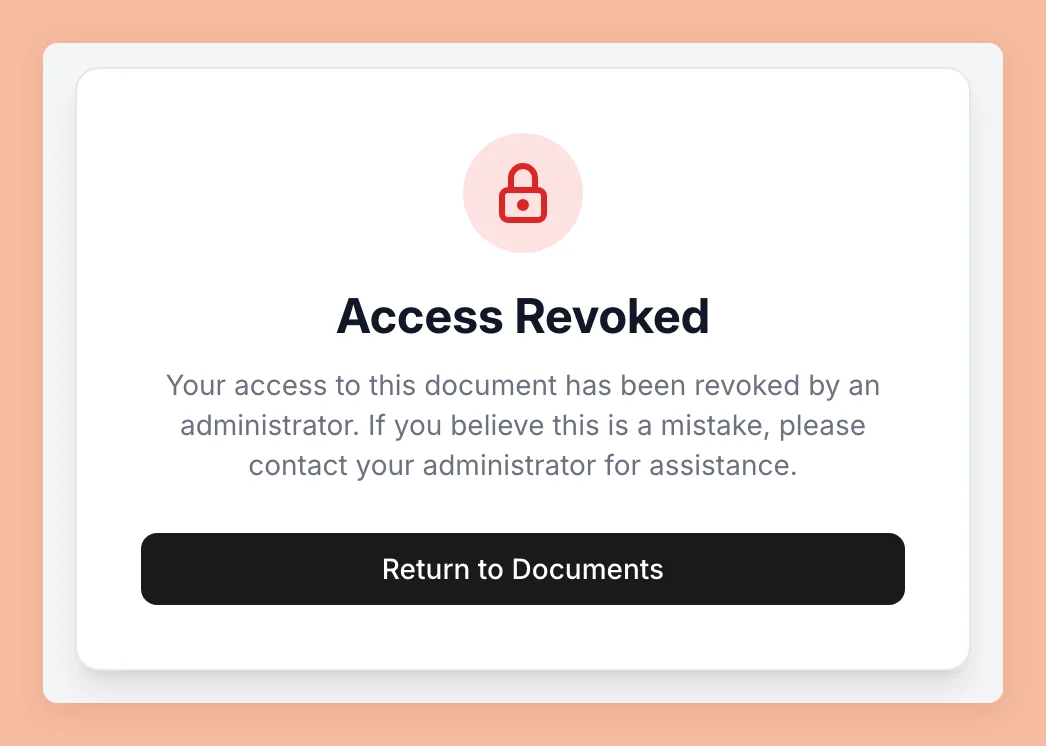
The approver who lost the tag sees Access Revoked if they open the document.
To learn why approvers must hold the document's tags, see How Approvals Work.
Send the Document for Approval Again
Fix the approver one of two ways, then send again.
To give the person the tag back:
Ask an Admin to add the person back to the tag. See Manage Users.
To use a different workflow:
Click Settings (the gear) in the top bar.
In the Approval Workflow section, click the workflow field.
Choose Select Existing Workflow.
Pick a workflow whose approvers hold the document's tags.
Click Use this workflow.
Then send it:
Click Send for Approval.
In Ready to send for approval?, check that each approver is marked Will be notified.
Click Send for approval.
Check That It Worked
The In Review bar appears with Withdraw on the right. The approval starts again at step 1.
Common Questions
Did we lose any work?
No. The document's text stays as it was, and your audience keeps the last approved version. Only the approval starts over.
How do I stop this happening again?
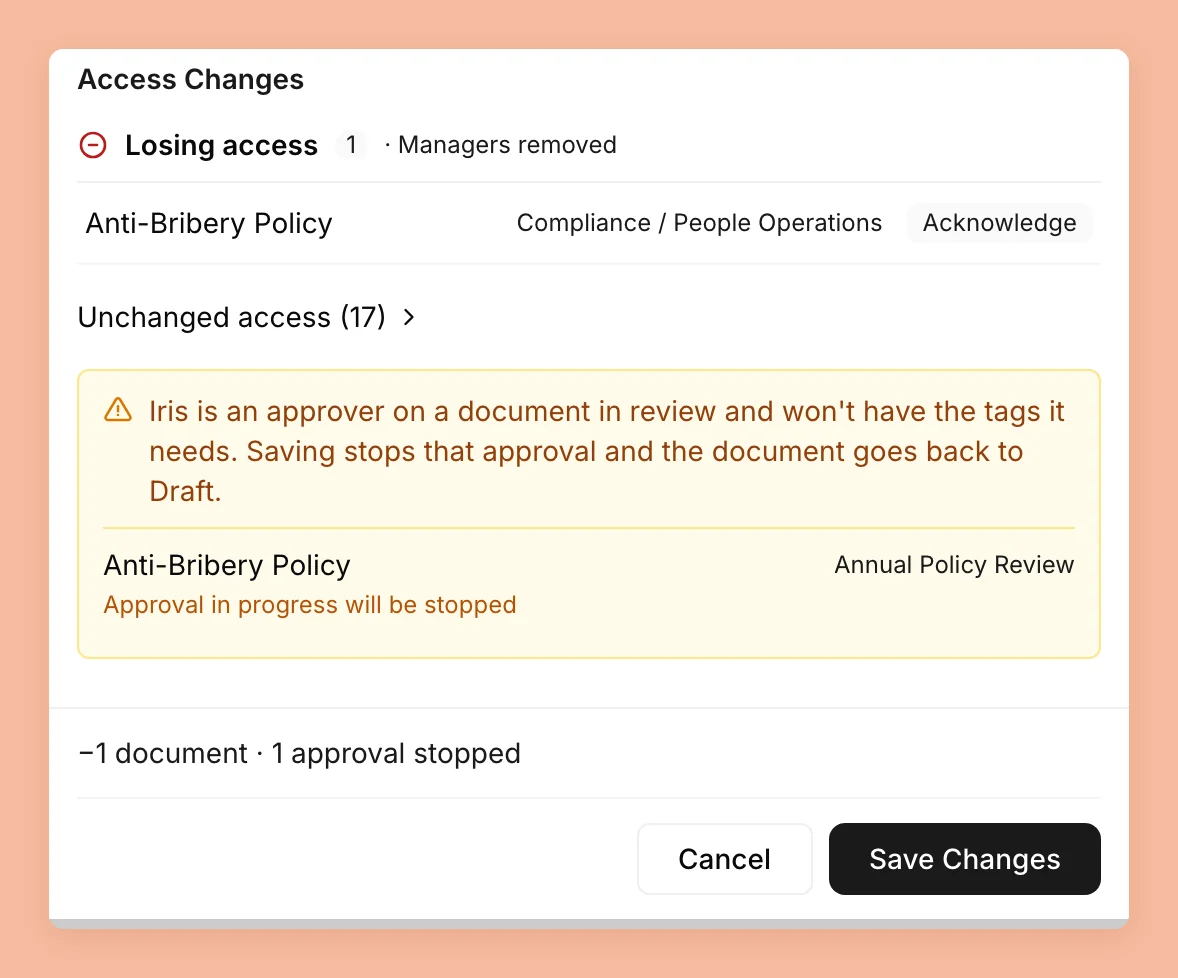
Watch for the yellow warning in Edit User. When you remove a tag from someone who is an approver on a document in review, it says that saving stops that approval and the document goes back to Draft, and it lists the document under Approval in progress will be stopped. Click Cancel to keep the approval running.
See also What Happens When Tags Change.
Next Steps
- Withdraw or Restart an Approval: other ways an approval starts over.
- Set Up an Approval Workflow: create a workflow with the right approvers.
New to AllyMatter? Start a 30-day trial. No credit card required.