

Add Attachments to a Policy
Upload evidence and Word files to a policy, and find its signed copies and completion certificates.
Who can do this: the document's Editor and Admins.
Before You Start
- Have the files ready, such as certifications, inspection reports, or a sign-in log. You can upload PDF, PNG, JPG, DOCX, or XLSX files, so a Word version of a policy goes here too.
- Only the document's Editor and Admins see attachments. To learn what each role sees, see Roles and Permissions.
Upload Evidence
Open the document.
Click the Attachments icon, the paperclip in the top bar. The page shows the document's name and Attachments.
Click Upload evidence.
Drag your files onto Drop files here, or click browse to choose them. You can add several at once.
For each file, set the Evidence date.
If you want, type a line in Comment (optional), up to 500 characters.
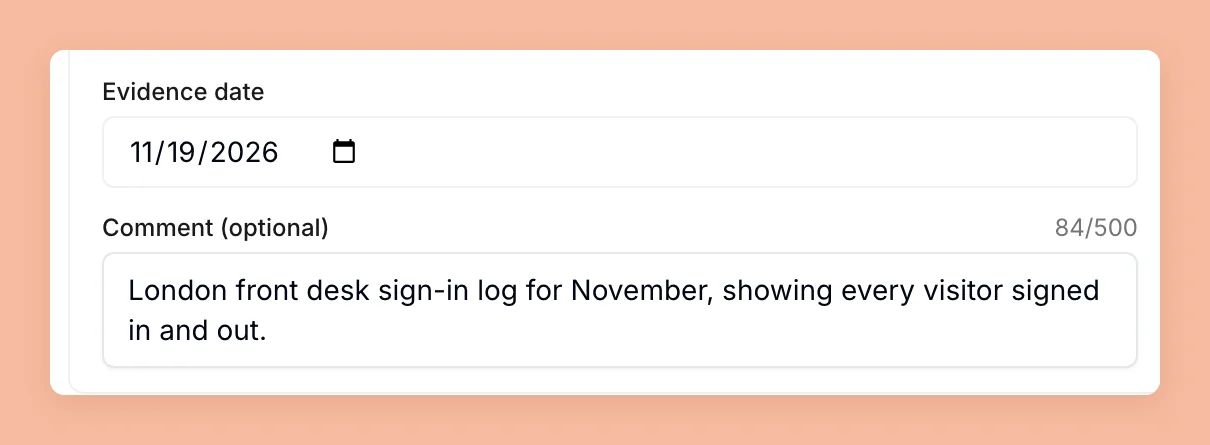
Click Upload.
If you see Storage limit exceeded, your plan's storage is full. Startup includes 1 GB and Scale 5 GB. To add more, contact AllyMatter support: extra storage is $10 a month per 10 GB. See Plans, Storage, and Billing.
Check That It Worked
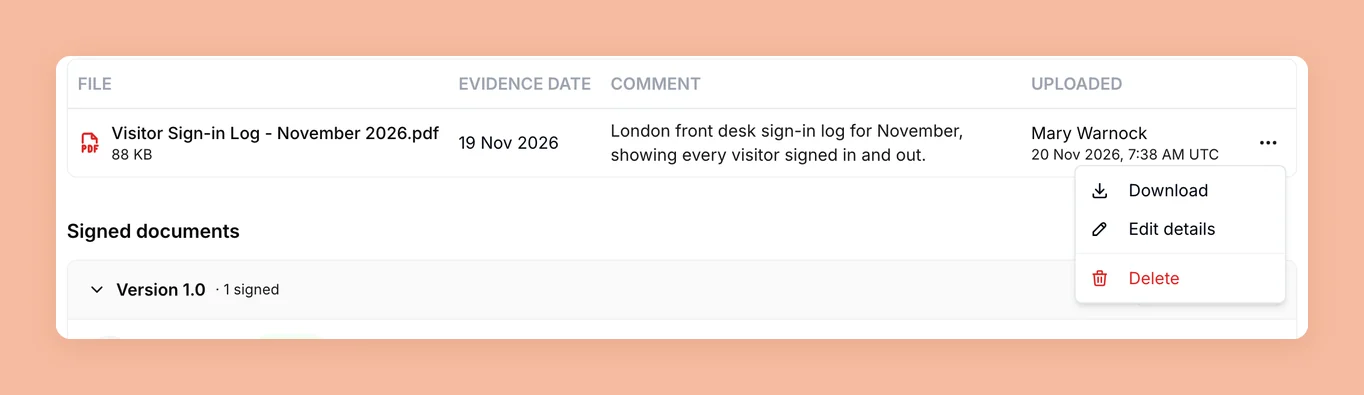
Each file appears under Uploaded evidence, with its name and size, the evidence date, your comment, and who uploaded it and when. The upload is recorded in the document's log, and the policy's version and approval stay as they are.
Download, Edit, or Delete a File
To find a file, type in Search files, comments or people.
Click the three dots at the end of the file's row.
Choose Download, Edit details, or Delete. Deletions are recorded in the log.
Find Signed Copies
When a document goes out for e-sign, each signer's copy is saved under Signed documents on this page, one section per version.
Click the version, such as Version 1.0, to open it. It shows how many people have signed.
On a signer's row, click Signed copy or Certificate to open it, or click the download button.
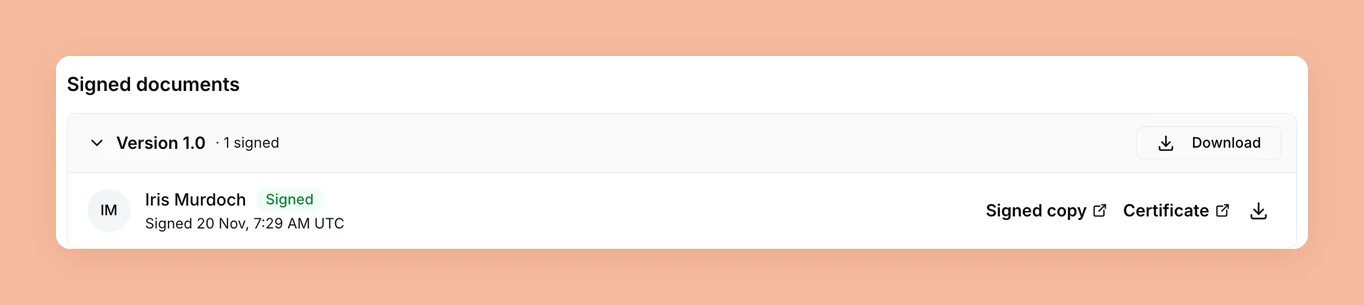
Each version's row also has a Download button. For more, see Signed Copies and Completion Certificates.
Next Steps
- Keep Evidence with the Policy: how to store certifications and inspection reports.
- Embed Files and Apps: what goes inside the document instead.
New to AllyMatter? Start a 30-day trial. No credit card required.