

Review a Policy That Has Not Changed
Re-approve a policy you have reviewed and found still valid, so the record shows it was checked.
Who can do this: the document's Editor starts it, and the approvers in its workflow approve it.
Before You Start
- A policy due for review shows a Review due banner and a REVIEW badge in the Docs sidebar.
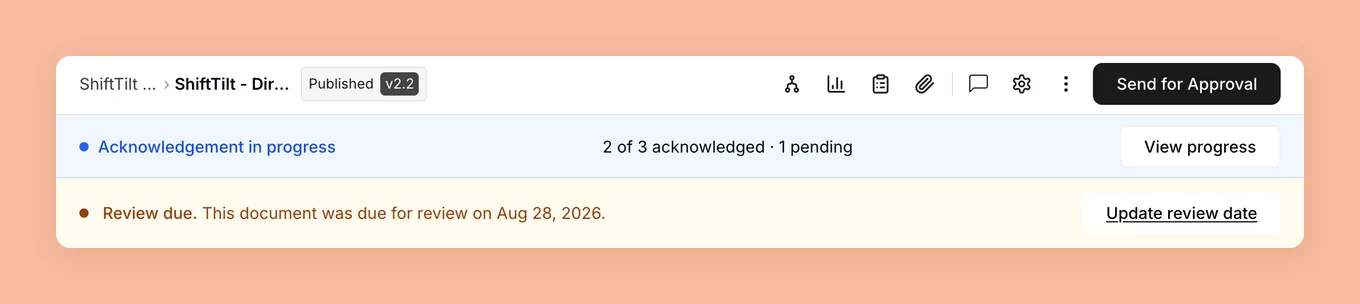
- Read the policy against how your company works today. If anything needs to change, follow Edit an Approved Document instead.
- Re-approval runs the whole workflow from step 1, so check that the approvers are available.
Re-Approve the Policy
Open the document.
Click Re-approve in the top bar. The Send for re-approval panel opens.
Add a note under Add A Note To Approvers (Optional) if it helps, such as "Annual review, no changes."
Check the Approval Workflow and Tags sections.
Click Send for re-approval. Ready to send for approval? opens.
Check the version and approvers, then click Send for approval. The document shows In Review.
Wait for the approvers to approve. See Approve or Reject a Document.
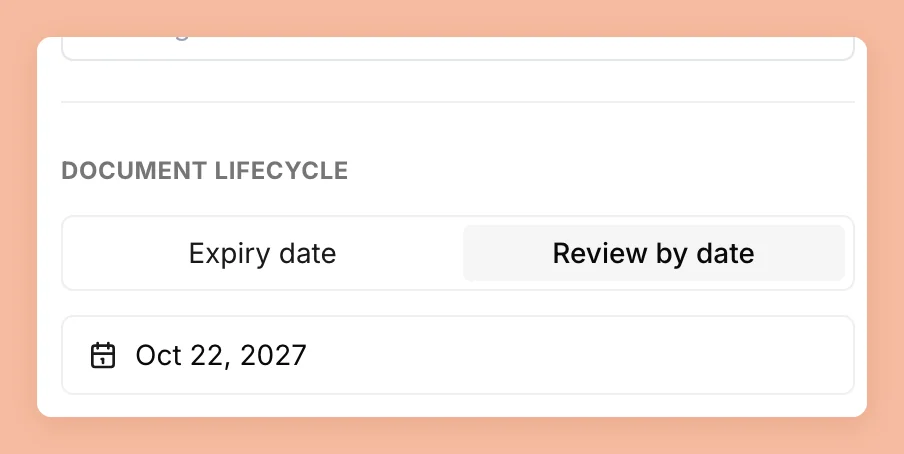
Open Settings and check the next review date in the Document Lifecycle section.
If the document has a single review date, pick the next one and click Save Changes.
If an approver rejects it, the document returns to Draft. Make the changes they ask for and follow Send Out a Changed Policy.
Check That It Worked
The green Approved bar returns with "Re-approved" and the date, and the same version number, such as Version 3.1. The approval is also recorded in the document's log. See View a Document's Log.
Common Questions
Does everyone have to acknowledge it again?
No. The version stays the same, so nobody is asked again and the policy is not distributed again. People who gain the policy's tags later get the request automatically. To learn why, see How Policy Distribution Works.
Can I just move the review date?
Changing the date clears the alert too, and suits a review you are postponing. Only re-approval records that the review happened.
Next Steps
- Run Your Annual Handbook Update: review a whole handbook at once.
New to AllyMatter? Start a 30-day trial. No credit card required.