

What Happens When Tags Change
Tags decide who can open each document. A tag change can change who sees what, and it can affect an approval in progress.
| What changes | What happens |
|---|---|
| A person gains a tag | They receive an email, "Access added: Finance", and the documents the tag opens become available to them. |
| A person loses a tag | They receive an email, "Access removed: Finance", and lose the documents that need that tag. |
| Tags change on an approved document | You see who gains or loses access before you confirm. People losing access lose the document at once and their pending acknowledgments are withdrawn. It stays Approved, and the document page offers re-approval. |
| An approver loses a tag the document carries | The approval is canceled. |
| A document moves to a folder | Its tags are replaced with the destination's, and nobody is notified. |
| A document moves to the root | All its tags are removed. |
| A tag in use is deleted | You are warned first, and pending acknowledgments tied only to that tag are cleared. |
When a Person Gains or Loses a Tag
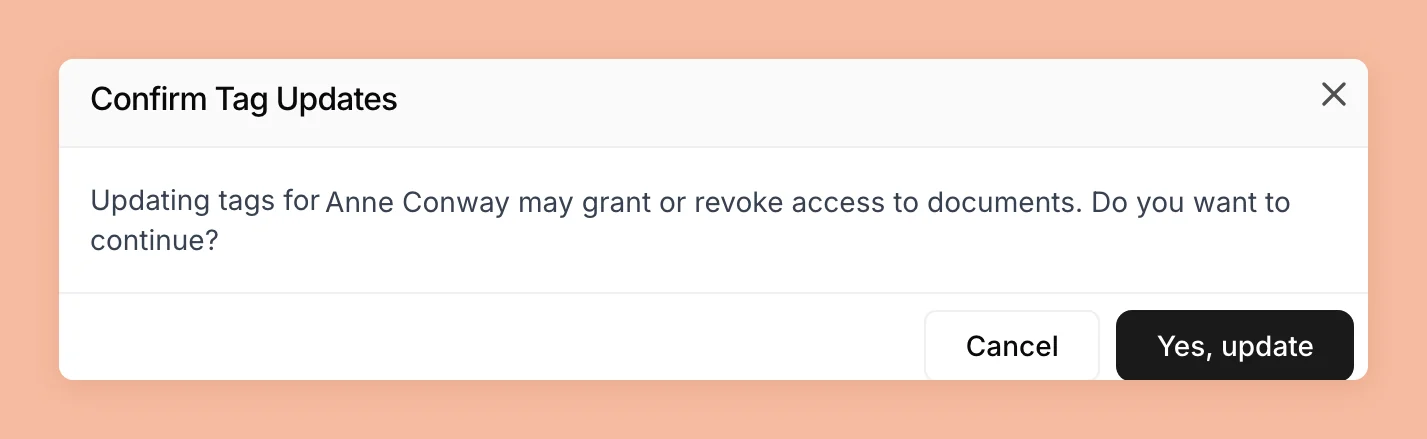
When an Admin changes a person's tags in Edit User, the Access Changes section lists the documents the person will gain or lose before anything is saved. After Save Changes, the Confirm Tag Updates dialog warns that the change may grant or revoke access before it goes through.
The email names the tags. A person who gains a tag also sees it in their notification bell, such as "You now have access to documents tagged Finance."
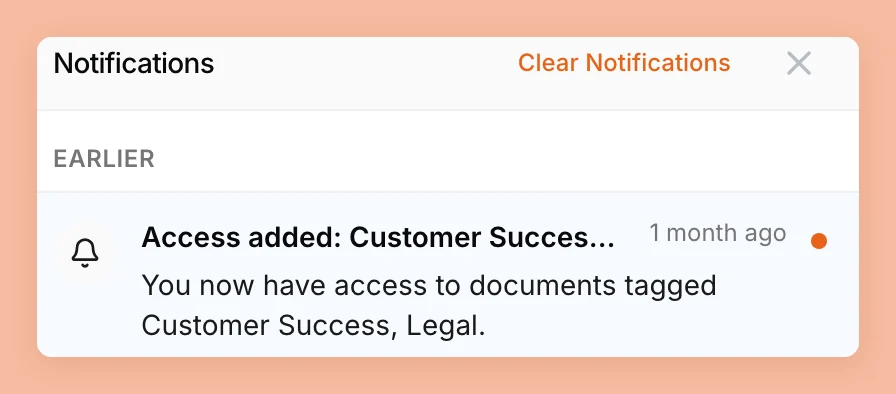
The removal email tells them to contact their admin if it is a mistake. People choose how they hear about this in Set Your Notifications.
Anyone who gains a document's tags, new hire or not, receives its open acknowledgment requests once an Admin saves their tags. This covers the current version, and Acknowledge only.
A distribution keeps its count once sent, so someone who loses the tag later stays in that count.
When a Document's Tags Change
Picking new tags in Document Settings does not save them straight away: the panel shows "Tag changes aren't saved yet." Clicking Update tags opens Change who can see, which shows your change and its impact, such as "Losing access (1)", before you confirm.
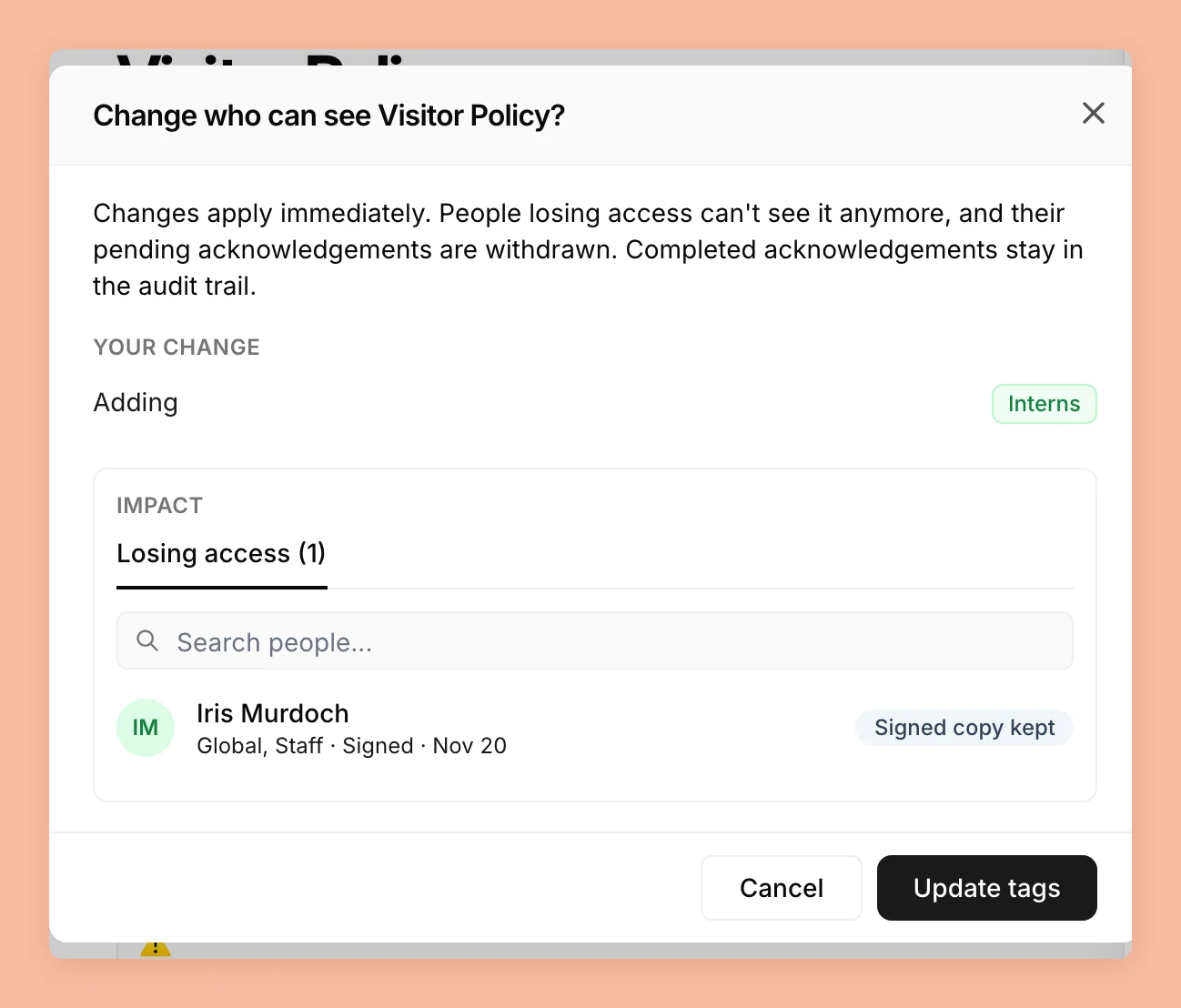
Once you confirm, the change applies at once. People losing access can no longer see the document and their pending acknowledgments are withdrawn. Completed acknowledgments stay in the audit trail, and a person who signed keeps their signed copy.
Changing the tags on an approved document leaves it Approved, and the document page offers re-approval. Re-approve it before you distribute again. The document locks during approval, and its audience keeps the last approved version until the new one is approved. See How Approvals Work.
Tags are locked while a document is in an approval flow, and you can add tags to a folder only once no document under it is in one. The document's log records tag edits, naming the tags.
When an Approver Loses a Tag
If an Admin removes a tag from someone who is the waiting approver on a document in review, Edit User warns before anything is saved: saving stops that approval and the document goes back to Draft. The document is listed with "Approval in progress will be stopped", and the footer counts the approvals stopped.
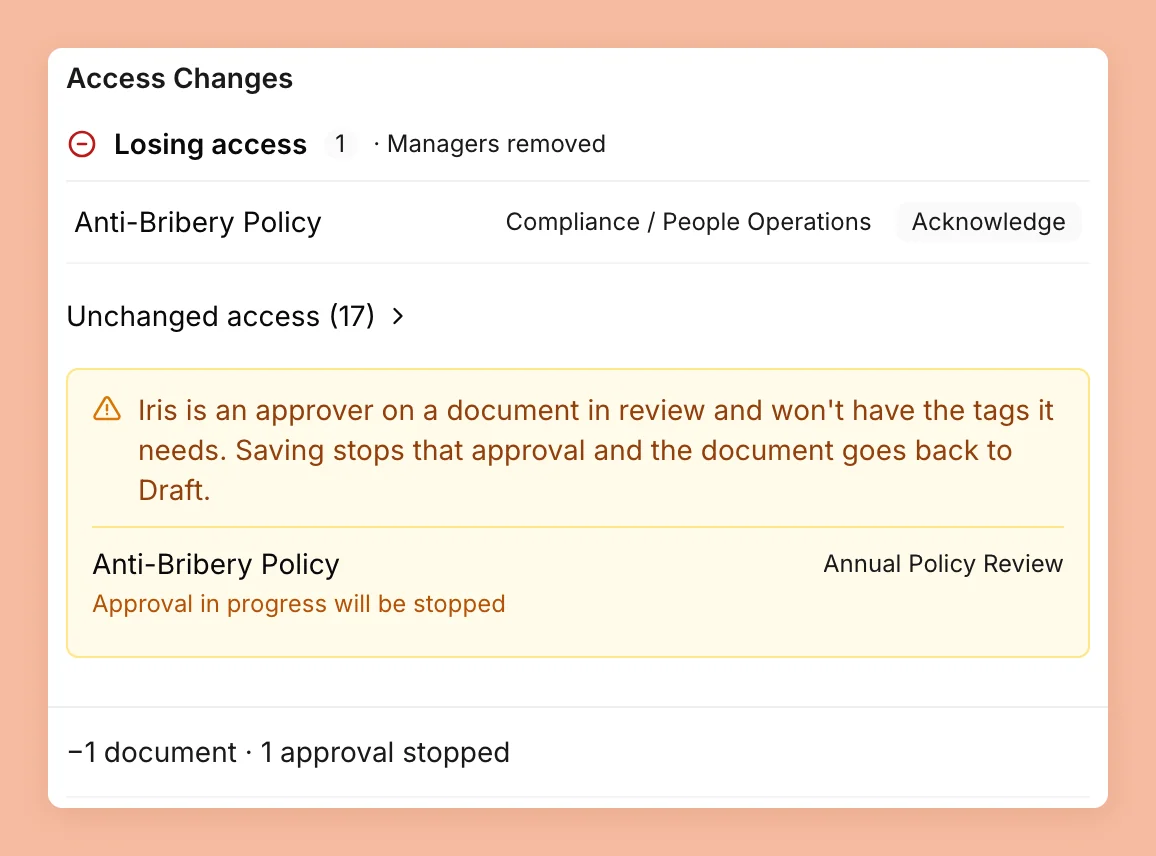
Approvers must hold the document's tags, and Admins can approve without them. If an approver loses one of those tags partway through, the approval stops. The document returns to Draft, its workflow panel says "This workflow was stopped", and its log names the tag and the person. No banner appears. This applies to an Admin approver too. See Why an Approval Was Canceled.
When a Document or Folder Moves
A move replaces the document's tags with the destination folder's, so its audience changes with it.
| You move | What happens to the tags |
|---|---|
| A document into a folder | Its tags are replaced with the destination's tags. |
| A document to the root | All its tags are removed. An Internal document is then visible only to Admins and its Editor. |
| A folder into another folder | The documents inside take the destination's tags. |
Say a document carries Finance and you move it into a folder tagged Managers. It now carries Managers only. People who hold Managers can see it, and people who hold only Finance lose it.
People who gain access this way are not notified, so tell them yourself. Moves are blocked during an active approval, and a folder stays where it is while any document inside it is in approval. The message reads "Some documents in this folder are in an approval flow. You can move the folder after those approvals are complete." See Move Documents and Folders.
When a Tag Is Deleted
If the tag is in use, you see a warning before anything happens. After you delete it, pending acknowledgments tied only to that tag are cleared, and the tag goes to Archive. See Archive, Delete, and Restore.
Common Questions
Does removing someone from a tag change my acknowledgment count?
No. The count is fixed when you send, so that person stays in it.
Can I change tags while a document is being approved?
Wait until the approval finishes, or withdraw it. You see "Tags cannot be changed while this document is in an approval flow." until then.
Next Steps
- Tag Folders and Documents: how tags are added and inherited.
- Create and Manage Tags: add and remove people on a tag.
- View a Document's Log: see which tags were edited, and when.
New to AllyMatter? Start a 30-day trial. No credit card required.