

Set Up AllyMatter in 30 Minutes
Set up your workspace in about half an hour, in this order.
Who can do this: the Admin who created the workspace.
Before You Start
- Create your workspace. See Create Your Workspace.
- List the sets of people who read different policies. Each becomes a tag. See Plan Your Folders and Tags.
- Have the names and work emails of your team, and the text of one policy.
Half an hour covers setup with one document. Moving the rest in yourself takes about a day.
Step 1: Create Your Tags
In the left navigation, click Admin.
Click Tags Management.
Click New Tag.
Enter a Tag Name and click Create tag. If the name is taken, choose another: names must be unique across the workspace.
Repeat for each tag.
Step 2: Invite Your Team
In the left navigation, click Users.
Click Invite.
Enter the name and Email, choose a Role and choose Tags.
Click Send invite.
Step 3: Create Your Folders
Click Docs.
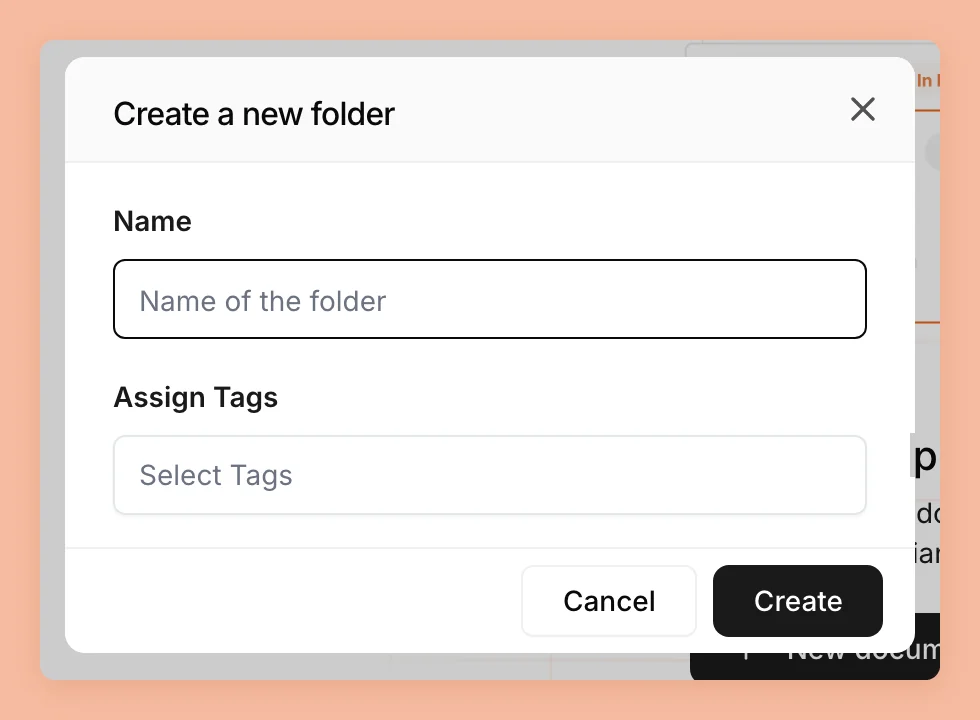
Click the + on a folder and choose Create a new folder.
Enter the Name.
Under Assign Tags, click Select Tags and choose the folder's tags.
Click Create.
Step 4: Add One Document
Click the + on the folder and choose Create a document.
Enter the Document Title and click Create.
Paste in the text of your policy.
Step 5: Send It for Approval
Click Save Version, choose Major Version, and click Save Version.
If you have no approval workflow, create one. See Set Up an Approval Workflow.
Click the gear icon to open Document Settings.
Under Approval Workflow, click Link a workflow, choose Select Existing Workflow, pick yours, and click Use this workflow.
Click Send for Approval, then Send for approval.
The approver approves it from Home.
Step 6: Distribute It
On the green Approved bar, click Distribute.
Under How should recipients engage?, choose Acknowledge.
Turn on Send Automated Reminders and choose how often.
Click Send for Acknowledgement.
Check That It Worked
The bar shows Acknowledgement in progress and a count, such as "0 of 7 acknowledged · 7 pending". Click View progress to see each person. See Track Who Has Acknowledged.
Common Questions
What If I Have Hundreds of Documents?
Yearly plans include free migration, usually within a week and often sooner. See Plans, Storage, and Billing.
Next Steps
- Bring In Your Existing Documents: move the rest of your policies across.
- Roll Out a New Policy to Everyone: send a new policy to everyone.
New to AllyMatter? Start a 30-day trial. No credit card required.