

Approve When Someone Asks You To
Review a document you have been asked to approve, then approve it or send it back with a reason.
Who can do this: anyone named as an approver on the document. Any role can approve, including Viewers.
Before You Start
- Sign in to AllyMatter. If you are new, see Your First Login.
- Use a computer, because Approve and Reject sit in the top bar of the computer view.
- You get an email when it is your turn. If you are in a later step, it arrives when the step before yours is finished.
Open the Document
Click Home in the left navigation.
Find the document marked Approval in the task list.
If you see no Approval task, the step before yours is not finished yet.
Click View document. The In Review bar shows across the top.
Read the document.
To see what changed from an earlier version, click the three dots (More options), then Version History. If you only see Download PDF, Version History is turned off for Viewers on this document.
Approve
Click Approve at the top right. The Approve Document dialog opens.
Click Approve.
Reject
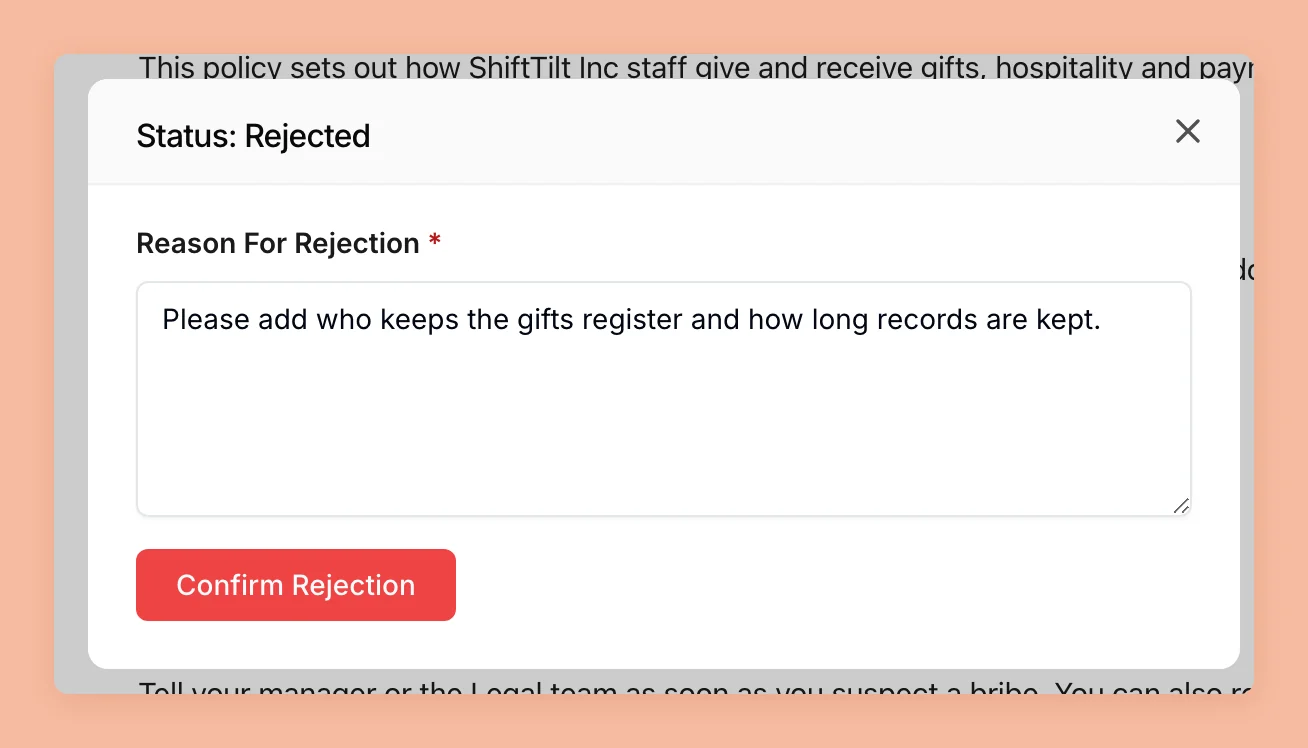
Click Reject at the top right. The Status: Rejected dialog opens.
In Reason For Rejection, type what needs to change. A reason is required.
Click Confirm Rejection.
Check That It Worked
When you approve, Reject and Approve leave the top bar and a message confirms the approval. Your name goes into the document's log.
When you reject, the document goes back to its Editor, the person who wrote it, with your reason. You can still open the document's earlier approved versions. If they send a new version, you are asked again.
Common Questions
I am outside the company. Do I need an account?
Yes. You are invited as a normal user of the workspace, and you sign in using the temporary password you receive when you are invited.
Who sees my rejection reason?
The document's Editor, and anyone who reads the document's log, which Admins can also read.
What if I do not get to it right away?
If the workflow has reminders set, you are reminded by email every set number of days until you act.
Next Steps
- Find the Documents That Apply to You: where everything else is.
New to AllyMatter? Start a 30-day trial. No credit card required.