

Plan Your Folders and Tags
Decide your tags and folders before you invite anyone, so every document reaches the people it is meant for.
No Access by Default
A new workspace starts with one tag, Global, which an Admin can keep or delete. Nobody holds it automatically: an Admin adds people to it like any other tag. Beyond that, nobody has access. A person with no tags sees only Public documents, and an Internal document with no tags is visible only to Admins and its Editor. You give access by giving people tags.
Build Reusable Tags
A person needs every tag on a document, and extra tags make no difference. So build tags that each answer one question and combine them, instead of naming a new tag for every audience.
| Question | Example tags |
|---|---|
| Does it apply to everyone? | All Employees |
| Where do they work? | London, Tokyo |
| What do they do? | Finance, Engineering |
| What is their role? | Managers, Product Leads |
| Which product do they work on? | Atlas, Beacon |
A document tagged Managers and London reaches managers in London. A document tagged Managers and Tokyo reaches managers in Tokyo, and both use the same Managers tag. See How Tags Combine.
Plan Your Folders
Folders nest up to three levels deep, and a document can sit at the root. Folder tags cascade to everything inside, and a child keeps every tag it inherits. So put a tag on a folder only when every document under it should carry that tag.
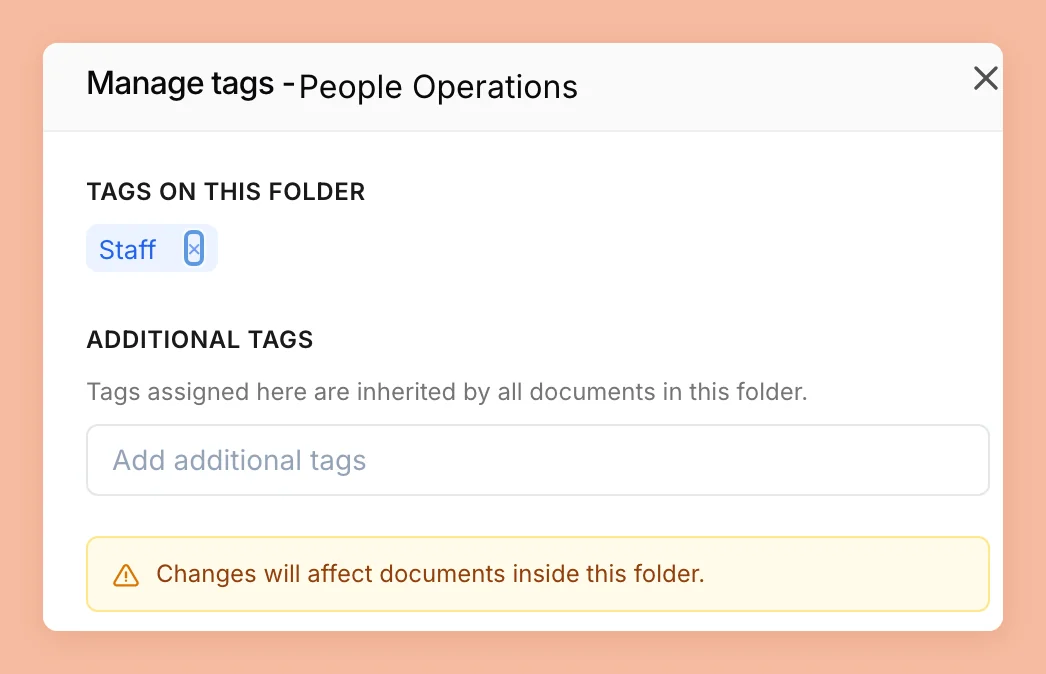
To reach documents in several folders with one tag, leave those folders untagged and tag each document. The Product Leads tag then reaches its documents in any folder.
What This Planning Does
- The people who hold a document's tags are the people who can open it and the people who get its request, so the count matches the audience.
- A new document inherits its folder's tags, and a new hire invited with the right tags receives the documents those tags carry, along with the acknowledgment requests that come with them.
Decide These Before You Invite Anyone
List the tags you need, using the questions above. Each tag name is unique across the workspace.
Sketch your top-level folders and mark which ones carry a tag.
Choose an owner for each tag. Owners are Admins or Editors, and they look after the tag. Admins add and remove people.
Note each person's role and tags, so you can set both in one invite.
Common Questions
Do I need a tag for the whole company?
Yes, if a document should reach everyone. Internal documents reach people through tags, so create one such as All Employees and give it to each person.
Can I change the plan later?
Yes, but a change has effects. A tag change on an approved document means re-approving it before you distribute again, and a move replaces a document's tags with the destination's. See What Happens When Tags Change.
Next Steps
- Create and Manage Tags: create the tags you planned.
- Tag Folders and Documents: apply them to your structure.
- Invite Your Team: bring people in with their tags.
- Organize a Multi-Location Company with Tags: a worked example using London and Tokyo.
New to AllyMatter? Start a 30-day trial. No credit card required.