

How Policy Distribution Works
Policy distribution is how an approved policy reaches the people it applies to, and how their responses are recorded.
Distribution Follows Approval
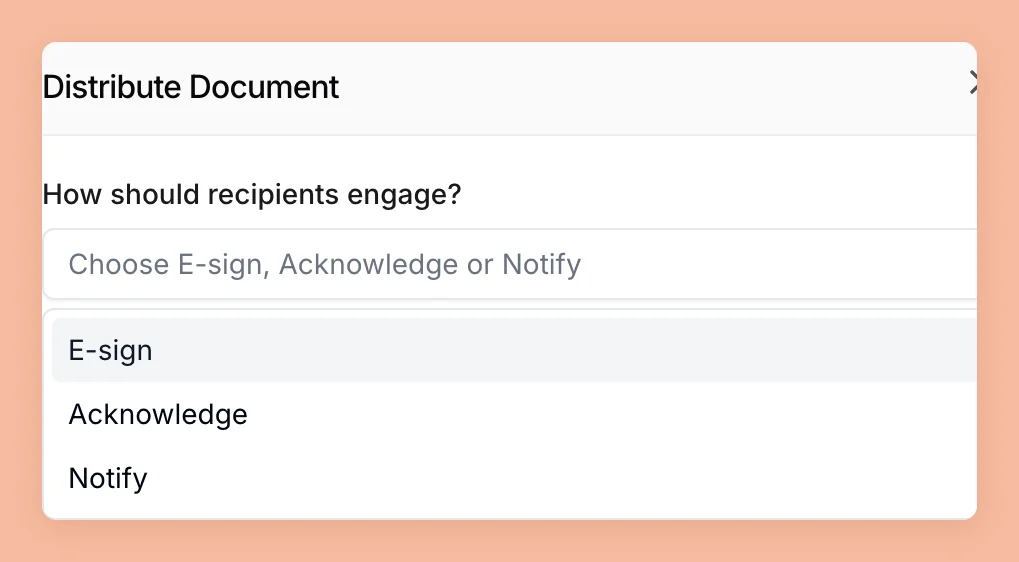
Distribution comes after approval. Only an approved version can go out, so everyone receives the wording your approvers accepted. The document's Editor or an Admin clicks Distribute, chooses a type, and sends.
The audience comes from tags. Everyone holding the document's tags receives it, as explained in How Tags Combine, so the people who can open a policy and the people asked to respond are the same list. Each response comes from a person in that audience.
To leave someone out, exclude them before you send. The count is fixed at that point.
Notify, Acknowledge, and E-sign Compared
You choose the type each time you distribute, per document.
| Detail | Notify | Acknowledge | E-sign |
|---|---|---|---|
| What recipients do | Nothing. They are told about the document. | Confirm they have read it, using the Acknowledge button on the document. | Review and sign the document. |
| Use it for | News people should know, where you need no response. | Policies each person must confirm they have read. | Documents that need a signature, such as an employment agreement. |
| What you keep | The send and its recipients in the document's log. | A record for each person: name, email, date and time, and version. | A signed copy and completion certificate in the policy's Attachments. |
| Reminders | No | Yes, automatic, and they stop after five. | Yes, every set number of days until the signing deadline you choose. |
| Plan | Both plans | Both plans | Scale, with signature packs |
| Leaving people out | Exclude Members | Exclude Members | Unselect them under Signers. |
| Button in the dialog | Send Notification | Send for Acknowledgement | Continue, then Send for signature |
Choosing a Type
Start with what you would need to show later. If people only need to know about a document, use Notify. If you need a record that each person has read a policy, use Acknowledge. If the document is an agreement someone has to sign, use E-sign.
To get a document with an embedded form acknowledged or signed, put the form on its own page and link to it from the policy. See Embed Files and Apps.
After You Send
The document page counts acknowledged and pending people as they respond. See Track Who Has Acknowledged.
Recipients sign in to acknowledge. The email takes them to the document, and the Acknowledge button is there.
New hires invited with the right tags, and existing people given those tags later, see the documents those tags carry and receive their open acknowledgment requests. This covers Acknowledge, not Notify or E-sign.
When a Policy Changes
Every new version, however small the edit, is approved and sent again. See Send Out a Changed Policy. The document locks while it is in approval, and the audience keeps the last approved version until the new one is approved. Approvers can compare the two versions word by word, as described in Work with Versions.
A document you sent with Notify can go out with Notify again, and everyone with access is told. A document sent for signature goes back out to be signed on the new version.
Each acknowledgment is recorded with its version. Anyone with a request still pending on the old version has it replaced by the new one, so they acknowledge only the new version. After a new version is saved, the progress bar keeps the count from the last send until the new version is sent.
A policy that passes review unchanged is re-approved and keeps its version, so nobody is asked again. See Review a Policy That Has Not Changed. The approved version stays available to people who join or gain access after the review, and they receive it and its acknowledgment request once an Admin saves their tags.
Common Questions
Who can distribute a policy?
The document's Editor or an Admin, once the document is approved.
Does everyone in the company receive it?
Only the people holding every tag on the document. Holding extra tags makes no difference. To reach everyone, the policy needs a tag that everyone holds, such as an All Employees tag you create.
Next Steps
- Distribute a Document: the steps, from the Approved bar to the first count.
- Acknowledge a Document: the page to send your team.
- How Access Works: how tags decide who sees each document.
New to AllyMatter? Start a 30-day trial. No credit card required.