

Set Your Notifications
Choose which events notify you and whether they reach you by email or Slack.
Who can do this: Admins and Editors, from the Admin menu.
Before You Start
Slack notifications need the Scale plan and a connected Slack workspace. On Startup, notifications reach you by email and the bell. To use Slack, upgrade to Scale. See Plans, Storage, and Billing.
Change Your Settings
In the left navigation, click Admin.
Click Notifications Settings.
Under Notifications, turn each switch on or off. A dark switch is on.
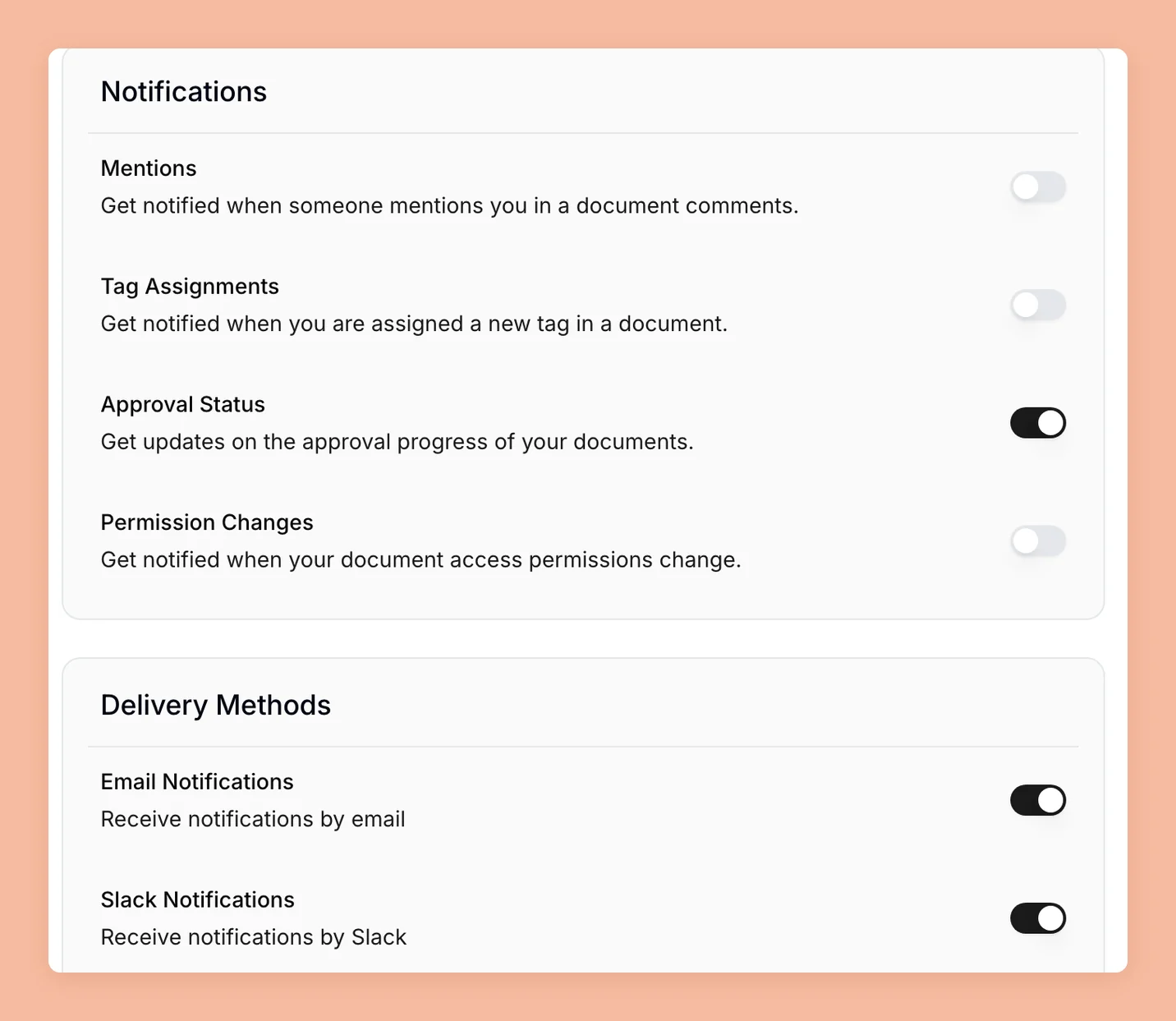
| Switch | What the screen says |
|---|---|
| Mentions | Get notified when someone mentions you in a document comments. |
| Tag Assignments | Get notified when you are assigned a new tag in a document. |
| Approval Status | Get updates on the approval progress of your documents. |
| Permission Changes | Get notified when your document access permissions change. |
Under Delivery Methods, turn Email Notifications on or off. Off stops every email, approval and acknowledgment requests included. Requests still show as tasks on Home.
Turn Slack Notifications on or off.
Check That It Worked
Open Notifications Settings again. Each switch shows what you chose.
Use the Bell
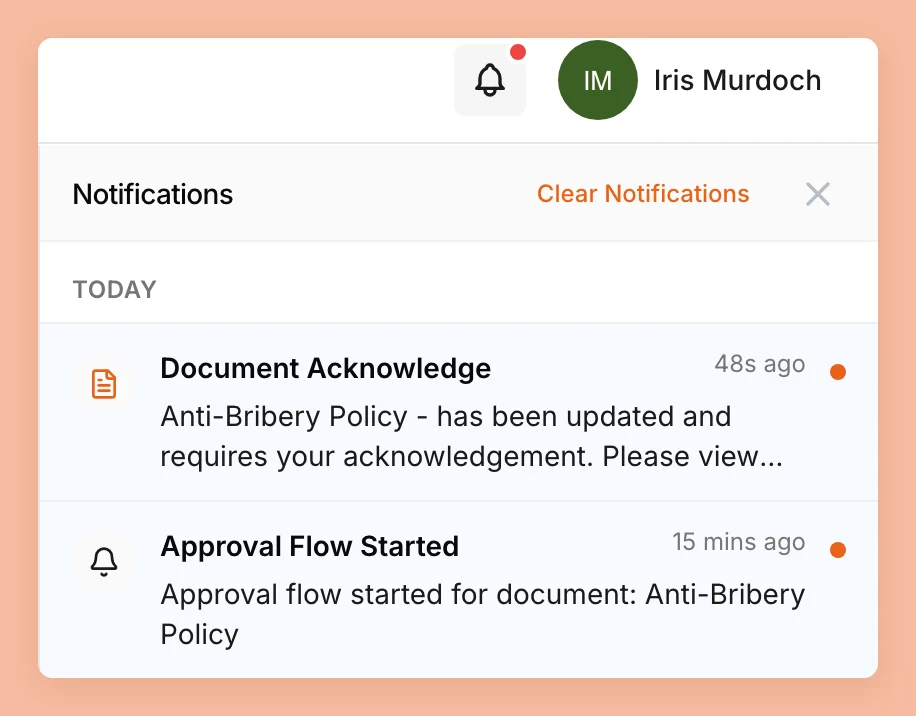
Click the bell at the top right. A red dot means something is new. The Notifications panel opens, grouped under Today and Earlier.
To empty it, click Clear Notifications.
Common Questions
I Am Not Getting a Notification I Expected.
Check the switches above and your spam folder. Home lists every task waiting for you. See Notifications by Event.
Next Steps
- Notifications by Event: which events notify whom.
- Acknowledge a Document: what to do when a request arrives.
New to AllyMatter? Start a 30-day trial. No credit card required.