

Delete a Workspace
Delete your company's workspace and everything in it, once you have saved what you need.
Who can do this: Admins.
Before You Start
Deleting removes all documents, users and data, and it cannot be undone. Save what you want to keep:
Open a document you need to keep.
Click the three dots in the document's top bar.
Click Download approved PDF. Repeat steps 1 to 3 for each document. Uploaded PDFs inside a document are not in the download, so save those as well.
Export the logs you need. See Export Logs and Records.
Tell the people in the workspace that they will lose access.
Delete the Workspace
Click Settings at the bottom of the left navigation.
In Organisation Settings, click Organization.
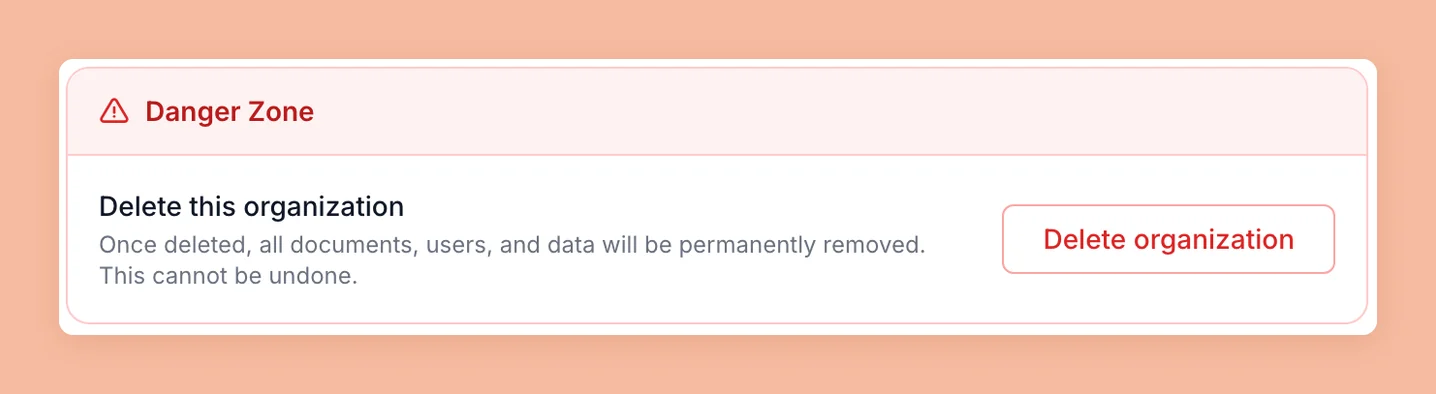
Scroll to the Danger Zone.
Click Delete organization.
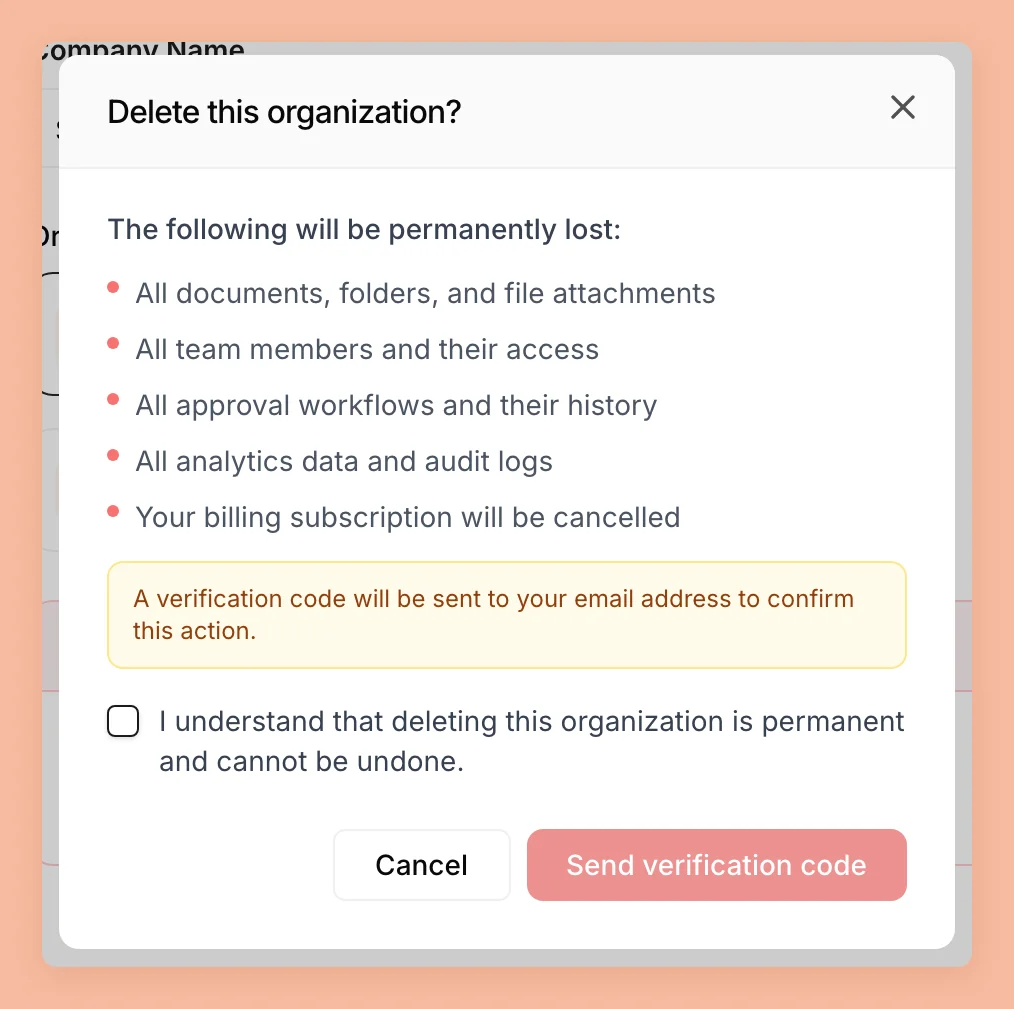
In Delete this organization?, read the list of what will be permanently lost.
Tick "I understand that deleting this organization is permanent and cannot be undone."
Click Send verification code. A code is sent to your email address.
Use the code from the email to confirm.
If no code arrives, check your spam folder. Deleting cancels the subscription first. If the workspace is still there afterwards, the cancellation failed and nothing was deleted, so contact [email protected].
Check That It Worked
Nobody can sign in to the workspace any more. People who also belong to other workspaces still sign in to those.
Common Questions
Is There a Smaller Step Than Deleting the Workspace?
To remove one person, see Manage Users. To delete one document, see Archive, Delete, and Restore. To stop paying, see Trials, Renewals, and Refunds.
Next Steps
- Export Logs and Records: save your records first.
- Trials, Renewals, and Refunds: how canceling and refunds work.
New to AllyMatter? Start a 30-day trial. No credit card required.