

Set Up a Custom Domain
Show your public documents on your own domain, such as shifttilt.com or docs.shifttilt.com, instead of your allymatter.app address.
Who can do this: Admins. Scale plan.
Before You Start
- Your workspace needs the Scale plan. On Startup, public documents use your allymatter.app address. To use your own domain, upgrade to Scale first. See Plans, Storage, and Billing.
- You need to sign in where your domain's DNS is managed, usually the company you bought the domain from, such as GoDaddy or Namecheap, or a DNS service such as Cloudflare. If someone else looks after the domain, send them the record from step 6.
- Choose the address. A subdomain such as docs.shifttilt.com leaves your main website where it is.
Add Your Domain
Click Settings at the bottom of the left navigation.
In Organisation Settings, click Domains.
If a domain is already saved under Bring Your Own Domain, click the edit button in the field.
Type your domain, for example policies.shifttilt.com.
Click the check button next to the field. To keep the saved domain instead, click Cancel.
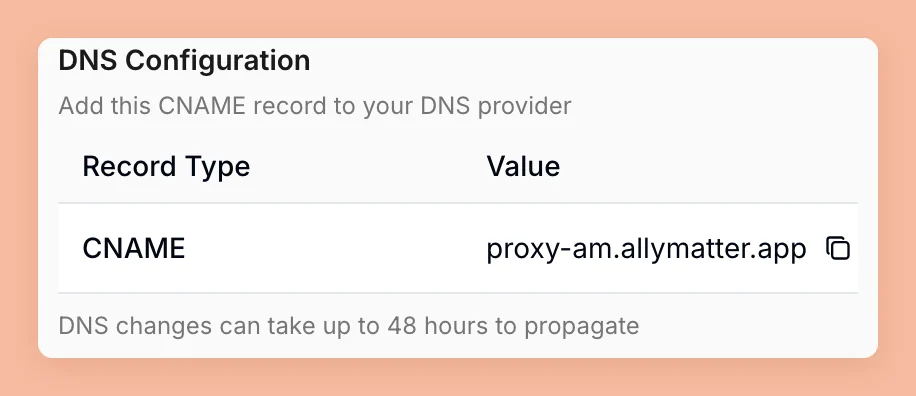
Under DNS Configuration, click the copy button next to the Value proxy-am.allymatter.app. The Record Type is CNAME.
Add the Record at Your DNS Provider
Sign in to your DNS provider.
Open the DNS settings for your domain, often called DNS, DNS records or Manage DNS.
Add a new record of type CNAME.
In the name or host field, enter the part before your main domain. For docs.shifttilt.com, enter docs.
In the value, target or points to field, paste proxy-am.allymatter.app.
Save the record.
If your provider refuses a CNAME on a main domain such as shifttilt.com, use a subdomain such as docs.shifttilt.com.
Check That It Worked
Go back to Settings > Domains.
Look under Bring Your Own Domain for Verified.
If Verified does not appear, check that the record type is CNAME, the value is exactly proxy-am.allymatter.app, and the name matches the address you typed. DNS changes can take up to 48 hours, so check again later.
Each document still goes public on its own. See Publish to Your Public Pages.
Common Questions
I Am on the Startup Plan. How Do I Get a Custom Domain?
Upgrade your workspace to Scale, then follow the steps on this page. See Plans, Storage, and Billing.
Next Steps
- See and Turn Off Public Links: review the links on your domain.
- Workspace Settings: the other options under Settings.
New to AllyMatter? Start a 30-day trial. No credit card required.