

Archive, Delete, and Restore
Choose what deleting does in your workspace, delete a document, and restore it from Archive.
Who can do this: the document's Editor and Admins delete documents. Admins set the mode and restore from Archive.
Before You Start
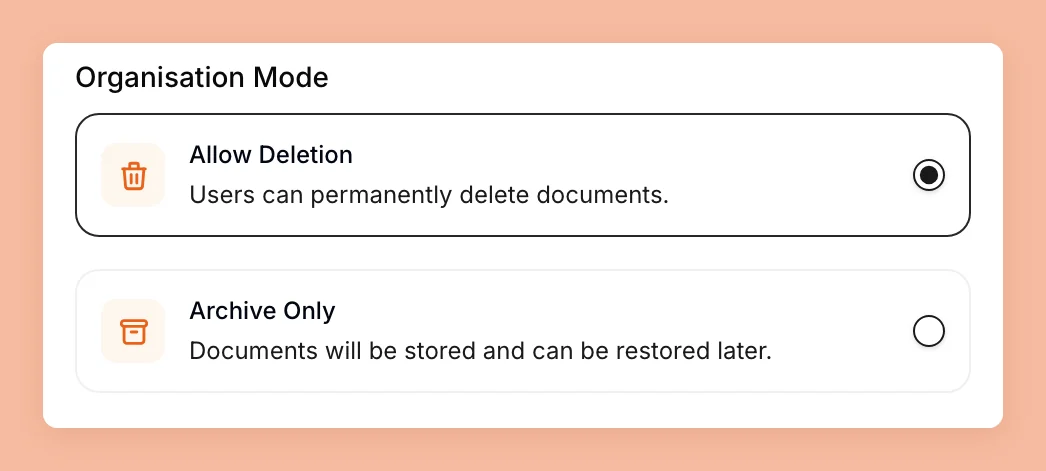
Check which Organisation Mode your workspace uses. With Allow Deletion, a deleted document waits in Archive for 30 days and is then permanently deleted. With Archive Only, it stays in Archive and can be restored any time.
Choose What Deleting Does
Click Settings at the bottom of the left navigation.
In Organisation Settings, click Organization.
Under Organisation Mode, choose Allow Deletion or Archive Only.
Delete a Document
Open the document.
Click the three dots in the top bar.
Choose Delete Document.
In the Delete Document dialog, click Delete Document. The document leaves its folder and goes to Archive.
Deleting waits until approvals are complete. If the document is in an active approval, finish or withdraw the approval first.
Restore from Archive
Click Archive in the left navigation. The Trash page opens.
Find the item with Search trash, or narrow the list with Action by: All.
Click the restore icon at the end of the row.
In Restore item?, click Restore.
Delete a Folder
Move or delete the folder's documents and subfolders.
Click the three dots on the folder.
Choose Delete.
If you see "Folder has documents, cannot delete.", something is still inside. Empty the folder, then try again.
Check That It Worked
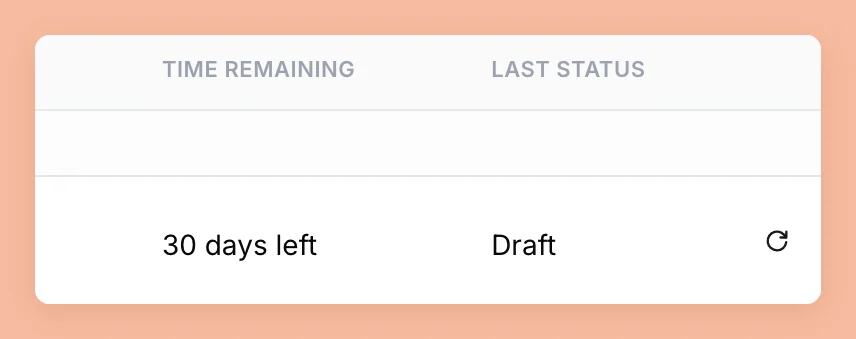
After you delete, the document shows on the Trash page under Today, with Delete in the Action Type column and its time left, such as 30 days left. After you restore, the document is back in its original folder with its tags and status. Deleting and restoring are both recorded in the workspace Audit Log.
Common Questions
Can we change the mode later?
Yes. An Admin can switch it in Settings at any time.
Next Steps
- Workspace Settings: the other Organization settings.
- View a Document's Log: read a document's history.
New to AllyMatter? Start a 30-day trial. No credit card required.