

Small Business Compliance · 8 min read
2 to 20 Employees: The Documentation Pivot Startups Miss
At two employees, documentation feels like overkill. You sit across from your co-founder, decisions happen in real time, and everyone knows everything because there is not much to know. “Documentation” is your shared Google Drive and that Notion page you update sometimes. Much of compliance for a small business comes down to written policies, and keeping them approved and acknowledged is the job policy management software for small businesses is built for.
This post is part of our guide to small business compliance, which sets out the policies a company needs as it grows past 15, 50 and 100 employees.
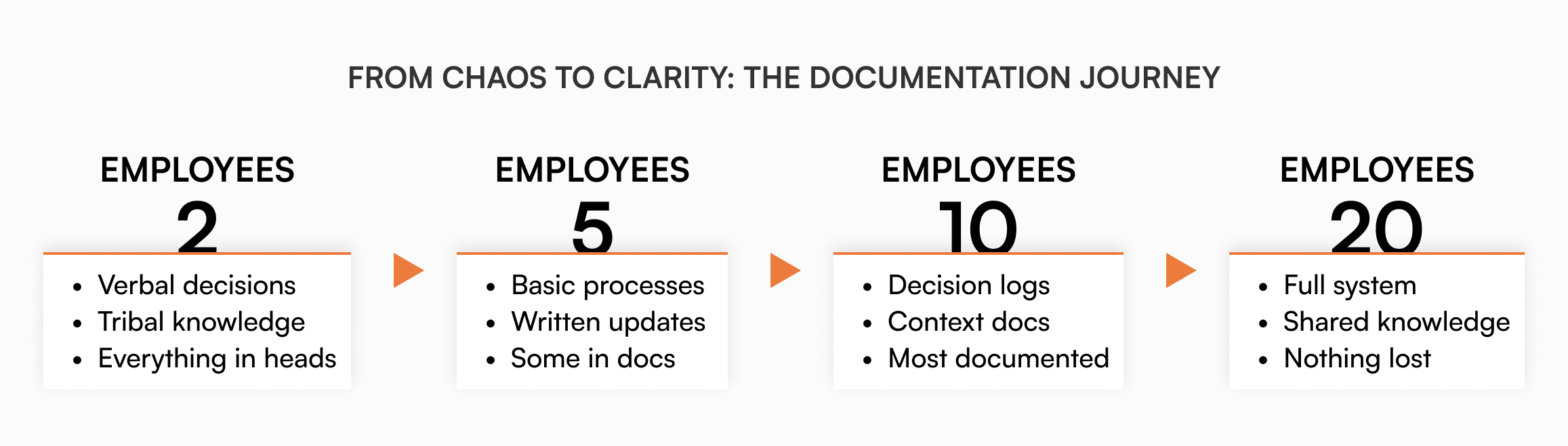
At twenty employees, the same setup stops working. New hires spend weeks figuring out basic processes. The same questions appear in Slack every day. Your early employees have become information gatekeepers, not by choice but by necessity. Meetings multiply because no one can find written answers. That “we will document it later” approach is now actively slowing you down.
Growing from 2 to 20 employees changes how information moves through a company. Most fast-growing startups underestimate this, treating hire number 20 the same way they treated hire number 3. They pay for it in slower onboarding, inconsistent processes, and a culture that starts fragmenting the moment new people join.
The 10-employee inflection point
Something shifts around employee ten. It is subtle at first, then suddenly overwhelming.
With 2 people, you have one communication path. With 10, you have 45. With 20, you have 190. That exponential growth means critical information gets stuck in random pockets, and asking a colleague becomes an unreliable way to get accurate answers. According to McKinsey, employees already spend nearly 20% of the workweek searching for internal information or tracking down someone who can help.
The fragility compounds as the team grows. When your customer success lead is the only person who knows the refund process and your first engineer is the only one who knows how to deploy, you have created single points of failure everywhere. One sick day can grind entire workflows to a halt. According to IDC, ineffective knowledge management costs the average enterprise between $2.5 and $3.5 million a year. For a startup where each person holds a disproportionate share of what the company knows, the proportional impact is even larger.
Cultural drift starts here too. The unwritten norms that made your early team cohesive do not transfer through proximity anymore. New hires absorb the culture of whoever onboarded them, not the company’s actual culture.
Also read: Product Documentation for the Solo Founder & Startups
Why startups resist the documentation pivot
The resistance is real and understandable. When you are moving fast, writing things down feels like pumping the brakes.
“We hire smart people who can figure things out.” True, but why make them? Every hour a new hire spends decoding undocumented processes is an hour they are not contributing. Smart people want to get to work, not piece together how things operate from Slack history.
“Things change too fast to document.” This assumes documentation has to be perfect and permanent. A written process that is 80% accurate beats an undocumented one every time. Update it as you go rather than waiting for stability that never comes.
“We are not corporate; we do not need bureaucracy.” Documentation is infrastructure. Like setting up proper IT systems or choosing reliable dev tooling, it is what enables speed as you grow.
“Everyone prefers just asking someone.” Of course they do, because the alternative does not exist. But what happens when the person they need is in a different timezone, on vacation, or has left the company?
The five shifts that matter most
You do not need to document everything. Focus on the areas that cause the most friction as you scale.
1. From verbal to written decisions
At five employees, decisions happen out loud and everyone hears them. At twenty, half the team misses every decision. A simple decision log fixes this: what was decided, why, who made the call, and what alternatives were considered. “October 15. Moving to quarterly planning. Monthly cycles were causing whiplash. Alternatives: 6-week cycles, staying monthly.” That is enough.
2. From implicit to explicit processes
Early employees figure out how things work by watching others. That breaks as you scale. Document your core processes the next time you do them, not from memory afterward. How to ship code, how to handle a customer escalation, how to get an expense approved. Writing while you are doing it is far more accurate than reconstructing later.
3. From meetings to async updates
Daily standups with five people work fine. With twenty, they become 45-minute time blocks where half the room waits to speak. Shift to brief written updates: what shipped, what is blocked, what is next. Template them so they are fast to write and easy to scan.
4. From assumption to context
Your early team has context new hires will never absorb from reading files alone. Document the why behind decisions: why you built features a certain way, why you are in certain markets, why you shut down initiatives that seemed promising. This prevents new team members from relitigating old decisions and helps them understand the reasoning behind current reality, not just what it is.
5. From individual to shared knowledge
Your first engineer holds the codebase in their head. Your first salesperson knows every customer quirk. Document how systems work, capture customer preferences and relationships, and write down why certain vendor relationships exist. The goal is eliminating single points of failure before someone leaves and takes that knowledge with them.
Making documentation a habit, not a project
The instinct is to schedule a documentation sprint. It almost never works. Dedicated sessions produce either nothing or overly polished documents that go stale before anyone reads them.
A more reliable approach: document as you go. The next time you deploy code, write down each step while you are doing it. When a process causes confusion, document it that afternoon. Have your newest hire read what you wrote and mark wherever it breaks. Rough documentation produced in real time beats polished documentation produced from memory.
One threshold worth using: if the same question has hit Slack more than twice in a week, it belongs in a document. That is your backlog. Work through it in order of frequency.
When scattered Google Docs stops being enough
Around 15 to 20 employees, basic file sharing runs into limits that process alone cannot fix.
Version control breaks down. You end up with “expense policy v2,” “expense policy FINAL,” and “expense policy FINAL (new)” across three different folders. No one knows which is current. When someone does update the right one, there is no way to tell if the team saw the change.
Access control gets messy. Drive’s sharing model is binary: either someone can see a folder or they cannot. You want your new engineering hire to see engineering runbooks without accessing unannounced product plans. That requires duplicating folders, manually managing individual permissions, or just oversharing and hoping for the best.
Onboarding becomes unverifiable. You can send a new hire ten links. You have no idea if they read any of them.
This is where dedicated tools like AllyMatter become worth considering.
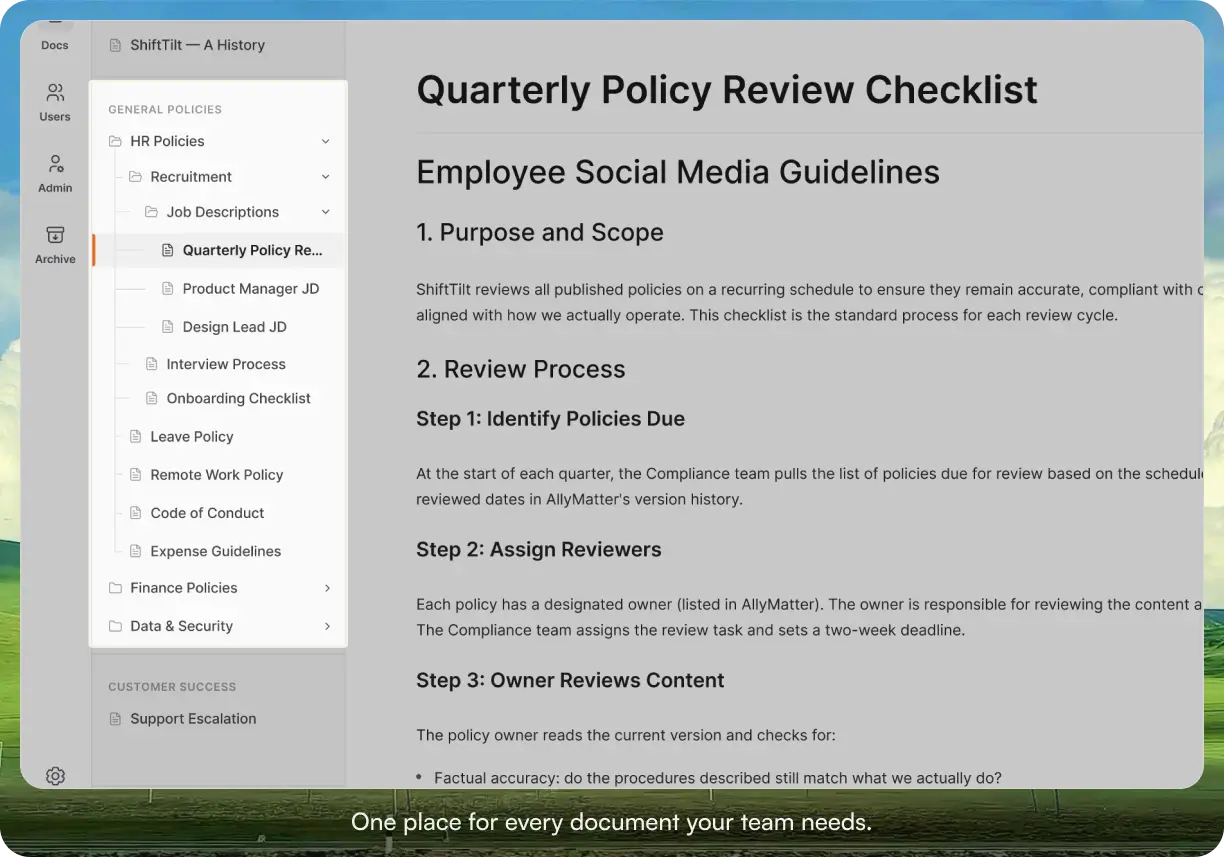
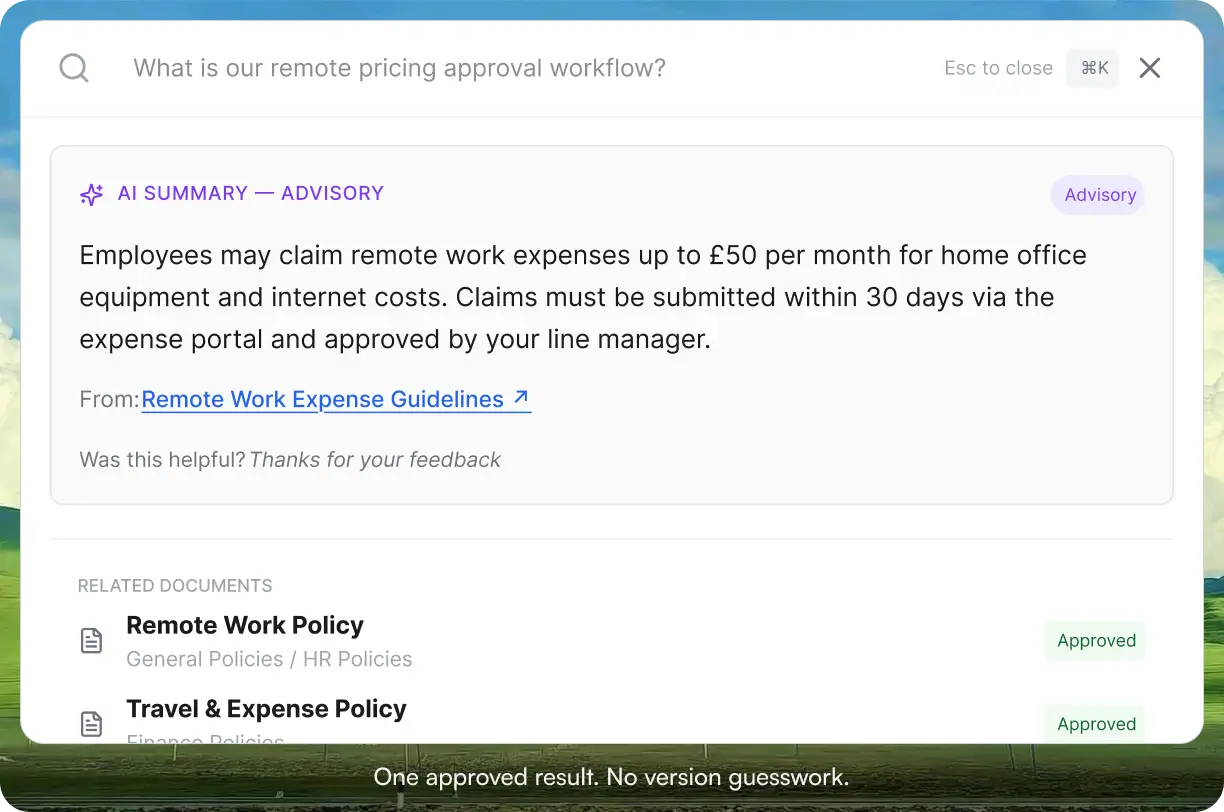
Every document goes through an approval workflow before it reaches the team. Search returns current, reviewed content instead of a mix of drafts and outdated versions.
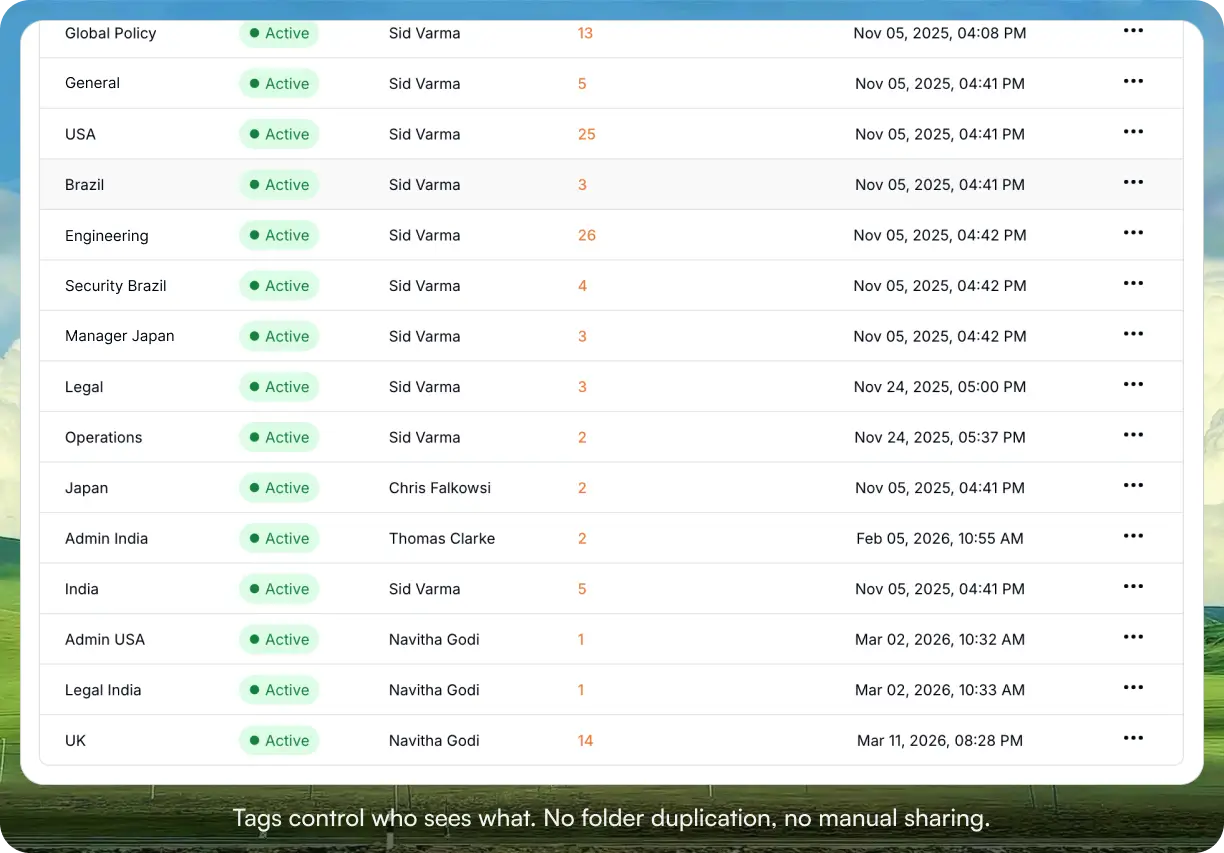
Tag-based access control means a new engineering hire sees engineering runbooks without any manual permission setup required. When someone’s role changes, updating their tags in one place updates their access to everything.
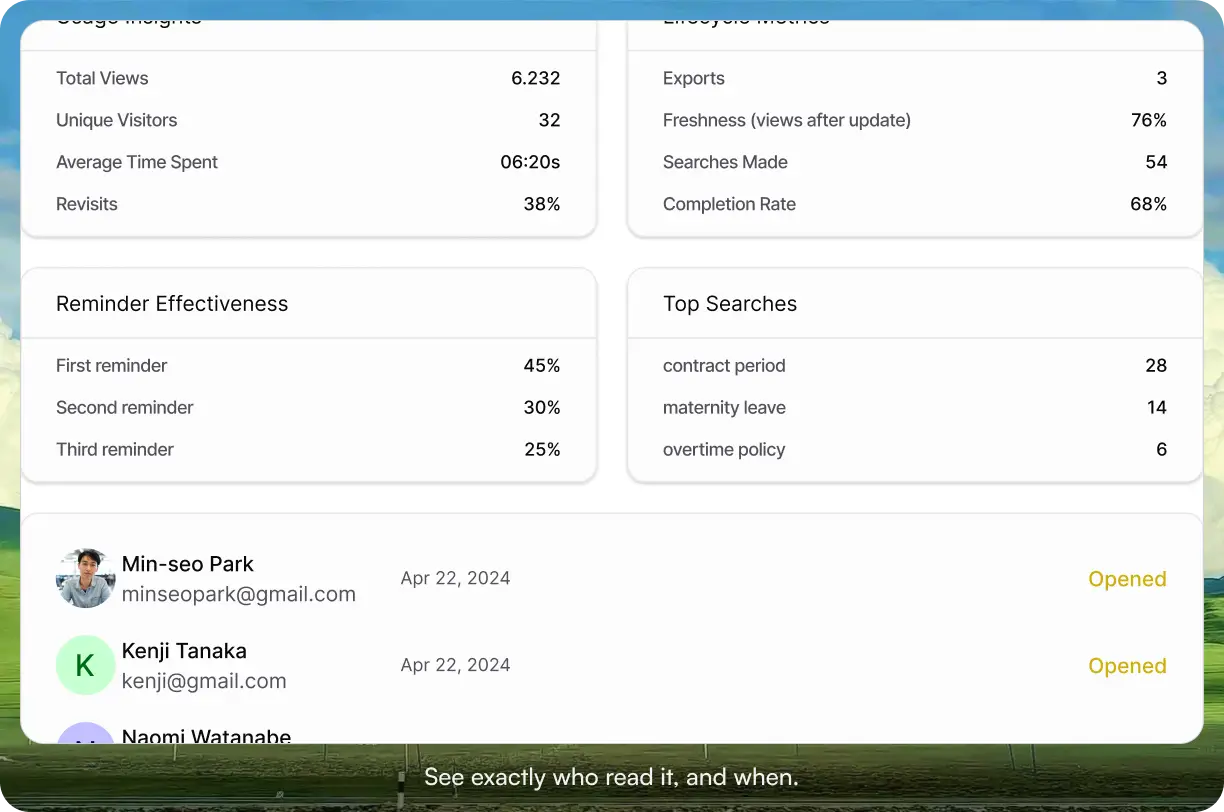
Acknowledgment tracking shows you who has read critical documents, not just who received a link to them. Configurable reminders follow up automatically on anything outstanding.
Start your 30-day free trial. No credit card to start, and a 30-day money-back guarantee if you convert and change your mind.
Three scenarios: where you are
If your team is between 10 and 30 people, your docs are HR policies, onboarding materials, and process documentation, and you need them to be findable and current a year from now, AllyMatter is built for exactly this. We would start there.
If you are under 10 people sharing a physical space, a clean Notion workspace with consistent naming conventions will hold for now. Get documentation habits in place before adding governance infrastructure. The switch to a dedicated tool makes more sense once you have processes worth governing.
If you are already past 20 with documentation scattered across Drive, Notion, and Slack threads, consolidation is the priority. The cost of every new hire spending weeks in information archaeology is cumulative and significant. Getting everything into one governed system recovers that time quickly.
Start your 30-day free trial. No credit card to start, and a 30-day money-back guarantee if you convert and change your mind.
Not ready for a trial? Migration from Confluence or Notion is on us when you decide. On yearly plans, we will move your existing docs over, usually within a week and often sooner.
Frequently asked questions
What is the minimum documentation a 10-person startup needs?
Decision logs, core processes (code deployment, customer onboarding, expense approval), and basic onboarding materials. Do not try to document everything. Start with whatever is causing the most repeated questions or handoff failures, and build from there.
How do you prevent documentation from going stale?
Assign ownership to specific team members and make updates part of the workflow, not a separate task. When a process changes, updating the documentation is part of making the change. Version control helps too: if people can see what changed and when, they are more likely to trust and reference the current version.
Should you consolidate tools or keep separate systems for different document types?
Consolidate as early as you can. Having technical docs in one place, HR policies in another, and procedures in a third creates more overhead than it saves. The search problem alone justifies it: employees should not have to know which platform something lives on before they can find it.
How long should documenting a process take?
If it takes more than 30 minutes, the process is probably too complex and needs to be simplified before it can be reliably documented. Most core processes can be captured in 10 to 15 minutes while you are doing them. Capturing in real time is always more accurate than reconstructing from memory.