
Every company has documentation. It lives in inboxes, in a few people’s heads, in a Drive folder someone set up two years ago, and in the muscle memory of whoever has been around longest. It works, right up until the moment it doesn’t.
The useful question is not whether you have documentation. It is what happens when the documentation you have is scattered, unversioned, and impossible to prove. I have lived through the answer as a co-founder, and I have watched other teams live through it too. The cost is real. It is just spread out in ways that never arrive as a single invoice.
This is written for non-technical teams of roughly 30 to 200 people, where the documentation is mostly HR, ops, finance, and policy.
TL;DR –
Scattered, unversioned documentation doesn’t fail loudly. It leaks money through repeated explanations, knowledge that walks out the door when someone leaves, audits that balloon into multi-month projects, and compliance misses a small company can’t absorb. Drive, SharePoint, and Notion each fall short where it costs most: approval, acknowledgment, role-based access, and audit-ready logs. A real knowledge base turns all of that into one searchable, provable system.
The most expensive document is the one you explain twice
A new member joined our finance team and asked me how to pay a particular contractor each month. After a month of answering in person, I wrote out detailed instructions and emailed them over. He used those notes for a while. Then a question came up, he went looking for the email, and he could not find it.
This was a senior, highly paid finance person. Because the document was gone, he could not train the newer members of his team on the process. So he trained them from memory, which was about 70% of what the original instructions actually said. The other 30% quietly became wrong.
HR was the same story. We hired a new payroll person and I sat with him through all three days of the payroll run at month end. Then I did it again the month after. None of it was written down anywhere he could go back to.
It went beyond lost time. I clashed with one of the founders I worked with because he remembered instructions he had given a month earlier differently from what he had actually said. With no single source that both of us could point to, those conversations turned into conflict.
All of that time, mine especially, was expensive. Every hour I spent re-explaining something was an hour pulled away from work that mattered far more to the business. That is the part leaders miss. They see the hour. They rarely count what the hour was supposed to buy.
When the only person who knew the process leaves
A senior member of our recruitment team left, and the rest of the team fell into a quiet panic. That one person held a lot that nobody had written down:
- The qualifying criteria for each role we were hiring for, well beyond anything in the job description.
- The longer-term recruitment plan for the next three quarters.
- Which documents a new joiner had to sign for each client, which were different for every client.
None of the remaining recruiters knew which role carried which search criteria. That knowledge had never been written down anywhere. It existed in one person’s head, and it left when they did.
The audit that turns into a two-month project
When we started getting ready for our audits and certifications, ISO, SOC 2, HIPAA, the preparation became two months of back-and-forth email. Expensive on every side. We had multiple consultants helping us through it, and the clock was running on all of them. Then there was my time as a co-founder, and the founders’ time on top of that.
Most of that effort did not improve anything. It went into reconstructing a paper trail after the fact: which policy was current, who had approved it, when, and whether anyone had actually read it. When that history is not captured as you go, you pay to assemble it later, usually at the worst possible moment.
Read: The Audit That Turns into a Two-Week Project
“We’re too small to need this” until one hire changes that
The most common reason teams put this off is that they feel too small to bother. Then reality arrives. You forget to send the FMLA addendum to a new joiner in California. You forget it again when someone relocates to California from another state. Those omissions carry legal and financial consequences that dwarf the cost of having done it properly.
And if a legal case does come up, proving you sent the right document at the right time is its own time-consuming exercise, assuming you sent it at all. “I’m fairly sure it went out by email” is not a defense. A small company is exactly the kind of company that cannot absorb that hit.
“We already have Google Drive” and other comfortable beliefs
The other thing I hear is that the tools already in hand are good enough. They tend not to be, and the gap shows up precisely where it hurts.
Google Drive
Drive is fine for storing and sharing files, and that is genuinely all most teams use it for. The trouble starts when you ask it to govern documents. Permissions in Drive are not automatic. Someone has to set them correctly, every single time. Miss it once and next year’s pay policy is sitting in a folder a junior HR member can open, who happens to be friends with half the engineering team.
Beyond permissions, Drive has no approval process, no acknowledgment, and no proper document logs, all of which a real knowledge base needs. You can bolt on extra tooling to fake it, and it still will not satisfy an auditor or make it pleasant to author the documents in the first place.
SharePoint
If you are already deep in the Microsoft stack and have IT to run it, SharePoint can work. It will take half of a full-time employee to set up and then manage every month. It is a cumbersome piece of software that tries to be everything and does none of it well.
The permission system is even more complex than Drive’s and needs IT handholding to configure and to maintain. For a small company, especially one not getting it bundled for free, it is hard to justify.
Notion
Notion is a capable doc tool for small startups, but sharing is clumsy. You cannot grant access by role or by tag, which is essential when you want to give someone everything their role should see without going through documents one at a time.
None of these survive an audit or make it easy to push a change out to the right people, and none give you a reliable way to confirm the recipient actually saw the document. To get close, you end up buying additional plugins and tools, and you pull an IT person off cybersecurity and system administration to babysit the whole arrangement. Spending forty thousand dollars a year just to maintain that stack is common, and it is rarely worth it, at any size.
How to put a real number on it
If you want to make the invisible cost visible to a skeptical founder, here is how I would add it up.
Start with the simplest signal. Count the number of times you have answered the same question after the first time. Multiply that by how long each answer takes, in person or by email, and by your hourly rate. Then add the opportunity cost of your own time, the work you could have done while you were re-explaining things.
Then layer in the cost of running on the old process:
- A refund handled under an outdated policy, and everything that follows it: the legal cost, the correction process, the hit to your brand.
- Training material built on processes that have since changed, plus the retraining and the cost of remediating wrong information once it has spread.
- Legal exposure from sending, missending, or never sending something like an FMLA policy.
- Consultant hours spent getting you compliant for certifications, plus your own time training people from scratch instead of handing them instant access to the latest approved version.
Most of these never appear on a spreadsheet. That is exactly why they grow.
What good looks like
A good knowledge base makes it easy to author the docs, how-tos, guides, and SOPs that every department needs. From there it makes updates easy to push out through email, Slack, Teams, or whatever chat tool you already use, so a change actually reaches the people it affects. It can require acknowledgment, so you know the message landed. And it can show readers exactly what changed in this version compared to the last one, instead of making them re-read the whole thing.
Audits stop being a project. You give the auditor access to the knowledge base and point them to the logs. They can see who approved a policy, who has acknowledged it, what the previous versions were, what changed from one version to the next, and who accessed the document and when. You provide access and show them where to look. They do the rest. Your attention goes back to the content of the policy instead of whether it was sent, read, or approved.
New hires get one-step access to everything they need to read and acknowledge in a single pass. You can then see whether they actually opened a document, how long they spent on it, and whether someone who breezed through in ten seconds might need a proper walkthrough.
The honest reason I care about this is simple. Done right, it lets you take a holiday in peace, because the answers do not leave the building when you do.
Is this you right now?
If your team is small and the few people who hold the knowledge still talk every day, informal notes hold for a while. Start writing decisions and processes down now, even roughly.
If you are a growing team, people are joining or leaving, or an audit or compliance gap has already bitten you (the FMLA miss above is the classic one), this is the moment. That is exactly what we built AllyMatter for.
If you are in a regulated space (healthcare, finance, legal) or carrying real compliance exposure, a system of record is not optional, regardless of size.
Start your 30-day free trial. No credit card to start, and a 30-day money-back guarantee if you convert and change your mind.
Where AllyMatter fits
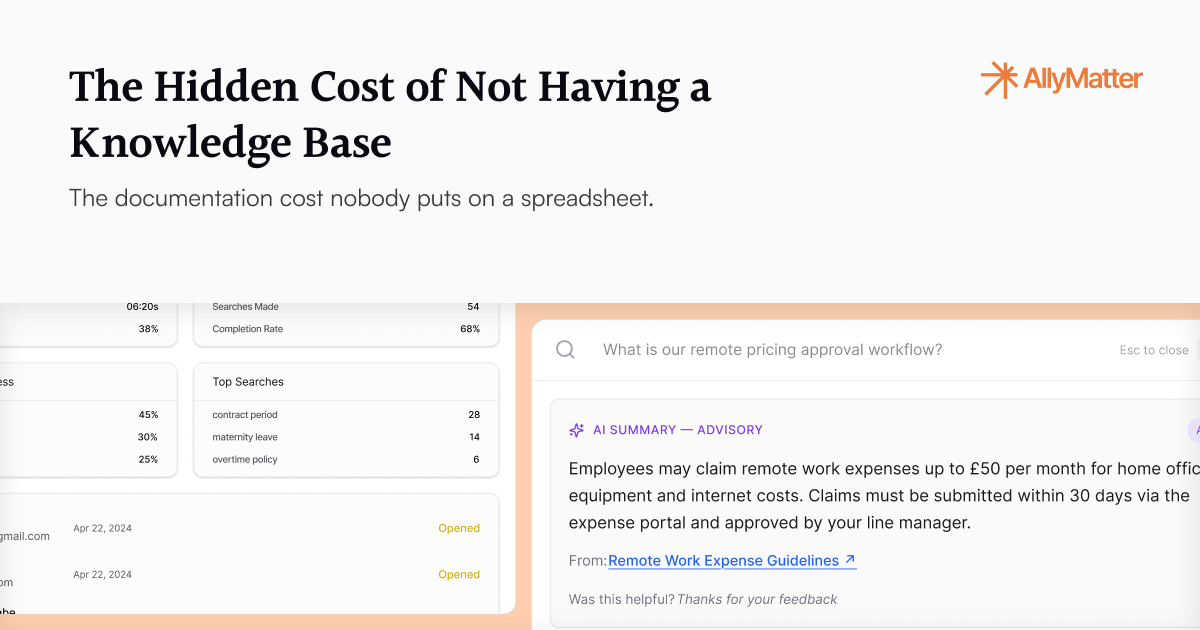
This is the problem I built AllyMatter to solve. It does the things above, and it starts with search, because most of what I described is really about not being able to find the document when you need it. You type what you need and it surfaces, scoped to what each person is allowed to see.
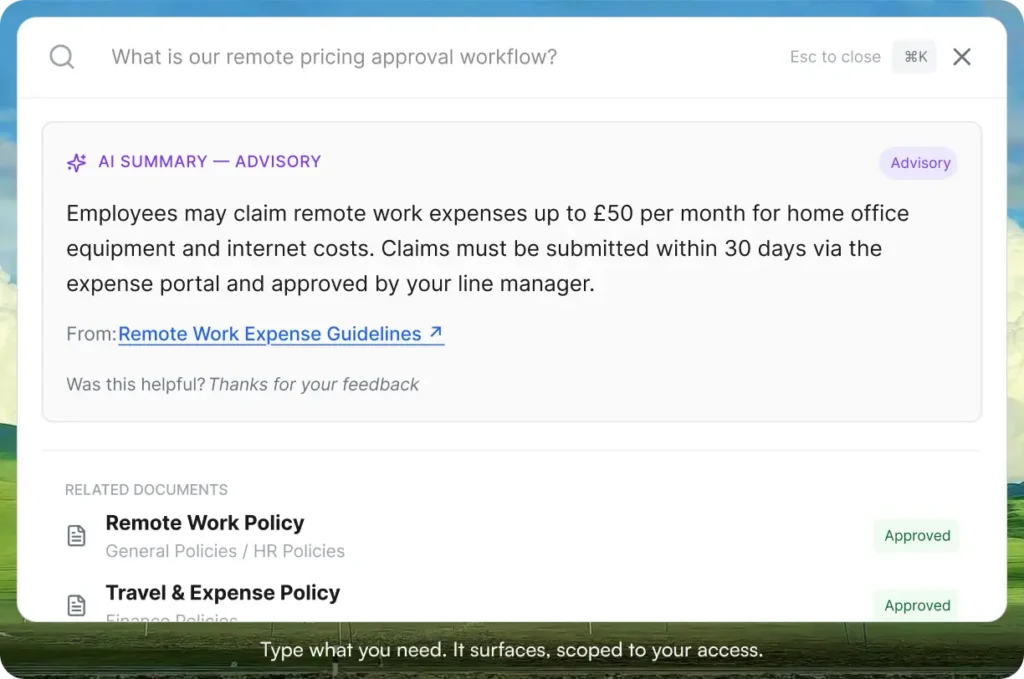
From there it does the rest: easy authoring for every department, approval workflows, mandatory acknowledgment with timestamps, a full audit trail, version comparison that highlights what changed, tag-based access by role, and notifications through Slack, Teams, and email, with e-signature coming soon.
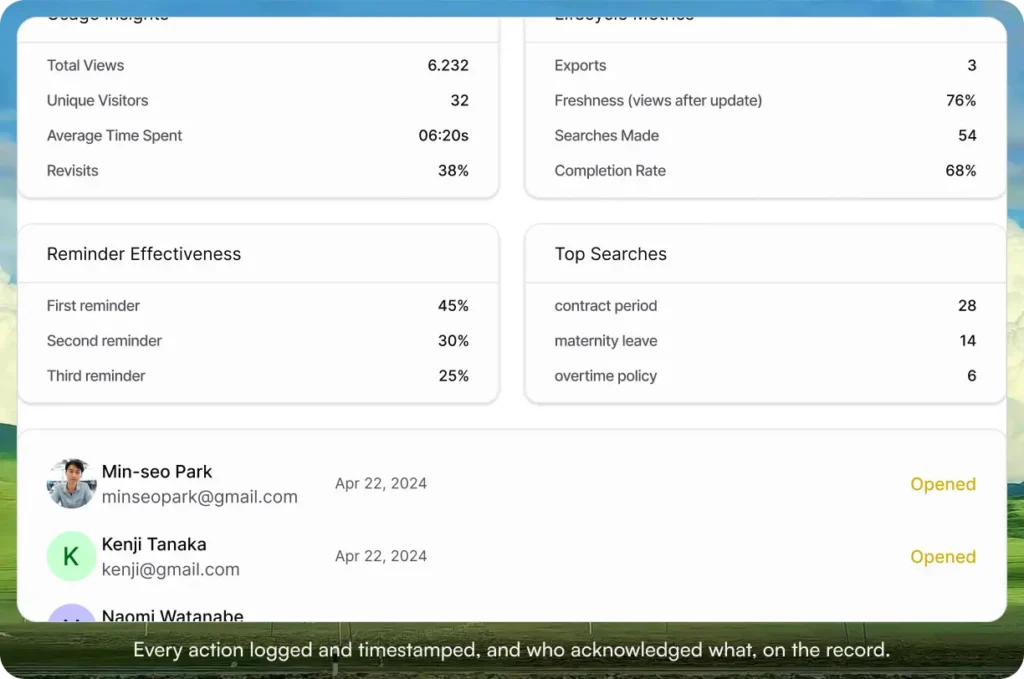
Setup takes about five minutes, and after that it runs with close to zero intervention. No chewing gum and tape holding a knowledge base together.
If any of the stories above felt familiar, it is worth seeing what the alternative looks like. Start your 30-day free trial. No credit card to start, and a 30-day money-back guarantee if you convert and change your mind.
Not ready for a trial? Migration from Google Drive, SharePoint, or Notion is on us when you decide. We’ll move your existing docs over and have you up and running in about a week.
Frequently asked questions
Can’t we just use Google Drive or Notion and skip a dedicated knowledge base?
For a while, yes, if your docs are informal and your team is tiny. It breaks once you have policies that need approval, acknowledgment you must prove, or an audit that wants a paper trail. None of those tools give you that without bolting on extra tooling.
We’re a small company. Do we really need this yet?
Often the compliance exposure arrives before you feel ready. One missed FMLA notice, or an “I’m pretty sure I emailed it” defense, can cost more than years of the software. If you’re handling HR policies or heading toward certifications, you’re already past the “too small” line.
How do we actually prove a document was sent, read, and approved?
Acknowledgment tracking records who opened a document and when, the audit log captures who approved it and when, and version history shows what changed between versions. When an auditor asks, you point them to the logs instead of reconstructing the trail from email.
What happens to our documentation when a key person leaves?
Nothing walks out with them. The processes, criteria, and approvals live in the knowledge base, not in one person’s head or inbox, so the rest of the team keeps working from the same source the day after they go.
How long does setup and migration take?
Setup takes about five minutes. If you’re moving off Google Drive, SharePoint, or Notion, migration is on us, and most teams are up and running in about a week.
Read more:
- Google Drive vs AllyMatter: Choosing the Right Tool for Internal Docs
- SharePoint vs AllyMatter: Which Is Right for Your Team?
- AllyMatter vs Notion for Startups

Founder of AllyMatter I’m founder of AllyMatter, an operations-first knowledge base for growing companies. Before AllyMatter, I co-founded Syren Cloud and helped scale it into a 300-person organization across two countries, leading marketing, operations, and HR. We moved fast, served demanding customers, and learned the hard way that internal knowledge systems built for help docs or IT don’t solve day-to-day operations. AllyMatter is my answer—tools that turn tribal knowledge into trusted, searchable processes. This blog shares the playbooks, checklists, and lessons I wish I’d had while scaling.