
Policy Software · 14 min read
Policy Management Software for Small and Growing Businesses: The Complete Guide
Policy management software for small businesses does one job that a shared drive can’t: it keeps every policy approved, in front of the right people, read and provable, without a compliance department to run it. We built AllyMatter on a simple mission, which is to get small and medium businesses compliant with whatever they want to be compliant with, whether that’s a customer’s security review, a certification, a regulator or simply their own house rules.
Nobody goes looking for this kind of software when things are going well. Something specific happened this week: an auditor asked who acknowledged the revised safety policy and the honest answer was a shrug, a big customer’s questionnaire wants your information security policy with approval dates and the file has three “final” versions, or a new hire asked which handbook is current and two people gave two answers. This guide is for the person who owns that problem on top of a real job, at a company that’s growing faster than its paperwork.
Key takeaways
- Policy management software keeps a small or growing company’s policies approved, sent to the right people, acknowledged and provable, which a shared drive can’t do.
- The need grows with headcount and customers, as federal rules switch on at 15, 20, 50 and 100 employees and bigger customers start asking for proof.
- Most policy tools are built and priced for enterprises, charging for every reader, so choose one priced for the people who manage policies.
- You don’t need a different tool for every standard: one policy center can run SOC 2, ISO, HIPAA, safety and HR policies side by side.
What is policy management software for small and growing businesses?
Policy management software is a system that runs the whole life of your company’s policies: writing and versioning them, getting them approved, sending each one to the people it applies to, collecting acknowledgments, reviewing them on a schedule, and keeping the records that prove all of that happened. For a small or growing business, it is effectively your policy center, the one place where anyone can find the current version and anyone who needs to can see the proof.
The test is simple. Ask a tool who approved version 3 of your data protection policy, when the warehouse team acknowledged it, and whether you can have that as a file for the auditor. If it can answer, it is policy management software, and if it can only show you the document, it is storage. That difference matters more at a small company than a large one, because there is no compliance team to rebuild the record by hand when someone asks for it.
Compliance for small and medium businesses: what changes as you grow
Compliance for a small business isn’t one thing, and it changes as you grow. Some of it comes from the law, which switches on more obligations at certain headcounts, and some of it comes from the market, because the bigger your customers become, the more proof they ask for.
Here is how federal employment law adds up as a business grows, which is why a 60-person company has far more policies to keep current than a 12-person one. State and local rules can add more on top, so check with your adviser for your location. This is a general guide rather than legal advice.
| Headcount | What federal law adds | What it means for your policies |
|---|---|---|
| 1 or more | Workplace safety duties under OSHA, including a written hazard communication program wherever hazardous chemicals are used | Written safety programs, training records and proof they reached the right people |
| 15 or more | Title VII of the Civil Rights Act and the Americans with Disabilities Act | Anti-harassment and equal opportunity policies, with a record that staff received them |
| 20 or more | The Age Discrimination in Employment Act, and COBRA for group health plans | Updated handbook sections and benefits notices |
| 50 or more | The Family and Medical Leave Act, and the Affordable Care Act employer rules for full-time equivalents | A written leave policy, benefits policies and much more acknowledgment to track |
| 100 or more | EEO-1 reporting and the WARN Act | Reporting and notice procedures, owned and kept current by someone |
Sources: osha.gov, eeoc.gov, dol.gov, irs.gov
The market adds its own requirements, and for many fast-growing businesses they arrive before the legal ones. A software company selling to larger customers is asked for SOC 2 or ISO 27001 and a stack of security policies, a manufacturer bidding for a big contract is asked for ISO 9001, a clinic or a health tech startup has to show HIPAA policies, and an investment adviser has to keep a compliance manual current. Each standard is different, but every one of them asks the same questions in the end: is there a written policy, who approved it, did the right people read it, and can you prove it.
That’s why we built AllyMatter to work with whatever you want to be compliant with. You bring the policies your standard needs, and our sister site, Policy and Compliance, explains what common standards require, while AllyMatter runs the approval, acknowledgment, review and proof for every one of them in one place.
Is a shared drive enough for a small business?
It depends on whether anyone asks you for proof. A 12-person team with no regulator, no certification and no enterprise customers doesn’t need this category, because a tidy drive and some discipline will hold, and we say that as the vendor.
Four signs tell you the drive has run out.
Someone outside now asks for evidence. An auditor, a certification body, a customer’s security questionnaire or an insurer asks for proof, and “we have a policy” stops working the first time someone replies “show me.”
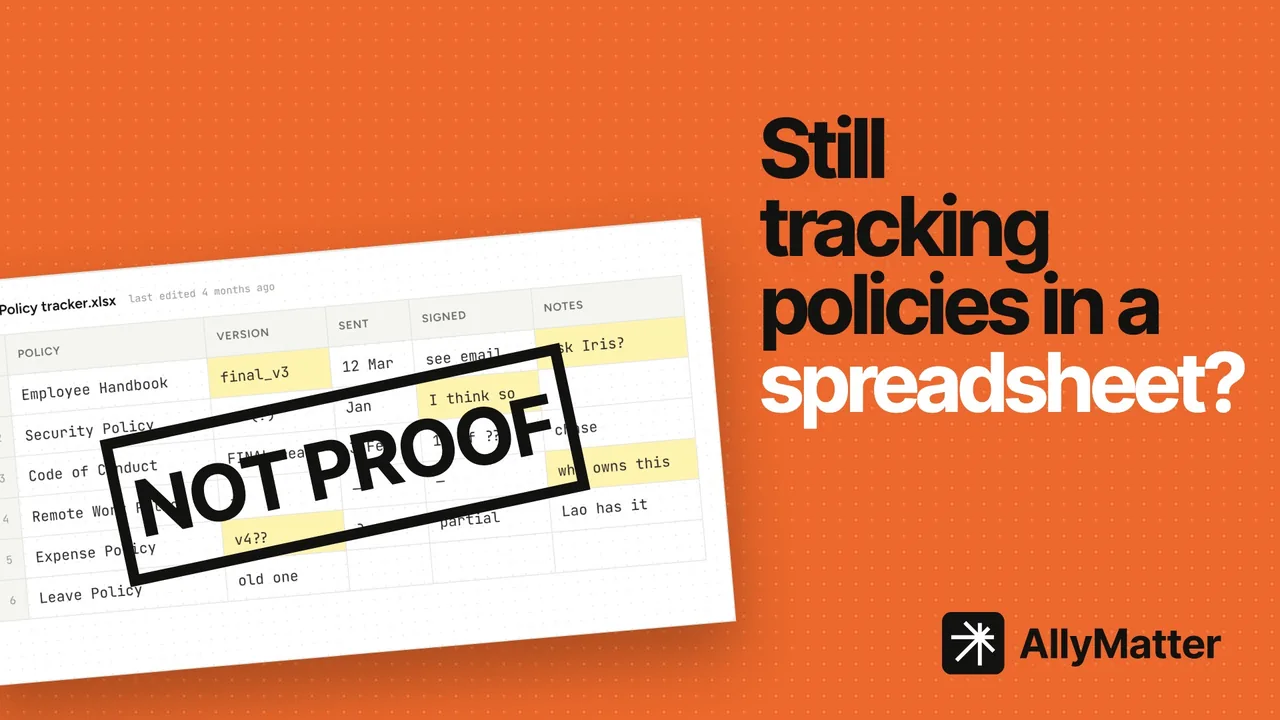
Acknowledgment lives in a spreadsheet. Checking a staff list against email replies a couple of times a year is the most common reason growing companies start looking for policy software.
Version confusion has already caused a real problem. The floor works from a printed version 2 while the drive holds version 3, or two “final” handbooks circulate at once.
Policy work is eating somebody’s real job. The person who owns policies is an HR lead, an operations manager or a founder with three other jobs, and chasing signatures has become a regular block in their calendar.
With none or one of those signs, stay on the drive and spend nothing, and with two or more, the rest of this guide is for you.
What a policy center does for a growing business
Every policy, procedure, SOP and handbook goes through the same loop whatever tool runs it, and the software exists because each stage leaks when it’s done by hand.
Write and version. Policies change carefully, so the software keeps one current version, every earlier one, and a way to see exactly what changed between any two, where the manual version is a file called policy_v3_FINAL_revised.docx.
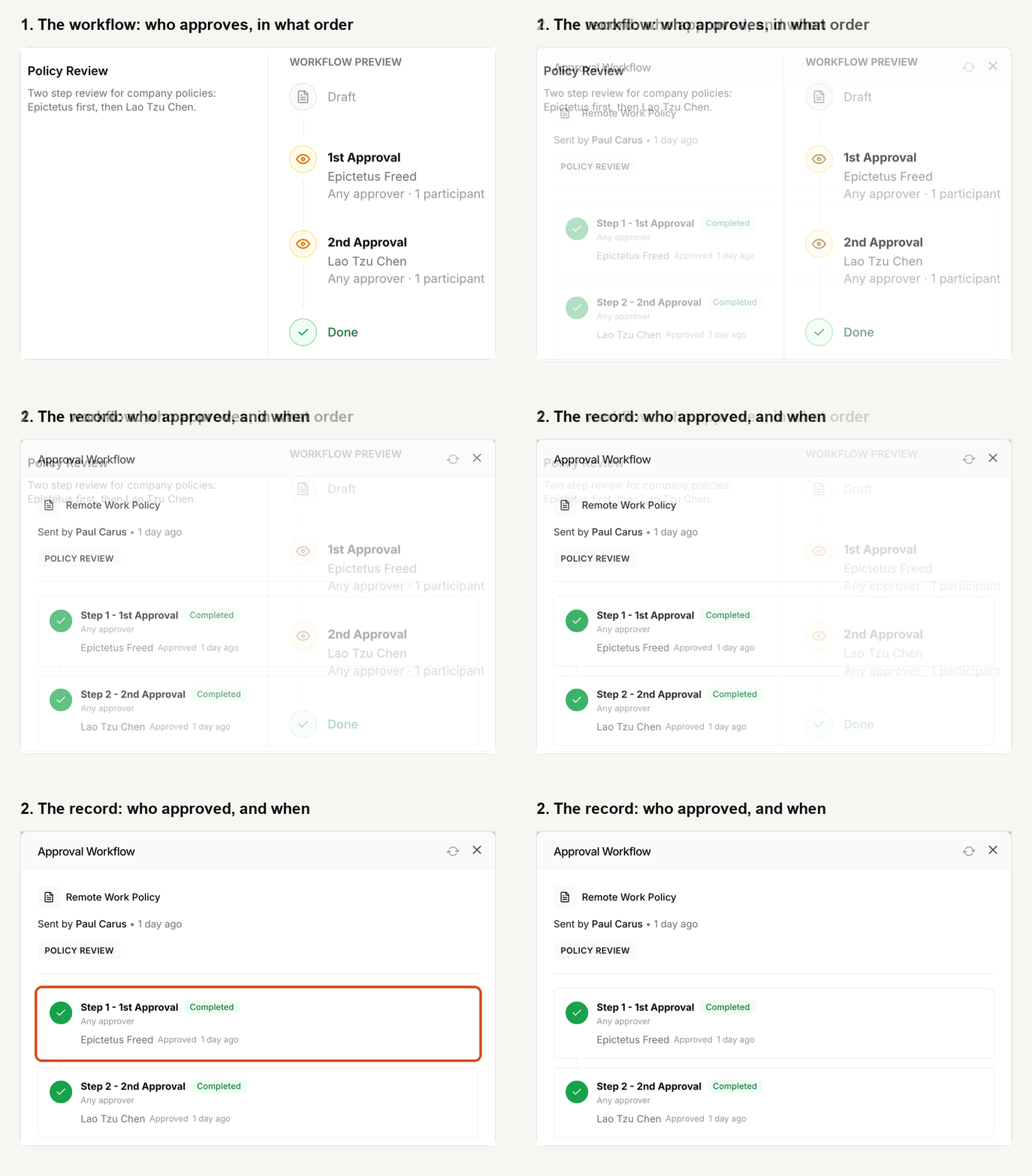
Approve. A policy isn’t in force because someone wrote it but because the right person approved it, on a date, in a way you can show. In AllyMatter, each policy runs through an approval workflow you build once, with up to four steps in order, and only an approved version can ever be sent out.
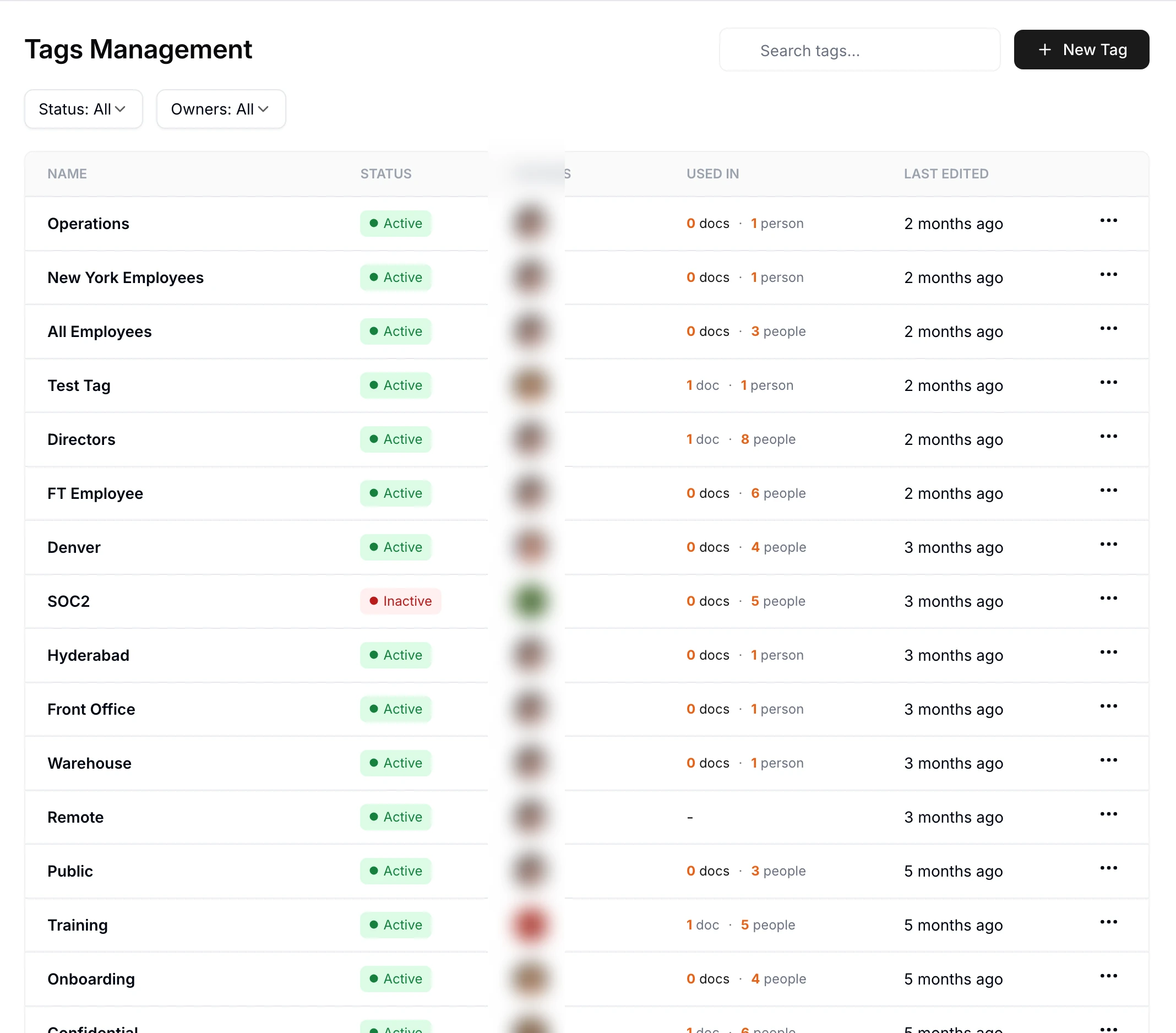
Send to the right people. Tags describe your teams, locations and roles, so each policy reaches the people it applies to, and someone who joins a team can see that team’s policies as soon as they’re given its tag.
Acknowledge. Each person confirms they’ve read the policy while signed in, and the confirmation is recorded with their name, the version and the time, while automatic reminders follow up with anyone who hasn’t. Everyone’s home screen shows what is waiting for them, so nothing depends on someone finding the right email.
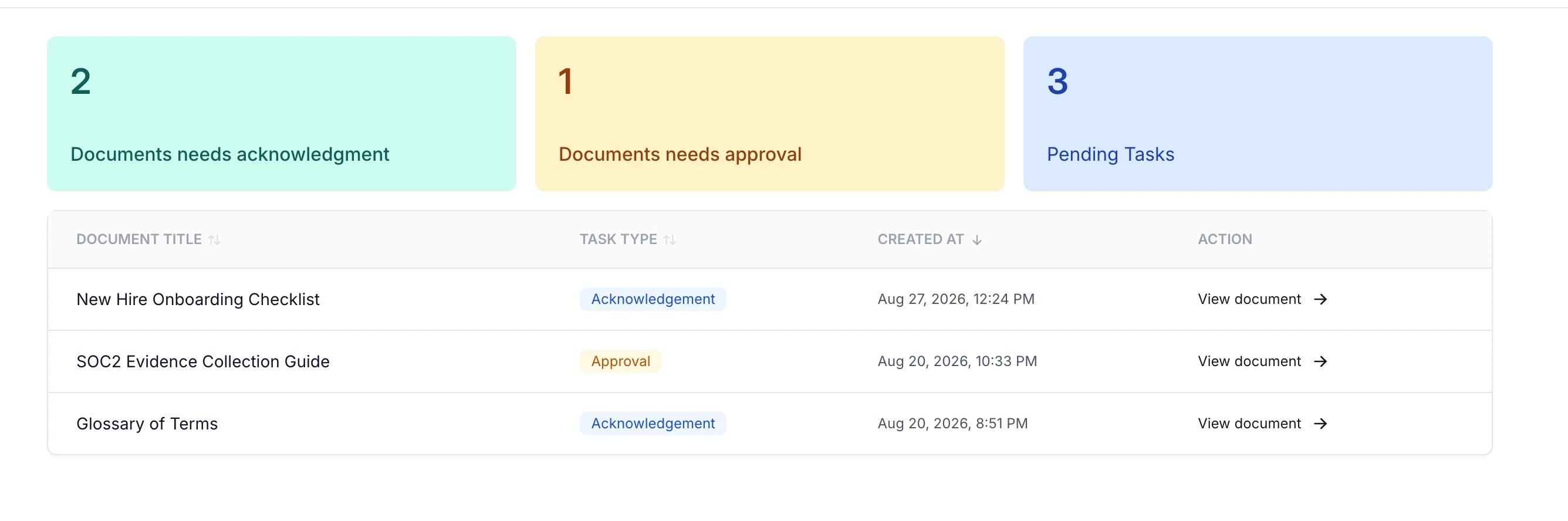
Review and keep current. Each policy carries a review date, either fixed or on a repeating cycle, and a review alert appears on it when that date arrives. When a policy changes, the new version goes back through approval and out again for acknowledgment, with no shortcut for small edits, because one changed word can change what people have to do.
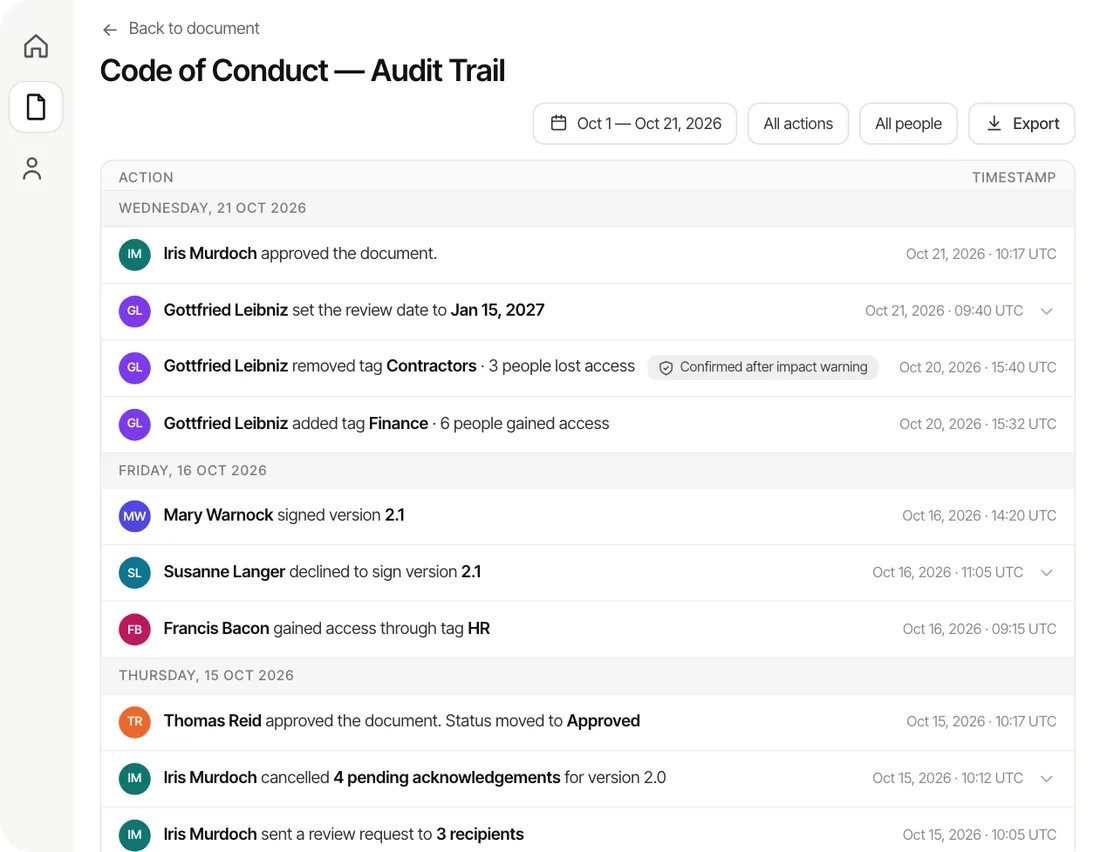
Prove it. Every step above lands in the policy’s audit trail, which you can filter by date or person and export as a PDF or CSV, so answering an auditor or a customer takes minutes instead of a week.
What policy management software costs a small business
Most of the category hides its prices, and the habit says a lot about who it’s built for. Established vendors usually ask you to book a demo, describe your headcount and wait for an annual quote, which tends to mean enterprise contracts, implementation projects and a price that rises every time you hire.
The question that decides what you’ll really pay is who counts as a user. In most of the category, everyone who has to read or acknowledge a policy is a paid seat, so a 150-person company pays for 150 people even though most of them open the system a couple of times a year. Our breakdown of what popular policy management tools cost uses public records to show what buyers have paid.
We priced AllyMatter for small and growing teams instead: you pay for the people who create and manage policies, while everyone who reads, acknowledges or approves is free, and the prices are public. A free trial needs no card, and setup takes about half an hour.
How to choose policy management software for a growing business
Run this checklist against the obligations you actually have, in this order.
Can the people who own policies run it without IT? At a small company that’s usually HR, operations or a founder, so the tool has to be something they can set up and keep current on their own.
Does approval match how you work? You want several steps where they matter, a single approver where they don’t, and a record of who approved what and when.
Is acknowledgment real evidence? Look for a named record tied to the exact version, not a read receipt, and a way to send changes back out without chasing anyone by hand.
Does access follow people as you grow? Groups by team, location or role, rather than folder permissions you have to rebuild every time you hire.
Can you show what changed and what was in force? Every version kept, with a comparison an auditor or a lawyer can read.
Can you hand over proof? Exports an auditor accepts, rather than screenshots of a dashboard.
Will it cover every standard you’ll face? You don’t want a different tool for SOC 2, ISO, safety and HR, so pick one that lets you bring your own policies for any standard.
Can you work out the price without a call? If you can’t, assume it’s priced for someone much bigger than you.
Why enterprise compliance software rarely fits a small business
Large governance, risk and compliance platforms are built for companies with compliance departments, and they bring the price, the implementation projects and the modules to match. A small or growing business usually needs the middle of this guide, which is policies, procedures, approvals, acknowledgments and proof, run by one person with other jobs, rather than risk registers, whistleblower channels and board reporting. If your company does need those things, an enterprise platform is the right call, and plenty of our readers also run a security tool such as Vanta or Drata alongside their policy center for automated SOC 2 evidence. For everything else, the job we built AllyMatter for is the job most growing businesses actually have.
How AllyMatter helps small and medium businesses get compliant
We built AllyMatter for the company that’s growing faster than its paperwork, and a few decisions define it.
Readers are free because coverage is the point. Charging per reader punishes exactly what a policy program needs, which is everyone in scope, always, so editors pay and the people acknowledging don’t.
Every change goes back out, with no minor-edit escape hatch. A comma can change the meaning of a clause, so what staff confirmed is always what is in force.
Only approved versions can be sent. Drafts can’t reach your people, which closes the two-finals problem at the root.
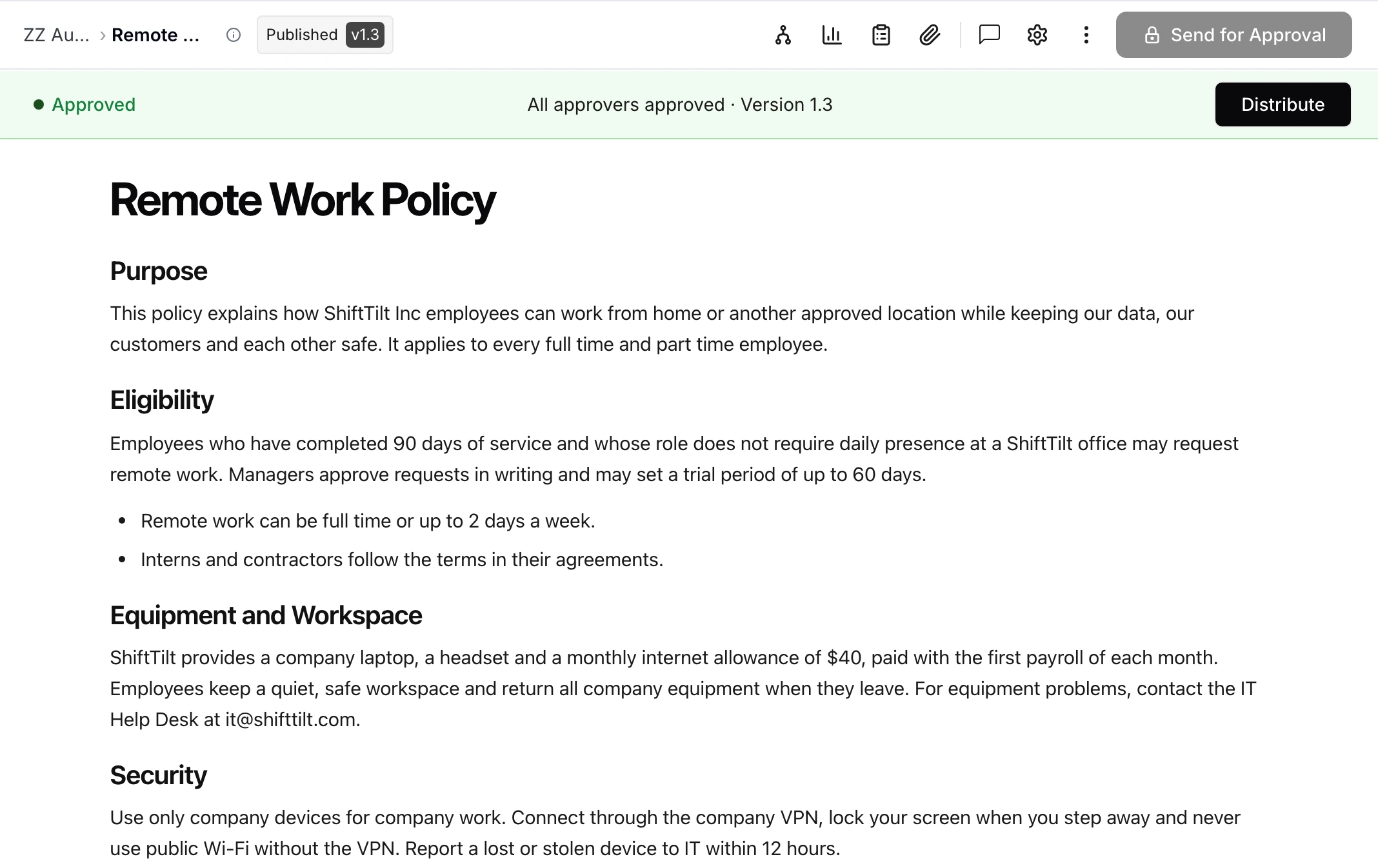
Version compare exists because I read what I sign. Years of responding to RFPs taught me to read every agreement line by line, and re-reading a 14-page policy to find three changed sentences is why re-acknowledgment gets resented, so version compare shows every word removed and added and a renewal asks minutes of staff instead of an hour.
Any standard, one place. Bring your SOC 2, ISO, HIPAA, safety and HR policies into one policy center, sign in with email, Google or Microsoft, get notifications by email and in Slack on the Scale plan, and publish any policy you want the world to see with a Public setting.
On yearly plans, migration is on us: we’ll move your policies from SharePoint, Google Drive, Confluence or Notion, usually within a week and often sooner.
Start your 30-day free trial of AllyMatter. No credit card to start, and a 30-day money-back guarantee if you subscribe and change your mind. Free migration.
Three scenarios
If you’re under about 30 people with no outside demands for proof, you don’t need policy management software yet, because a tidy drive, a naming convention and a calendar reminder will hold, and the money stays in your pocket.
If you’re a small or medium business between 30 and 500 people and the signs at the top of this page have started arriving, such as an audit on the calendar, a certification to win, a big customer’s questionnaire or a groaning spreadsheet, this is the moment, and we built AllyMatter for exactly that company.
If you’re growing fast, regulated or audited by your customers, running policies by hand is already costing you time and risk, so the only question is which system, and the checklist above is your interview script. We’d start with AllyMatter.
Guides for each part of the job
Questions about policy management software for small businesses
What is policy management software for small business?
It is software that keeps a small or growing company’s policies, procedures and handbook in one place and runs the work around them: approving each policy before it counts, sending it to the people it applies to, recording that they read it, reviewing it on a schedule, and keeping a record you can show an auditor or a customer.
Do small businesses need compliance software?
Not always. A company of a dozen people with no auditor, no certification and no enterprise customers can manage with a tidy shared drive. Compliance software starts to pay for itself when someone outside the business asks for proof, such as an auditor, an insurer or a customer’s security questionnaire, or when tracking who read which policy becomes a recurring chore.
What does policy management software cost for a small business?
Most of the category doesn’t publish prices and charges for every person who reads a policy, which punishes growth. AllyMatter publishes its prices and charges only for the people who manage policies, while readers, acknowledgers and approvers are free, so the price stays steady as you hire.
Can a small business use AllyMatter for SOC 2, ISO, HIPAA or other standards?
Yes. AllyMatter doesn’t lock you into one framework, so you bring the policies your standard requires, whether that’s SOC 2, ISO 27001, ISO 9001, HIPAA, an investment adviser’s compliance manual or your own house rules, and AllyMatter runs approval, acknowledgment, review and proof for all of them.
What’s the difference between a policy center and a shared drive?
A shared drive stores files, while a policy center runs the obligations attached to them: who approved a policy, which version is in force, who it applies to, who has read it and when it is due for review. That record is what auditors and customers ask for.
When should a growing business switch to policy management software?
Usually somewhere between 30 and 200 people, or earlier if you’re working towards a certification, answering security questionnaires for bigger customers, or preparing for an audit. Those are the moments when the spreadsheet of who signed what stops being good enough.
The pattern behind this whole guide is that a policy program is judged on what it can prove, and proof is either produced by the software as a side effect of normal work or rebuilt by someone the week before it’s demanded. Growing businesses don’t have that week to spare.
Start your 30-day free trial of AllyMatter. No credit card to start, and a 30-day money-back guarantee if you subscribe and change your mind. Free migration.