
Knowledge Base · 6 min read
Scaling Your Knowledge Base as Your Business Grows
Growth is great, until your knowledge starts getting lost in the chaos.
If the documents your team relies on include policies that people must read, follow and acknowledge, our guide to policy management software for small and growing businesses covers what a policy center does, what it costs and how to choose one.
It usually starts small: a few Word documents scattered across email threads, internal Slack messages, and shared Google Drive folders. Then your team grows. More documents are created. Compliance requirements increase. New hires need training. Suddenly, no one knows where to find anything.
That’s where a scalable internal knowledge base makes all the difference.
A good knowledge base helps growing companies centralize their documentation, streamline collaboration, and future-proof their knowledge management systems. Whether you’re onboarding new employees, maintaining SOPs across departments, or ensuring policy compliance in regulated industries, it needs to grow with you, without adding complexity.
Let’s explore how.
Why Scaling Knowledge Is No Longer Optional
Organizational knowledge isn’t just helpful, it’s a strategic asset. Yet, many companies treat it like an afterthought. According to McKinsey, employees spend nearly 20% of their workweek searching for internal information or tracking down colleagues who can help with tasks.
As your company grows, this problem multiplies. Bigger teams. More documents. More risk of outdated, duplicated, or missing information. What happens when your knowledge management system can’t keep pace?
The symptoms are familiar to any growing organization:
- Your newest team members spend weeks figuring out processes that should take days to master.
- Employees create duplicate documents because they can’t find existing ones.
- Institutional knowledge walks out the door when key team members leave.
- Compliance becomes increasingly difficult to track and verify.
These aren’t just minor inconveniences, they’re significant barriers to growth that become more pronounced as your organization scales.
Traditional Knowledge Management Fails During Growth
Imagine a fast-growing tech manufacturer scaling from a few hundred to thousands of employees in just a few years. At first, their knowledge sharing worked well enough, engineering specs lived in Google Drive, production procedures were tucked into SharePoint folders, and troubleshooting guides were stored in a basic internal wiki.
But as new teams formed and operations expanded, cracks started to show. New hires had to navigate a maze of disconnected systems just to find routine information. Teams wasted hours looking for documents or recreating lost content. No one was quite sure which version was the latest, or who had updated it last.
This isn’t a one-off scenario. It’s what happens in countless growing companies relying on traditional document management tools that weren’t built for scale. These systems often suffer from:
- Fragmentation across multiple tools, with no single source of truth
- Limited permissions systems that don’t adapt to organizational complexity
- Poor version control leading to outdated information and confusion
- Insufficient search capabilities that deteriorate as content volumes grow
- Non-existent audit trails making compliance nearly impossible
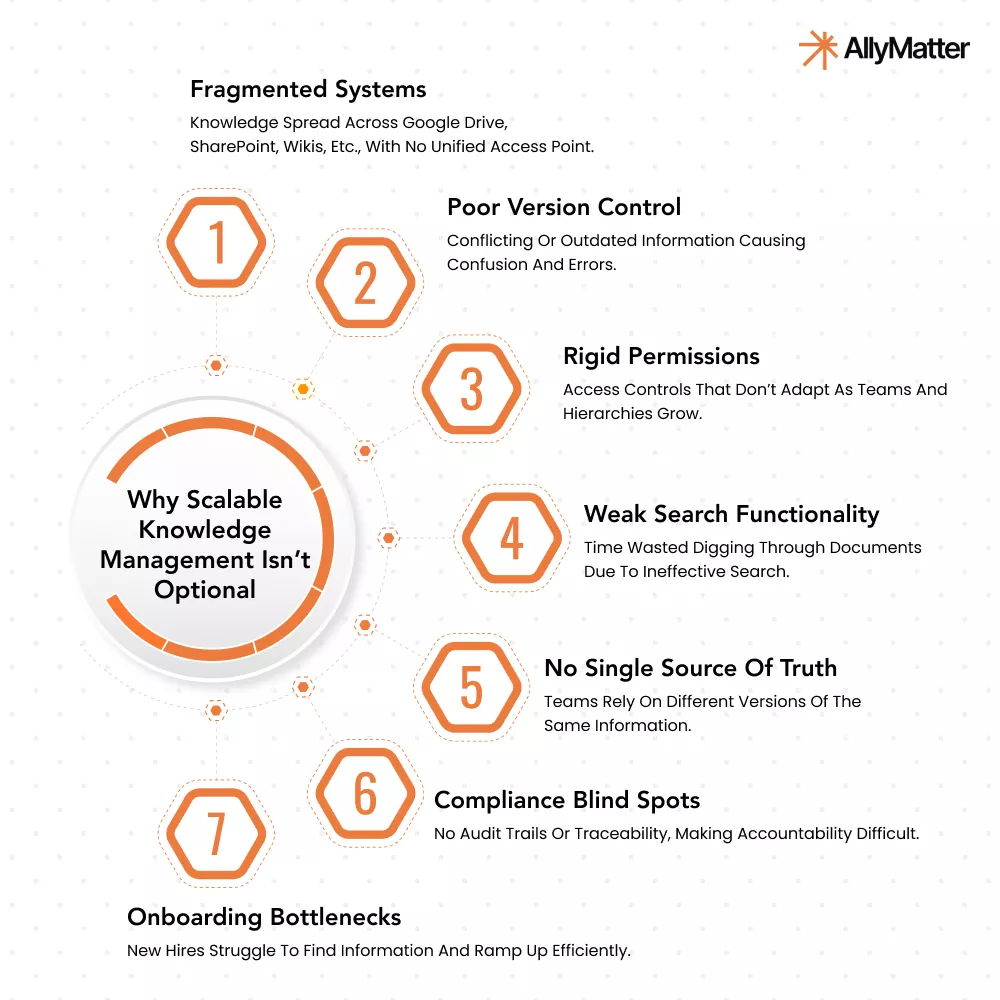
These limitations might be manageable when you’re small, but they create exponential problems as your organization grows.
What a Growth-Ready Knowledge Base Needs
A knowledge base that scales brings structure to chaos, supports team collaboration, and makes institutional knowledge easily accessible across roles and departments.
Here’s what to look for:
Centralized knowledge. Zero chaos.
Fragmented documentation is the silent killer of productivity. Centralize all your company’s documentation (HR policies, SOPs, training guides, product manuals, support procedures) into a single, searchable knowledge base.
With tagging and clear categories, your team can find what they need without switching between apps or tools.
Example: Need your finance team to find updated expense policies while your HR team accesses onboarding docs? Each team should be able to search, filter, and access relevant content through consistent metadata and role-based views.
Built-in governance for growing teams
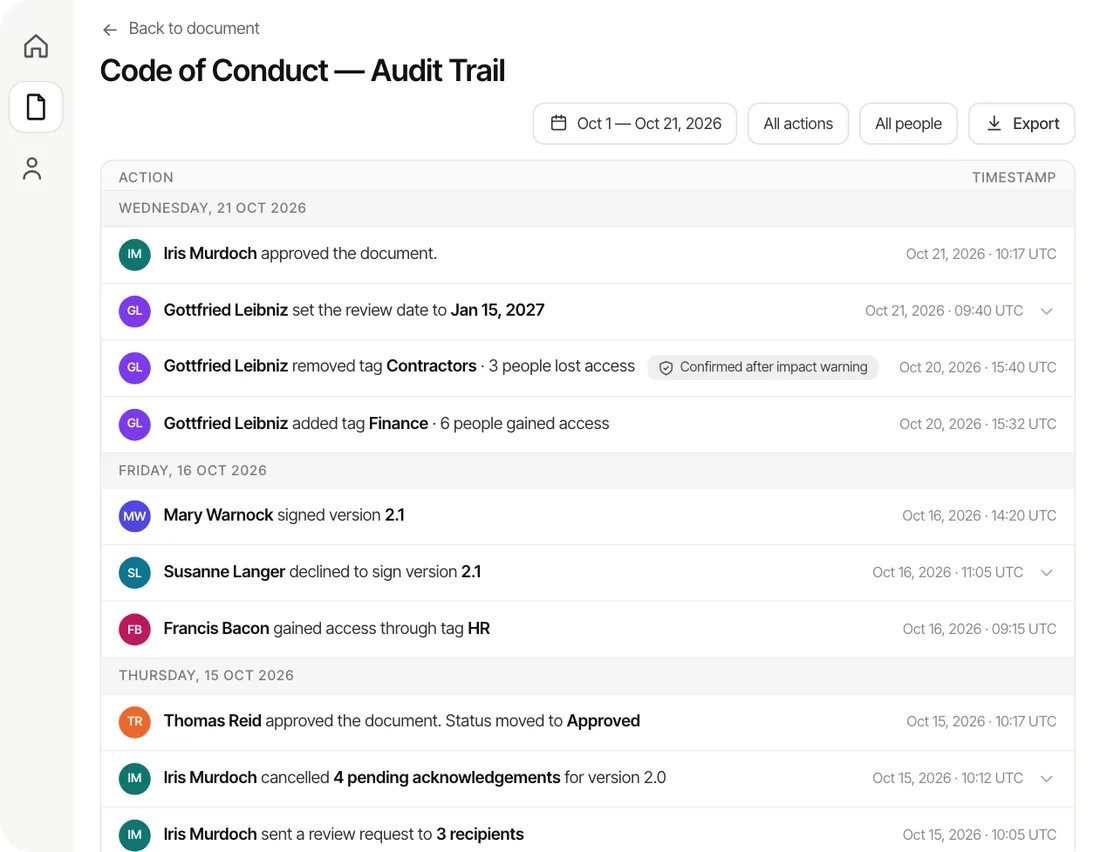
As you scale, so do your compliance requirements. Maintain a clear audit trail for every document: who created it, who edited it, who approved it, and when.
This is critical for:
- Meeting ISO or GDPR compliance standards
- Ensuring accountability during audits
- Tracking document responsibility during team transitions
Real-world scenario: When your ISO auditor requests proof that employees acknowledged updated safety procedures, you need to be able to retrieve the exact audit logs and acknowledgement records quickly.
Flexible access and permission control
One size never fits all, especially when it comes to document access.
Look for granular control over who sees what. Set access levels by team, department, role, or even individual documents, and adjust permissions as teams shift or new employees join.
This minimizes risk, protects sensitive data, and ensures your teams work with only the information they need.
Fast, efficient collaboration
Scattered feedback loops slow everyone down. Bring collaboration directly into your documents with:
- Commenting and discussion threads
- Version control to track every change
- Approval workflows for faster decision-making
So whether you’re finalizing a policy update or rolling out new product documentation, your team can work together in real time, without creating 10 different versions.
Version control that keeps you sane
Growth means change. Version history lets you track every document change, compare versions, and restore older content anytime.
That means no more:
- Digging through old email chains for the “right” version
- Losing track of who approved what
- Worrying about outdated policies circulating internally
It’s compliance, transparency, and peace of mind.
Accelerated onboarding and training
Training a new hire shouldn’t take weeks. But without structured documentation, it often does.
Onboarding gets faster with:
- Role-based access to training materials
- Step-by-step guides
- Rich media support for videos, charts, and visuals
This is especially valuable for HR and operations teams juggling high-volume hiring or remote onboarding across locations.
Future-ready scalability
What works for a 20-person startup won’t work for a 200-person company. Build with that in mind.
Whether you’re expanding across geographies, hiring new departments, or introducing new products, make sure your company wiki scales with your business, not against it.
Implementation Across Growing Departments
A flexible knowledge base can serve diverse departmental needs as they evolve:
- HR departments benefit from streamlined onboarding as new hire volumes increase. Policy management becomes significantly easier with version tracking and employee acknowledgment tracking.
- Finance teams can document approval thresholds and decision-making frameworks that grow with the organization. As financial complexity increases, clear governance documentation ensures consistent application of policies regardless of scale.
- Support teams maintain quality as they expand across time zones with documented procedures accessible to every agent. When support inquiries multiply with growth, having standardized knowledge at everyone’s fingertips becomes crucial for consistency.
- Operations teams can standardize processes across growing organizational units. This standardization becomes critical when expanding into new markets or adding production facilities.
Scale Your Knowledge Base With Confidence
Your knowledge base isn’t just an internal resource. It’s the infrastructure that supports your ability to grow, adapt, and lead in a competitive market.
If your current systems aren’t keeping up with your growth, maybe it’s time to upgrade to one that does.