

Comparisons · 14 min read
15 Best Tools That Can Help Improve Your Knowledge Base
A doc that exists isn’t the same as a doc that helps. Most internal knowledge bases are full of policies, SOPs, and onboarding pages that nobody reads, nobody trusts, and nobody can find when they need to. The fix isn’t more docs. It’s better ones: clearer writing, sharper visuals, faster capture from the people who actually know things, and a home that keeps everything findable and current.
Good documentation is also documentation that looks good. A policy that’s well-formatted, visually scannable, and paired with a flowchart or a 90-second video where it helps gets read. A wall of text with inconsistent headings gets skipped. The tools below cover both sides of that: writing quality and visual quality.
This post covers 15 tools that internal policy writers, HR teams, ops leads, and compliance owners use to create, capture, organize, and maintain knowledge. We’ve curated for the people writing internal SOPs, policies, and process documentation, not for technical writers producing public help center articles. Those are different jobs with different tools.
A note on positioning before we start. Almost every tool below has a counterpart inside AllyMatter. We’ll flag for each one whether it’s a complement (you’ll still want it) or a substitute (AllyMatter does this natively). The honest version: if you’re at 30 to 200 people and you’d rather not maintain a 15-tool stack, AllyMatter handles most of this in one place.
Start your 30-day free trial of AllyMatter. No credit card to start, and a 30-day money-back guarantee if you convert and change your mind. If you’d rather see it guided first, fill our contact form and our team will reach out.
15 Top Tools To Improve Fragmented Knowledge Bases
A good knowledge base isn’t just about where docs are stored. It’s about how they get created, captured from the people who actually know things, organized so they can be found, and kept current as the company changes.
We’ve grouped the 15 tools by the stage of that lifecycle each one helps with.
Top Tools for Content Creation
Microsoft Word
For SOPs and policy documents that need structured formatting, track changes, and reusable templates, Word is still the default. It handles long documents, structured headings, and tables well, and most legal and HR templates assume .docx as the input format.
Strongest when your existing templates are .docx and your reviewers are comfortable with track changes. Less useful as the long-term home for the finished doc, because Word files in shared drives age fast and become hard to find six months later.
Inside AllyMatter: Rich formatting and version history are native. Your existing .docx files, including your own templates, come in by upload or paste, and yearly plans include free migration help. The drafting experience stays familiar; what changes is where the doc lives once it’s done.
Google Docs
Real-time collaboration is the strongest reason teams reach for Google Docs first. Multiple stakeholders can comment on a draft simultaneously, and version history is reliable. Sharing is one click.
Strongest when you’re co-drafting a policy with multiple reviewers in a short window. Less useful as the long-term home for finished policies, because Drive search struggles at scale and Docs has no formal approval workflows, no acknowledgment tracking, and no audit trails. We have a longer take on this in our post on why Google Docs fails as an internal knowledge base.
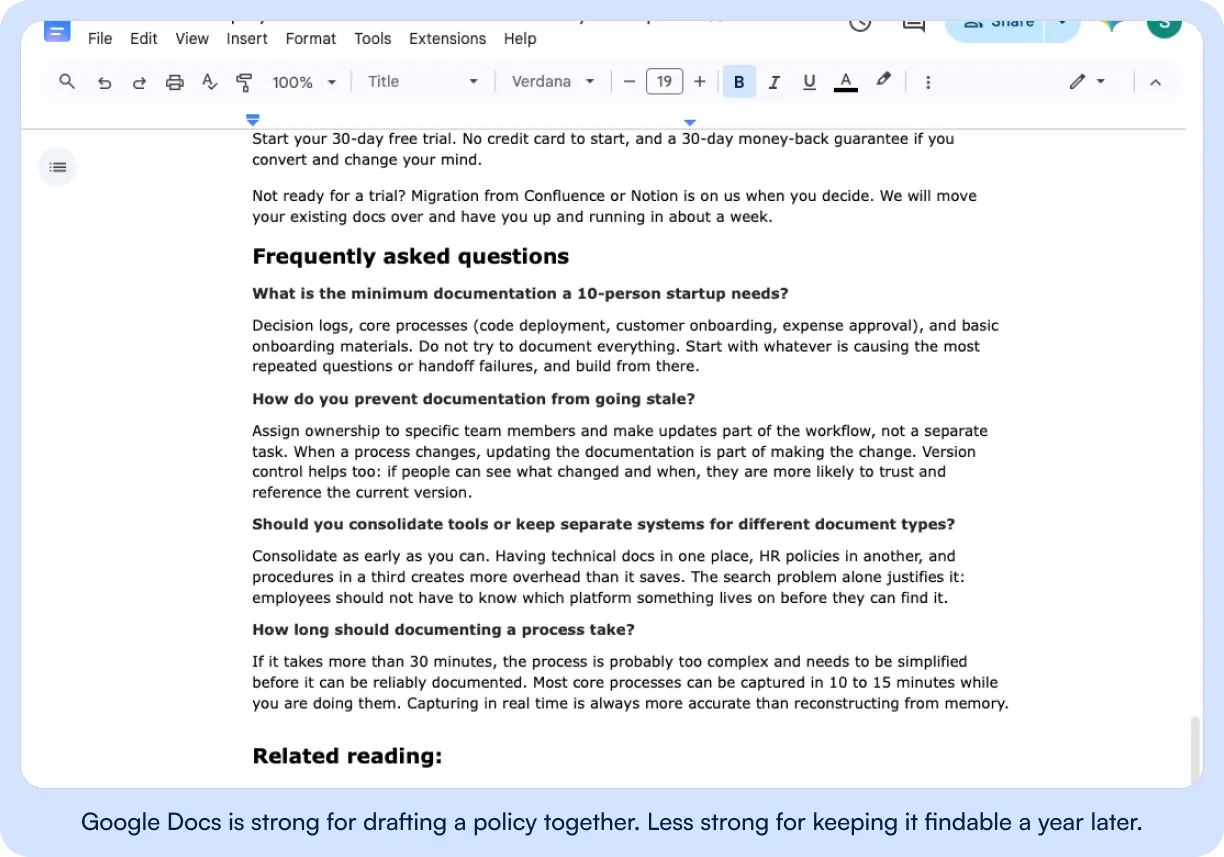
Inside AllyMatter: WYSIWYG Editing, in-doc comments, and full version history are native. The difference shows up after the doc is finished: approval workflows, acknowledgment tracking, tag-based access control, and search that returns the right doc instantly.
Grammarly
Most internal policy writers are not professional writers. Grammarly catches tone inconsistencies, awkward phrasing, and grammar issues before a policy goes live. Tone detection is especially useful for HR and compliance language, where the wrong register reads as either too lawyerly or too casual.
Strongest as a layer on top of whatever drafting tool you use. Less useful as a knowledge base in itself, which it doesn’t claim to be.
Inside AllyMatter: Grammarly is a complement, not a substitute. Use it while drafting in Word, Docs, or directly in AllyMatter’s editor.
ChatGPT or Claude
AI drafting assistants have changed how internal policy writers work. Use them to generate first drafts of policies from a short prompt, rewrite a dense legal doc in plain English, or summarize an SME interview transcript into a draft SOP. Most ops and HR teams are already using these daily. Pretending they aren’t is a credibility gap.
A realistic workflow: paste your existing offboarding checklist into Claude or ChatGPT, ask it to identify gaps based on common practices, then review and incorporate what’s useful. The AI is a brainstorming partner, not the authority. Every output needs human review for accuracy and for compliance with your specific regulatory environment.
Strongest for first drafts, summarization of long inputs, and structural rewrites. Less useful for anything that requires verification of facts specific to your company.
Inside AllyMatter: Draft in your preferred assistant and paste into AllyMatter to finalize, get formal approval, and publish.
Miro
Visual thinking before writing matters more for processes than for policies. Map out a hiring process, an approval flow, or a launch sequence on a Miro board with the stakeholders involved. Once everyone agrees on the visual, writing the SOP is almost mechanical.
Strongest at the early “we don’t yet agree on what the process actually is” stage. Less useful once the process is settled and the document needs a home.
Inside AllyMatter: Miro boards embed directly into AllyMatter pages. Map the process in Miro, write the SOP in AllyMatter with the board embedded for visual reference.
Canva
For visual aids that get embedded into onboarding pages, training one-pagers, and policy summaries, Canva is the non-designer’s design tool. Org charts, simple infographics, branded training slides, quick visual templates.
Strongest for one-off visuals and training materials. Less useful for the main doc itself, which is text-heavy by nature.
Inside AllyMatter: Canva exports as image files that embed cleanly into AllyMatter pages. We don’t include a graphic design tool, and we don’t plan to. Use Canva for visuals, AllyMatter as the home.
Top Tools for Knowledge Extraction and Capture
Otter.ai
The most underused workflow in internal documentation is interviewing the person who actually knows the process and writing the SOP from the transcript. Otter records and transcribes the interview. You scan the transcript, draft the SOP from it, and have a near-complete document in an hour instead of a week. This is how you extract tribal knowledge from a long-tenured employee before they leave.
Strongest for one-on-one or small-group SME interviews. Less useful as a real-time meeting note tool for large meetings with cross-talk.
Inside AllyMatter: Transcription itself isn’t something we do. The workflow runs across both tools: capture the conversation in Otter, draft the SOP from the transcript, save the final doc in AllyMatter where it can be approved, tagged, and acknowledged.
Loom
Some processes are easier to record than to write. A 90-second screen walkthrough of a recurring task is faster to produce than a written step-by-step, and new hires learn faster watching than reading. Loom is the standard for embedded how-to videos inside knowledge base pages.
Strongest for software walkthroughs, repetitive workflows, and onboarding-context “here’s how this is done” videos. Less useful for policy content that needs to be read, scanned, and formally acknowledged.
Inside AllyMatter: Loom videos embed directly inside AllyMatter pages. Pair a written SOP with an embedded Loom walkthrough so the reader can read or watch, whichever they prefer.
Scribe
Scribe (and Tango as a close alternative) auto-generates step-by-step how-to guides with screenshots as you click through a process. The output is a clean, ready-to-edit document of “click here, then click here, then type this.” For ops and HR teams documenting how to use internal tools, this is among the highest-leverage tools on this list.
Strongest for software workflow documentation. Less useful for written policies or anything not screen-based.
Inside AllyMatter: Scribe outputs export and paste directly into AllyMatter pages. We don’t auto-capture screen workflows ourselves; Scribe is the right tool for that, and AllyMatter is where the captured workflow lives once it’s polished.
Evernote
For personal capture before content makes it into the shared team knowledge base, Evernote works. Voice memos, quick notes from a Slack thread, screenshots with markup. It’s the holding tank between “I heard something useful in passing” and “this is now a real SOP.”
Strongest as a personal-productivity layer for the individual policy writer. Less useful as a shared team knowledge base, which it isn’t really built for.
Inside AllyMatter: Evernote stays personal. AllyMatter is shared. Different jobs. When a note in Evernote graduates into a real policy or SOP, that’s when it moves into AllyMatter.
Top Tools for Content Organization & Navigation
AllyMatter
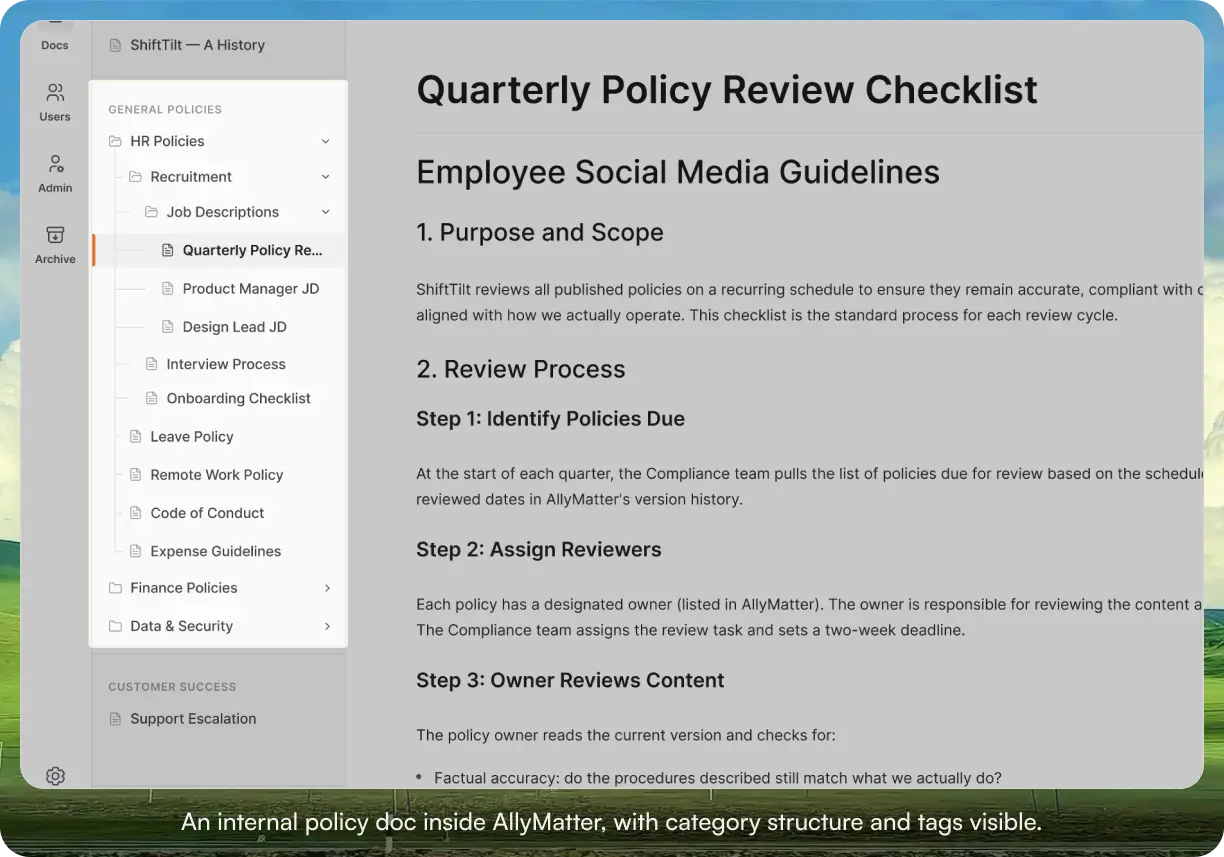
This is the spine. AllyMatter is the place finished docs live, get found, and stay current. We’re not trying to replace your drafting tool or your screen recorder. We’re trying to be the home for the doc once it’s done.
For internal policy and SOP teams specifically, three things matter most.
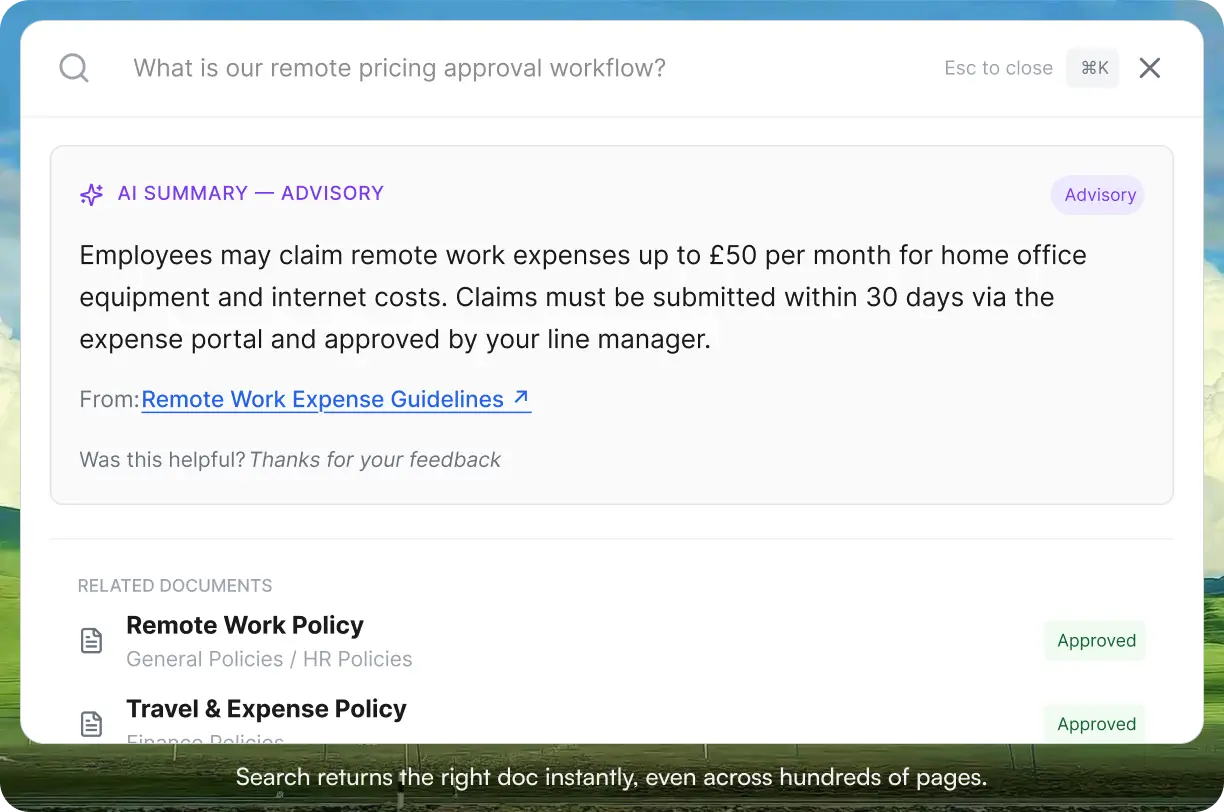
First, search that returns the right doc in under a second, across hundreds of pages. This is the most common complaint we hear from teams leaving Confluence or Google Drive, and it’s the first thing most new users notice when they switch.
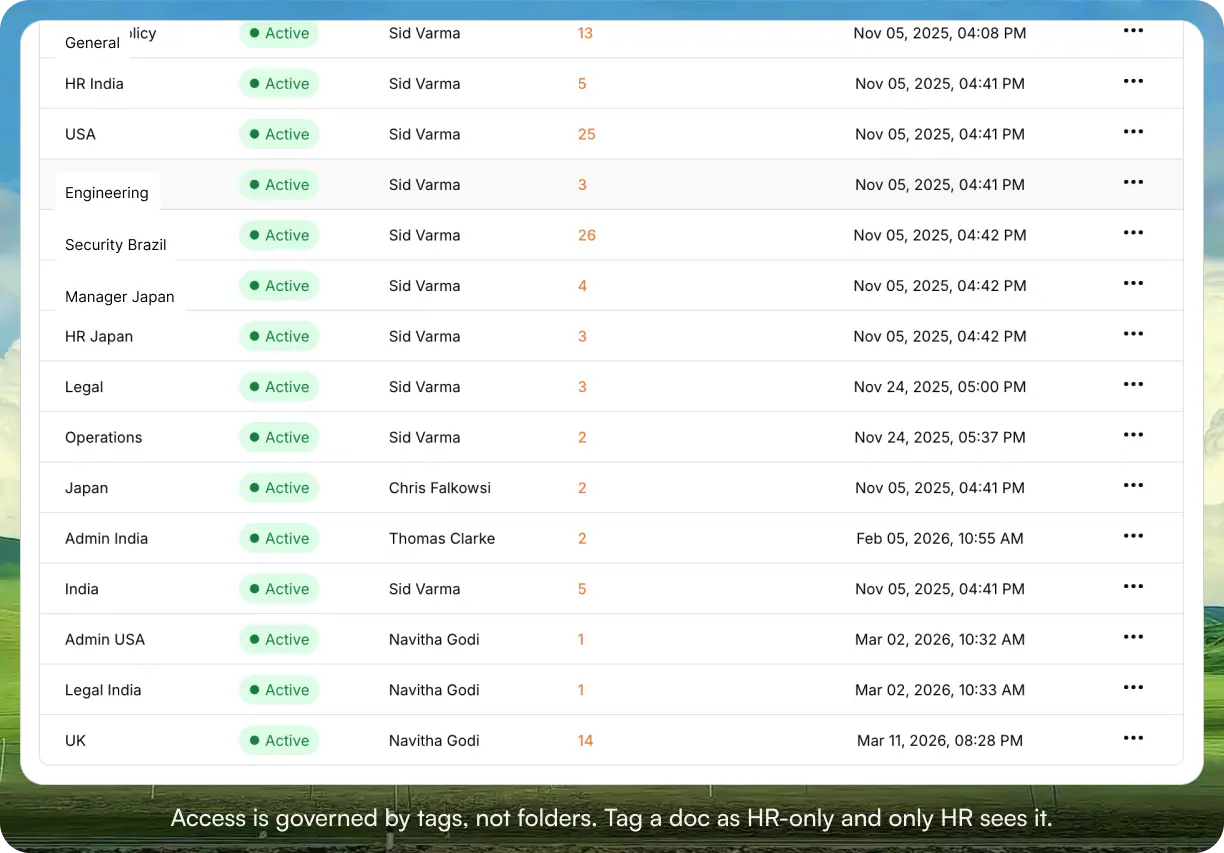
Second, tag-based access control so HR docs are visible to HR, finance docs are visible to finance, and you don’t have to maintain a spreadsheet of who can see what. Tag-based permissions scale with your org. Folder-based permissions don’t.
Third, governance on the docs that need it. Approval workflows for policies requiring formal sign-off. Acknowledgment tracking for compliance docs employees have to confirm they’ve read. Audit trails for the times when someone asks who changed this and when. These features exist in pieces in other tools but rarely in one platform, and almost never built for non-technical teams.
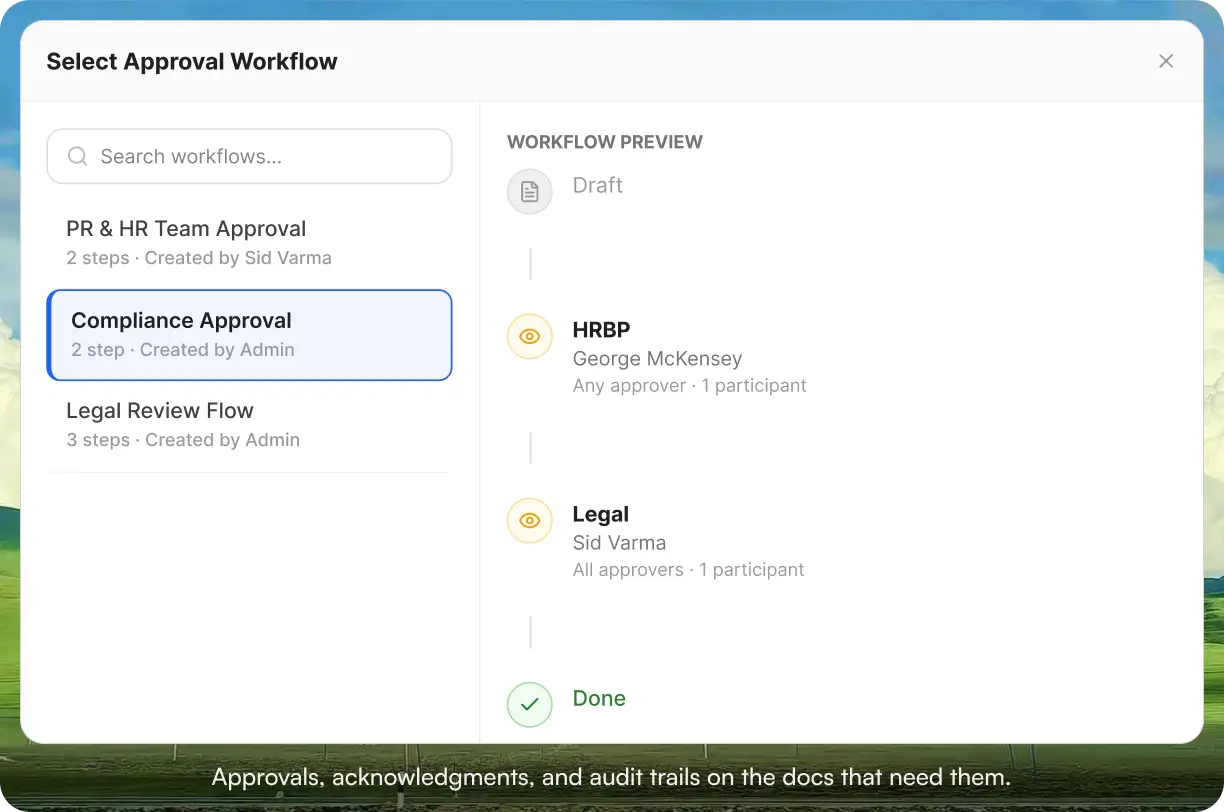
Beyond those three, AllyMatter handles version control, full audit history, public link management, native e-signature (an add-on on the Scale plan), per-document analytics, and mobile-responsive access. Yearly plans include free migration help and chat handholding during setup, whether your docs are coming from Confluence, Notion, Google Drive, or SharePoint.
Start your 30-day free trial. No credit card to start, and a 30-day money-back guarantee if you convert and decide it isn’t a fit.
Lucidchart
For process flowcharts, org charts, and workflow diagrams that get embedded into SOPs and policy docs, Lucidchart is the standard. Most internal policy writers don’t need a full diagramming tool day-to-day, but when a process has more than four decision points, a flowchart is faster to understand than a paragraph.
Strongest for visual process documentation that lives inside written docs. Less useful for whiteboarding (Miro is better for that) or as the doc itself (a flowchart isn’t a policy).
Inside AllyMatter: Lucidchart diagrams embed directly into AllyMatter pages. Diagram in Lucidchart, write the SOP in AllyMatter with the diagram embedded.
Top Tools for Knowledge Base Maintenance
Maintenance is where most knowledge bases die. Docs get written, then nobody owns them, then they go stale, then employees stop trusting the knowledge base entirely. We’ve watched this exact sequence at most companies we’ve talked to.
There aren’t really standalone tools for this category. Maintenance is a feature of the knowledge base itself, not a separate product. The right question is whether your knowledge base treats every doc as owned, reviewed on a schedule, and visibly maintained, or treats every doc the same and lets the human reader figure it out.
Inside AllyMatter: Every doc has an Editor, a review date, and automatic reminders to the Editor when a refresh is due. Acknowledgment tracking shows who’s confirmed they’ve read which policy. Full audit history records who changed what and when. Notifications keep Editors and stakeholders aware of updates without flooding inboxes. Maintenance isn’t bolted on; it’s the same surface as the doc itself.
Top Tools for Insights & Analytics
For internal knowledge bases, the analytics that actually matter are usage metrics specific to the docs: which docs get viewed most, which get ignored entirely, and which policies have low acknowledgment completion rates. These metrics inform Editors about where to invest editorial time.
Heavyweight BI tools and customer-facing UX analytics are designed for different problems. Tools built for analyzing how anonymous visitors interact with marketing pages do not work behind SSO and were never meant to. Tools built for analysts building financial dashboards are overkill for “which policy is no one reading.”
Inside AllyMatter: Per-document analytics surface the metrics that matter for internal docs: views per doc, acknowledgment completion for each policy, and docs flagged for review. If you need deeper analytics than that, export the data to whatever BI tool your company already uses.
Top Tools for Continuous Improvement & Integration
Asana
For managing the cadence of doc reviews, audits, and publishing schedules, Asana provides kanban boards and task lists with clear ownership. It works well for teams that already run on Asana daily and want doc maintenance to live in the same place as the rest of their work.
Strongest if your team is already in Asana every day. Less useful as a dedicated tool just for doc reviews, where it adds an extra system to maintain.
Inside AllyMatter: Doc review cycles run natively. Set a review date and AllyMatter reminds the doc’s Editor automatically when the doc is due for refresh. The review date and status live alongside the doc itself, not in a separate project tracker.
Airtable
Some teams track their entire doc inventory in Airtable: doc name, owner, last reviewed date, status, tags, link to the doc itself. It’s a flexible spreadsheet-database hybrid that works as a doc registry layered on top of wherever the actual docs live.
Strongest if you already use Airtable for other internal tracking and want one consistent place for metadata. Less useful as the doc home itself.
Inside AllyMatter: Every doc in AllyMatter carries its Editor, status, and tags on the doc itself, so the record of who looks after what sits with the doc instead of in a separate registry.
Zapier
For wiring up workflows across tools that don’t integrate natively (new hire added in BambooHR triggers an onboarding doc assignment, a form response creates a task), Zapier connects what isn’t already connected.
Strongest when you have specific cross-tool workflows you want to automate that aren’t covered by native integrations. Less useful if your tools already talk to each other.
Inside AllyMatter: Slack notifications are built in on the Scale plan, set up under Admin > Integrations, so requests and updates reach people where they already work.
Choosing your knowledge base stack: A quick decision framework
If your team is 30 to 200 people, your docs are mostly internal HR, ops, policies, and process documentation, and you’d rather not maintain 15 separate tools, AllyMatter is the spine. Start there. Add Loom, Scribe, Otter, and Grammarly on top as needed.
If you’re under 30 people and your docs are mostly informal team notes, Google Docs and a folder structure are enough for now. Switch when policies start needing formal approval, acknowledgment, or audit trails.
If your team is in healthcare, finance, legal services, or any regulated industry, you need governance from day one. Most tools on this list don’t track formal acknowledgment, approval workflows, or audit trails for compliance docs. AllyMatter does, and it’s the difference between passing an audit and scrambling for evidence the morning of one.
If you primarily run on Atlassian for engineering docs, keep Confluence for that audience. Add AllyMatter for HR, ops, finance, and internal policies, where Confluence’s complexity tends to stall adoption with non-technical teams.
Making the right choice for your team
The right knowledge base stack saves your team hours every week and protects you from the slow drift of institutional memory. The wrong stack turns into a graveyard of files nobody trusts. Pick deliberately.
A realistic minimum stack for an internal policy team looks like this: AllyMatter as the home, Grammarly for writing quality, Loom or Scribe for how-to capture, Otter for SME interviews. That’s four tools, not 15. Everything else on the list is optional, useful in specific situations, and rarely needed by every team.
Start your 30-day free trial of AllyMatter. No credit card to start, and a 30-day money-back guarantee if you convert and change your mind. If it doesn’t fit how your team works, you’ve lost nothing. If it does, your team finally has one place where docs live, get found, and stay current.
Not ready for a trial? Yearly plans include free migration help and chat handholding while you set up, so your docs from Confluence, Notion, Google Drive, or SharePoint get moved over and your team is up and running quickly.
Frequently asked questions
Do I really need 15 tools to run a good knowledge base?
No. The list above is a map of options, not a checklist. Most internal policy teams pick three or four. A realistic minimum: AllyMatter for the home, Grammarly for writing quality, Loom or Scribe for how-to capture, and Otter for SME interviews. Everything else is situational.
Can I just use Google Docs and skip a dedicated knowledge base tool?
Yes, for a while. If you’re under 30 people and your docs are mostly informal team notes, Google Docs is enough. You start running into trouble once you have HR policies that need formal approval, compliance docs that need acknowledgment tracking, or institutional knowledge that has to survive employee turnover. At that point you’ll either bolt on more tools or switch to something built for the job.
What’s the difference between drafting tools and a knowledge base?
Drafting tools (Word, Docs, ChatGPT) are built for writing the doc. A knowledge base (AllyMatter) is built for what happens after the doc is finished: making it findable, governed, and trusted a year later. Different jobs. Most growing teams realize they need the second one once the first one starts to break.
Does AllyMatter replace all 15 tools above?
Not quite, and we don’t claim it does. AllyMatter handles the home, organization, governance, maintenance, and analytics natively. You’ll still want a drafting tool, a transcription tool, a screen recorder, and maybe a diagramming tool. The list above flags which tools complement AllyMatter (you’ll still need them) and which substitute for it (AllyMatter does this natively).
What does the migration look like?
Your existing docs from Confluence, Notion, Google Drive, SharePoint, or wherever they currently live come in by pasting text or uploading PDF, Word, or image files, and tags decide who sees what. Yearly plans include free migration help and chat handholding during setup.