

Product Updates · 3 min read
AllyMatter Reminders and Notifications, Explained
A policy system earns its keep in the gap between publishing and knowing: the document went out, and someone has to make sure it actually reached people, got read, and got confirmed. In most companies a human fills that gap with reminder emails. In AllyMatter, the gap is the notification system’s whole job, and this is what it actually does.
Where notifications come from
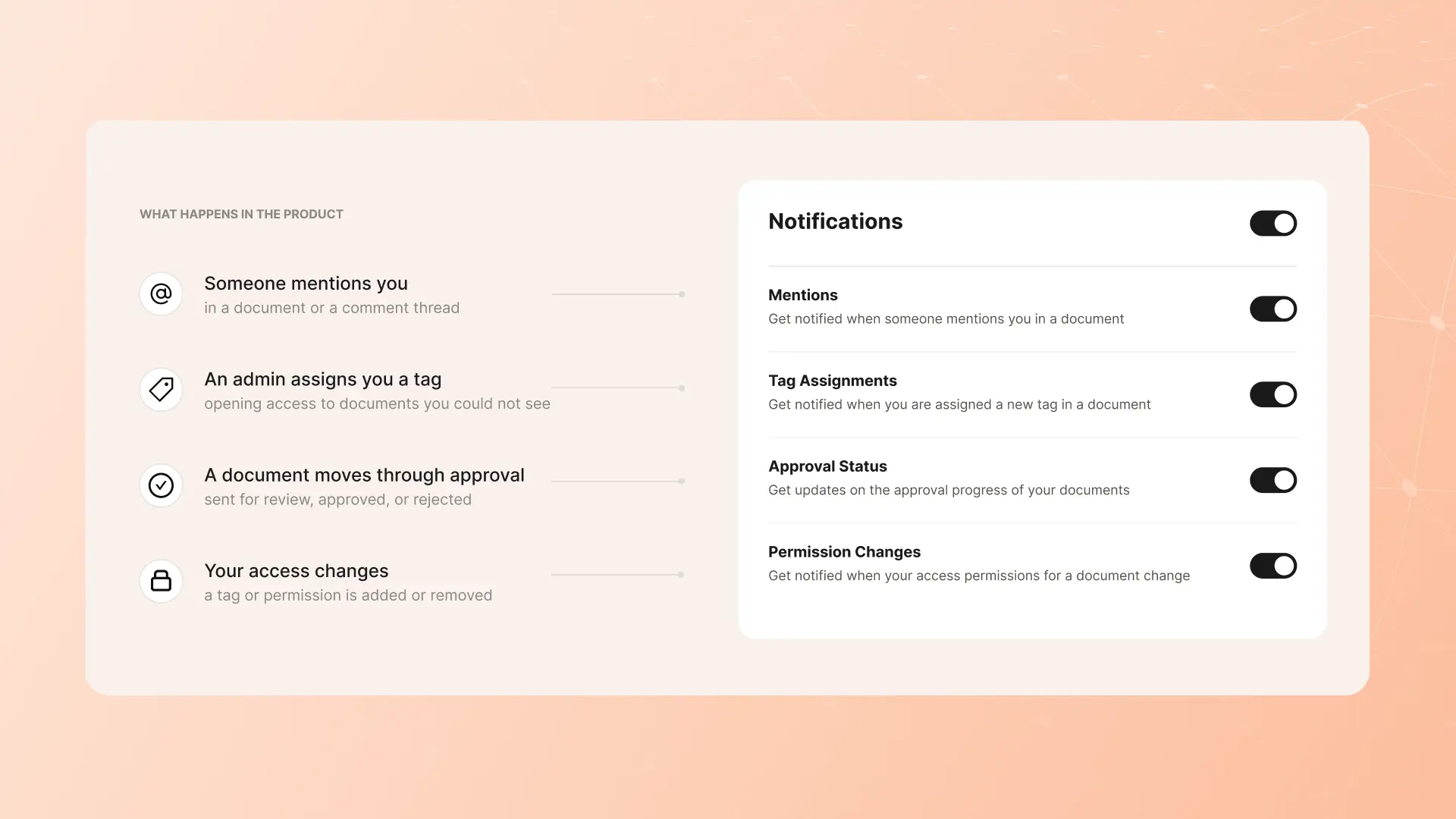
Notifications are driven by the document’s type and its audience, not by broadcast lists. A notify document tells its tag-matched audience it exists, once, and asks nothing. An acknowledgment required document opens an obligation per person, and the system carries it: the request and automatic reminders on a cadence until each person confirms. An e-signature document runs the same pattern with a signing ceremony at the end. Audiences are tags (department, location, role), so the June reorg updates who gets notified without anyone editing a distribution list, and a new hire’s obligations arrive with their tags on day one.
Where notifications arrive
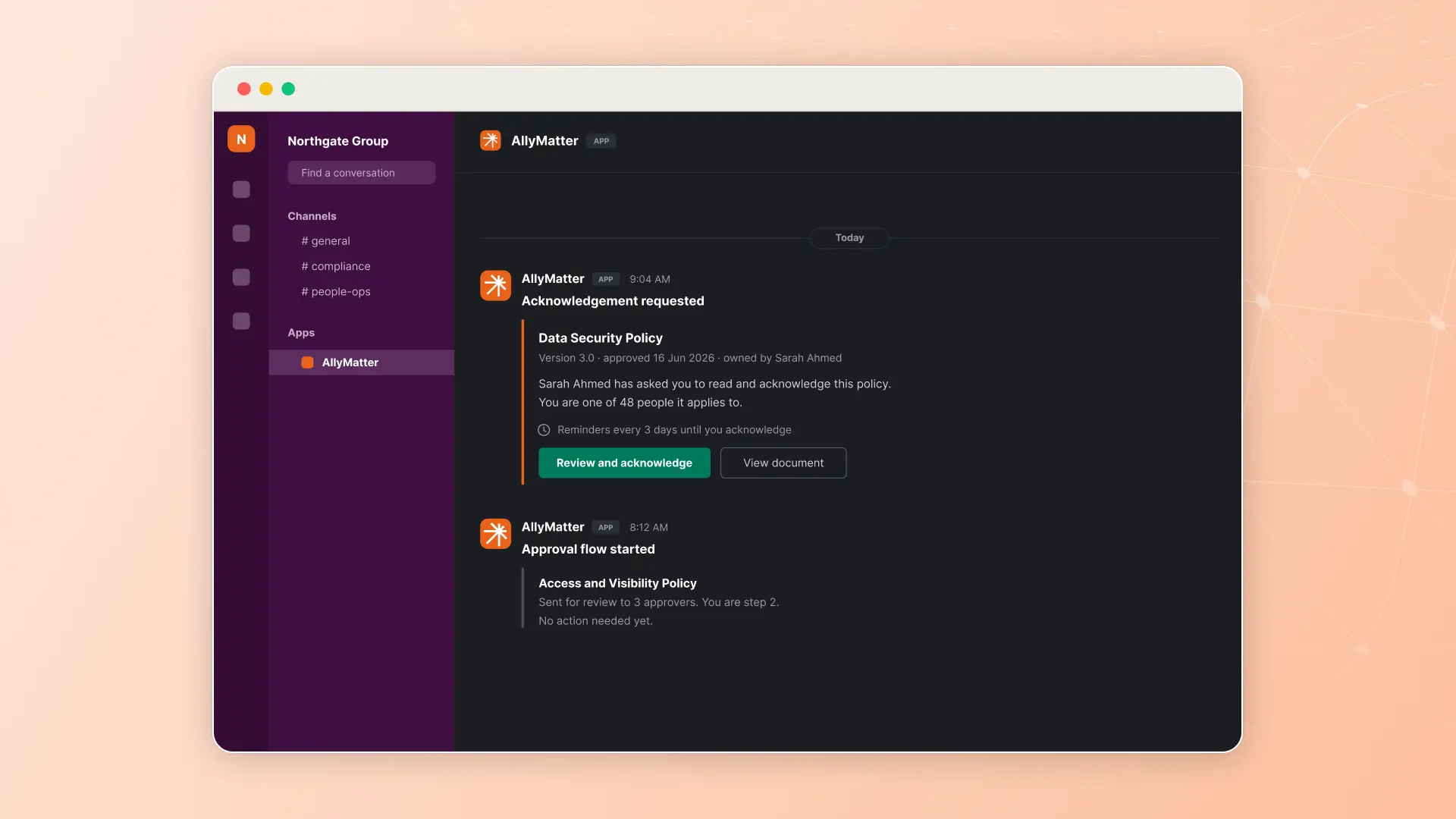
Email and Slack (Slack notifications come with the Scale plan): the places people already look, which is most of the battle. The engineer who lives in Slack confirms the updated security policy through the link in Slack; the floor supervisor gets an email.
How the chasing works
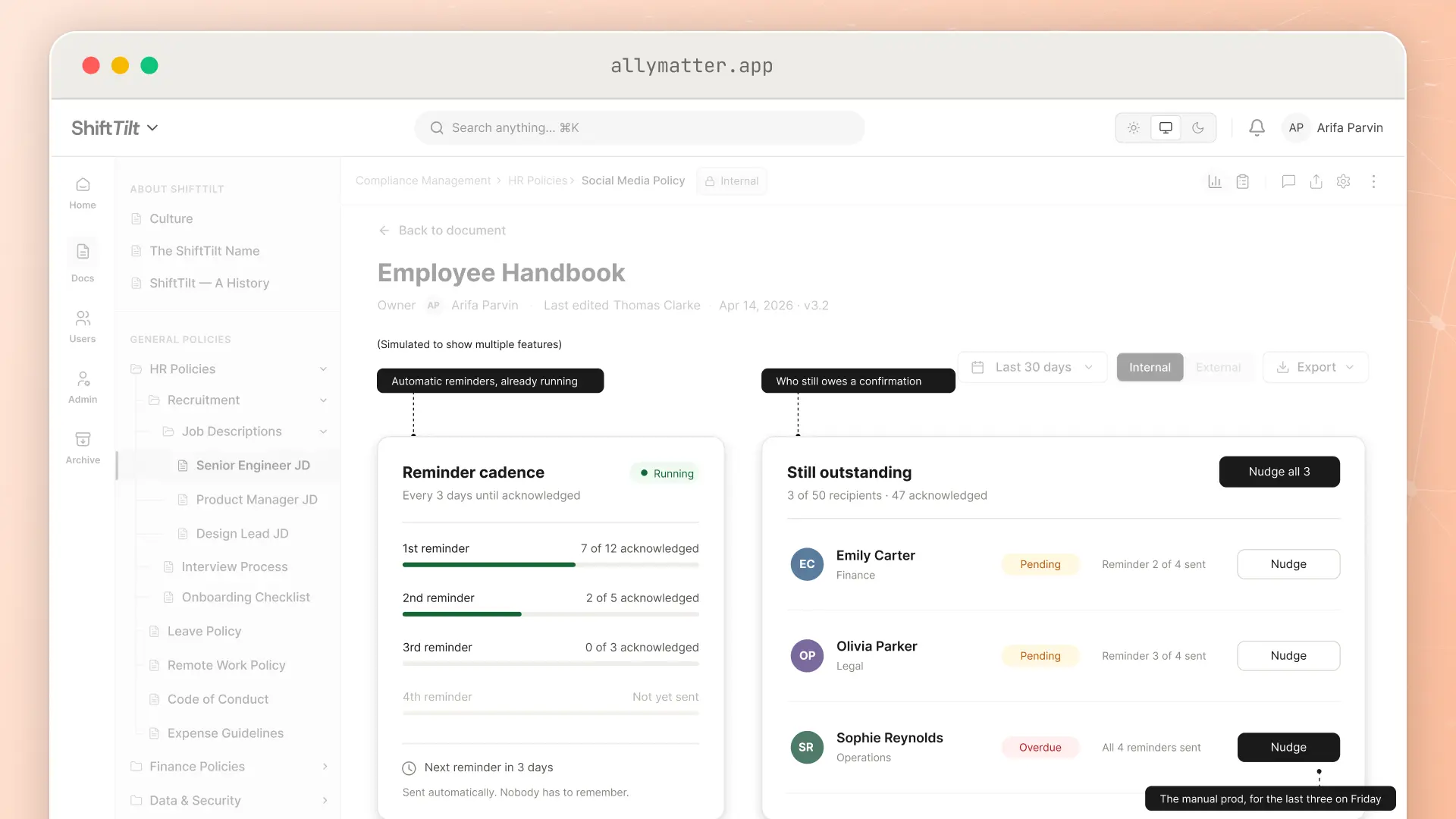
Automatic cadence handles the routine: reminders repeat on a cadence the sender chooses, to whoever is still outstanding, without anyone having to remember.
The outstanding list handles the exception: three names remain, and the sender sees exactly who they are while the reminders keep going, without restarting the request. That is the difference between a system that chases and a person who chases with software.
Both kinds land on the record: who was reminded and who confirmed is part of the document’s log, which is how “we told everyone” becomes a statement with evidence behind it.
Keeping notifications worth reading
The features prevent silence; discipline prevents noise, and noise is how notification systems die. Three practices we recommend to every team:
- Reserve the obligation types for obligations. If everything requires acknowledgment, nothing does. Reference material publishes quietly; the security policy demands a response. The document type is where that judgment lives.
- Scope audiences honestly. Tags exist so the California addendum reaches California, not everyone. The narrower the audience, the more each notification means.
- Say what changed. When a revision goes out, add one line of context (“mileage rate updated, section 4”); recipients see the word-by-word diff, so the notification leads to a one-minute confirmation.
Run it that way and the reminder system stays credible for the moment it matters: the policy that genuinely must be confirmed by everyone, provably.
What this replaces
The spreadsheet of who-has-not-replied, the “friendly reminder” email with forty names in BCC, and the pre-audit discovery that a third of the company never saw the update. The chasing still happens; it just stops being anyone’s job.
Start your 30-day free trial. No credit card to start, and a 30-day money-back guarantee if you convert and change your mind.
Not ready for a trial? Yearly plans include free migration help and chat handholding during setup, whether your docs are in SharePoint, Google Drive, Confluence, or Notion.