
SOPs · 7 min read
The Benefits of Automating Your SOP Document Management
SOP automation means letting software handle the routine work around your standard operating procedures, such as routing each SOP for approval, sending it to the people who use it, recording that they read it and reminding you when it is due for review. Written procedures are what let a growing company hand work over with confidence, but keeping them current by hand gets harder with every new SOP, every new hire and every change to a process. SOPs usually live alongside policies in a policy management system, under the same approval and review rules.
This post covers what changes when SOP document management is automated, which features matter most, and what to look for in SOP document management software as your company grows.
Signs you’re ready for SOP automation:
- Your team regularly asks which version of a procedure is current.
- Approvals stretch across weeks because they run through email.
- Important procedures live in scattered folders and old threads.
- An audit or a customer review has turned up an out-of-date SOP.
Key takeaways
- Automating SOP management gives you one approved version of each procedure, with every earlier version kept.
- Structured approval workflows replace email chains, and the SOP stays locked until sign-off is done.
- Acknowledgments recorded by name and version show who has read each change.
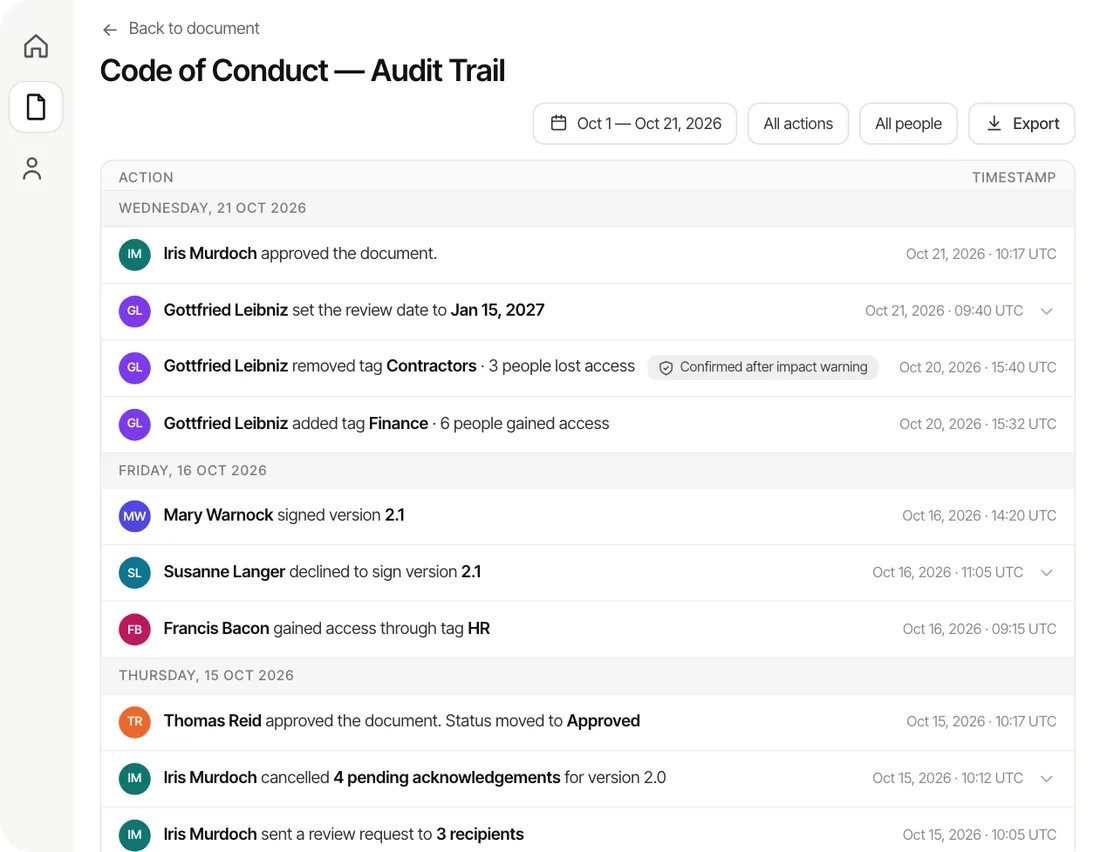
- Review dates and an exportable audit trail keep SOPs current and ready for an audit.
Automation ends version confusion
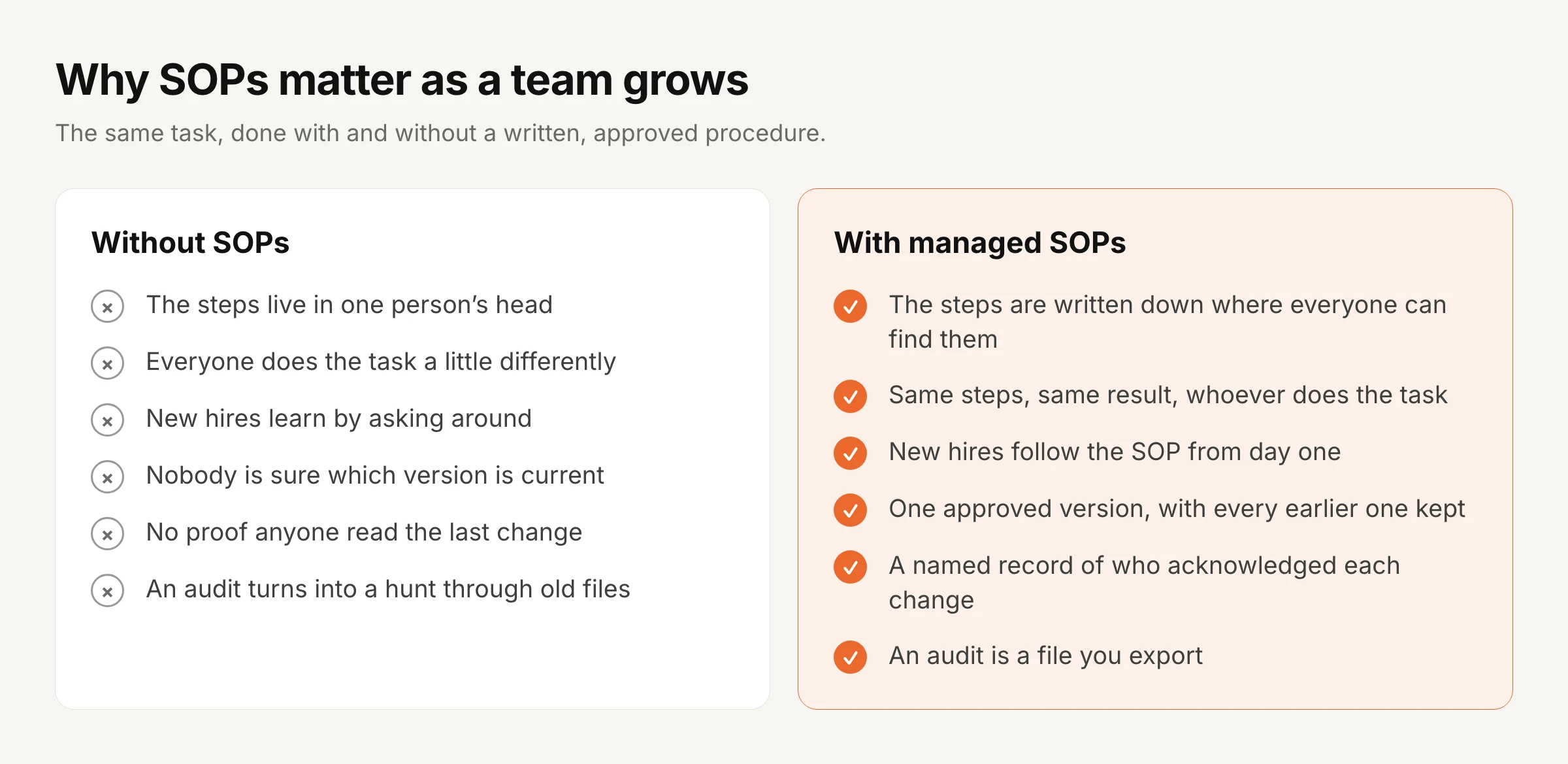
The first benefit of automating SOP document management is that everyone works from the same version. When SOPs are handled by hand, copies multiply across drives and inboxes, and a team can end up following three different versions of the same safety procedure without anyone noticing until something goes wrong.
In AllyMatter, only an approved version of an SOP ever reaches the people who use it, every saved version is kept, and version compare shows every word removed and added between any two versions, so a reviewer can see exactly what changed rather than reading the whole procedure again.
Approvals move faster and leave a record
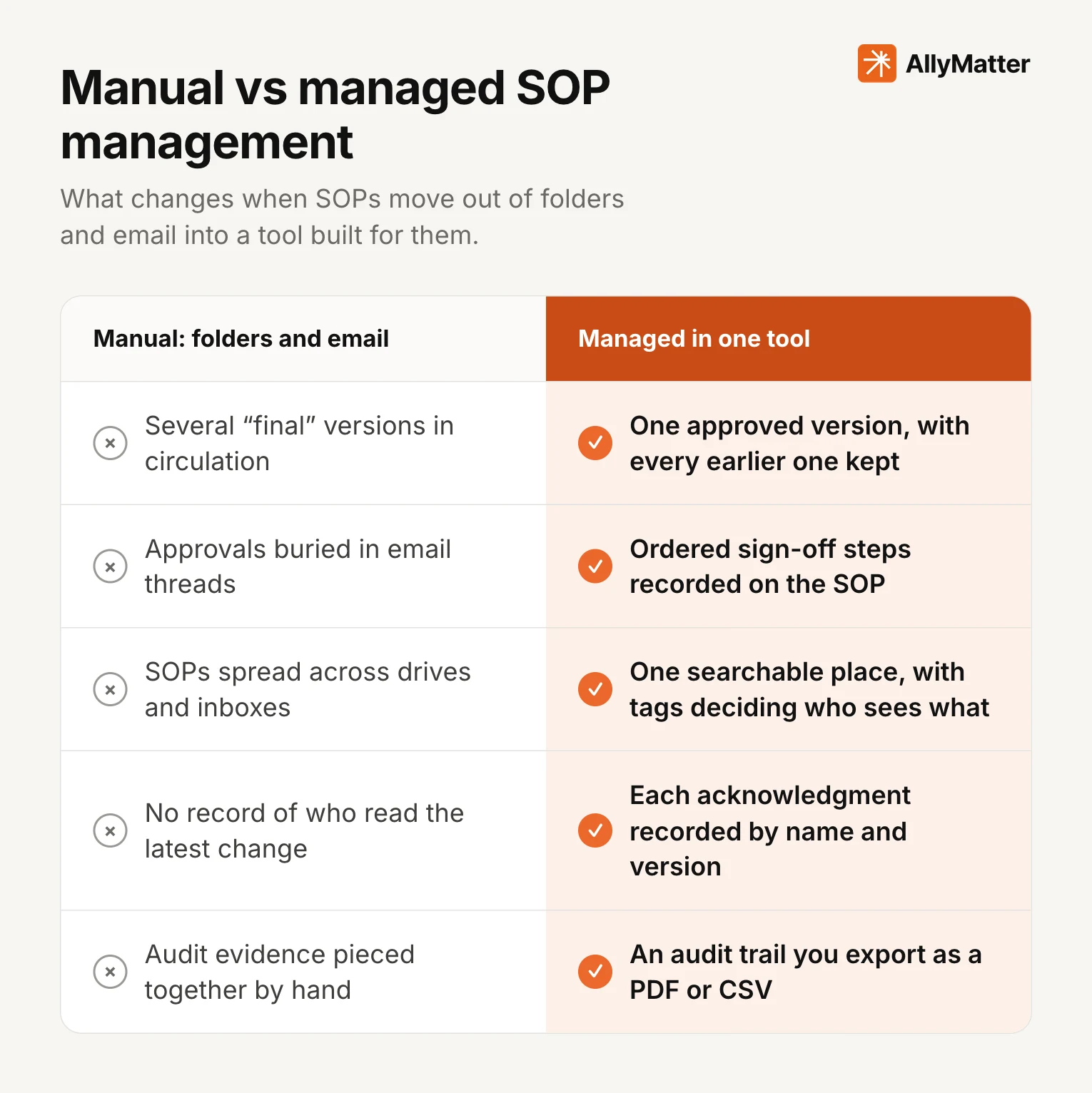
Approvals are where manual SOP management loses the most time, because each review waits in someone’s inbox and nobody can see where it is stuck. Automated approval puts the sign-off on the SOP itself, with the right people in the right order.
An approval workflow in AllyMatter can have up to four steps that run in order, and each step can need any one of its approvers or all of them. The SOP is locked while it’s under review, so approvers see exactly what will go live, each approver is told when it’s their turn, and a rejection has to come with a reason that stays on the record. You build a workflow once and reuse it for every SOP in a folder, which means a new procedure follows the same sign-off as the last one without anyone setting it up again.
Everyone can find the right procedure
A procedure nobody can find might as well not exist, and the problem is common: Gartner found that 47% of digital workers struggle to find the information they need to do their jobs well.
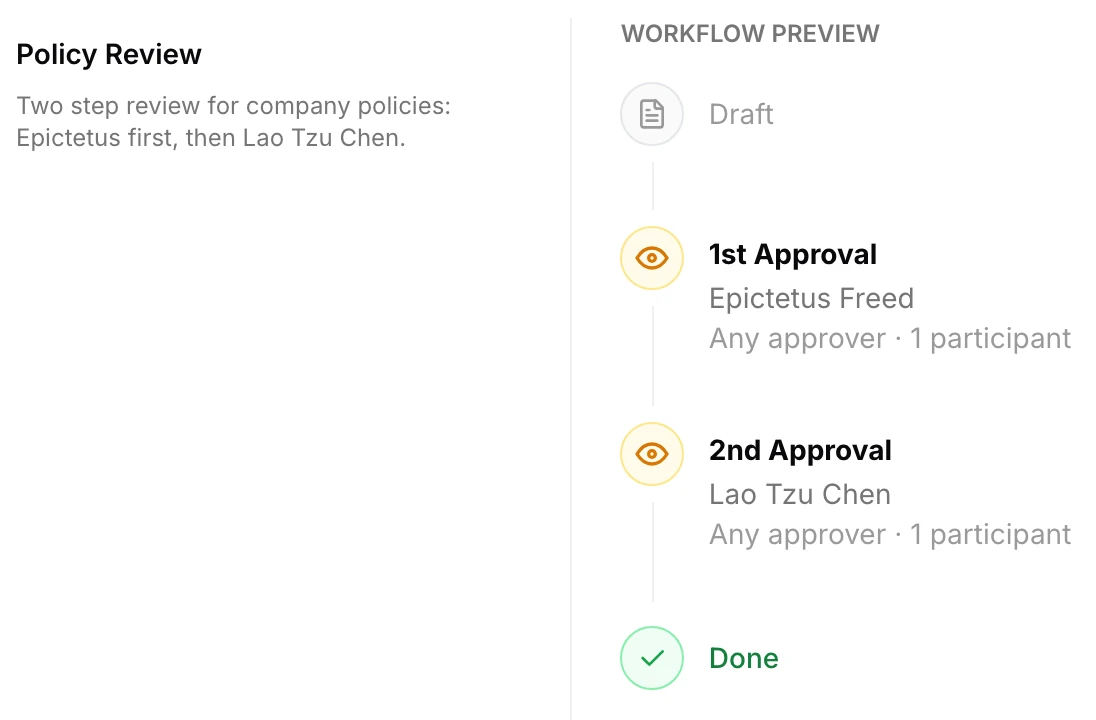
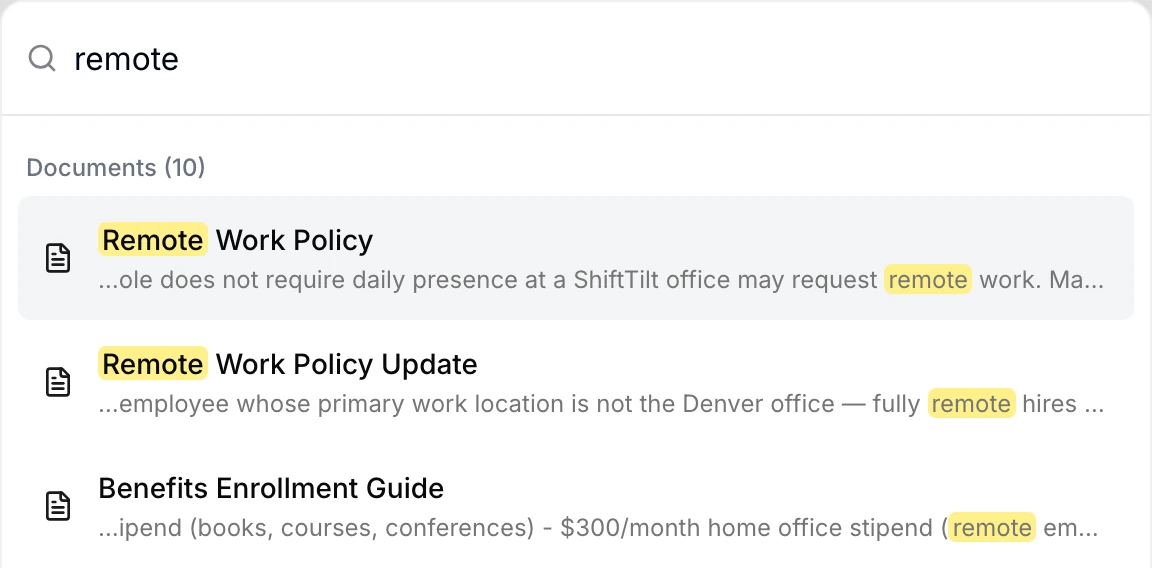
In AllyMatter, tags decide who sees each SOP, so the warehouse team sees warehouse procedures and nobody has to wade through every other team’s documents, and search looks through the text of every procedure as well as its title, so a keyword finds the right step even when nobody remembers what the SOP is called.
You know who has read each change
Writing a good SOP only helps if people read it, and an email announcing a change doesn’t tell you who did. When an approved SOP goes out for acknowledgment in AllyMatter, each person confirms it on the SOP itself while signed in, their confirmation is recorded with their name and the version they saw, and automatic reminders go to anyone who hasn’t confirmed, on the schedule you set.
When the SOP changes, the new version goes back through approval and out again for acknowledgment, with no exception for small edits, because one changed word can change what people do. Our guide to acknowledgment tracking goes deeper on what that record should hold.
Reviews happen on time
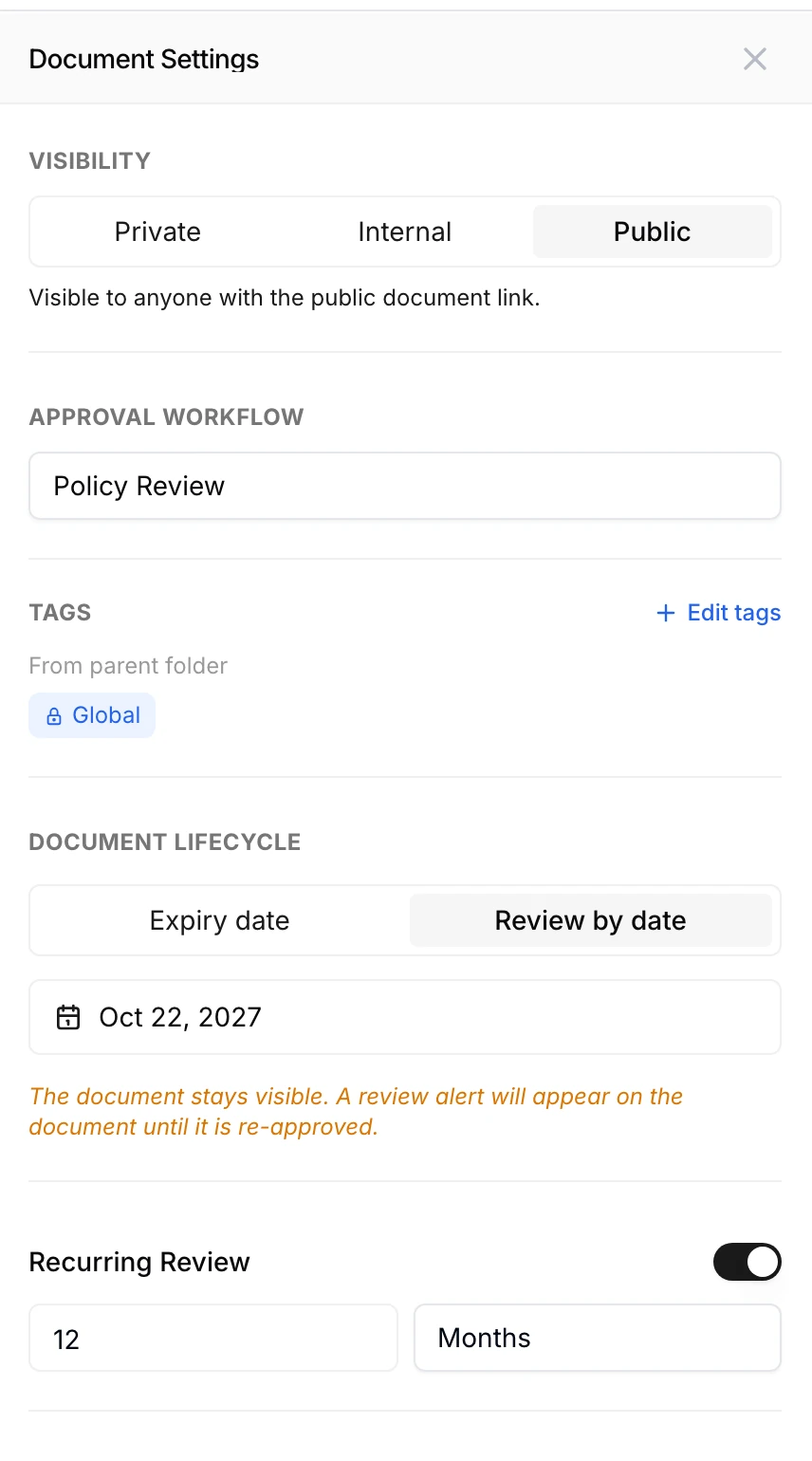
Procedures go stale quietly, so every SOP needs a date when someone checks it is still right. In AllyMatter you set a review date on each SOP, either a fixed date or a repeating cycle such as every twelve months, and a review alert appears on the SOP until it is approved again, while an expiry date, if you set one instead, takes the SOP out of view for everyone except its editor and Admins.
What to look for in SOP document management software
Most SOP tools look alike in a demo, so it helps to test them against the work you actually do. Look for approval workflows that match how your reviews really happen, access that follows teams and roles rather than folders, acknowledgment recorded by name and version, version compare that shows the change itself, review dates that keep procedures current, and an audit trail you can export without a weekend of assembly.
It should also be simple enough that the people who own procedures, who are usually operations, HR or quality leads rather than IT, can run it themselves. Our guide to creating SOPs covers the writing side, and our post on why SharePoint struggles with SOP management covers where general file storage falls short.
Start your 30-day free trial of AllyMatter. No credit card to start, and a 30-day money-back guarantee if you subscribe and change your mind. Free migration.
Three scenarios
An honest read on whether you need SOP automation yet:
If you’re under 30 people with a handful of procedures that rarely change, a shared folder and a sign-off sheet will hold for a while, because the overhead of a new tool won’t pay off yet.
If you’re 30 to 200 people and the signs at the top of this post are familiar, this is the moment, and AllyMatter is what we built for exactly this.
If you work across several sites or answer to an auditor or regulator, managed SOPs aren’t optional, and we’d start with AllyMatter.
Questions about SOP automation
What is SOP document management software?
It is software that keeps standard operating procedures in one place and runs the work around them, which means getting each SOP approved, sending it to the people who use it, recording that they read it, and keeping every version and review on record.
Which procedures benefit most from SOP automation?
The ones that change often, need sign-off from more than one person, or answer to a rule or an auditor, such as safety procedures, HR processes, finance controls and quality procedures.
How is SOP automation different from storing SOPs in Google Drive?
Google Drive stores and organises files, while SOP document management software runs the obligations attached to them: approval before anyone uses an SOP, the right audience, a named acknowledgment for each version, and a review date that keeps it current.
Can SOP software handle approvals that need several people?
Yes. In AllyMatter an approval workflow can have up to four steps that run in order, and each step can need any one of its approvers or all of them, so a procedure can go to a team lead first and then to two department heads together.
How does SOP automation help with audits?
Every approval, rejection, version and acknowledgment is recorded on the SOP as it happens, with names and times, so when an auditor asks who approved a procedure and who confirmed the current version, you export the record as a PDF or CSV instead of rebuilding it from email.
Does SOP automation work for remote and hybrid teams?
It suits them well, because everyone reads the same current version wherever they are, acknowledgments happen on the SOP itself rather than in a meeting, and reminders go out on their own to anyone who hasn’t confirmed.
Not ready for a trial? On yearly plans, migration is on us, and we’ll move your SOPs over from SharePoint, Google Drive, Confluence or Notion, usually within a week and often sooner.
Start your 30-day free trial of AllyMatter. No credit card to start, and a 30-day money-back guarantee if you subscribe and change your mind. Free migration.