
Policy Governance · 11 min read
Free Policy and Procedure Template (Word Download)
This free policy and procedure template is a Word document that gives any company policy the same structure: a document control block, then purpose, scope, definitions, the policy statement, roles and responsibilities, exceptions, compliance and consequences, related documents, the procedure steps, an acknowledgment statement and a revision history. Each section has gray guidance you delete and a sample line that shows what good looks like.
This post is part of our guide to policy governance, which covers who writes, approves, owns and reviews each policy as a company grows.
Most free templates stop at purpose, scope and a policy statement. Of nine popular templates we compared, almost none had an exceptions section or an acknowledgment statement, and fewer than half carried an owner, a next review date and a revision history. Those are the parts that answer the questions people actually ask about a policy: who owns it, is this the current version, what if it does not fit my situation, and did everyone see it. This template has all of them, and the rest of this page explains how to fill in each part. Governance is easier to keep up when the policies themselves live in policy management software rather than a shared drive.
What is in this policy and procedure template
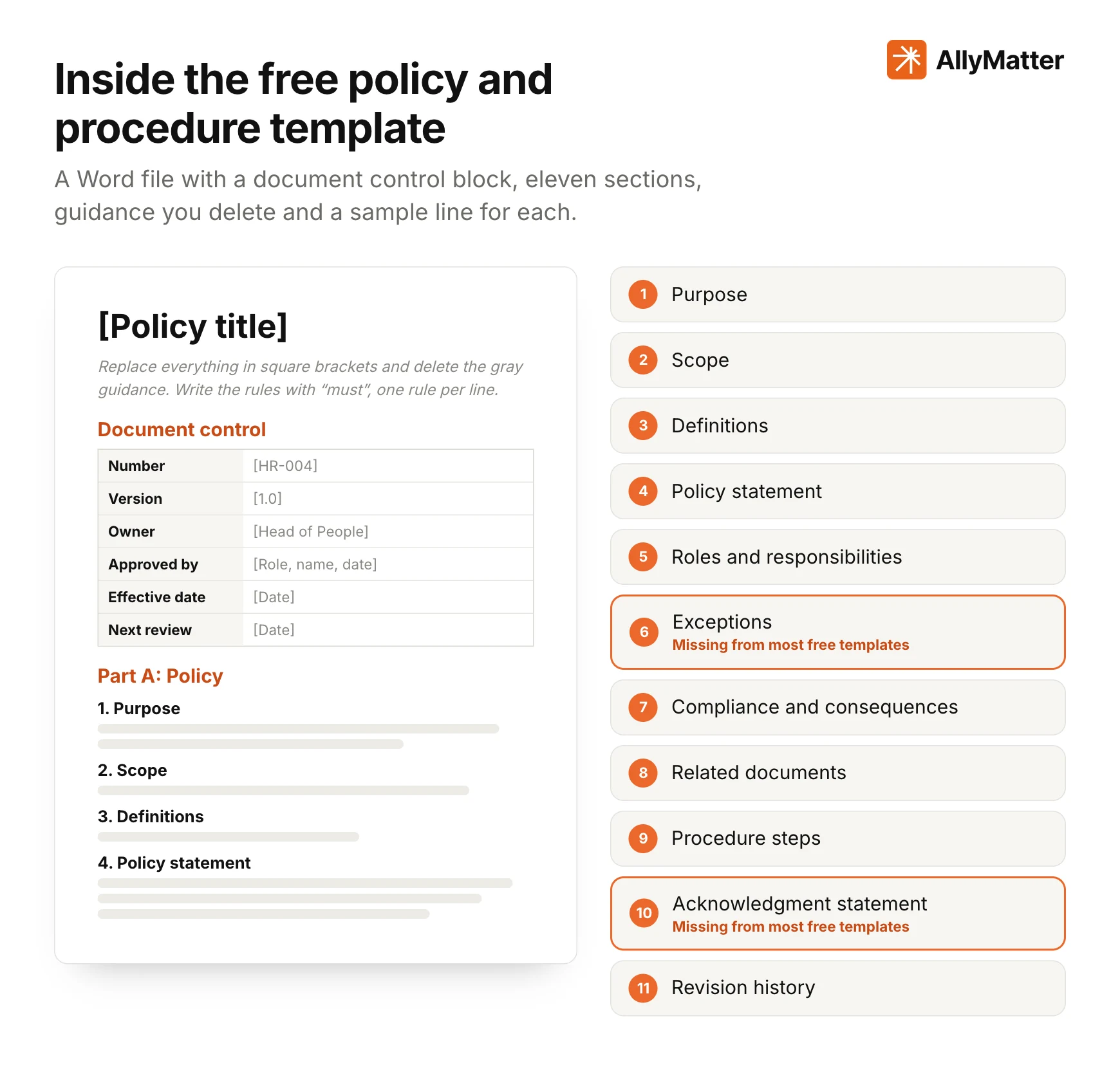
- Document control: number, version, status, owner, approver, effective date, next review date and who it applies to.
- Part A, the policy: purpose, scope, definitions, policy statement, roles and responsibilities, exceptions, compliance and consequences, and related documents.
- Part B, the procedure: numbered steps, each naming the role that does it.
- Closing: the acknowledgment statement and the revision history.
The template gives you structure, not legal content. Have counsel review any policy that touches employment law or a regulated activity, and check the rules in the states where your people work.
How to write a policy with this template
- Fill in the document control block first. Naming the owner and the approver before you write decides who has to agree with the result.
- Write the purpose and scope in two or three sentences. If you cannot say why the policy exists and who it covers, the rules will wander.
- Write the rules with “must” and “must not”, one rule per line, main rule first and conditions after it.
- Add the procedure in Part B, or link to it if it already lives in its own document.
- Get it approved by the person named in the control block, and fill in the date.
- Send it to everyone it covers, collect acknowledgments and set the review date. A policy nobody was told about is hard to enforce.
The document control block, field by field
The control block is what turns a page of rules into a policy you can prove was in force. Every field answers a question someone will eventually ask.
| Field | What to write | Example |
|---|---|---|
| Number | An area prefix and a number that is never reused | HR-004 |
| Version | Raised with every approved change, never reused | 1.0 |
| Status | Draft, Approved or Retired | Approved |
| Owner | A role, not a person’s name, so the policy survives someone leaving | Head of People |
| Approved by | The role, name and date of the person who signed it off | Chief Executive Officer, Marcus Aurelius, January 12, 2027 |
| Effective date | The date the rules start to apply | February 1, 2027 |
| Next review date | Set it when you approve; most teams use 12 months | February 1, 2028 |
| Applies to | The teams, locations or roles in scope, in one line | All US employees |
Each field is there for a practical reason. An owner means someone keeps the policy current, a version and an effective date mean nobody follows an old copy, and a review date means it gets looked at again before it drifts. Standards ask for the same things: ISO 9001 and ISO/IEC 27001 expect documented information to be identified, reviewed and approved, version controlled and kept, and the HIPAA Security Rule requires covered organizations to keep policies for six years from the date they were last in effect, which is why the revision history matters. Our guide to the policy on policies sets the numbering and approval rules every policy follows.
Each section of the template, explained
The examples below come from a remote work policy at ShiftTilt Inc, a sample company.
Purpose
One or two sentences on why the policy exists and what risk or goal it serves.
Example: “This policy sets the rules for working away from the office so ShiftTilt Inc stays reachable and company data stays secure.”
Common mistake: a paragraph of company values that never says what the policy is for.
Scope
Who and what the policy covers, and anything it does not cover.
Example: “Covers all ShiftTilt Inc employees. Contractors follow the terms in their contract.”
Common mistake: leaving out contractors and temporary staff, so nobody knows whether the policy applies to them.
Definitions
Only the terms a reader could misread. Delete the section if there are none.
Example: “Remote work: a full workday done anywhere other than a ShiftTilt Inc office.”
Common mistake: defining words everyone already understands, which hides the one definition that matters.
Policy statement
The rules, numbered, one per line, written with “must” and “must not”.
Example: “4.1 You must use a company-managed laptop for all remote work.”
Common mistake: “should” and “where possible”, which turn every rule into a suggestion.
Roles and responsibilities
Who does what, by role rather than by name.
Example: “Managers approve remote schedules. IT supplies and supports company laptops.”
Common mistake: naming people instead of roles, so the policy is wrong the day someone changes jobs.
Exceptions
How to ask for an exception, who decides, and how the decision, the reason and an end date are recorded.
Example: “Ask the policy owner in writing. The owner records the decision, the reason and an end date.”
Common mistake: no exception route at all, so exceptions happen anyway and nobody records them. Our guide to policy exceptions covers how to run them.
Compliance and consequences
What happens if the policy is not followed, and how to raise a concern without fear of retaliation.
Example: “Breaking this policy can lead to loss of remote work approval or disciplinary action.”
Common mistake: threatening termination for every breach, which makes the policy hard to apply fairly.
Related documents
Procedures, forms, other policies, and any law or standard the policy supports.
Example: “SEC-002 Acceptable Use Policy; HR-004-F1 Remote Work Request Form.”
Common mistake: pasting the related rules into this policy, so they drift apart when one changes.
Procedure steps
Numbered steps, each starting with a verb and naming the role that does it.
Example: “1. The employee submits a remote work request at least five working days before the start date.”
Common mistake: steps with no owner, so everyone assumes someone else does them.
Acknowledgment statement
The sentence each person confirms, naming the policy and the version.
Example: “I have read HR-004 Remote Work Policy, version 1.0, and I agree to follow it.”
Common mistake: an acknowledgment that does not name the version, so it cannot show which text the person agreed to. Our guide to policy attestation has more sample statements.
Revision history
A row for every approved version: version, date, what changed, who changed it and who approved it.
Example: “1.0, February 1, 2027, first issue, Head of People, CEO.”
Common mistake: overwriting the old version, so nobody can show what the rule said last year.
One document or two: when the procedure needs its own file
The template keeps the policy and its procedure together in Part A and Part B, which suits short procedures. Move the procedure to its own document, numbered under the policy such as HR-004-P1, when it grows past a page, changes more often than the policy, or is used by a different team. Our guides to policies, procedures and SOPs and to writing an SOP cover when and how.
Why each part is there
Every part of the template answers a question someone will ask about the policy sooner or later. If a part does not answer a real question for your policy, delete it.
| Part | The question it answers |
|---|---|
| Document control | Who owns this, is it the current version, and when is it next checked? |
| Purpose | Why does this rule exist? |
| Scope | Does this apply to me? |
| Definitions | What exactly does this word mean here? |
| Policy statement | What do I have to do, or not do? |
| Roles and responsibilities | Who does what? |
| Exceptions | What if this does not fit my situation? |
| Compliance and consequences | What happens if someone does not follow it, and how do I raise a concern? |
| Related documents | Where are the steps and the forms? |
| Procedure steps | How do I actually do it? |
| Acknowledgment statement | Did everyone see this version? |
| Revision history | What changed, and when? |
Standards describe the same parts. The policy controls in NIST SP 800-53 ask for purpose, scope, roles, responsibilities, management commitment, coordination and compliance; ISO 9001 and ISO/IEC 27001 ask for documents that are identified, approved, version controlled and kept; and the HIPAA Security Rule asks covered organizations to keep policies in writing for six years. None of them requires this template, but a policy that answers the questions above covers most of what they look for. NIST also makes a point worth keeping in mind as you write: simply restating requirements does not make a policy. The policy should say what your company will do, in your words, and who does it.
Sources: NIST SP 800-53 Rev. 5, AC-1, ISO 9001 and ISO/IEC 27001, clause 7.5, 45 CFR 164.316
Write it so people read it
People skim policies. In a 2023 Pew Research Center survey, 56% of US adults said they frequently click “agree” on privacy policies without reading them, and the 2023 national adult skills survey found 28% of US adults aged 16 to 65 at the lowest literacy level, up from 19% in 2017. Workplace policies are not privacy policies, but the lesson carries over: if it is long and dense, it will not be read.
- Use “must”, not “shall”. The federal plain language guidelines call “must” the clearest word for an obligation.
- Write to the reader as “you”, and name who does what.
- One idea per sentence, and paragraphs of no more than about 150 words.
- Put the main rule first and the conditions and exceptions after it.
- Use lists and tables for anything with steps or choices.
Sources: Pew Research Center, How Americans View Data Privacy, October 2023, National Center for Education Statistics, Highlights of the 2023 U.S. PIAAC Results, Federal Plain Language Guidelines, PLAIN, 2011, digital.gov, plain language guide
After the template: approve, send, acknowledge, review
A filled template is a draft. It becomes a policy when it is approved, sent to the people it covers and acknowledged, and it stays one when it is reviewed on schedule. Our guide to company policy examples shows ten policies written this way, and our guide to the policies and procedures manual shows how to organize them.
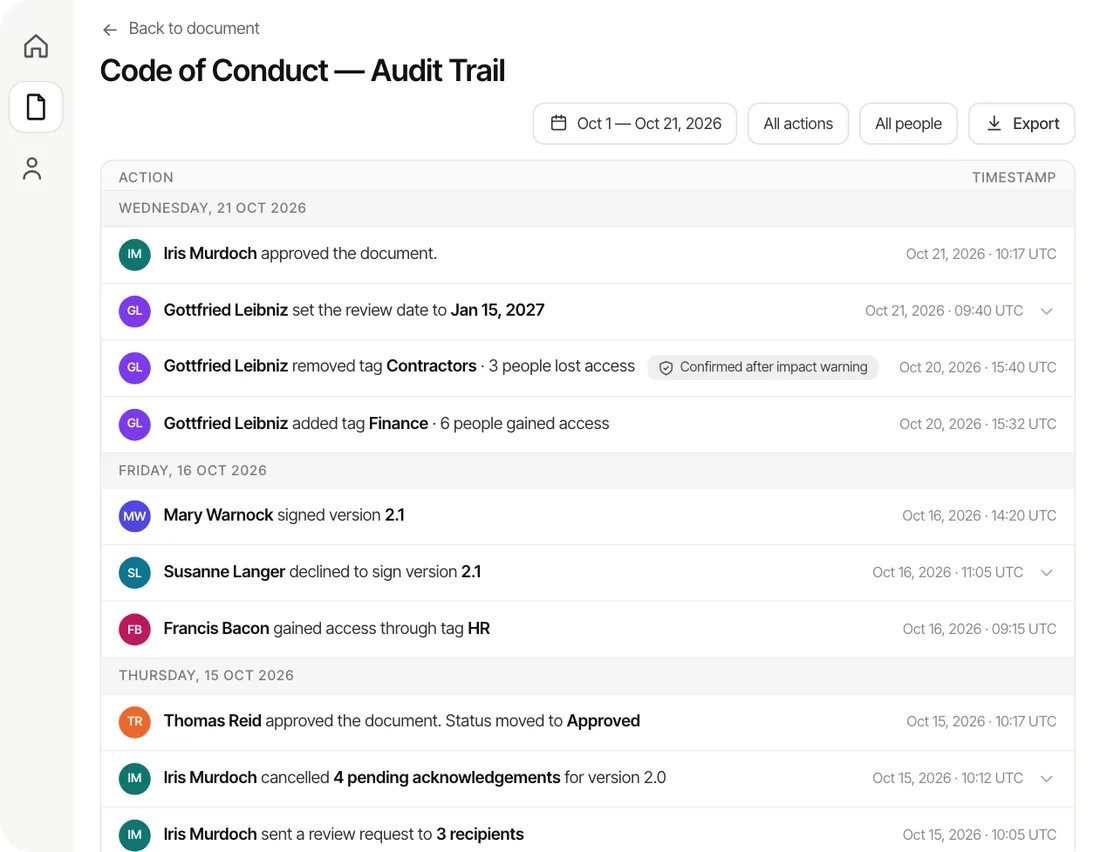
We built AllyMatter so that a small team can run the whole life of a policy in one place. Every policy goes through an approval flow before anyone sees it, and each approved change becomes a new version with the history kept. When it is ready, you choose how it goes out: notify people, or ask them to acknowledge or e-sign it. Reminders follow on the cadence you set, review dates remind each owner when a policy is due, and the record of approvals, versions and acknowledgments exports as a PDF or CSV when someone asks.
Not ready for software yet? Pair this template with our free Policy Acknowledgment and Signature Tracker for Google Sheets or Excel.
Questions about policy and procedure templates
What should a policy and procedure template include?
A document control block (number, version, status, owner, approver, effective date, next review date and who it applies to), then purpose, scope, definitions, the policy statement, roles and responsibilities, exceptions, compliance and consequences, related documents, the procedure steps, an acknowledgment statement and a revision history.
What is the difference between a policy and a procedure?
A policy says what must happen and why; a procedure says how to do it, step by step. Our guide to policy vs procedure vs SOP covers the difference in detail.
Can I use one template for both a policy and its procedure?
Yes, while the procedure is short. Move it to its own document when it grows, changes more often than the policy or is used by a different team, and list it under related documents. Our guide to writing an SOP covers procedures that need their own file.
How long should a policy be?
As short as it can be while still answering who it covers, what the rule is, what the exceptions are and who to ask. Most good policies fit on one to three pages. Our company policy examples show ten that each fit on a page.
How should I number and version policies?
Give each policy an area prefix and a number, such as HR-004, never reuse a retired number, and raise the version with every approved change. Our policy on policies guide and our guide to the policies and procedures manual use the same scheme.
How often should policies be reviewed?
Most at least once a year, high-risk policies every six to twelve months, and any policy when a law or the business changes. Our guide to how often policies should be reviewed has the cycles by risk.
Do employees need to acknowledge a policy?
No federal law requires it for most policies, but an acknowledgment by name, version and date is your proof that each person was told. That is why the template ends with an acknowledgment statement that names the version. Our guide to policy acknowledgment tracking covers what the record should hold.
Is this template free, and does it work in Google Docs?
Yes. It is a free Word file with no sign-up. To use it in Google Docs, upload it to Google Drive and open it with Google Docs; the headings and tables carry over.
Start your 30-day free trial of AllyMatter. No credit card to start, and a 30-day money-back guarantee if you subscribe and change your mind. Free migration.