
Write, approve, distribute and prove every policy
One place for the handbook, the safety program and the security policies. Each version is approved, each response is on record, and the proof exports for any date.
30-day trialUnlimited free viewersNo credit card required
Policy Distribution and Access
Tags decide who gets each policy. Notify people, or ask them to acknowledge or e-sign, when you distribute it.
- The audience follows the tags on the document
- Choose notify, acknowledge or e-sign for each policy
- Every response is tied to the exact version
Approval Workflows
Route every policy through the approvers you choose. The approved version locks.
- Build a workflow once: steps in order, with any one or all approvers on each step
- Every decision is recorded with who and when
- Only approved versions go out
Try it in the sandbox
Click through a ready-made workspace with sample policies.
Audit Trail and Export
See who has accepted each version. Export a PDF or a CSV of versions, approvals and acknowledgments, as of any date.
- One record for each document
- Every approval, signature and acknowledgment, with who and when
- PDF for the auditor, CSV for your own analysis
Versions and Reviews
One approved version at a time, with no stray copies in circulation.
- Compare any two versions, and restore an earlier one for approval
- Review dates remind Editors before a policy goes stale
- Everyone reads the current version
Public Pages
Publish the same approved version to your public site.
- Choose Private, Internal or Public for each document
- One source, inside and public
- Your supplier standards, handbook or terms, always current
External Viewers
Share a policy with people outside your company.
- One-time code: one document, no account, nothing to install
- External user: an account, for a consultant helping you
- They can acknowledge and e-sign. Free unless they edit
AttachmentsComing Soon
Keep the evidence and the signed copies next to the policy they belong to.
- Upload evidence next to the policy it supports, with a date and a comment
- The signed document and its completion certificate are kept with each version
- See who has signed and who is still pending
- Storage usage is shown, with room to expand
e-signAdd-on
Send an approved policy for signature, and keep track of every signer in one place.
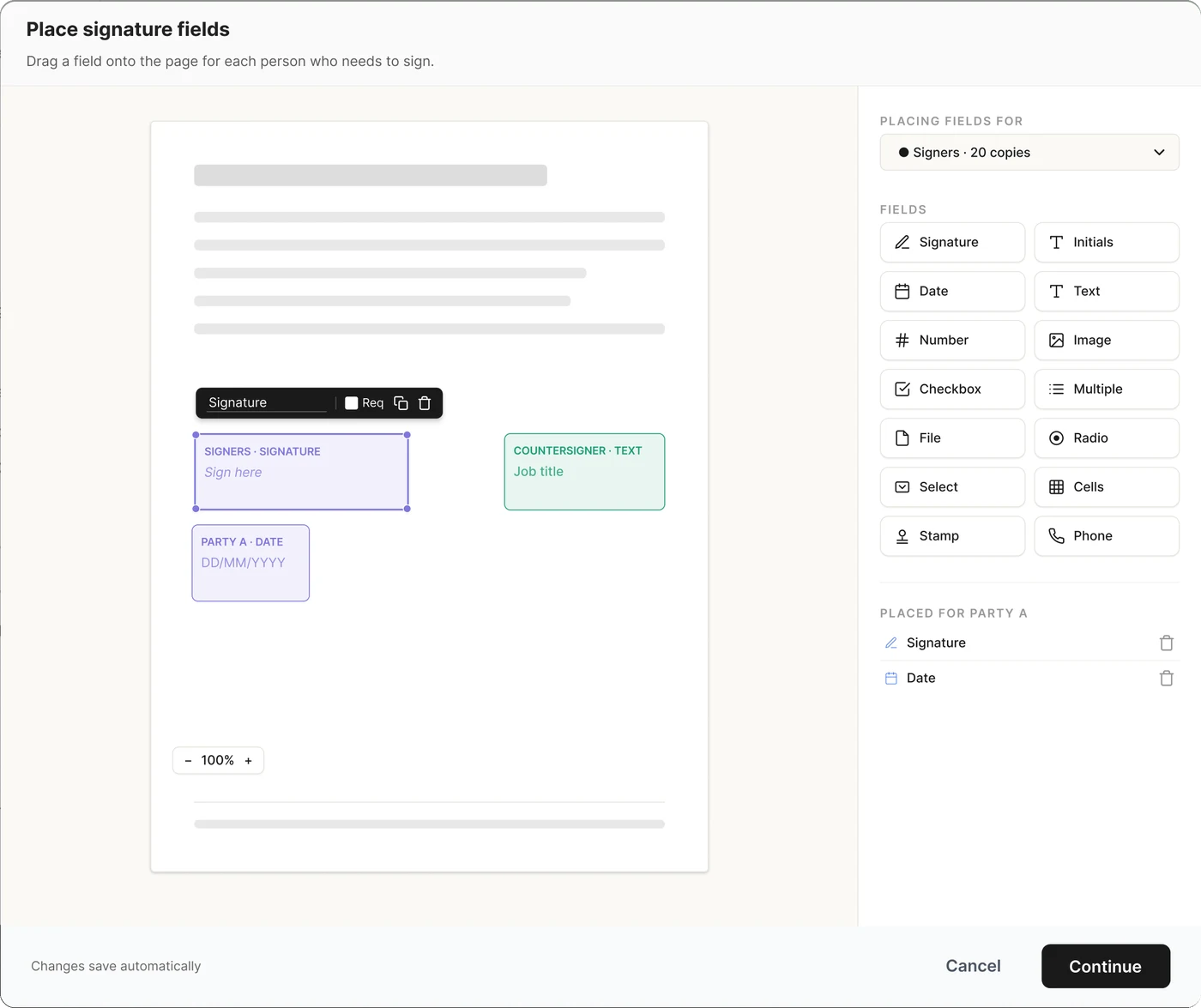
- Place signature, date and text fields, then send to as many signers as you need
- Add a countersigner who signs after everyone else
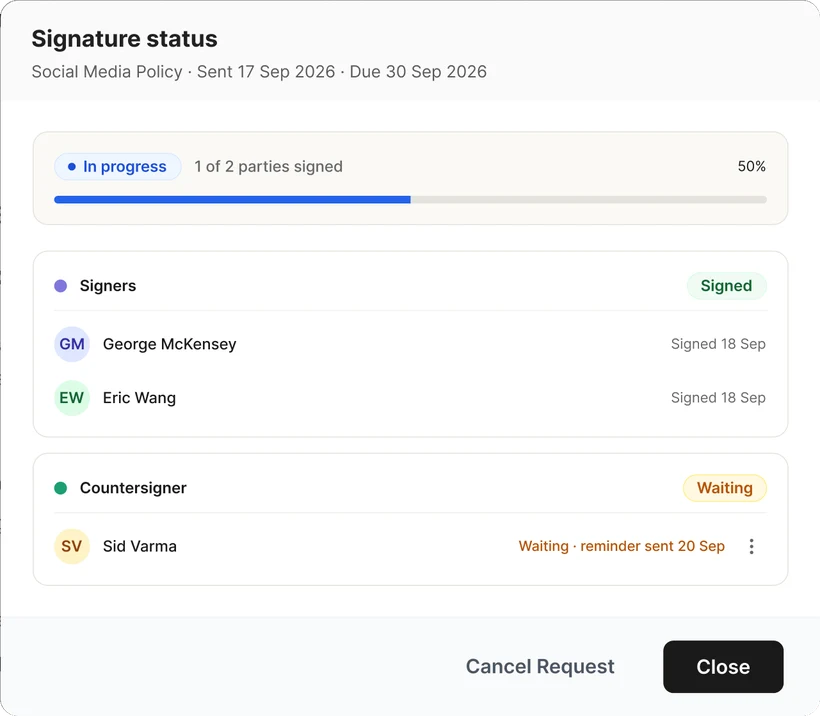
- Set a signing deadline, with reminders until it is done
- See who has viewed and signed. The signed document and its completion certificate are saved in Attachments
Built for the whole team, and the people outside it
Pay for the people who write, inside or outside your company. Viewers and acknowledgments are unlimited. See pricing


Try  free for 30 days
- No credit card needed
- 30-day money-back guarantee
- Free migration on yearly plans