

Product Updates · 7 min read
Track Every Change: AllyMatter’s Version Control Excellence
In growing companies, documentation chaos often lurks just beneath the surface. We’ve all been there – searching through email threads for “the latest version,” discovering conflicting edits from different team members, or realizing crucial changes were lost in the shuffle.
When your team expands beyond 50 people, these minor inconveniences grow into genuine business problems that can impact compliance, efficiency, and knowledge preservation. According to Gartner research, 47% of digital workers struggle to find the information needed to effectively perform their jobs – a problem that version confusion only amplifies.
That’s where AllyMatter’s version control system makes all the difference; not as a technical afterthought, but as a core foundation for documentation management that scales with your organization.
The foundation: Why version control matters
Poor version management isn’t just an administrative headache. It carries real business costs:
- When your sales team uses outdated pricing guides because they can’t find the updated version
- When compliance auditors question which policy was in effect at a specific time
- When critical institutional knowledge disappears because changes weren’t properly tracked
- When teams waste hours reconstructing edits that were accidentally overwritten
For growing companies, these scenarios aren’t hypothetical; they’re everyday challenges that multiply as your team and documentation library expand. Proper version control isn’t about perfectionism; it’s about creating a foundation that supports your organization’s growth without sacrificing quality or accountability.
AllyMatter’s version control system: Core features
1. Comprehensive change tracking
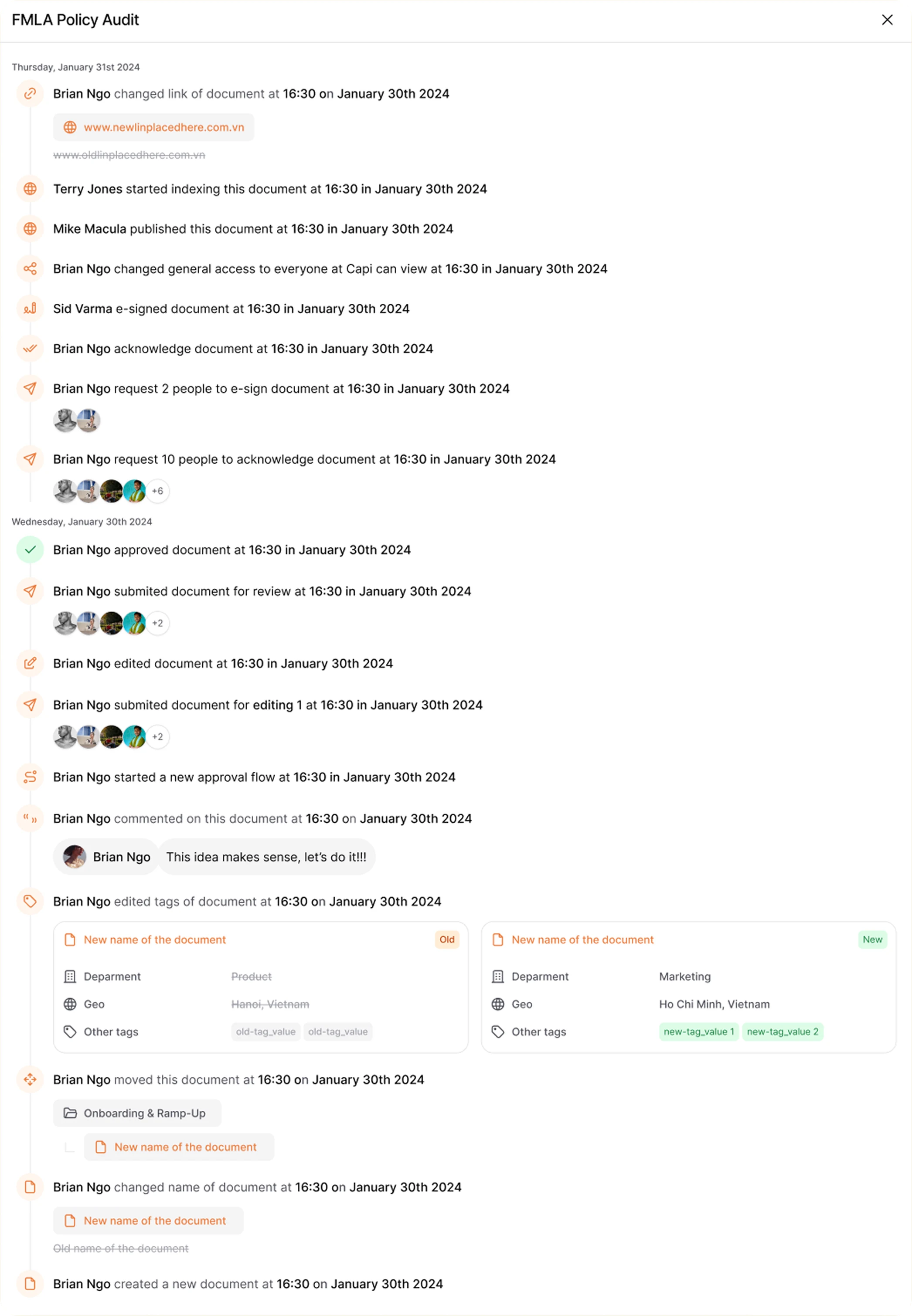
AllyMatter gives you crystal-clear visibility into every document’s evolution:
- Automatic modification tracking captures every edit without requiring manual check-ins.
- User attribution clearly shows who made each change and when it occurred.
- Visual change highlighting makes it easy to see exactly what’s different between versions.
- Version comparison allows side-by-side review of any two points in a document’s history.
Unlike basic systems that just save different file versions, AllyMatter preserves the context around changes. When your HR director asks “Who updated the remote work policy last month and what exactly did they change?”, you’ll have an answer in seconds, not hours.
2. Structured version management
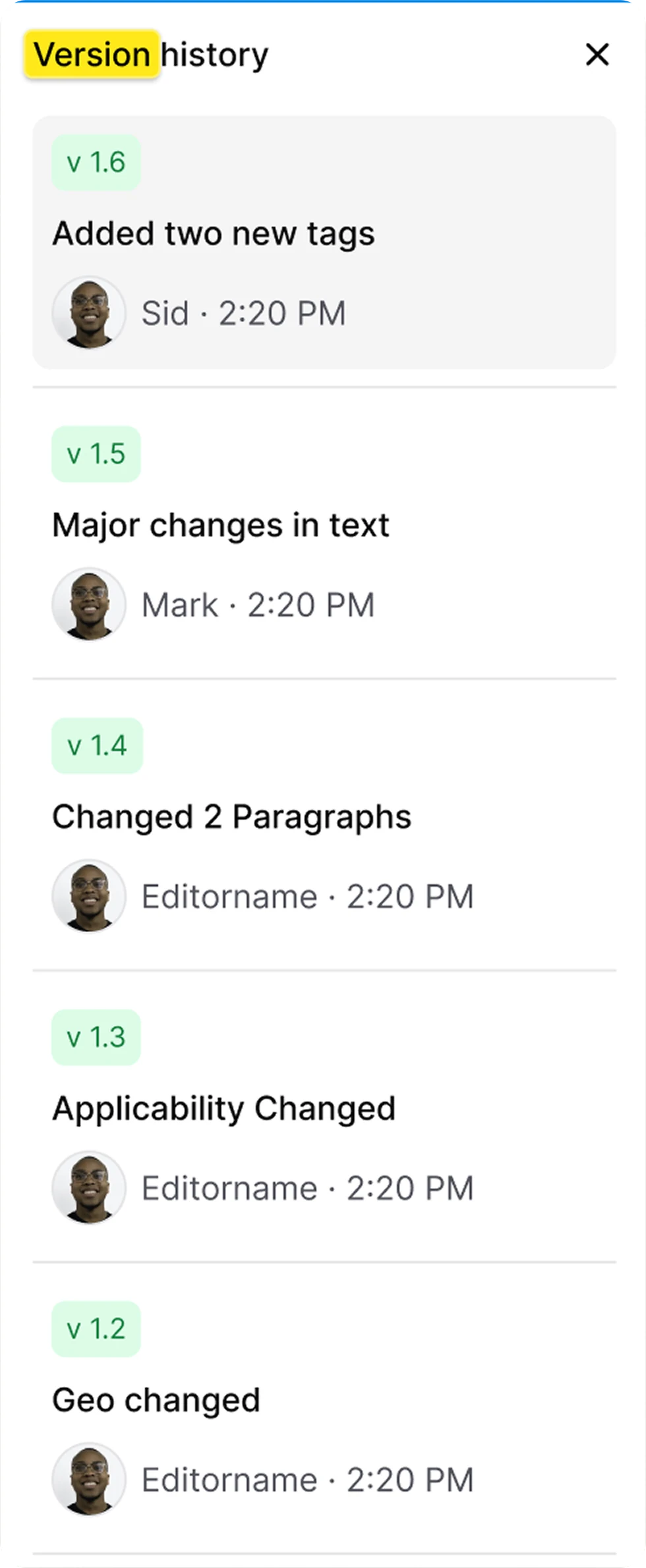
AllyMatter brings order to version chaos with:
- A minor or major choice each time you save a version, so small fixes and real revisions are told apart
- Automatic versioning with every publish to eliminate manual version management
This structured approach means you’ll never again have to decipher filenames like “Policy_v3_FINAL_actually_final_2.docx” – AllyMatter maintains clear, consistent version management that everyone understands.
3. Visibility and transparency controls
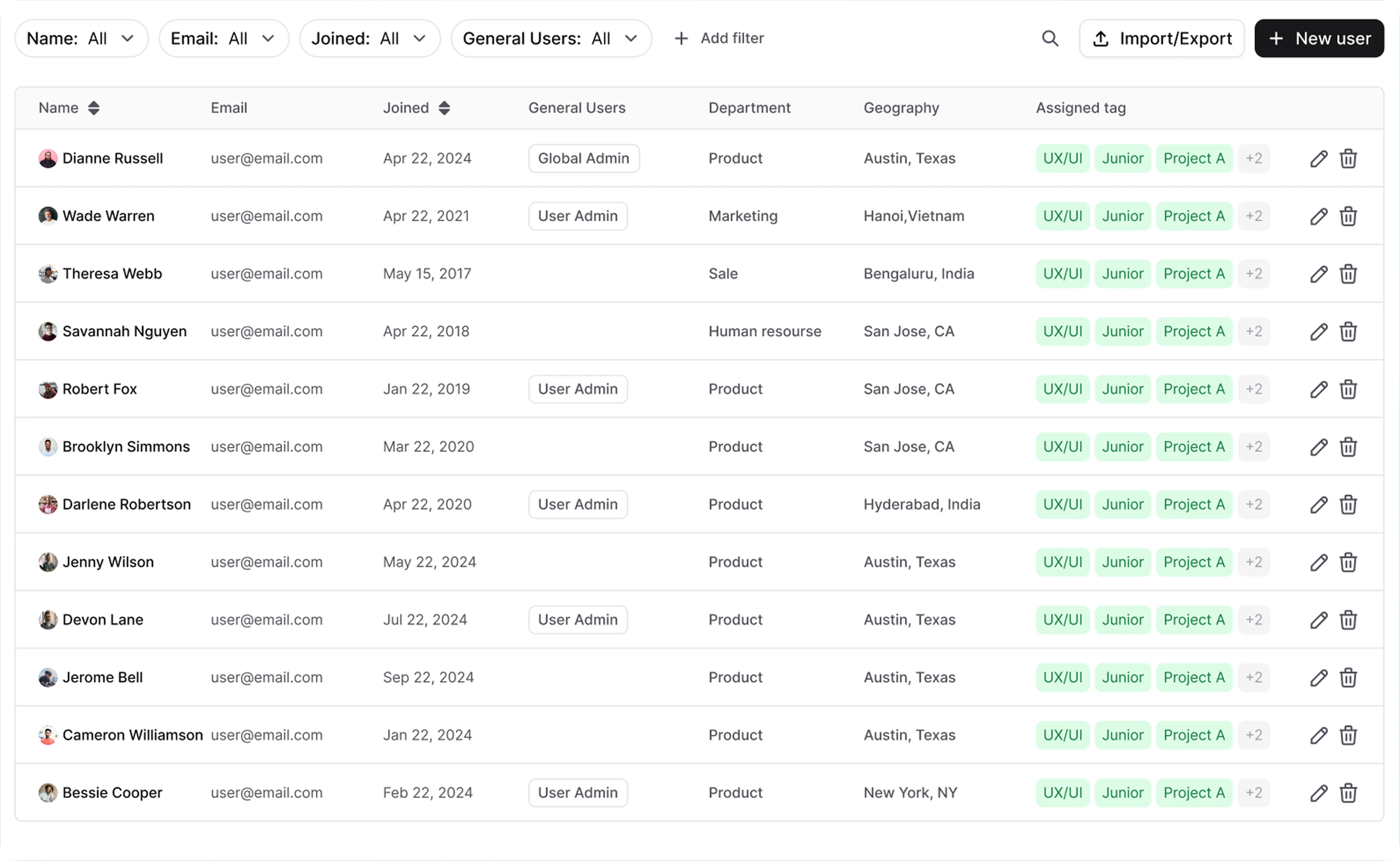
AllyMatter balances transparency with appropriate access controls:
- Editors and Admins see a document’s log, so the right people can review its history.
- Comprehensive audit trails document every version for compliance purposes.
- History search and filtering helps find specific changes quickly.
For regulated industries, this level of documentation provides peace of mind during audits. When an ISO auditor asks to see the evolution of your quality management procedure, you’ll have a complete, permanent record ready to share.
Real-world version control scenarios
Policy management
When your HR team updates the company’s parental leave policy:
- The initial draft is automatically versioned as a working document.
- Each departmental review creates a tracked version showing their input.
- Legal approval is captured as a formal milestone version.
- The executive-approved version becomes the new official policy.
- The complete version history provides a clear record of how the policy evolved.
This comprehensive approach ensures nothing falls through the cracks while maintaining a clear record of how policies develop over time.
Standard operating procedures (SOPs)
As your operations team refines customer onboarding procedures:
- The original procedure is preserved as a baseline for measuring improvements.
- Each process refinement creates a new version.
- Training materials are updated to reflect the latest procedures.
- Previous versions remain accessible for reference and comparison.
- Version history demonstrates process maturity and continuous improvement.
- Only the current version is presented to end users, eliminating confusion.
This structured approach ensures teams can evolve their processes while maintaining clarity about current best practices.
Compliance documentation
For your ISO 27001 information security documentation:
- Regular review cycles create versioned snapshots that prove ongoing compliance.
- Audit feedback is incorporated into a new version of the document.
- The complete history demonstrates your commitment to continuous improvement.
- Version comparisons easily show auditors exactly what changed since their last visit.
- Version history is kept for 3 months on Startup and 3 years on Scale.
With this level of documentation, compliance becomes a natural outcome of your process rather than a separate administrative burden.
Versions and approvals
AllyMatter’s version control doesn’t exist in isolation. It works hand in hand with your approval workflows:
- Publish versioning creates a new version each time a document is published.
- Approval before release means a new version goes through the approvers you choose before it becomes the official one.
- Restore with review turns an earlier version back into a new version, which goes through approval again.
- Distribution notices let you notify people, or ask them to acknowledge the new version, once it is approved.
This integration means versions aren’t just created randomly – they reflect your organization’s approval processes and provide meaningful milestones in each document’s lifecycle.
Best practices for version control
To maximize the value of AllyMatter’s version control capabilities:
- Establish clear version milestones that align with your approval workflows.
- Choose minor or major deliberately each time you save a version.
- Train team members on when to create new versions versus making ongoing edits.
- Regularly audit version histories to ensure compliance with your documentation policies.
- Use the minor and major choice consistently across similar document types.
By building these practices into your documentation culture, version control becomes a natural part of how your team works rather than an extra administrative step.
The business impact of proper version control
While version control may seem like a technical feature, its business impact is substantial:
- Reduced search time: Teams spend less time hunting for the right document versions
- Lower compliance risk: Complete audit trails protect you during regulatory reviews
- Better knowledge retention: Critical insights don’t disappear when team members change
- Faster onboarding: New team members can understand how processes evolved
- Increased confidence: Everyone knows they’re working with the correct, current information
For growing companies, these benefits translate directly to operational efficiency, reduced risk, and better scalability – critical advantages in competitive markets.
Getting started with AllyMatter’s version control
Implementing effective version control is straightforward with AllyMatter:
- Map your current versioning needs. Identify which documents require rigorous version control.
- Establish version conventions. Create consistent practices for choosing minor and major versions.
- Set up your approval workflow. Every publish creates a new version, so your workflow decides which versions become official.
- Add your existing documents. Paste or upload your current documentation (PDF, Word, or images) into the structured system. Yearly plans include free migration help.
- Train your team. Ensure everyone understands how to navigate and use version history.
The beauty of AllyMatter’s approach is that you can start with basic versioning and gradually implement more sophisticated practices as your team grows comfortable with the system.
Conclusion: Version control as a competitive advantage
In a world where documentation often feels like a necessary evil, proper version control transforms it into a strategic asset. AllyMatter’s version control system doesn’t just organize your documents. It preserves institutional knowledge, reduces risk, and creates a foundation for scaling efficiently.
Whether you’re preparing for rapid growth, navigating complex regulatory requirements, or simply trying to bring order to documentation chaos, AllyMatter’s version control provides the structure and accountability you need. The result isn’t just better documentation; it’s a more confident, knowledgeable organization ready to take on your next challenges.
Don’t let version confusion hold your team back. With AllyMatter, you can turn documentation from a source of friction into a catalyst for growth.
Every document has a history worth tracking. Start your 30-day trial and see how AllyMatter’s version control keeps your documentation accurate and accountable.
Frequently asked questions
How does version control help with compliance audits?
Version control provides a complete audit trail showing exactly when documents were changed, by whom, and what modifications were made. This creates a permanent record that auditors can review to verify your organization’s adherence to policies and procedures over time.
Can team members access previous versions of documents?
Yes. Editors and Admins can see a document’s log, and every version you publish stays in the version history. Tags decide who can see each document, so the right people see the right content.
What happens if someone accidentally deletes important content?
AllyMatter’s version control system preserves all previous versions, making it easy to restore accidentally deleted content. You can compare versions to see exactly what was removed and restore it, which creates a new version that goes through approval again.
How does versioning work with approval workflows?
Each publish creates a new version, and that version goes through the approval workflow you set before it becomes the official one. This eliminates manual version management while ensuring every approval is preserved on the record.
Does version control slow down document editing?
No, AllyMatter’s version control works in the background without interrupting your editing workflow. Changes are tracked automatically, and creating versions happens seamlessly as part of your normal document processes.