Questions repeat. Answers disappear. Documents get created, shared, updated, and forgotten. A teammate joins, asks where something is, and the team pauses to look for it.
A knowledge base fixes this. It offers one place for policies, procedures, decisions, and FAQs. It helps people rely less on memory and more on structure. This reduces interruptions, builds clarity, and supports consistent work.
Michael needed an onboarding form for a new hire starting Monday. The company had grown from 8 to 23 people in six months, and no one had formalized the onboarding process yet. He checked Slack first. Then Drive. Then his email. Nothing. He asked three teammates in different channels and waited two hours for someone to dig it up. The form existed. It was buried six folders deep in a shared drive, last touched eight months ago. The path to it had disappeared.
This happens when information doesn’t compound. The team works hard, but the work doesn’t build on itself. A startup knowledge base reduces this gap and helps teams scale with confidence.
This guide covers what a startup knowledge base does, which capabilities matter, and how to design one for teams between five and fifty people. It also covers tool selection, a short migration plan, ROI considerations, and a simple governance model you can implement right away.
What a knowledge base does for 5-50 person startups
A knowledge base helps small teams work smarter. Employees find information on their own without asking teammates. They reuse existing answers rather than recreating them. They follow documented procedures and avoid repeating steps.
Reduces repeated DMs and interruptions
When information is scattered, people rely on teammates for answers. This creates frequent interruptions that break focus. A knowledge base reduces these moments because answers live in one place.
Protects context as teams grow
Important decisions often live inside chat threads or private messages. These are easy to lose. When context is documented in a shared space, teams avoid repeating conversations or making avoidable mistakes.
Makes documentation dependable and easy to find
A knowledge base works only when people trust it. Features like smart search, good metadata, and clear structure help teams find the right documents without guessing.
[For more on intelligent search capabilities, see AllyMatter’s intelligent search solution.]
Architecture for scaling from 5 to 50
A startup knowledge base should not feel like a folder with random uploads. It is a structure that grows with the team and supports work at each stage.
[For immediate first steps, see your first 48 hours of startup documentation.]
Policies
These include HR guidelines, finance rules, security steps, and leave policies. They guide daily decisions. Approvals and version control help keep policies accurate as they evolve.
[For deeper guidance on policy management, see our guide on internal documentation for policy management.]
Procedures and SOPs
Procedures explain how tasks get done. They reduce errors and speed up onboarding. With version history and audit logs, teams always know which steps are current.
To understand how SOPs help growing companies, read scaling your business using SOP documentation.
FAQs and recurring questions
Startups have recurring internal questions that drain time. Documenting these as short FAQ pages reduces confusion and frees up team members.
Playbooks and runbooks
These include hiring steps, release workflows, procurement basics, and support processes. They keep everyone aligned, especially as more people join.
[If you’re building your first playbooks, see your first 48 hours of startup documentation for what to capture early. For remote teams, the remote-first startup playbook covers distributed team documentation.]
Where fast-growing startups see immediate impact
A knowledge base supports every team, but a few functions benefit the most in early-stage companies.
HR
Onboarding becomes predictable. Employees no longer wonder where leave rules or forms live. HR can track acknowledgments to stay compliant.
Related reading:
- Why Your Startup Needs a Living HR Handbook
- HR knowledge base use cases
- HR knowledge management
- Everything You Need to Know About Building a Knowledge Base for HR
Also see: Why your startup needs a living HR handbook
Product and engineering
Teams can store release steps, QA checklists, and technical decisions. Version history prevents older choices from being lost, and comments help people ask questions without private messages.
Related: Why Tech Writers Belong in Initial Product Dev Meetings
Customer support and success
Support teams rely on internal notes, approved responses, and escalation paths. Clear documentation leads to more consistent customer experiences.
Explore how knowledge bases help improve customer service by empowering support teams.
Operations
Procurement steps, device requests, access policies, and vendor workflows become easier to follow when documented in a shared system.
Read about 10 ways AllyMatter transforms operations through centralized documentation.
Essential capabilities for startups without documentation teams
These capabilities reflect real needs inside growing teams and align with AllyMatter’s verified system features.
Approvals for accurate, trusted content
Approvals ensure that policies and procedures stay accurate. Without a review step, outdated information circulates unchecked. Structured approval flows let you route documents through the right people before publication. These workflows come built into AllyMatter, so you don’t need external tools to manage document reviews.
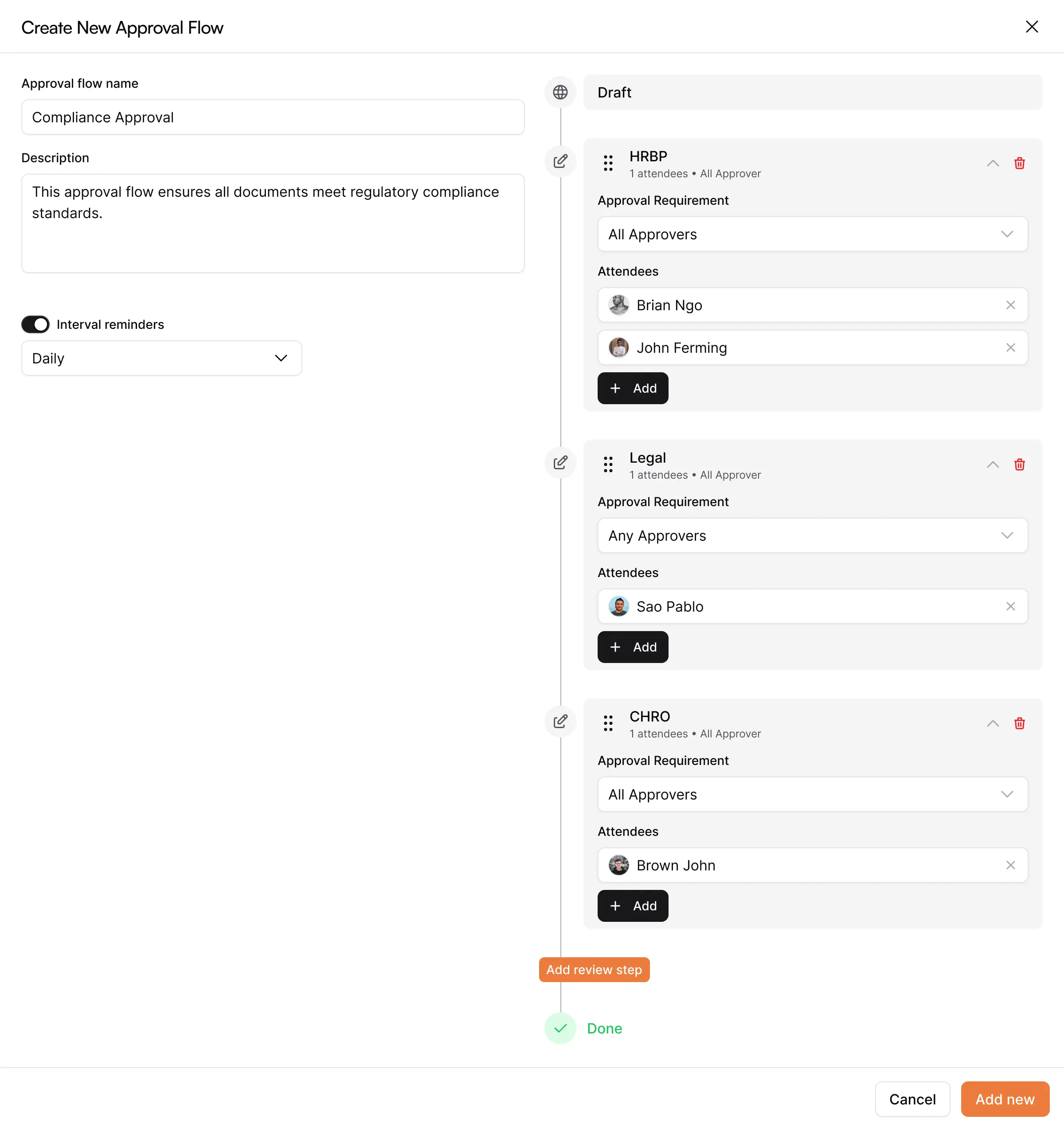
For details on how approval workflows prevent errors, see document workflows in AllyMatter.
Version history that explains what changed
Teams need clarity about which version is correct. Good version history shows additions, deletions, timestamps, and the person behind each change. It also lets you compare versions side-by-side or restore older ones when needed. AllyMatter tracks all of this automatically.
Targeted delivery for each role
A growing team has diverse needs. Engineering doesn’t need HR policies cluttering their view. Finance shouldn’t see engineering runbooks. Role-based targeting ensures each person sees only what applies to them. You can filter by role, department, geography, and employment type. AllyMatter makes this configuration simple.
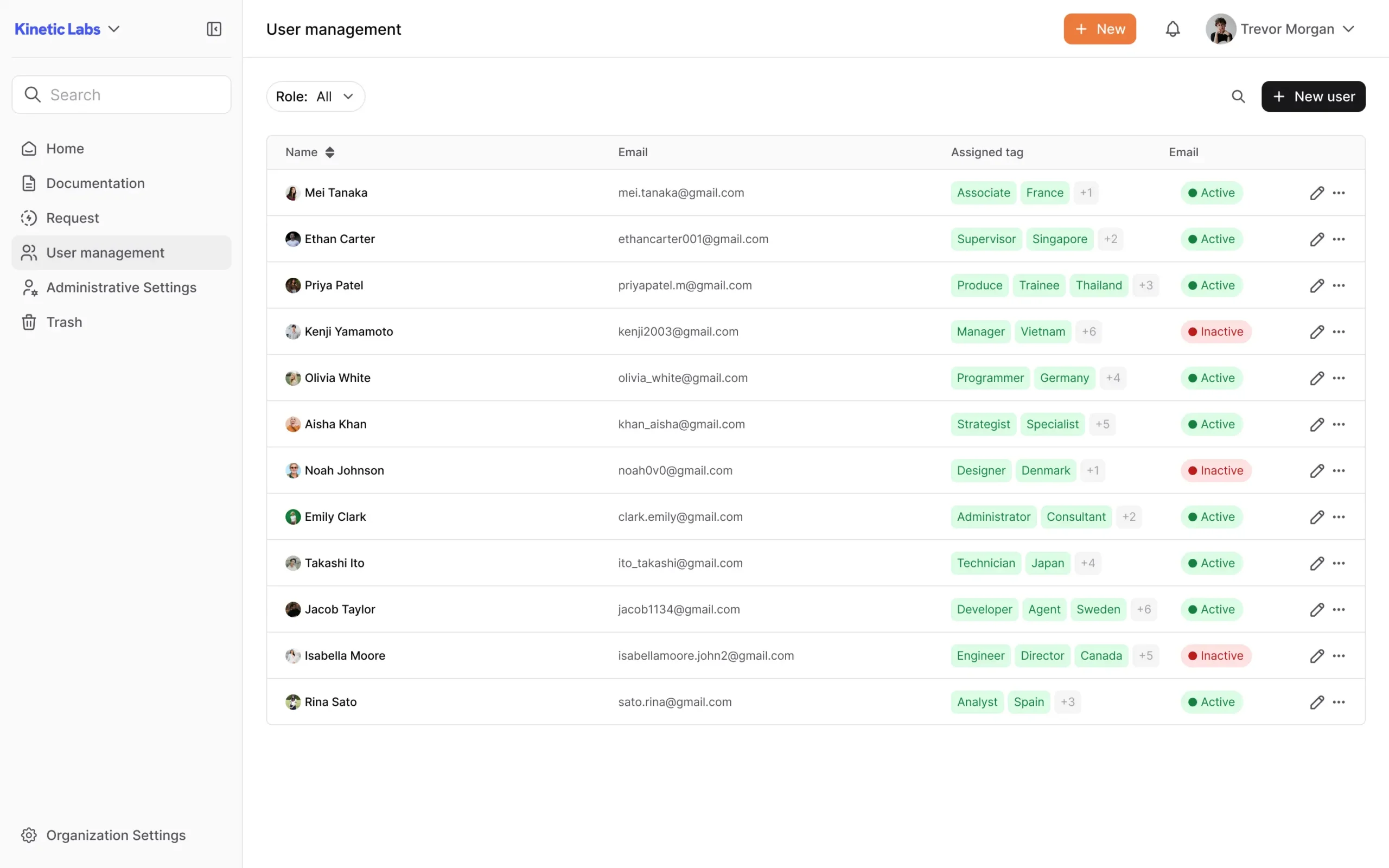
Acknowledgments and signatures
Some documents require confirmation. AllyMatter supports acknowledgment buttons and chat-based notifications.

Exporting and sharing
Startups may need to export policies or share documents with partners or auditors. AllyMatter supports exporting and downloading documents.
The leverage gap and how a knowledge base closes it
Startups don’t slow down because of lack of effort. They slow down because information is scattered. Without a single source of truth, startups face data fragmentation. This leads to duplicated work, inconsistent information, and preventable errors. When the same question gets answered differently across Slack and email, trust erodes.
This is especially critical during growth phases. See pre-revenue to Series A: capture your startup’s tribal knowledge for what to document before scaling.
For example, your first operations hire asks where the vendor approval process is documented. You realize it’s never been written down. It’s just what the founders do. Now you need to explain it, capture it, and make it repeatable before the next person joins.
The cost of repeated questions
When answers are hidden, people ask the same questions often. This delays work and interrupts teammates.
Sarah, a finance lead at a 35-person startup, spent three hours one week answering the same expense policy question from seven different people. The company had recently implemented expense limits but never documented them beyond a Slack message.
She finally documented the answer with approval thresholds and submission deadlines. The next quarter, those questions disappeared. The three hours she invested saved her team 15+ hours over the next six months.
Teams depend on memory when documentation is weak
Memory is not a dependable system. A shared knowledge base prevents mistakes and lost decisions.
Context disappears across Slack, Drive, and email
When you’re doubling headcount every 12 months, scattered context creates expensive delays. A knowledge base gives that context a permanent home.
Inconsistent onboarding creates productivity gaps
When onboarding depends on whoever’s available that day, new hires get inconsistent information. One person explains expense rules one way. Another teammate gives different guidance a week later. This confusion delays productivity.
At 8 people, everyone onboarded by shadowing founders. At 35 people, that doesn’t scale. New hires get different answers depending on who’s available.
Related reading:
- Zero to Onboarded in 3 Days: The Startup’s Guide to Self-Service Employee Onboarding
- Transform Your Onboarding: Cut Training Time with AllyMatter
- From 2 to 20 employees: The Documentation Pivot Every Startup Misses
Tool selection criteria for startups
Choosing a knowledge base for a small team requires evaluating features that support speed, clarity, and governance without requiring a dedicated documentation team..
Approvals: A tool should let you route documents through approvals to prevent errors.
Search quality: Employees should find documents within seconds. Search should read content, titles, and metadata.
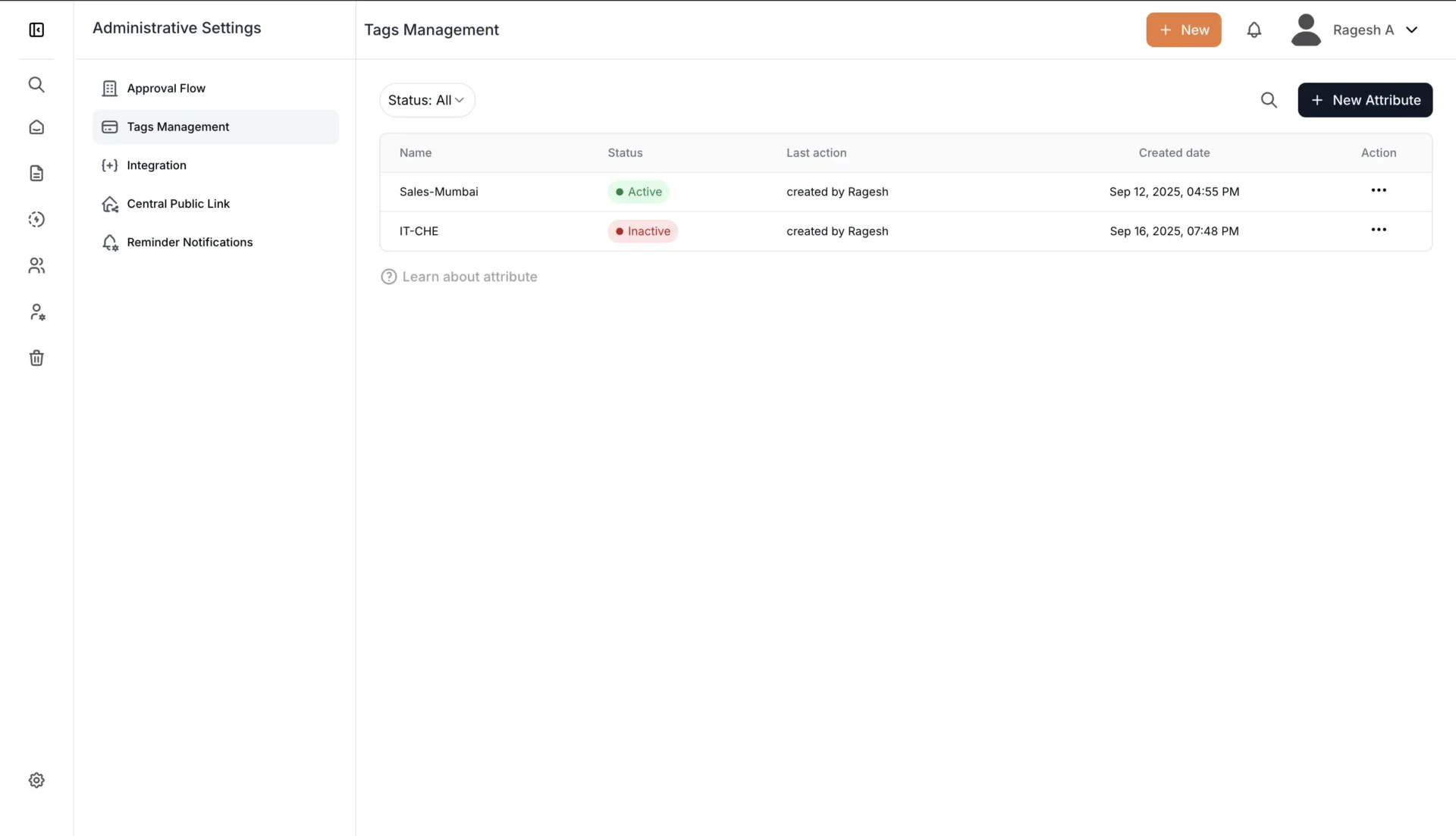
Tagging and metadata: Tags for departments, skills, geography, and roles help teams surface the right information.
Role-based access control: A tool should allow only the right people to see sensitive documents.
[Related reading: Keep Your Docs Safe But Accessible]
Version history and audit trails: Teams should understand what changed and why, with clear timestamps.
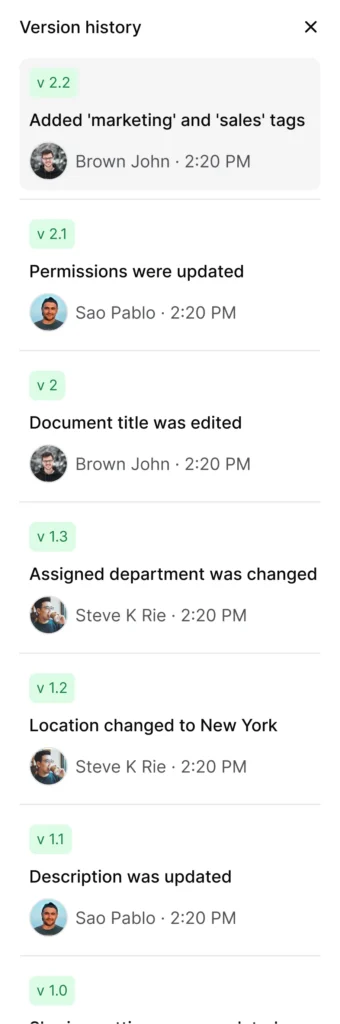
For detailed tool comparisons, see knowledge base tools for growing teams.
Comments and collaboration
Comments allow employees to ask for clarity without creating more private messages.
Acknowledgments and optional e-signatures
Useful for HR policies, finance procedures, and compliance tasks.
User management
Adding, editing, and removing users should be simple. AllyMatter supports clear roles such as Owners, Editors, Approvers, and Viewers.
Knowledge base evaluation scorecard
Use this scorecard to evaluate knowledge base tools against startup needs:
Governance
- Supports approval workflows
- Tracks document ownership
- Records version history with change notes
Search & Discovery
- Searches full content, not just titles
- Supports metadata and tagging
- Returns relevant results in <5 seconds
Security & Access
- Role-based access control
- Department/team-based visibility
- Audit trails for compliance
Collaboration
- In-document commenting
- Real-time notifications
- Clear contributor roles
Usability
- Simple editor (WYSIWYG)
- Mobile-responsive
- Intuitive navigation
Migration Support
- Import capabilities
- Bulk upload options
- Template library
A tool that checks 12+ of these 18 criteria will support most growing teams without requiring dedicated documentation staff.
10-day migration overview
A simple ten-day plan works well for early-stage teams.
Days 1 to 3: Inventory and surface documents
Start by collecting all existing documentation from Slack channels, email threads, Notion workspaces, and Google Drive folders. Focus on high-traffic documents first: HR policies, onboarding guides, SOPs, and FAQ pages. Don’t worry about perfection yet. Just get everything visible in one place.
Days 4 to 7: Structure, tag, and clean up
Create categories that match how your team thinks about work: HR, Operations, Engineering, Product, Finance. Add tags for department, role, and document type. Remove obvious duplicates. Flag documents that need review rather than deleting them outright.
Days 8 to 10: Assign owners and publish
Assign a clear owner to each document. Set visibility rules based on department and role. Enable acknowledgment tracking for policies that require confirmation. Publish your first batch and announce it in your team channel with a short “Start Here” guide.
[For a complete migration guide with templates and checklists, visit our dedicated migration resource.]
ROI model for startup teams
The value of a knowledge base comes from clarity, not metrics on a dashboard.
Query deflection
When employees can find answers on their own, they avoid interrupting teammates, creating compound savings.
This compounds across the organization. When your finance team documents expense reimbursement once, they save 20+ interruptions per quarter. Your IT team documents access requests once and deflects 30+ tickets per month. Small documentation investments create ongoing returns.
Faster contribution
New hires become productive sooner when information is easy to find. The difference shows up immediately: finding the procurement workflow in 30 seconds versus spending three days asking teammates for information.
Operational confidence
Teams follow the right steps and avoid repeating mistakes. When your customer success team has documented escalation paths, new reps handle complex cases correctly from day one.
When your finance team has clear approval thresholds documented, procurement doesn’t stall waiting for clarification. Confidence comes from knowing the right process is always one search away.
Governance framework for startups
A simple governance model keeps your knowledge base healthy.
Assign document owners
Each document needs a clear owner. This person ensures content stays current and answers questions. Use roles like Owner (maintains content), Editor (updates with approval), Approver (reviews before publication), and Viewer (read-only access).
Set review cycles
Quarterly or twice-yearly reviews help keep content current.
Add change notes
Short notes explain what changed and why. Version history captures these notes automatically, so future readers understand why decisions were made.
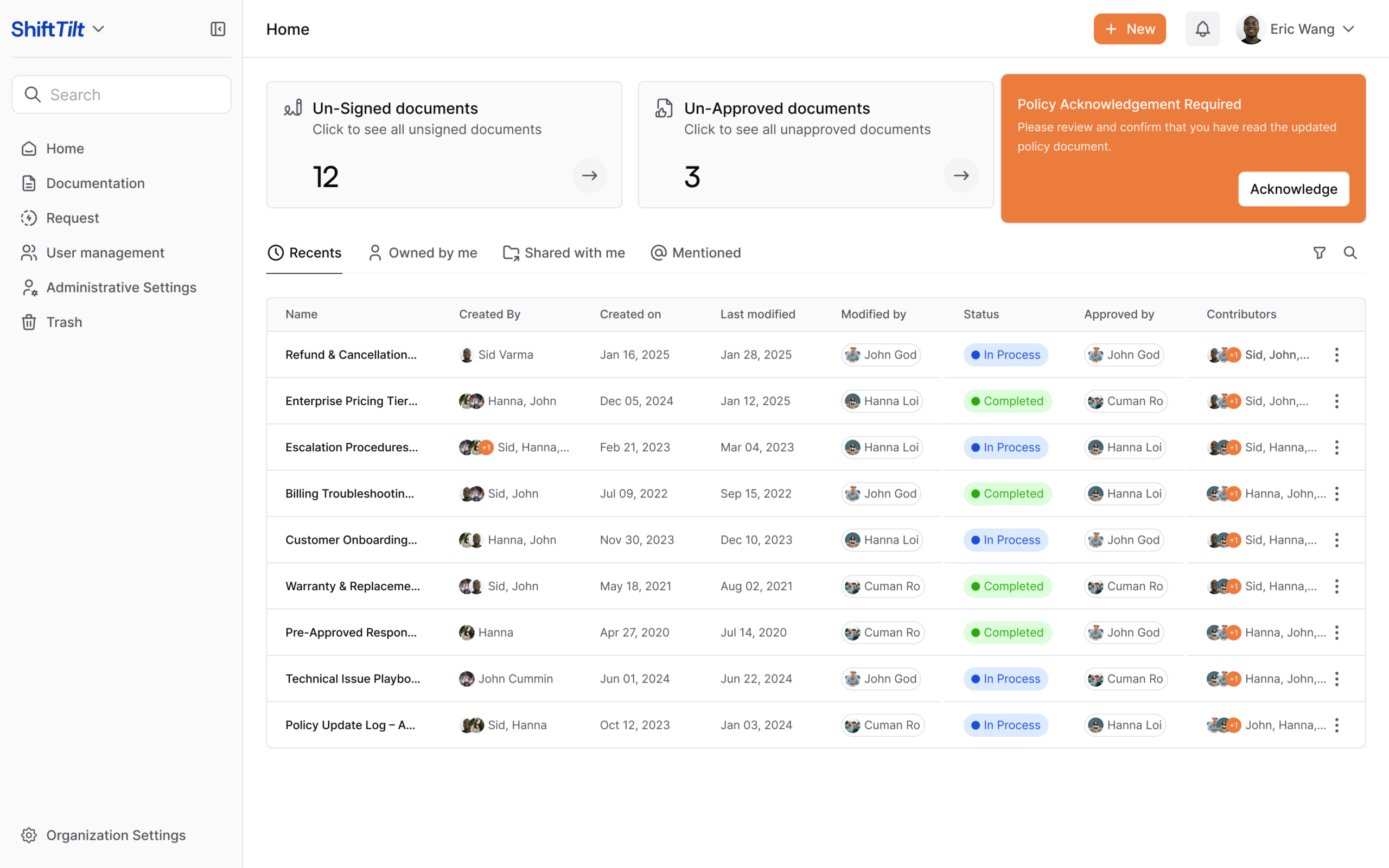
Use acknowledgment flows
Policies and procedures that require confirmation should use acknowledgment features. AllyMatter tracks who has viewed and acknowledged critical documents.
Build the habit early
Everyone should know where documentation lives and how it’s structured. When someone can’t find information, they should create it and store it properly. This prevents future searches from hitting the same dead end.
This approach prevents issues covered in our post about breaking down knowledge silos.
Quick start kit for startups
A simple foundation helps teams begin with confidence.
Foundational policies
Start with the most accessed policies, such as leave rules, reimbursement steps, and security basics.
Core SOPs
Document the frequent workflows in your company. Start with expense reimbursement, equipment provisioning, access requests, and customer escalation paths. These help reduce rework and speed up onboarding.
FAQs
Add answers to common questions about time off, expense limits, approval chains, and tool access. Even five FAQs can deflect dozens of repeat questions each month.
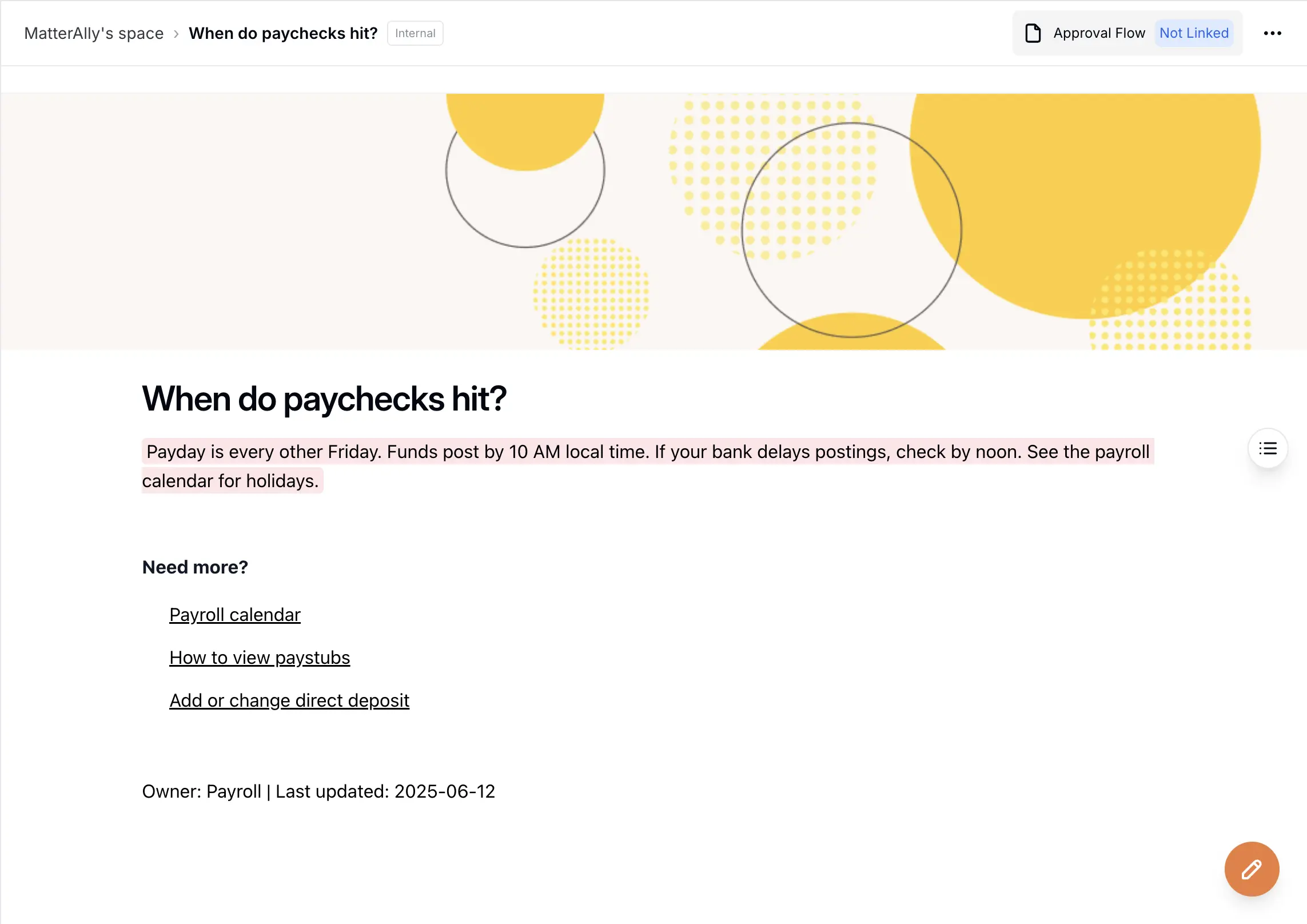
Start Here pages
Link the key documents a new hire needs in their first week.
Decision log
Record important decisions and the reasons behind them. Include product direction changes, vendor selections, policy updates, and process modifications. This prevents decisions from being relitigated every six months.
Acknowledgment tracker
Track who has viewed required documents using AllyMatter’s acknowledgment features. This becomes essential for HR policies, security updates, and compliance procedures where you need proof of employee awareness. Export acknowledgment reports for audits without manual tracking.
Why AllyMatter works for startup teams
Most knowledge bases are built for enterprises with dedicated documentation teams. AllyMatter is different. It gives you enterprise capabilities without enterprise complexity.
You get approval workflows without bureaucracy. Version history that actually explains what changed and why. Role-based access that takes minutes to configure, not days. Search that reads content, not just titles.
Your HR team can track policy acknowledgments without chasing people down, your engineering team can document decisions with full context, and your operations team can update procedures without breaking what already works.
The audit trail captures everything, so you’re ready when compliance questions come up. And because every document has a clear owner, nothing becomes orphaned or outdated.
Small teams need clarity to scale. AllyMatter provides that clarity without slowing you down.
Building your startup knowledge base
A startup knowledge base isn’t a nice-to-have anymore. It’s infrastructure. The same way you need reliable code deployment, you need reliable information delivery.
At 5 people, tribal knowledge works. At 15, you start losing things. By 30, you’re recreating processes you know someone documented somewhere. By 50, inconsistency becomes expensive.
Start small. Document what employees ask about most. Create clear ownership. Build the search and find habits your team needs. Then expand gradually as you identify gaps.
The teams that scale smoothly are the ones that make knowledge sharing a system, not a favor. They capture decisions when they’re made, update procedures when they change, and give everyone access to the same foundational information. This doesn’t require perfect documentation or a dedicated team. It requires consistency.
A simple knowledge base maintained quarterly beats a complex one that gets abandoned. Your team already has the knowledge. You just need to make it findable, trustable, and reusable. That’s what separates teams that scale with clarity from teams that scale through chaos.
If you want your team to scale with clarity instead of chaos, join the AllyMatter waitlist to get early access.
Frequently asked questions
What should a startup document first in a knowledge base?
Start with the information employees ask for most. This includes HR policies, onboarding steps, expense rules, and procurement basics. These documents answer recurring questions and create early value. After this, add SOPs for tasks your team performs often. Keep the first version simple and update it as feedback comes in.
How do I choose the right startup knowledge base tool?
Choose a tool that helps employees find information fast and trust what they see. Look for approvals, strong search, metadata, version history, and acknowledgment features. You should also be able to set role-based visibility so each person sees only what they need. If the tool is too complex, your team will not use it. A simple tool that supports good governance is ideal.
How often should a startup update its documentation?
A quarterly review works for most startups. Some documents, like finance or security procedures, may need more frequent checks. Assign an owner to each document. This prevents outdated information from staying in circulation. Version history and audit trails make it easy to see what’s changed and what needs attention.
How does a knowledge base help new hires ramp up faster?
New hires can find information on their own instead of asking teammates. Start Here pages give them direct access to the policies and steps they need in their first week. A knowledge base reduces uncertainty and helps them start contributing sooner.
Can we migrate from Google Drive or Notion to a knowledge base?
Yes. Most startups start with Drive or Notion and migrate when they need better governance. A simple 10-day migration works for most teams: surface existing documents, clean up duplicates, add structure and tags, then assign owners and publish. The key is starting with your most-accessed documents rather than trying to move everything at once.
How much time does it take to maintain a startup knowledge base?
For most startups, 2-4 hours per quarter per team. Assign clear ownership so one person maintains HR docs, another handles operations, and so on. Set calendar reminders for quarterly reviews. Version history and audit trails make it easy to see what’s changed and what needs attention. You can spot outdated content at a glance and prioritize updates based on document traffic.