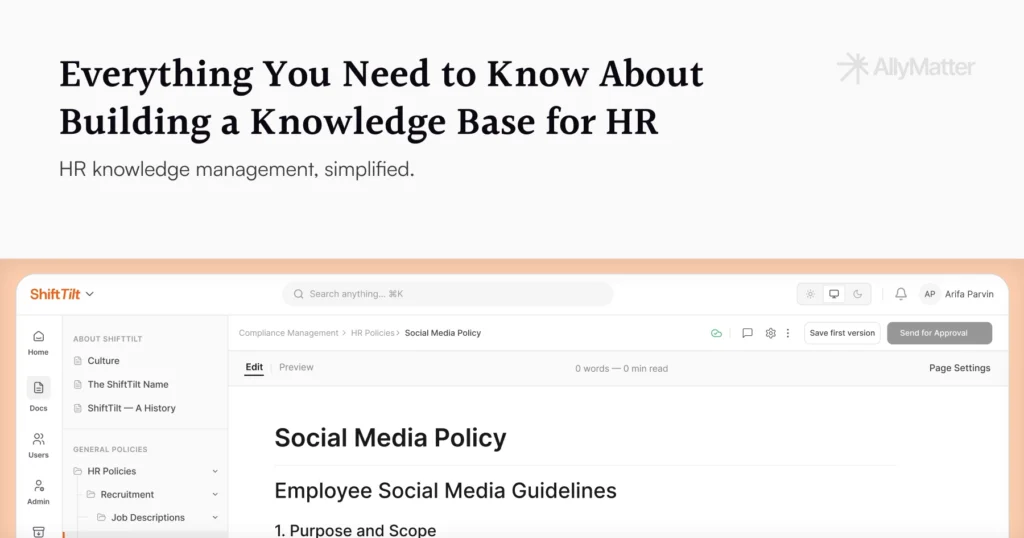
A well-built internal knowledge base is a structural fix for the recurring problems HR runs into as a company grows. The same five questions every onboarding cycle. Policy versions that nobody knows are current. Audit requests that turn into all-day archaeology projects. The KB is the place those problems go to die.
Four signals you need this now:
- New hires email HR with the same five questions every cycle
- The same policy got updated three times this year and nobody knows which version is canon
- An audit request landed and finding the right policy version took half a day
- Your HR generalist just resigned and the institutional knowledge is walking out with them
Below are the ten HR use cases where an internal KB pays off first. Each section is short on purpose. The longer section at the end maps each use case to the specific features that make it actually work.
1. Employee onboarding and training
Starting a new job is overwhelming when the information arrives in twelve different formats from five different people. Organizations with structured onboarding programs are 103% more likely to see improvements in new hire retention and engagement, according to Brandon Hall Group research.
A KB centralizes onboarding so new hires can find what they need without pinging HR for every login, form, or policy.
- Step-by-step guides, checklists, and policies in one place
- Repeat questions answered without HR’s involvement
- No more hunting through email or shared drives for the latest doc
- Productivity from day one because the answers exist before the questions
- Better retention because new hires don’t feel lost in their first month
Example: instead of emailing HR every time a new hire needs access to a tool, they pull up the SOP in the KB with the login steps and access request flow.
2. Benefits and compensation
HR teams field the same benefits questions on repeat. A KB gives every employee a clear, structured place to look.
- Salary structure, bonuses, incentives in one doc
- Healthcare benefits, paid leave, flexible work policies, each with their own page
- Open enrollment timelines and change windows
- Fewer misunderstandings about pay and perks because the answer is one search away
Example: instead of waiting for HR to reply, an employee finds the medical benefits coverage limits and claim process in the KB in under a minute.
3. Company policies and procedures
Outdated policies create confusion and compliance risk. A KB makes the current version the only version anyone sees.
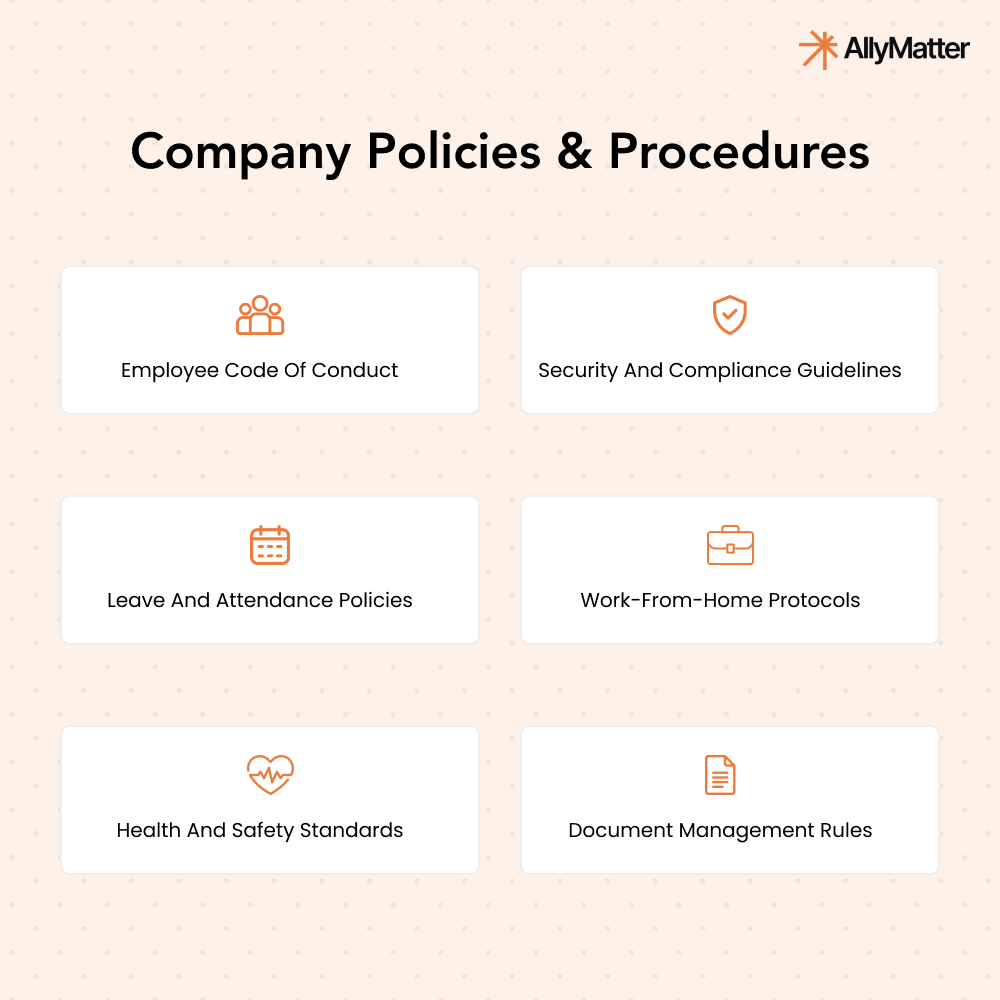
- Code of conduct, workplace expectations, and the rest of the policy set in one place
- Fewer policy-related mistakes because the latest version replaces the previous one
- Easy to update with a real audit trail so the change history is preserved
Example: an employee unsure about the remote work policy finds the current version in the KB instead of starting a thread that goes around the company.
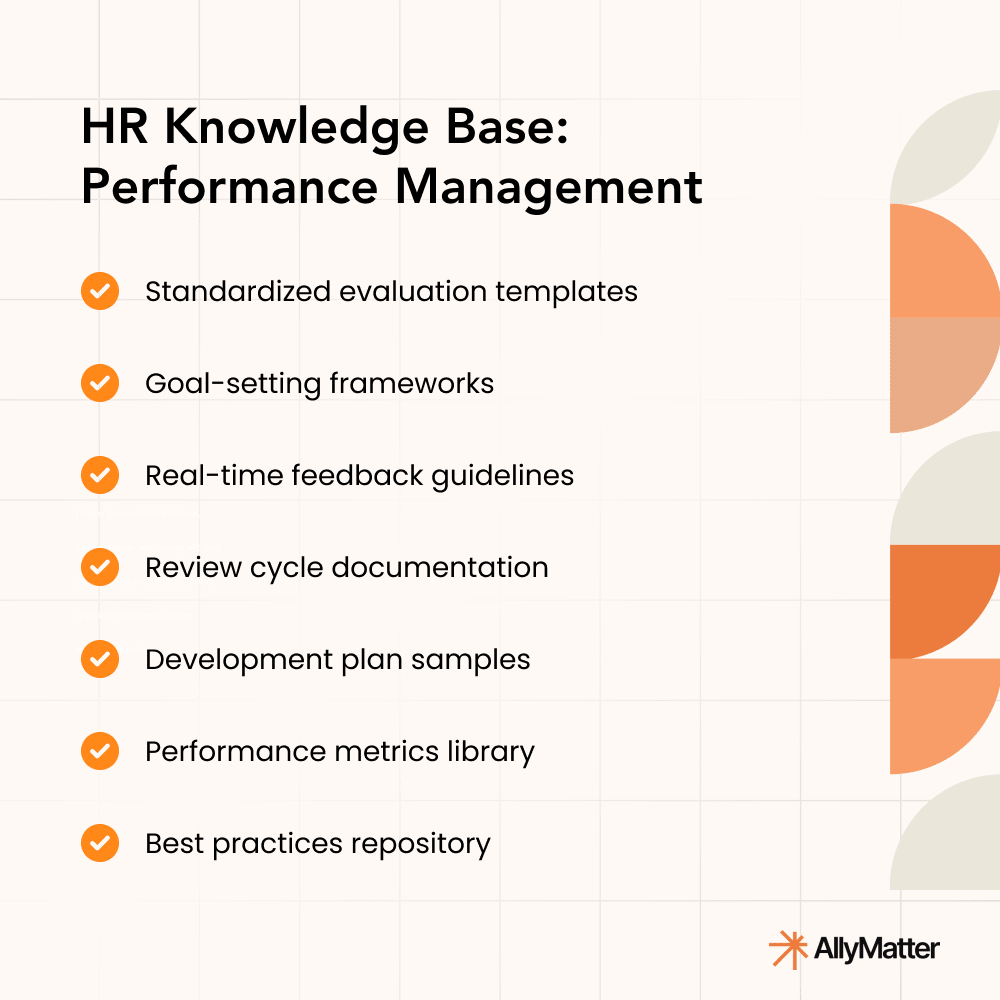
4. Performance management guidelines
Performance reviews are easier when the process is documented and the same for everyone. A KB makes that standardization possible.
- Evaluation process and criteria written down once
- Feedback templates and goal-setting frameworks available to every manager
- Past review records kept where they can be referenced next cycle
Example: a manager running quarterly reviews opens the KB for the feedback template and the rubric instead of building one from scratch every quarter.
5. Compliance and legal requirements
When an auditor or regulator asks for the current policy, ‘we’ll have to check a few places’ is not the answer anyone wants to give. A KB fixes that by making one version the only version.
- Labor laws, anti-discrimination policies, workplace safety regulations all centralized
- Consistent guidance across the organization
- Audit-ready documentation that doesn’t require a fire drill to produce
Example: an employee checks the harassment policy and the reporting procedure in the KB before deciding what to do next, without having to involve HR until they’re ready.
6. Learning and development resources
A culture of continuous learning is a retention tool. According to the LinkedIn Workplace Learning Report, 94% of employees say they’d stay longer at a company that invested in their career development. A KB makes the L&D investment legible.
- Online courses, role-specific guides, and expert resources all in one place
- Self-paced upskilling without waiting on HR to send a link
- Resources HR can update once and have everyone see the change
Example: a marketing teammate looking to improve their copy skills finds the recommended courses and the template library in the KB without filing a request.
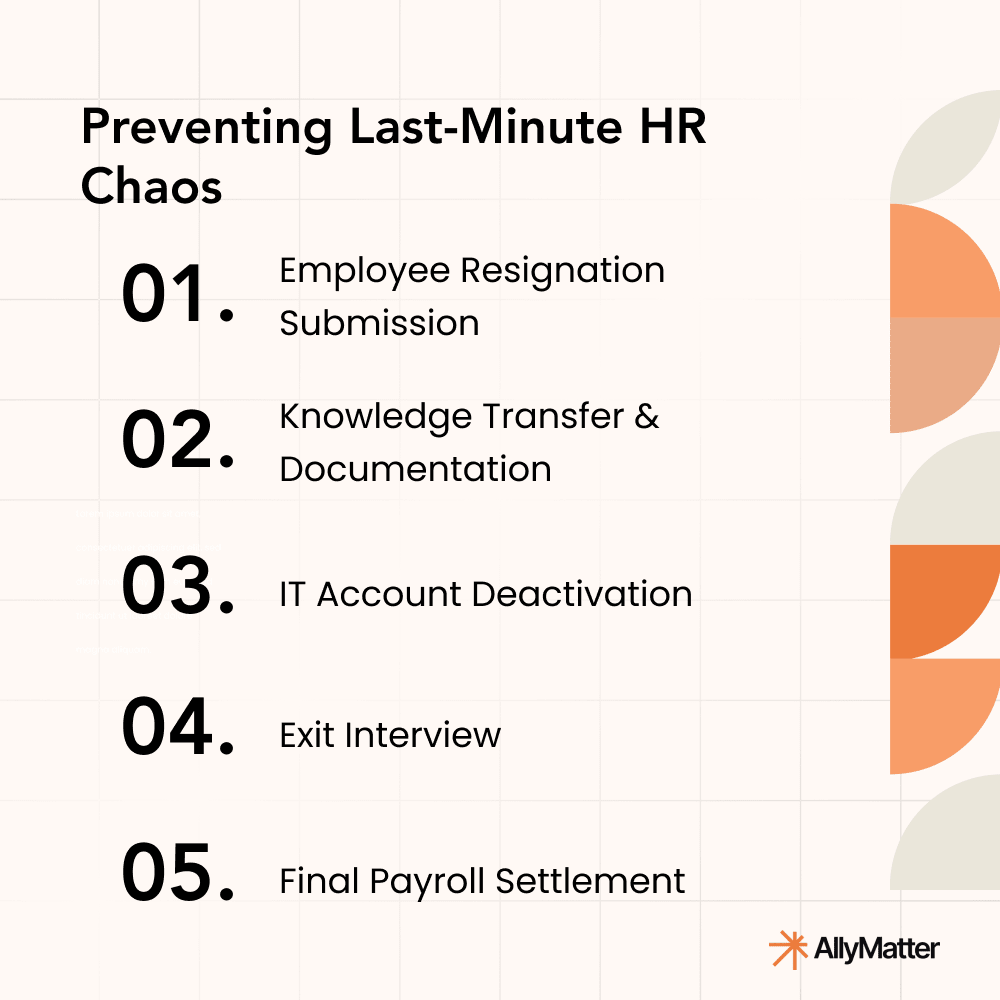
7. Exit and offboarding procedures
When someone leaves, a structured offboarding makes the handover clean. A KB standardizes the exit.
- Resignation steps, knowledge transfer process, and final checklists in one place
- Exit interview template ready to go
- Asset and credential retrieval steps documented so nothing slips
Example: an employee resigning opens the SOP for returning equipment, getting their final pay slip, and completing exit documentation. HR doesn’t have to walk them through it.
8. Employee engagement and well-being programs
Engagement and well-being initiatives work better when employees can actually find them. A KB centralizes the resources so they’re not buried in email.
- Wellness program details, mental health resources, engagement activities all in one place
- Guides on work-life balance, stress management, and support programs
- Better participation in company events because the calendar and signup live where people look
Example: an employee feeling overwhelmed finds the mental health resources and counseling contact in the KB instead of searching their inbox for an old HR email.
9. Internal job postings and career progression
Employees who don’t know how to get promoted often assume the path doesn’t exist, or worse, look for it somewhere else. A KB puts the criteria where they can find it.
- Current internal job openings posted in one place
- Career progression framework and promotion criteria written down
- Required training and prerequisites listed for each level
Example: a teammate eyeing a leadership role pulls up the eligibility criteria and the required training in the KB without having to ask their manager what to focus on.
10. Conflict resolution and workplace support
When something goes wrong at work, the worst moment to figure out the process is in the middle of the conflict itself. A KB has the steps ready beforehand.
- Conflict resolution policies and escalation steps written down
- Mediation options and HR contact points clearly listed
- A workplace where employees know what to do when something goes wrong
Example: if an employee faces a dispute, they open the KB for the steps to resolve it directly first, with the formal escalation path documented if direct resolution doesn’t work.

Which three of the ten should you start with?
Not every team needs all ten right away. Three usually pay off fastest, depending on your situation.
If your top pain is HR drowning in repeat questions, start with onboarding (#1), benefits and compensation (#2), and policies (#3). These three deflect the highest volume of HR tickets.
If your top pain is compliance risk or an upcoming audit, start with policies (#3), compliance and legal (#5), and offboarding (#7). These three are the ones auditors will look at.
If your top pain is retention and growth, start with onboarding (#1), learning and development (#6), and career progression (#9). These three signal that the company invests in the people who join.
Most growing HR teams pick one cluster of three, ship those in 30 days, then expand to the rest over the next quarter.
How AllyMatter maps to these ten use cases
The use cases above describe what a knowledge base should do. The features below describe what makes each one actually work in practice. AllyMatter was built for this work.
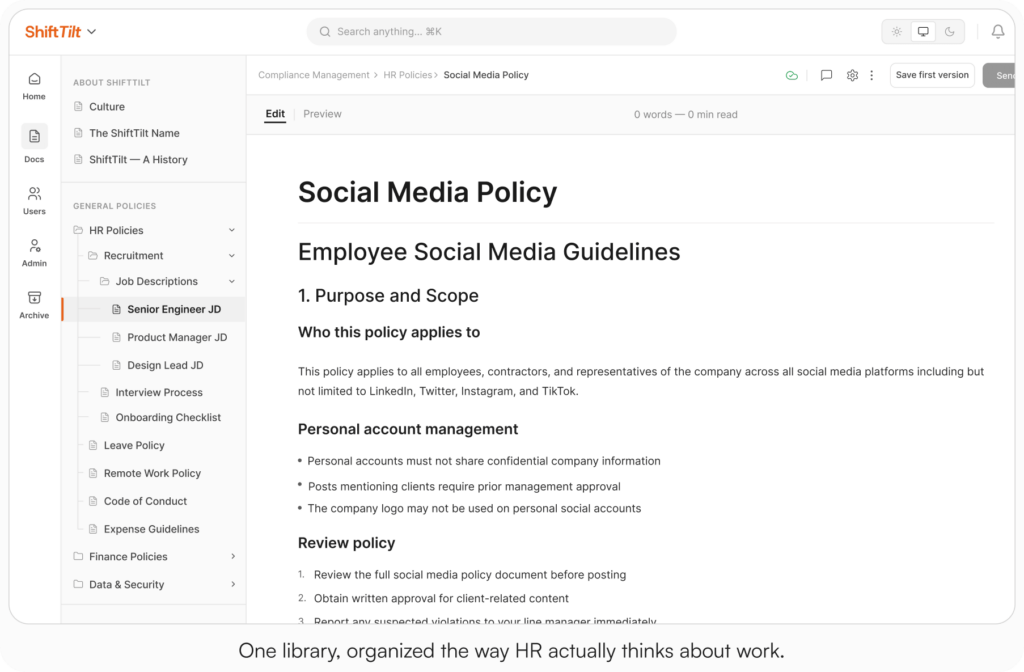
The library that holds everything
Every use case starts here. Set up categories that match how HR thinks about its work: Policies, Benefits, Onboarding, Compliance, Performance, Offboarding. New hires, managers, and HR generalists all navigate the same structure.
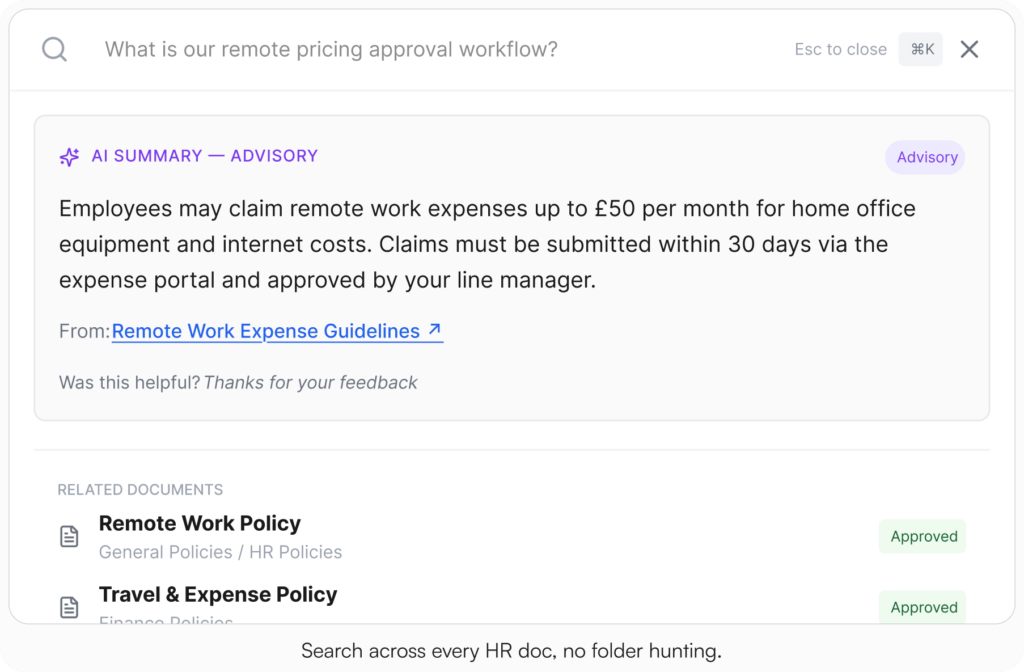
Search that finds the doc on the first try
Use cases #1, #2, #3, #5, #6, and #9 all depend on findability. AllyMatter search returns the right doc in under a second, including searches for the things employees actually type (“parental leave,” “expense policy,” “remote work rules”) rather than the official doc title.
Tag-based access control for who sees what
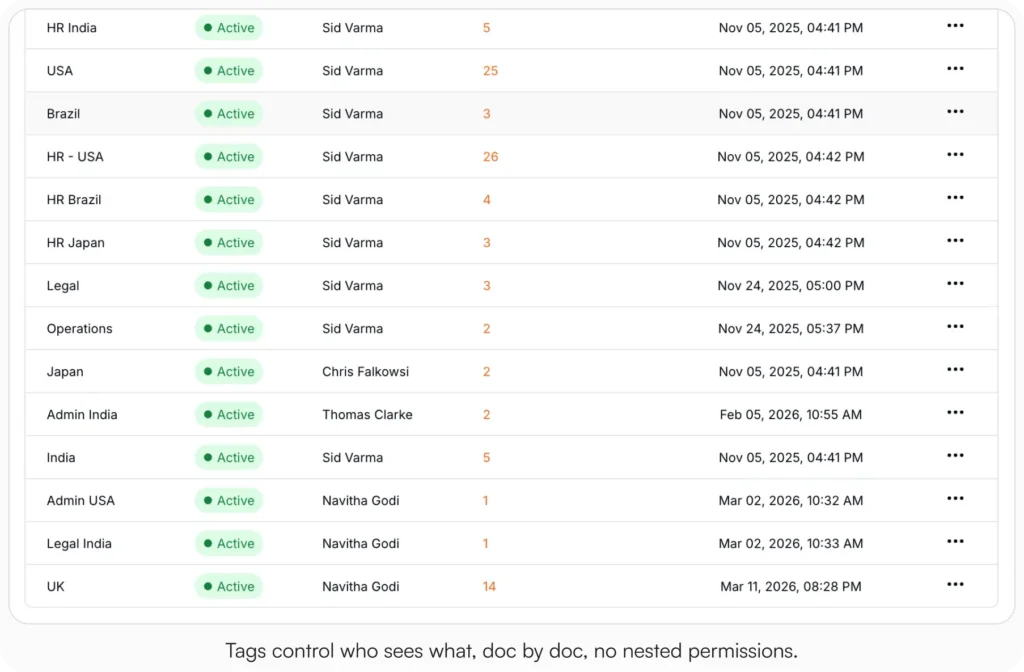
Use cases #2, #5, #7, #9, and #10 involve information that shouldn’t be visible to everyone. Tag-based access in AllyMatter lets you say “this doc is visible to all employees” or “this doc is visible only to managers” or “this doc is visible only to the HR team,” doc by doc. No nested folder permissions to maintain.
Acknowledgment tracking that proves the policy landed
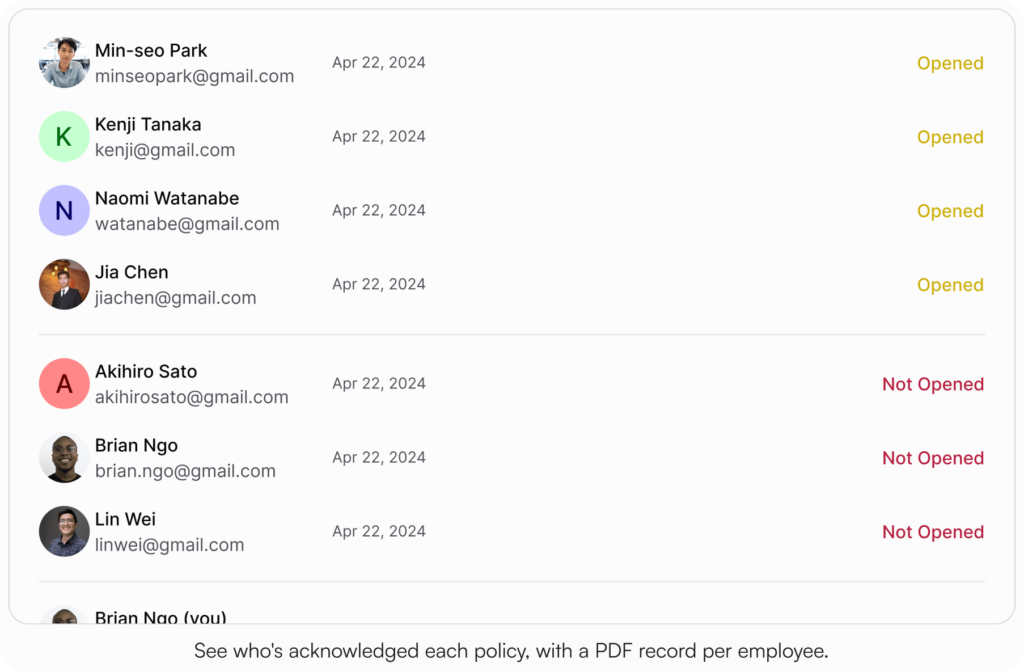
Use cases #3 and #5 (policies and compliance) need more than visibility. They need proof of acknowledgment. When you publish a new harassment policy or update the code of conduct, AllyMatter tracks who has read and acknowledged it, with a PDF record per employee that holds up in an audit.
Approval workflows for the docs that need sign-off
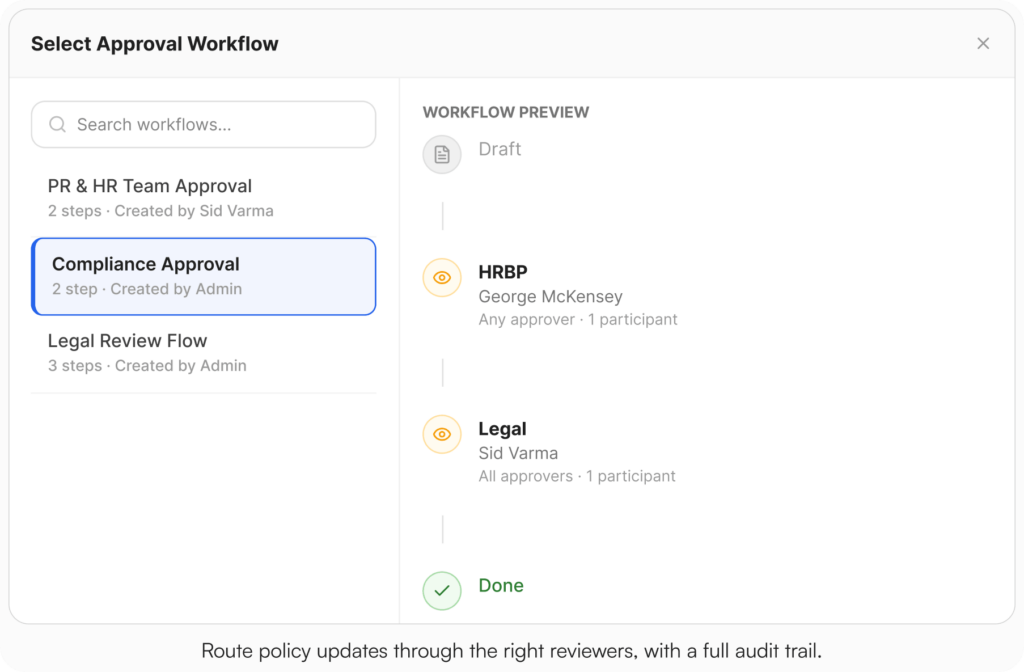
Use cases #3 and #5 (policies and compliance) also need a clean approval chain. AllyMatter routes a policy through the right reviewers (HRBP → Legal → CHRO, or whatever your chain looks like) with names, roles, and timestamps captured on every step.
Version Compare so you can show what changed
Use case #3 (policies) needs version history that’s actually useful. AllyMatter’s Version Compare view shows exactly what’s different between this version and the last, side by side. Useful when an employee asks “did the leave policy change since I read it” or an auditor asks “what was the policy on the date this incident happened.”
External share links for partners who don’t need a seat
Use cases #6 (L&D) and #8 (engagement) often involve external partners (training vendors, benefits brokers, EAP providers). AllyMatter lets you share a doc through a link without giving the recipient a full seat. They get a clean read-only view, you keep control.
Slack and Microsoft Teams integration
When a policy updates or a new onboarding doc lands, the right people get notified in the channels they already work in. The KB shows up where HR and employees are, not in another tab they need to remember to open.
Start your 30-day free trial. No credit card to start, and a 30-day money-back guarantee if you convert and change your mind. Or try the live demo to see the library, search, and acknowledgment views with realistic HR content already populated.
When AllyMatter is the right call
An honest read on whether you’re ready for a dedicated HR KB:
If you’re under 30 employees and HR is one person who can hold the policies in their head, a clean Drive folder with strict naming rules is probably enough. The HR KB build pays off when the team grows past the size where one person knows everything.
If you’re 30 to 200 employees and you’re seeing the signals in the opening of this post (repeat questions, policy versioning confusion, audit prep that turns into archaeology), this is the moment. AllyMatter is what we built for exactly this transition.
If you’re 200+ employees, multi-location, or in a regulated industry (healthcare, finance, legal, government contracting), a structured HR KB with audit-ready acknowledgments and approvals is not optional. AllyMatter or another purpose-built KB makes sense here. We’d start with AllyMatter and we make migration from Confluence, Notion, or Drive easy.
From scattered HR docs to a working system
A real internal KB is not a fancy storage tool. It’s the structural fix for the patterns HR keeps hitting as a company grows. The same five questions every onboarding cycle. The policy version nobody can find during an audit. The institutional knowledge that leaves when one HR generalist transitions out. Each of the ten use cases above is one of those patterns, and each one has a specific feature in AllyMatter that resolves it.
Start with the three use cases that match your biggest pain. Ship those in 30 days. Expand to the rest over the next quarter. By the time you’re at the other side of one full quarter, the team works differently. HR fields fewer repeat questions, the audit packet is one export, and the new hire who joined last week didn’t need to ask anyone how to find anything.
Start your 30-day free trial. No credit card to start, and a 30-day money-back guarantee if you convert and change your mind.
Not ready for a trial? Migration from Confluence, Notion, SharePoint, or Drive is on us when you decide. We’ll move your existing HR docs over and have you up and running in about a week.
Frequently asked questions
What’s the difference between an HR knowledge base and an employee handbook?
An employee handbook is one document (or a small set of documents) that summarizes the rules of working at the company. An HR knowledge base is the system that holds the handbook plus every other piece of HR documentation, with search, version control, access permissions, and acknowledgment tracking layered on top. Most growing companies need both: the handbook for the canonical statement, the KB for everything else.
Which use case should we build first?
If you’re not sure, start with onboarding. New hires hit the KB harder than anyone else, and the time savings are visible in the first month. From there, layer in policies and compliance.
How long does it take to get a real HR KB up and running?
For a 30-200 person HR team, the first cluster of three use cases (onboarding, policies, compliance, or whichever three match your top pain) takes about 30 days. The full ten use cases tend to land over the next quarter. Migration from an existing tool runs about a week with our team.
How do we handle access for confidential HR docs like terminations or compensation?
In AllyMatter, you tag the doc with the access group that should see it (e.g., “HR Team Only” or “Managers Only”). The doc is invisible to everyone else. No folder structure to maintain, no permissions tree to debug. When someone changes role, you change their tag membership and access updates automatically.
Related reading
- HR Knowledge Base: Complete Guide for Scale-Ups
- How to Build a Knowledge Base for HR Teams
- Notion vs AllyMatter for HR Policy Management
- HR Policy Management: Update Policies in Days, Not Weeks
- Why HR Teams Can’t Track Policy Acknowledgments in SharePoint

Founder of AllyMatter I’m founder of AllyMatter, an operations-first knowledge base for growing companies. Before AllyMatter, I co-founded Syren Cloud and helped scale it into a 300-person organization across two countries, leading marketing, operations, and HR. We moved fast, served demanding customers, and learned the hard way that internal knowledge systems built for help docs or IT don’t solve day-to-day operations. AllyMatter is my answer—tools that turn tribal knowledge into trusted, searchable processes. This blog shares the playbooks, checklists, and lessons I wish I’d had while scaling.