A Notion page from 2021. A Slack message from someone who left six months ago. A 15-minute Loom about tools you no longer use. If this is your onboarding stack, the problem isn’t the freelancer. It’s how you transfer knowledge.
After years of watching teams struggle, we realized most organizations never actually document for freelancers. They document for themselves. And that’s where the gap starts.
The fix isn’t more documentation. It’s a different system entirely. An internal knowledge base for freelancers treats external contributors as first-class users, not afterthoughts.
This is exactly why we built AllyMatter, an internal knowledge base built for fast, real-world knowledge transfer. Here’s what we learned.
Freelancers don’t want to be trained
Freelancer onboarding processes often seem like scavenger hunts. The information exists, but it’s buried in 18 different places, filled with contradictions, and hasn’t been updated since your last rebrand.
The cost? Days of wasted time. Slow first deliverables. Missed context. And unnecessary dependencies on your full-time team.
So the question isn’t: “How do I train freelancers faster?”
It’s: “How do I get freelancers the right knowledge at the right time, in a way they can trust and act on?”
This is where a strong internal knowledge base flips the script. However, building an effective internal knowledge base for freelancers means solving three critical knowledge management problems.
Three problems that slow freelancer onboarding
Knowledge hygiene
If your documentation is outdated, nobody trusts it; especially freelancers.
Let’s say your copy guidelines changed 5 months ago. The doc still says “use Oxford commas” but your creative director doesn’t. That leads to rework, confusion, and Slack DMs asking for clarification.
Knowledge hygiene means that you’ve archived old docs, flagged outdated examples, and marked “what’s changed” clearly. Freelancers don’t have time to guess. They need certainty.
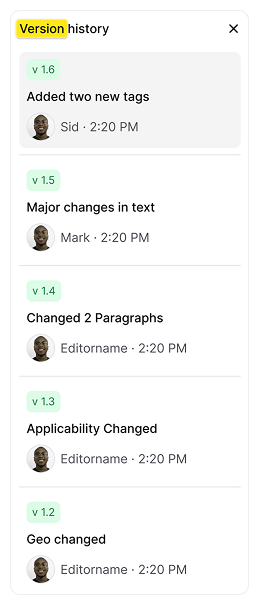
With AllyMatter, every doc has an owner, a last-reviewed date, and scheduled check-ins. So nobody on your team ever has to wonder, “Is this still valid?” Automated versioning and end-to-end audit trails ensure a clear record of all document activity, including who viewed, approved and commented on the document.
Knowledge velocity
This is the speed at which someone new can find and apply the right knowledge. High knowledge velocity means fewer DMs to your team, fewer repeat mistakes, and faster output from the first week.
Your freelance designer needs to prep assets for a product launch. Do they know which team to hand off to? Which Figma library to pull from? Who signs off before it goes live?
If that context lives in someone’s brain or buried in Slack, it may slow everything down, especially when there are tight deadlines.
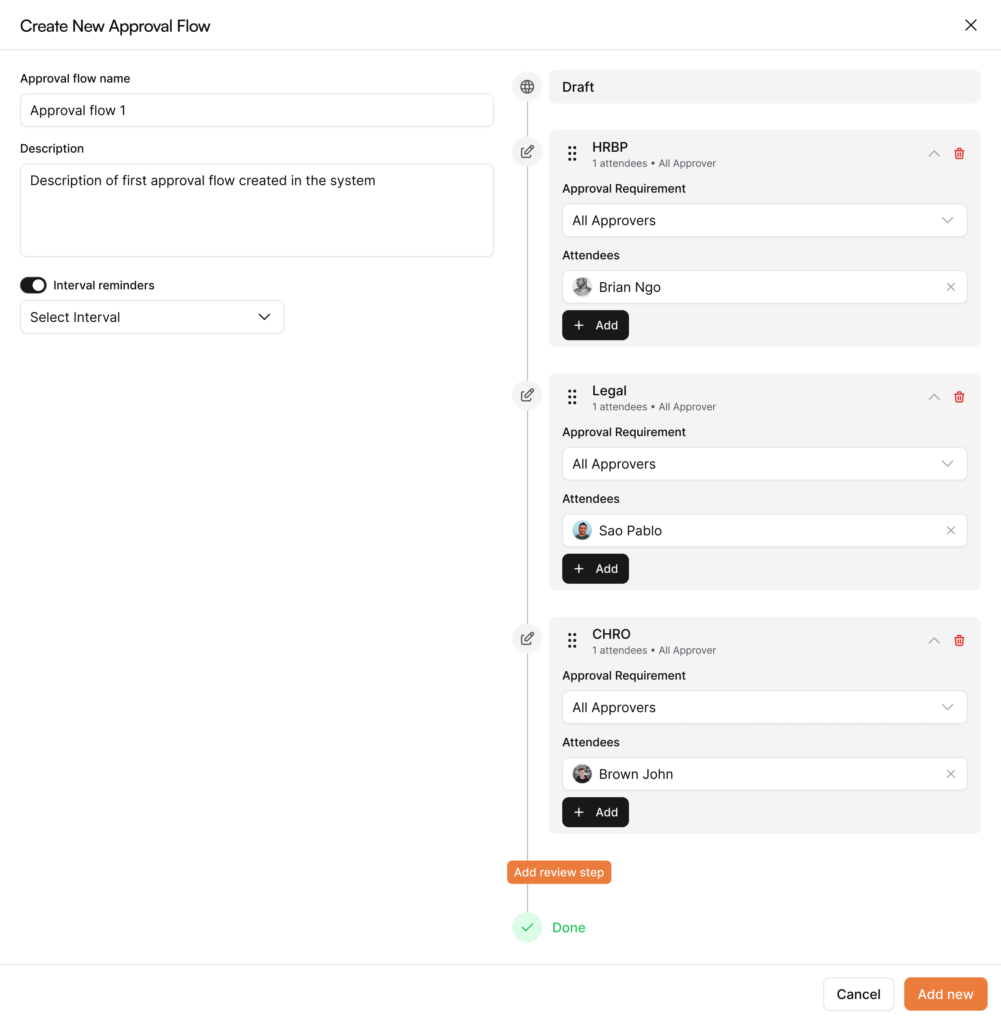
With AllyMatter, everything’s searchable, linkable, and structured by workflow, not by department. So freelancers follow the trail like a GPS. You can create custom workflows, add reviewers and approvers as per your need, and set interval reminders as well.
Information overhead
Ever shared a “welcome pack” with 30 links? That’s information overhead. The more noise you give freelancers, the more time they spend figuring out what not to read.
Most knowledge bases miss this entirely. They’re either too empty or too full. They weren’t built with freelancers in mind.
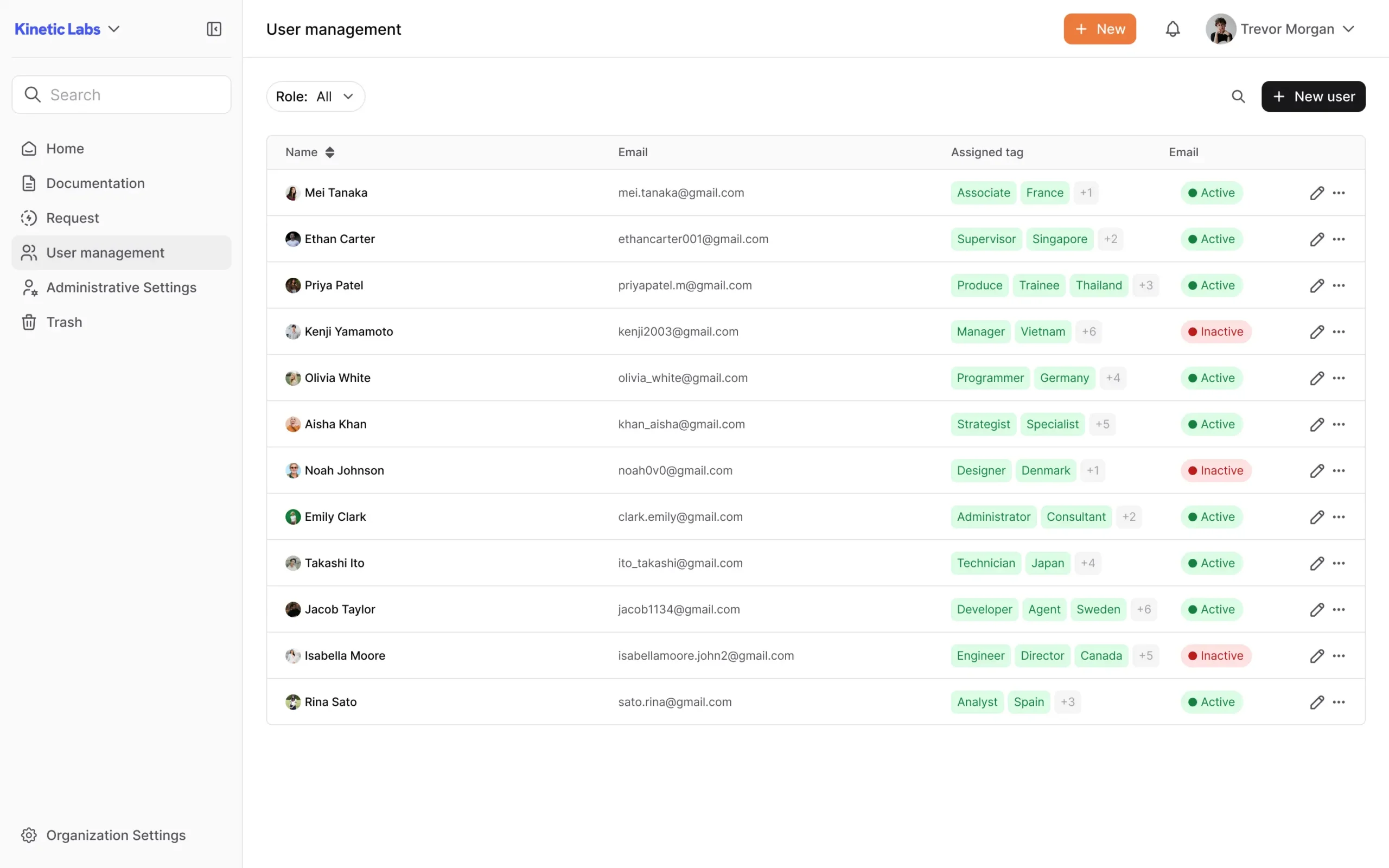
AllyMatter solves this with role-based access control. Writers see writing workflows. Designers see asset specs. Developers see code handoff rules. You eliminate overwhelm and accelerate contribution. Manage permissions for your entire team from a single dashboard.
Quick audit: Is your freelancer knowledge base working?
Check your current setup:
- Last time someone reviewed your onboarding docs: More than 6 months ago?
- Freelancers ask “Where is this?” in their first week: 5+ times?
- You’ve heard “I didn’t know we changed that”: In the last month?
- Time to first quality deliverable: More than 1 week?
If you answered yes to any of these, your knowledge base isn’t freelancer-ready.
Real-world examples
A freelance logistics analyst joins during peak season
Your team brings on a freelancer to help optimize last-mile delivery during the holiday rush. They need to understand:
- How you currently route shipments from regional warehouses
- What systems are used to track delivery KPIs
- What changed last year that caused delays (and how it was fixed)
Without an internal knowledge base, they’re digging through last year’s Google Sheets, trying to get someone from ops on a call, and wasting the first week just trying to understand your acronyms.
With a well-maintained internal knowledge base, they land in a dedicated knowledge section titled “Peak Season Logistics Playbook.” They instantly see:
- A versioned timeline of last year’s delivery issues with escalation logs
- Vendor routing strategies that were piloted and their results
- A glossary of internal systems and who to contact for API access
- Annotated screenshots of your last-mile dashboard and its key metrics.
They plug into your workflow from day one.
A freelance controller is onboarded for month-end close
Your finance team brings in a freelance controller to close the books faster during Q4. They’re expected to:
- Review expense categories
- Check revenue recognition rules
- Reconcile intercompany transactions across multiple entities
Here’s what usually happens: they get access to NetSuite and a few 12-month-old SOPs. Then your team gets flooded with questions like, “Who reviews deferred revenue?” and “Where are the exceptions logged?”
With a hygienic internal knowledge base, finance leaders onboard the freelancer with a pre-configured “Month-End Finance Stack.” Inside, they find:
- Clear workflows for expense categorization, including “edge cases” and who reviews them
- Role-based task ownership for each GL close phase
- A “Known Exceptions” section with explanations of one-off revenue treatments (and when they happened)
- Linked policies, each with a documented last-review date and compliance owner
This way, the knowledge is searchable, current, and governed.
A freelance visual merchandiser is hired to redesign store displays
A growing retail brand hires a freelance merchandiser to roll out new displays across 100+ stores. They’re responsible for:
- Applying brand standards to in-store layouts
- Coordinating with store managers
- Ensuring compliance with seasonal campaign rules
Without an internal knowledge base, your team would be spending critical moments sending PDFs and email chains. Maybe some loose Google Drive folders with inconsistent file names.
With an internal knowledge base, the freelancer logs into the Retail Execution Space, customized with:
- Modular visual merchandising guides — filtered by store size and location
- Brand asset libraries (fonts, imagery, updated logo sets)
- “Store-Specific Notes” from the last campaign rollout
- A store execution audit trail showing which locations needed follow-up last time — and why.
Knowledge base solutions with mobile-responsive interfaces also enable the freelancer to upload photos directly from their phone and tag any issues for follow-up, keeping your HQ team in the loop without added coordination work.
A freelance media buyer manages ad spend across new regions
A freelancer joins to manage paid media across three new regional markets. They’re responsible for:
- Launching new campaigns
- Following internal budget rules
- Reporting back using your custom attribution model
The usual experience? They get added to your Meta ad account and Google Sheets tracker — and spend the first week guessing what worked before and what the rules are.
With an well-maintained and updated internal knowledge base, they open a pre-built “Paid Media Command Center”, complete with:Campaign retrospective summaries with performance data and written insightsA short explainer video walking through your attribution model (stored directly in the KB)Budget governance rules per region and historical exceptionsEmbedded creative brief templates with real past examplesDirect links to UTM-building tools, naming conventions, and creative compliance do’s and don’ts
How AllyMatter works for freelancer training
When we built AllyMatter, we’d watched too many freelancers waste their first week hunting for information. Hiring contractors to move faster only slowed teams down because knowledge lived in someone’s head, brand rules sat in a 2020 slide deck, and every new freelancer repeated the same “DM someone on Slack” routine.
We built AllyMatter to solve this specific problem.
Documentation that doesn’t decay
Every document in AllyMatter has a clear owner, a last-reviewed date, and auto-reminders to review stale content. When your brand guidelines change, the system prompts the owner to update related documents. Freelancers get current information, not archaeology.
Search that surfaces context, not just files
Search results rank by relevance, role, and recency. When a freelance designer searches “brand assets,” they get the current logo library, not last year’s deprecated files. Context matters. Our search understands it.
Workflow-based structure
Organize knowledge around how work actually happens. Instead of departmental folders, create pathways like “New Campaign Launch” or “Month-End Close.” Freelancers follow the trail without needing to understand your org chart.
Version history that tells the story
Freelancers often land mid-project. They don’t need the full history, but they do need to know what changed and why. AllyMatter tracks every edit with commentary, so new contractors understand current processes without repeating old mistakes.
Role-based visibility
Freelance writers don’t see dev logs. Finance contractors don’t wade through your creative archive. Configure access so each role sees exactly what they need. Reduce overwhelm. Accelerate contribution.
Built for remote work
Freelancers work async, across time zones, often from field locations. AllyMatter is fully responsive. Documentation works where your team works, not just inside headquarters.
Ready to stop losing days to freelancer training? Sign up for a personalized demo and see the AllyMatter difference: Contact Us
Frequently asked questions
Do freelancers need their own separate knowledge base?
Not separate, but specialized. The best approach uses one platform with role-based access. Freelancers see workflow-specific guidance without swimming through company policies, org charts, or internal politics. Same system, different views based on what each role needs to accomplish.
How is a knowledge base different from shared documentation?
Documentation lives anywhere: Google Docs, Notion, Confluence. A knowledge base is a structured system with search, permissions, version control, and workflow organization built in. It’s the difference between a filing cabinet and a library catalog. One lets you store things; the other helps you find them.
What should be in a knowledge base for freelancers?
Focus on action: how to access tools, who approves deliverables, where assets live, and examples of past work. Strip out company history, team bios, and meeting notes. Freelancers need operational clarity, not cultural context. Include SOPs, approval workflows, asset libraries, and decision logs.
How do I keep a freelancer knowledge base current?
Assign ownership for each section with scheduled review dates. When workflows change, update immediately rather than waiting for quarterly reviews. Use version tracking to show what changed and why. Link related documents so updates ripple through connected content automatically.
Can freelancers access sensitive company information in a knowledge base?
No, with proper role-based access control. Configure permissions so freelancers see only what’s relevant to their specific work. Protect financial data, strategic plans, and employee information while still giving contractors the operational knowledge they need to deliver quality work.