
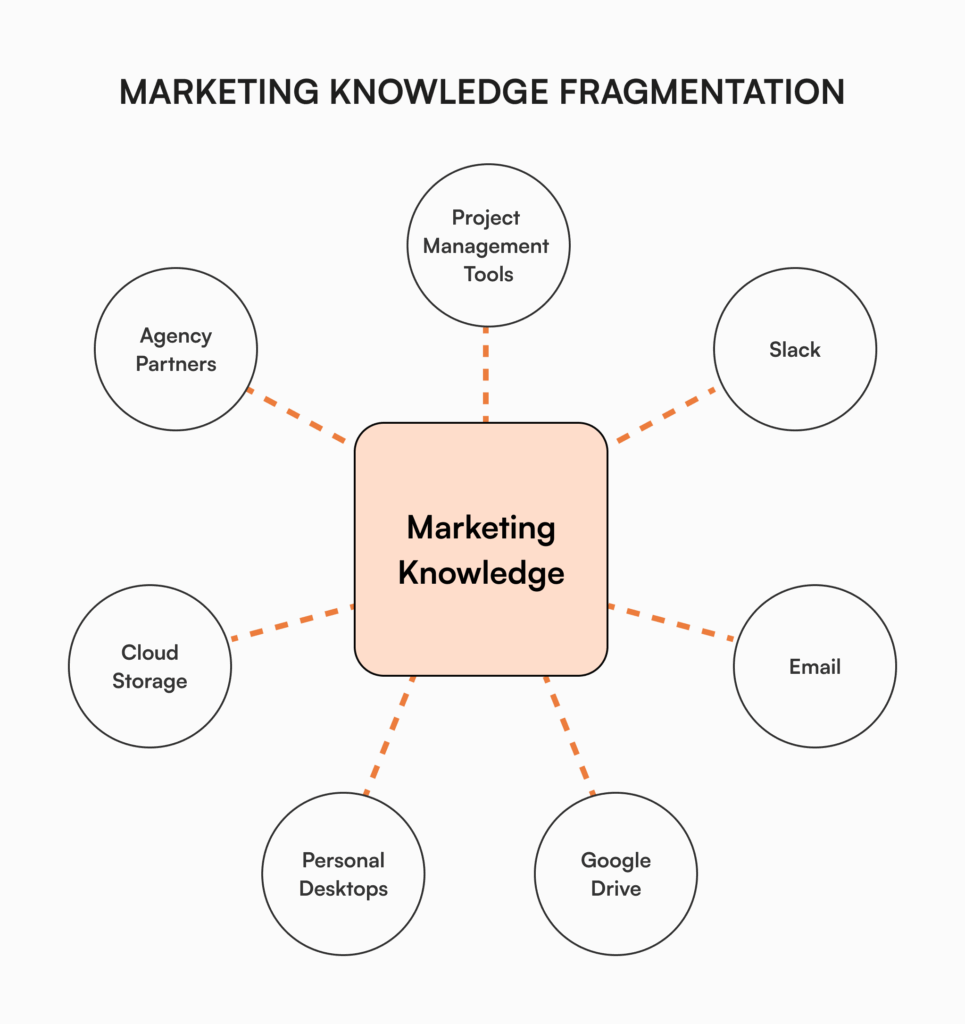
Marketing teams juggle multiple channels, assets, and campaigns at once. When critical information lives in scattered places (email threads, Slack messages, Drive folders, individual desktops, agency portals), marketing effectiveness suffers in predictable ways.
According to McKinsey research, employees spend nearly 20% of their workweek looking for internal information or chasing down colleagues for help. Marketing teams take this hit harder than most because of the sheer volume of assets they touch and how often they hand off work to people outside the team.
Concretely, the fragmentation shows up as:
- Brand inconsistency when guidelines aren’t readily available
- Repeated questions that interrupt creative work
- Lost campaign insights that could have shaped the next quarter
- Difficulty finding the most current version of an asset
- Knowledge walking out the door when a team member leaves
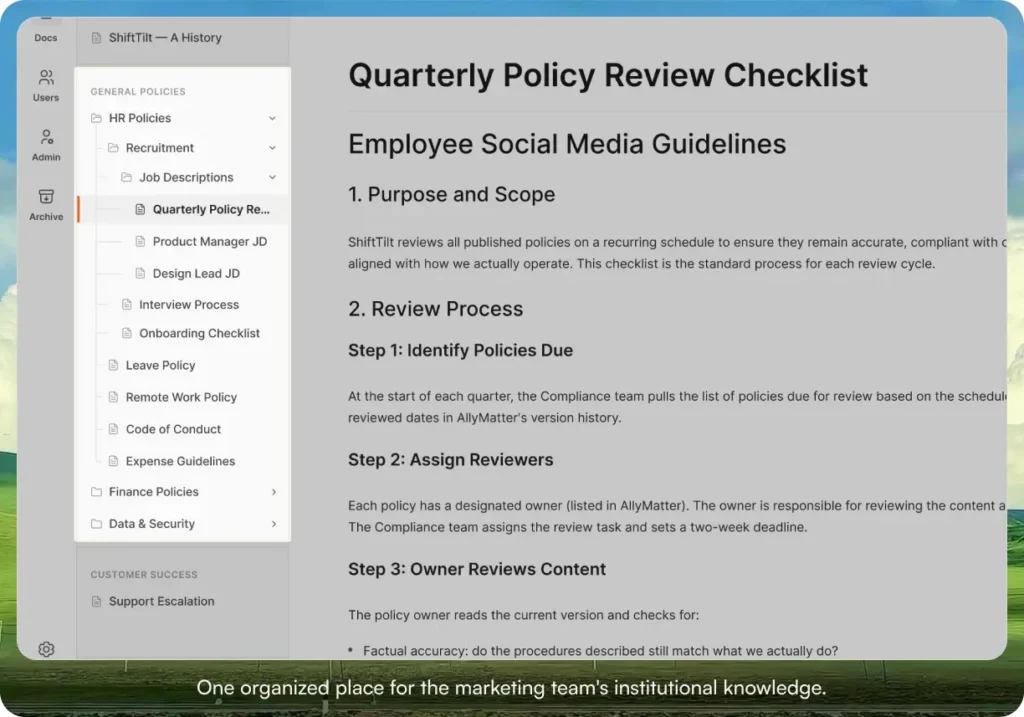
One quick distinction before going further. A knowledge base is for written knowledge: brand voice, messaging frameworks, campaign briefs, playbooks, vendor docs, process SOPs. Binary assets like logo files, raw photography, video files, and ad creative belong in a digital asset manager (DAM) or a clean Drive folder. The two systems sit side by side. This post is about the first one.
An internal knowledge base creates a single source of truth for marketing operations. Here are the ten use cases that pay off first.
Brand guidelines repository
Marketing teams maintain extensive brand standards: logo usage, color palettes, voice guidelines, messaging frameworks. Without centralized access, these standards get applied inconsistently.
A knowledge base creates a living brand guidelines repository where:
- Visual identity rules stay accessible to everyone who needs them
- Brand voice guidelines hold across channels
- Approved messaging frameworks guide every external touchpoint
- Updates reach everyone simultaneously, so the old version stops circulating
When you refresh your visual identity, you update the central doc once. Every team member, including external agencies, sees the new standards the next time they open it. The “which logo version should I use” thread on Slack stops happening.
When agencies and freelancers need access to brand standards, controlled permissions give them what they need without exposing anything they shouldn’t see.
Campaign documentation and lessons learned
Marketing campaigns generate valuable insight that often vanishes after the campaign closes. Teams repeat past mistakes or fail to build on what worked last time.
With proper knowledge management, marketing teams can:
- Document campaign strategies, assets, and results in a consistent format
- Record what was learned during execution (not just the metrics at the end)
- Build templates from successful campaigns
- Make this institutional knowledge available to new team members
A new product marketing hire who can read the last four product launch retros, with messaging that worked, messaging that fell flat, and which channels delivered, ramps in weeks instead of months.
Marketing asset management
The sheer volume of marketing assets (logos, photos, videos, infographics, presentations) requires careful organization. When assets live in multiple locations, marketers waste time hunting for what they need.
A knowledge base with proper organization lets teams:
- Store visual assets in a searchable repository
- Use version control so outdated assets stop circulating
- Organize by campaign, channel, or content type
- Set access permissions based on team and role
Standardized naming conventions and tags mean a designer can filter by product line, season, or channel and find exactly what they need without searching across three drives or pinging a colleague. The “do you have the latest version” emails stop.
Content calendar and editorial planning
Content marketing needs careful planning and coordination across multiple stakeholders. When the plan lives in a spreadsheet with limited visibility, alignment breaks down.
Centralizing content planning in a knowledge base helps teams:
- Keep editorial guidelines and standards in one accessible place
- Make content workflows visible to everyone involved
- Maintain publishing schedules across channels
- Track content performance metrics and insights over time
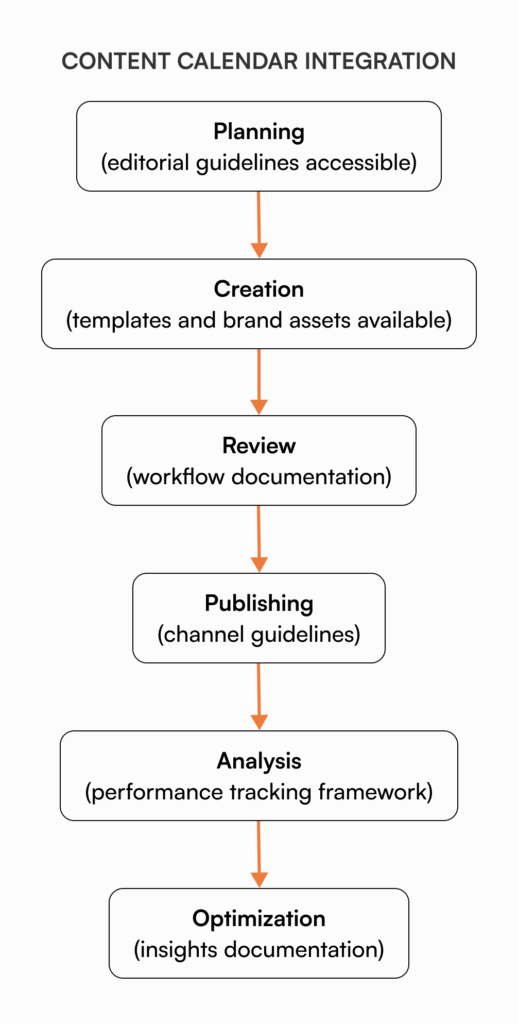
The editorial calendar should link out to specific guidance for each content type, the approval workflow it follows, and channel-specific requirements. Writers, designers, and approvers all follow the same process regardless of who’s leading a given content piece.
Competitor research database
Marketing teams gather valuable competitive intelligence that drives strategy. Without documentation, the insight stays trapped in one person’s head or gets lost entirely.
A competitor research section in your KB lets you:
- Build structured profiles of key competitors
- Document competitive messaging and positioning
- Track competitor campaigns and channel strategies
- Share market analysis across departments
When quarterly planning starts, the team reviews the centralized competitive intelligence to spot gaps and differentiation opportunities. It turns scattered observations into strategic input.
Marketing technology documentation
The modern martech stack includes a dozen platforms with messy configurations. When the usage knowledge lives only in the heads of power users, the rest of the team uses these tools at maybe 20% of their capability.
Centralizing martech documentation helps the team:
- Write standard operating procedures for each platform
- Document configurations and integration points
- Build troubleshooting guides for the issues that come up repeatedly
- Record best practices for platform usage
This reduces dependency on the one person who knows how the marketing automation rules actually work, and makes it possible to use the tools you’re already paying for.
New hire onboarding
Marketing roles need specific knowledge of brand standards, processes, and tools. Without structured onboarding, new team members take far longer than necessary to become productive.
A knowledge base accelerates marketing onboarding through:
- Role-specific resource collections
- Self-service access to common information
- Process documentation for critical workflows
- Brand and messaging guidelines in one place
Research from the Society for Human Resource Management indicates it takes new hires 8-12 months to hit full productivity in professional roles. Most of that ramp is information-gathering. A real KB cuts it materially.
Customer personas and segmentation details
Effective marketing depends on deep customer understanding, but persona docs often live in a strategy deck rarely referenced after creation.
Centralizing customer insight helps the team:
- Maintain living persona documents instead of one-off deck slides
- Document segment characteristics and behaviors
- Store messaging frameworks aligned to each segment
- Make research findings accessible so they inform future campaigns
This keeps customer understanding at the center of marketing activity rather than isolated in a strategy doc nobody opens.
Vendor and partner information
Marketing teams work with agencies, freelancers, and tech vendors. When relationship details live in individual inboxes, collaboration gets inefficient fast.
A KB for external relationships documents:
- Agency scopes and working processes
- Vendor contracts and capabilities
- Partner program details and requirements
- Contact information and relationship history
When a team member leaves or changes roles, the institutional knowledge of how vendor relationships actually work doesn’t leave with them.
Performance reporting templates
Marketing teams produce regular performance reports for multiple stakeholders. Without standardized approaches, reporting eats time and ends up inconsistent month to month.
Centralizing reporting knowledge helps the team:
- Define standard KPIs and how they’re calculated
- Create reusable reporting templates
- Document data sources and collection processes
- Build stakeholder-specific reporting frameworks
When someone inherits quarterly reporting from a teammate who left, they read the standard template, see which metrics executives expect, where the data comes from, and how it’s presented. What could have been weeks of confusion becomes a smooth handover.
How AllyMatter supports marketing knowledge management
Marketing teams need more than basic document storage. They need the doc to be findable a year from now, governed when it matters, and visible to the right people.
We built AllyMatter for what comes after the doc is written. Most tools (Notion, Google Docs, Confluence) are built for the creation phase, where two people draft a doc together. AllyMatter is built for the phase that matters more for marketing: making sure the brand voice doc, the campaign playbook, and the agency briefing template are findable, governed, and trusted as the team grows.
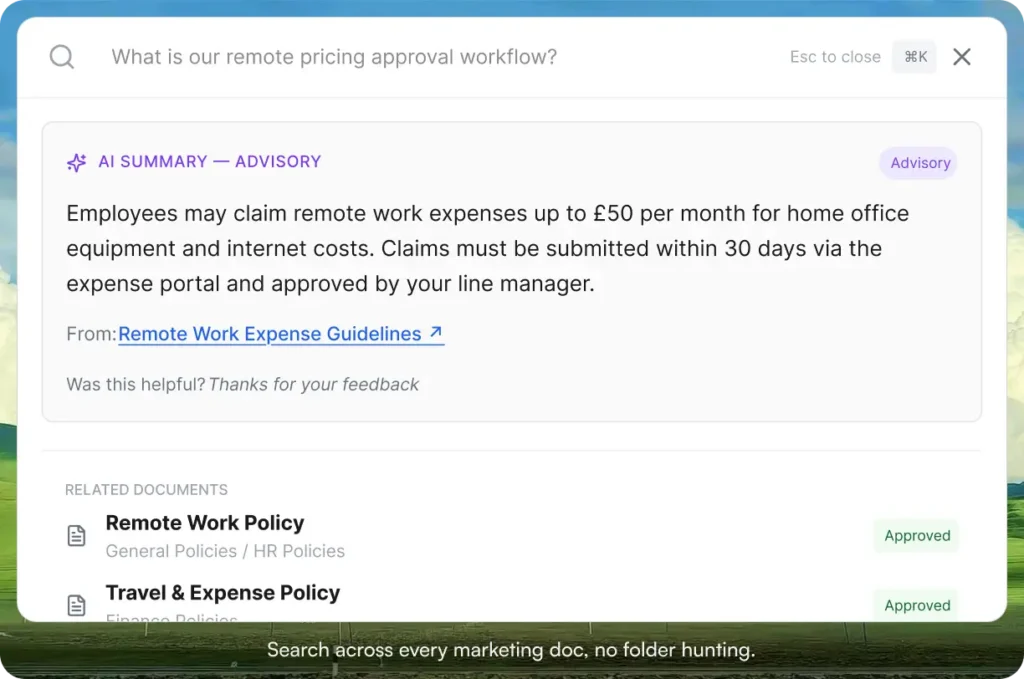
Search that actually finds the doc. Type a few words and the right doc surfaces in under a second. No more sending a Slack message asking where something lives.
Tag-based access control. Your full brand guidelines visible to everyone in the company. Your unannounced product launch messaging visible only to people tagged on the launch team. No nested folder permissions to set up every time a doc changes hands. (Granular access control by tag, not by folder tree.)
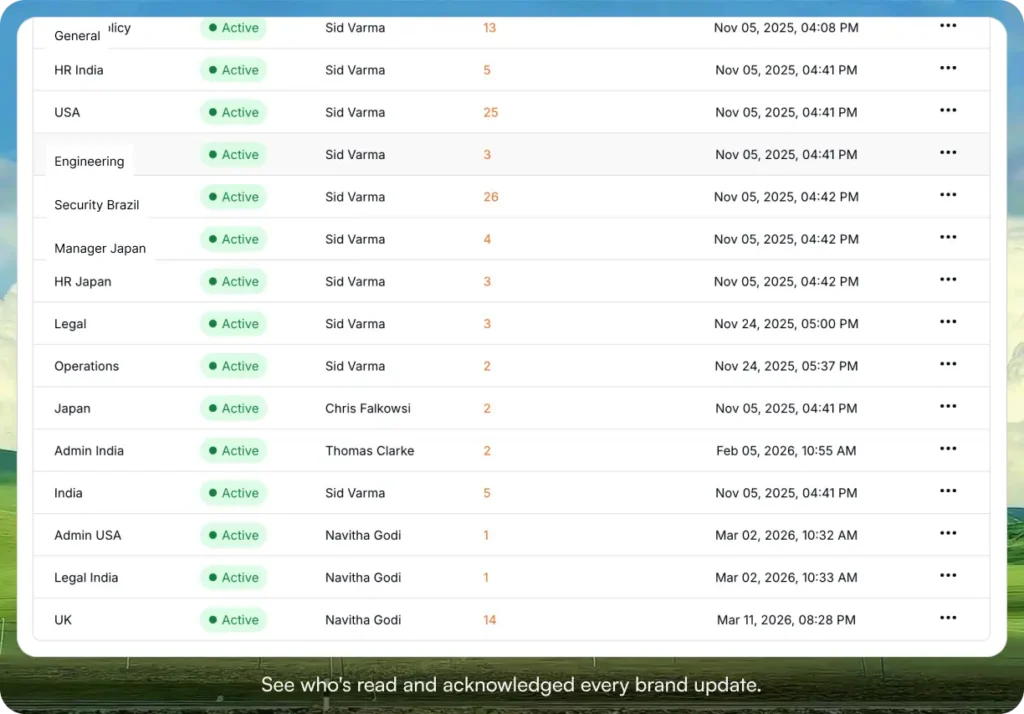
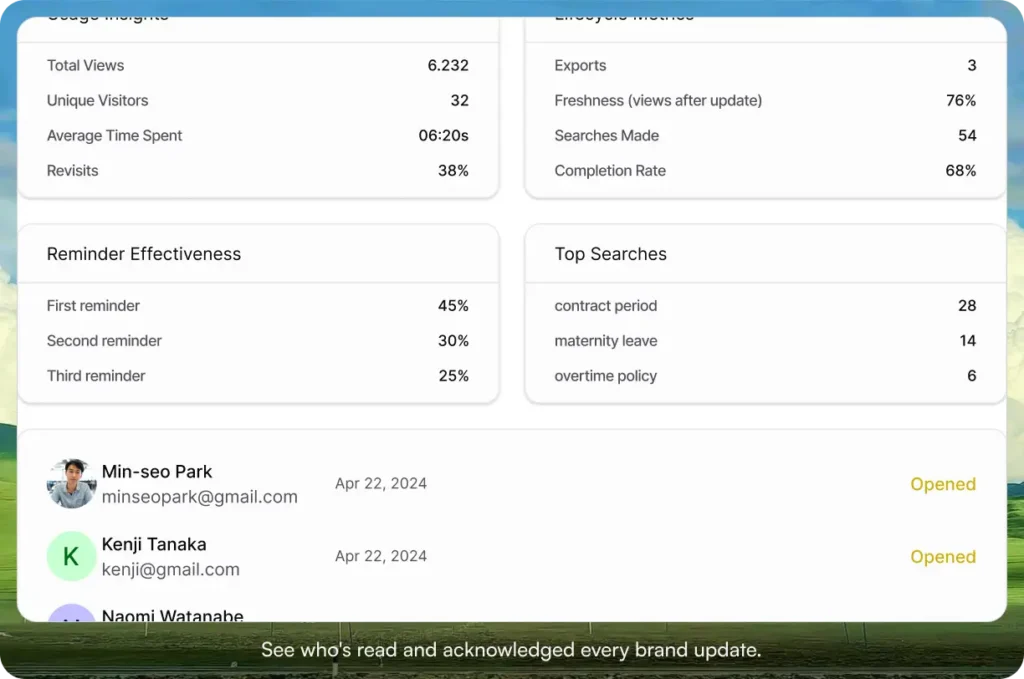
Acknowledgment tracking. When you ship a brand refresh or a new messaging framework, you can see who has read and acknowledged it, with a PDF record per person. No more wondering whether the agency actually saw the new tone guidance.
Inline images for brand guidelines. Drop logos, color swatches, type samples, and example layouts directly into the doc so the brand guidelines read the way they should, not as a wall of text that points at a separate file.
External sharing. Share a brand guidelines doc with an agency or freelancer through a link, without giving them a full seat. They get a clean read-only view, you keep control.
Where your team already works. Native Slack and Microsoft Teams integration, so updates and reminders show up where marketers already are instead of in another tab they need to remember to open.
Version Compare. When the brand guidelines change, you can see exactly what’s different between this version and the last. Useful when a freelancer asks “did the rules change between when we briefed this and when we delivered it?”
Start your 30-day free trial. No credit card to start, and a 30-day money-back guarantee if you convert and change your mind.
Three scenarios
An honest read on when to put a marketing KB in place:
If your marketing team is under five people inside a smaller company, you probably don’t need a dedicated KB yet. A clean Notion workspace or Drive structure with strict naming rules will hold for a while.
If your marketing team is between five and thirty inside a company that’s growing, the cracks are already showing. Brand voice drift, campaign briefs disappearing, three different people answering the same agency question. This is the moment. AllyMatter is what we built for it.
If you’re 30+ marketing people, working across regions, product lines, or a network of agency partners, a KB is no longer optional. You need search, access control, governance, and acknowledgments. AllyMatter or another purpose-built KB platform makes sense here. We’d start with AllyMatter.
What you can achieve with marketing knowledge management
A working internal knowledge base shows up in a few specific places:
- Centralized brand and campaign knowledge that’s actually findable
- Institutional marketing wisdom that survives turnover
- Cleaner collaboration with internal teams and external partners
- Consistency in marketing execution across people and channels
- Less time hunting for information, more time on actual marketing
Getting started with your marketing knowledge base
Start with an audit of what already exists and where it lives. Identify the highest-value content (brand guidelines, messaging framework, campaign brief template) and migrate those first. Set up a structure that matches how your team searches, not how it organizes its drives today. Train the team, name owners for each section, and create a clear update cadence so the KB doesn’t drift back into the same state your Drive is in now.
Marketing teams that document well execute better. Start your 30-day free trial. No credit card to start, and a 30-day money-back guarantee if you convert and change your mind.
Not ready for a trial? Migration from Confluence or Notion is on us when you decide. We’ll move your existing marketing docs over and have you up and running in about a week.
Frequently asked questions
How do you get a marketing team to actually use the new knowledge base?
Involve the team in setup. Document the most-requested information first, so the KB earns trust by being the fastest path to an answer. Make it the default link in onboarding, meeting notes, and Slack threads. Leadership uses it visibly. The team mirrors what leadership does.
What’s the difference between a digital asset manager and a marketing knowledge base?
A digital asset manager (DAM) stores binary files: logos, raw photography, videos, ad creative. A marketing knowledge base stores the written knowledge that explains how to use those assets and how the team works: brand voice guidelines, messaging frameworks, campaign briefs, playbooks, SOPs. Most marketing teams need both. The KB tells you what to do, the DAM holds the files you do it with.
Which marketing processes benefit most from documentation?
Anything with multiple stakeholders, frequent repetition, or high complexity. Campaign planning, content workflows, approval processes, and reporting tend to gain the most.
How do marketing teams balance accessibility with security?
Marketing teams often work with external agencies and contractors while sitting on competitive information they can’t share. A KB with granular access controls lets you share brand guidelines with external partners on read-only links while keeping strategic docs visible only to the internal team.
Related reading
- Internal Knowledge Base 101
- Everything You Need to Know About Building a Knowledge Base for HR
- 7 Marketing Tasks Simplified by an Internal Knowledge Base

Vikas is a B2B marketing professional with over 14 years of experience in content strategy, messaging, and demand generation. He specializes in turning complex business challenges into clear, actionable stories to connect meaningfully with audiences.