
A new HR director joins a growing company and inherits a digital labyrinth: HR documents spread across three cloud storage platforms, countless email threads, and the occasional physical filing cabinet. The first month goes to locating current versions of policies. This is not unusual. It’s the reality for HR at most growth-stage companies today.
HR departments deal with an ever-growing volume of documentation while needing to maintain accessibility, compliance, and consistency. For growing companies, this gets harder fast. Team members need instant access to up-to-date HR information, and the gap between “we have a policy” and “people can find the current version of the policy” is where things break.
Four signals you’ve outgrown your current setup:
- New hires email HR with the same five questions every cycle
- The same policy was updated three times this year but nobody knows which version is current
- An audit request landed and finding the right policy version took half a day
- An HR generalist resigned and the institutional knowledge is walking out with them
AllyMatter’s knowledge base solution offers a structured approach to centralizing and organizing HR documentation. Below are ten HR use cases where AllyMatter changes the work from administrative burden to working system.
10 Key HR use cases with AllyMatter
Employee onboarding documentation management
The onboarding process is critical for new team members, but it often involves juggling numerous documents across multiple platforms. With AllyMatter, you can create a centralized onboarding knowledge base that gives new hires everything they need in one place.
A new marketing manager joins. Instead of scattered emails with various documents and links, they access a structured onboarding portal within AllyMatter that contains:
- Company policies and procedures
- Role-specific documentation
- Training materials
- Required forms and acknowledgments
- Team introductions and organizational charts
This cuts the time HR spends on repetitive onboarding tasks while giving new team members consistent access to what they need. Step-by-step learning paths guide new hires through the process at their own pace, reducing the load on your HR team.
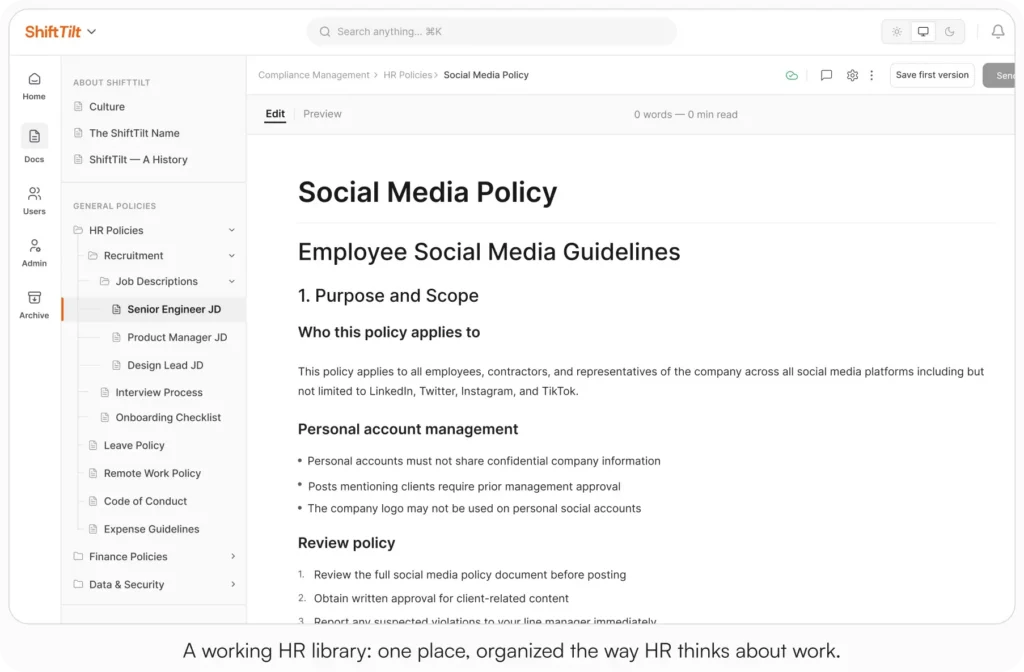
Research from the Society for Human Resource Management shows it takes new hires 8-12 months to achieve full productivity in professional roles. Most of that ramp is information-gathering. Cut the search time and the ramp shortens.
For more on the specific use cases, see Internal Knowledge Base – HR Department Use Cases.
HR policy creation and distribution
Creating, updating, and distributing HR policies requires careful attention. AllyMatter handles it through a single workflow.
HR teams can:
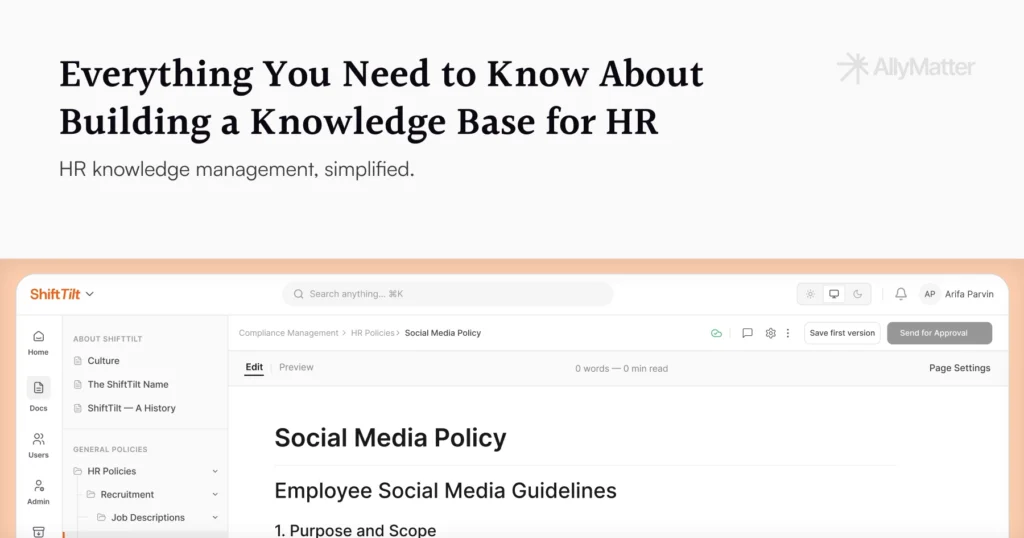
- Write policy documents in the editor
- Track changes with version control
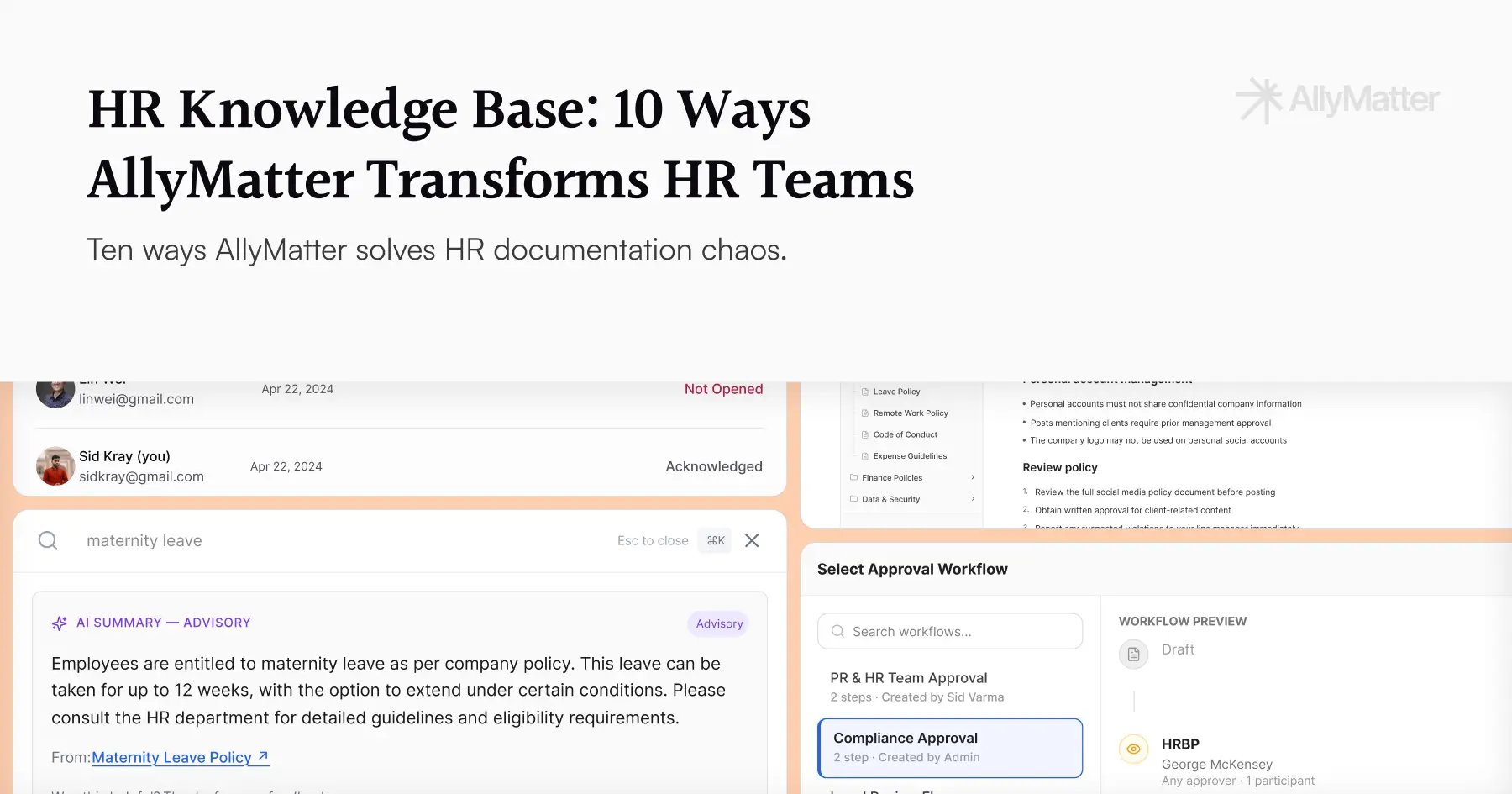
- Route updates through approval workflows
- Make policies searchable across the organization
- Monitor who has viewed and acknowledged each policy
Granular access control lets HR decide exactly who can view, edit, or approve each policy, so sensitive docs stay contained without slowing down the teams who need them.
A short checklist when a policy needs updating:
- Minor clarification → update directly, version control captures the change
- Affects multiple departments → trigger the approval workflow
- Legal review required → route through compliance approval first
- Ready for distribution → publish with acknowledgment requirements
Compliance management and legal acknowledgments
Maintaining compliance with regulations is one of HR’s most critical jobs. AllyMatter tracks compliance records and employee acknowledgments natively.
The platform lets HR:
- Flag documents that require acknowledgment
- Track acknowledgment status in real time with PDF records per employee
- Maintain detailed audit trails for compliance verification
- Set automated reminders so policy reviews don’t slip
- Generate audit-ready exports on demand
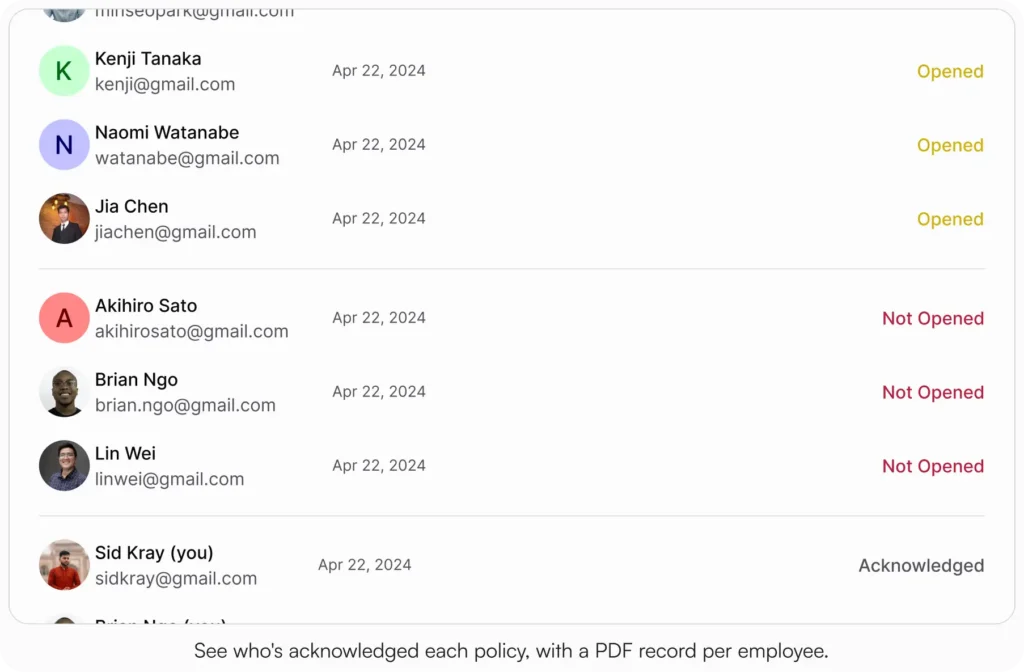

An HR manager at a 150-person company needs to ensure every employee acknowledges a new data privacy policy within two weeks. In AllyMatter, the manager tracks acknowledgment status in real time, automated reminders go to anyone who hasn’t responded, and the complete audit report exports when legal asks. No follow-up emails required.
Performance review documentation and processes
Performance reviews generate documentation that needs to be securely stored, easy to find for the right people, and properly organized. AllyMatter gives the review cycle a real structure.
With AllyMatter, HR can:
- Maintain standardized performance review templates
- Establish review cycles with the right workflow per role
- Securely store historical performance data
- Control access to sensitive performance information
- Let managers and employees collaborate on review docs
This keeps reviews consistent across departments while maintaining confidentiality for sensitive personnel information.
Training materials management
Keeping training materials updated and accessible is critical for ongoing development. AllyMatter handles it as part of the same library.
HR teams can:
- Centralize all training materials in a searchable repository
- Categorize content by department, role, or skill
- Track completion of required training
- Update materials in real time across the organization
- Embed images, charts, and visual explanations inline
Technical training materials organized by date created, department, and geography mean team members find relevant training without HR intervention.
Employee handbook management
Employee handbooks contain critical information but tend to live in PDFs that nobody can search or update easily. AllyMatter turns static handbooks into living, searchable resources.
Benefits include:
- Single source of truth for company policies
- Updates that immediately reflect across the organization
- Searchable content for quick reference
- Version tracking that shows how the handbook has evolved
- Acknowledgment workflows built in for material changes
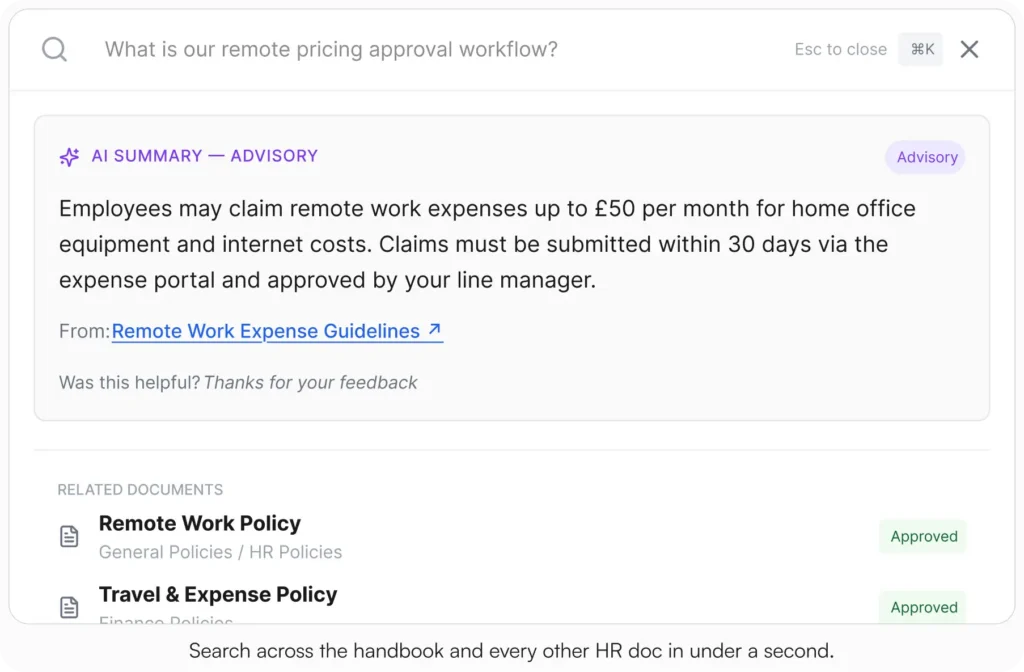
This cuts confusion about current policies and reduces HR inquiries about basic policy questions. A Gartner survey found 47% of digital workers struggle to find the information they need to do their jobs. Search-first navigation is the fix.
To implement effectively, see our Internal Knowledge Base Best Practices.
HR document approvals and signatures
The approval process for HR documents often involves multiple stakeholders and requires careful tracking. AllyMatter’s approval workflows handle this from start to finish.
Features include:
- Multi-stage approval workflows with named approvers
- Real-time status tracking of documents in the approval queue
- Automated notifications for pending approvals
- Complete audit trails of every approval decision
- Acknowledgment tracking with PDF records for documents that need formal employee sign-off
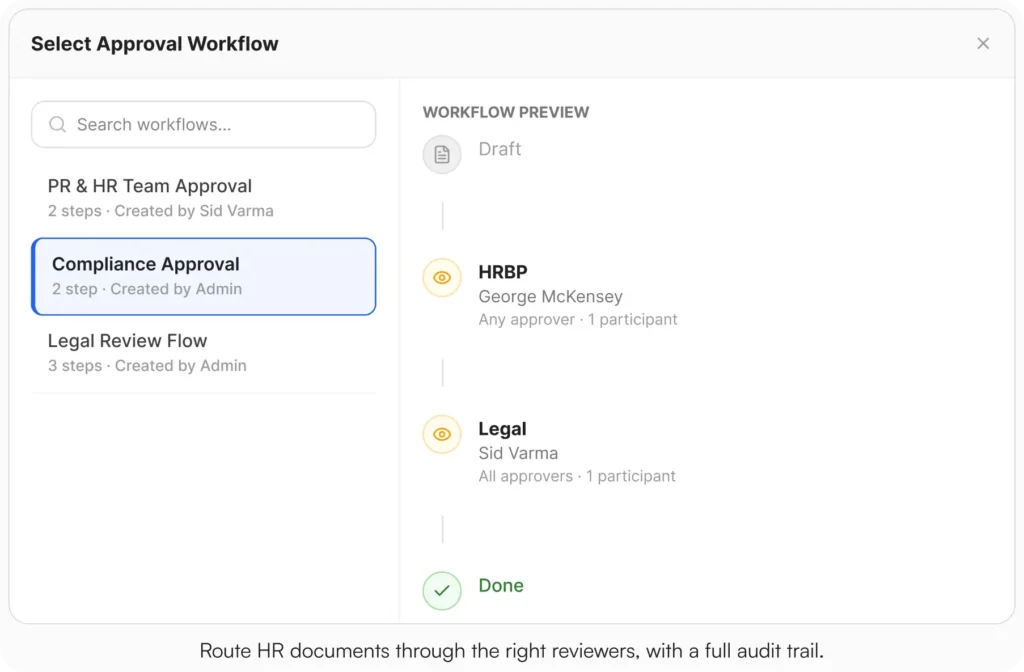
The approval workflow plus acknowledgment tracking together give HR docs the formal sign-off and proof-of-read that compliance work requires.
Benefits documentation management
Managing benefits documentation is hard because the docs are complex and update frequently. AllyMatter organizes benefits info so it’s easier to keep accurate.
HR teams can:
- Build a benefits knowledge base with the relevant categories
- Categorize information by benefit type
- Update once and have the change reflect across all related docs
- Track employee acknowledgment of benefits changes
- Enable self-service access so HR fields fewer benefits questions
This is especially valuable during open enrollment, when benefits questions spike and HR usually drowns.
Departmental HR knowledge transfer
As organizations grow, preserving institutional knowledge gets harder. AllyMatter bridges knowledge gaps between departments and during transitions.
The platform enables:
- Department-specific HR knowledge bases with role-relevant content
- Cross-departmental access to shared HR processes
- Preservation of process knowledge when team members change roles
- Standardized documentation templates for consistency
- Clear ownership and maintenance responsibility for each doc
For many companies, departmental knowledge exists primarily in the heads of long-tenured employees. A department-specific KB inside AllyMatter preserves the process knowledge and cuts onboarding time for new HR team members.
Exit process documentation
Managing employee departures requires careful documentation and process adherence. AllyMatter standardizes the exit so nothing falls through.
HR can:
- Build comprehensive exit checklists
- Run approval workflows for offboarding tasks
- Maintain records of returned equipment
- Document exit interviews with consistent templates
- Stay compliant with legal requirements during separations
This reduces risk during transitions and makes the offboarding process predictable across the organization.
Implementation guide: Getting started with AllyMatter for HR
Setting up your HR knowledge base
- Structure your content. Start by categorizing your HR documentation. Common categories: policies, procedures, forms, benefits, training materials.
- Establish naming conventions. Consistent names make search work and prevent the same doc from existing under three different titles.
- Import existing documentation. Use the import features to bring your existing docs into the system with the right tags and categories applied.
- Build templates for common doc types. Standardize the formats your team uses most.
- Configure search and tags. Set up the metadata and tagging conventions so finding specific information is fast and predictable.
User permissions and access controls for HR documents
- Define user roles. Establish roles based on your organizational structure: HR admins, department managers, team members.
- Set document-level permissions. Decide who can view, edit, or approve each type of HR documentation.
- Configure visibility settings. Use the visibility options (public, internal, private) to control access.
- Implement approval workflows. Build approval chains for sensitive HR documents that need multiple reviews.
Start your 30-day free trial. No credit card to start, and a 30-day money-back guarantee if you convert and change your mind. Or try the live demo to see the library, search, and acknowledgment views with realistic HR content already populated.
Measuring success
Putting AllyMatter in place as your HR knowledge base should deliver measurable improvements. Here’s what to track:
- Time savings. Measure the reduction in time spent searching for information or answering repeat questions.
- Onboarding efficiency. Track decrease in onboarding time and resources spent per hire.
- Compliance posture. Monitor rates of policy acknowledgment, time-to-acknowledgment, and audit-prep speed.
- Employee satisfaction. Survey team members on HR information accessibility specifically.
- Process consistency. Evaluate whether HR processes look the same across departments.
Three scenarios
An honest read on whether this is right for your team:
If you’re under 30 employees and HR is one person who holds most of the policies in their head, a clean Drive folder with strict naming rules will hold for a while. The full HR KB build pays off when the team grows past the size where one person knows everything.
If you’re 30 to 200 employees and the four signals at the top of this post are showing up in your week, this is the moment. AllyMatter is what we built for exactly this transition.
If you’re 200+ employees, multi-location, or in a regulated industry (healthcare, finance, legal, government contracting), a structured HR KB with audit-ready acknowledgments and approvals is not optional. AllyMatter or another purpose-built KB makes sense here. We’d start with AllyMatter.
What changes when the system works
The modern HR department is a strategic partner in organizational success, but administrative burden often gets in the way of high-value work. An HR knowledge base built for the actual job centralizes documentation, simplifies the recurring processes, and gives employees self-service access to what they need.
The ten use cases above are where AllyMatter pays off first. As your organization grows, the platform scales to match.
When the knowledge base is working, HR stops being the answer desk for questions that should have a doc. That’s when the team gets back to the work it was hired for.
Start your 30-day free trial. No credit card to start, and a 30-day money-back guarantee if you convert and change your mind.
Not ready for a trial? Migration from Confluence, Notion, SharePoint, or Drive is on us when you decide. We’ll move your existing HR docs over and have you up and running in about a week.
Frequently asked questions
How does AllyMatter differ from generic document storage?
A file system stores files. AllyMatter adds the work that makes those files useful: real search across content, tag-based access control, version history with a compare view, approval workflows, acknowledgment tracking with PDF records, and audit trails. The difference shows up the first time someone asks “where is the current version” or “who acknowledged this” and you need the answer in 30 seconds.
Can AllyMatter integrate with our existing HR tools and systems?
Yes. AllyMatter sits alongside your existing HR stack. You can import documents from various sources and embed AllyMatter links inside your current workflows (Slack, Microsoft Teams, onboarding checklists, performance review tools) so the knowledge shows up where the work happens.
How does AllyMatter handle HR document security and compliance?
Enterprise-grade encryption, tag-based access controls, full version history with the ability to compare versions, audit trails for every document change, and acknowledgment tracking with PDF records per employee. The combination gives you a defensible compliance posture on demand.
What happens to our existing HR documentation when we move to AllyMatter?
Your existing docs import into AllyMatter with the right tags and categories applied. Most file formats are supported and migration from Confluence, Notion, SharePoint, or Drive is on us when you decide to make the switch.
How quickly can HR teams see results?
Most HR teams notice immediate improvements in finding things and fewer repeat questions in the first week. Bigger benefits (structured workflows, complete acknowledgment coverage, audit-ready exports) typically land within the first 30 days as the team builds out the categories and starts using the workflow features.
Related reading
- HR Knowledge Base: Complete Guide for Scale-Ups
- How to Build a Knowledge Base for HR Teams
- Transform Your Onboarding: Cut Training Time With AllyMatter
- Notion vs AllyMatter for HR Policy Management
- Internal Knowledge Base – HR Department Use Cases

Founder of AllyMatter I’m founder of AllyMatter, an operations-first knowledge base for growing companies. Before AllyMatter, I co-founded Syren Cloud and helped scale it into a 300-person organization across two countries, leading marketing, operations, and HR. We moved fast, served demanding customers, and learned the hard way that internal knowledge systems built for help docs or IT don’t solve day-to-day operations. AllyMatter is my answer—tools that turn tribal knowledge into trusted, searchable processes. This blog shares the playbooks, checklists, and lessons I wish I’d had while scaling.