Most people freeze on this question because they picture the finished product. Hundreds of articles. Every edge case documented. A polished library covering every corner of the product or every policy in the company. Measured against that, the project feels like a six-month build, so it never starts.
That’s the wrong finish line. After building knowledge bases and policy systems across multiple companies, geographies, and compliance regimes, I can tell you the real timeline is measured in days and weeks, not quarters. But only if you define “done” correctly and avoid the few things that quietly eat your calendar.
Here is how long it actually takes, broken down by what you are building.
First, redefine “done”
A knowledge base is done when it answers the vital few questions that actually affect productivity. Not every question. The vital few.
Think of it as the Pareto principle with sharper numbers. If roughly 30 percent of your articles answer 90 percent of the questions people actually have, then your job at launch is to write that 30 percent. Everything else can come later, while the system is already live and earning its keep.
The trigger for what belongs in version one is simple. If your customers keep asking how to do a specific thing in your software, and answering it repeatedly costs more than a few hours of your team’s time, write that article. If more than a small percentage of your employees keep asking where the holiday policy is, put the holiday policy in the internal knowledge base. The cost of the repeated question is the signal.
There is a subtler version of this that most people miss. Sometimes nobody is asking the question, and that is exactly the problem. If new employees are quietly setting up their laptops and apps incorrectly, losing productivity without realizing it, you may be the only person who knows that gap exists. Those silent productivity drains belong in the knowledge base too, even though no ticket will ever tell you to write them.
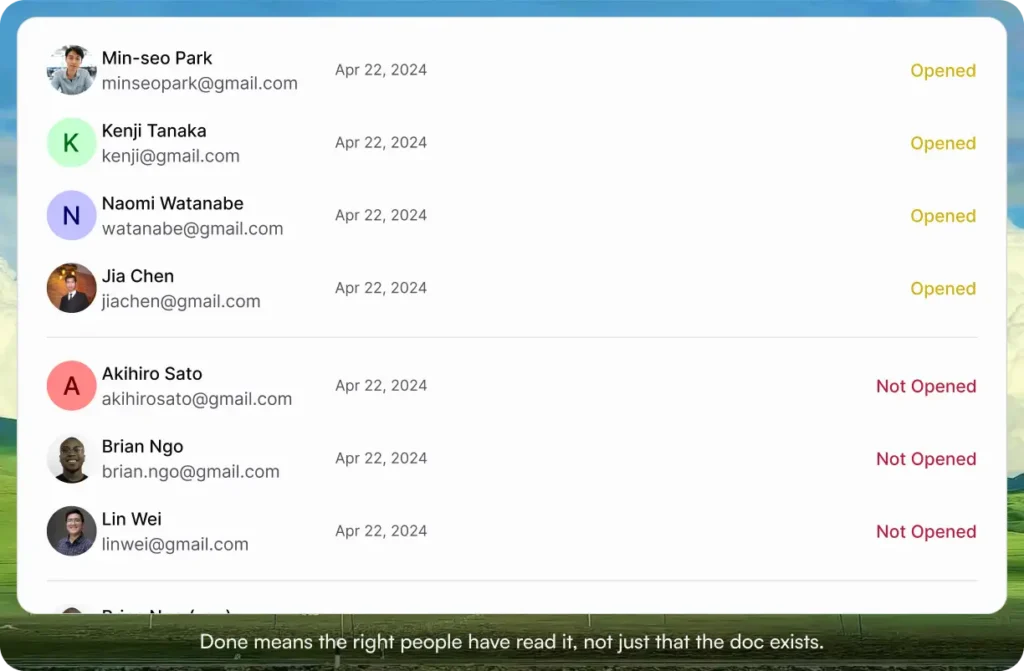
So the finish line is this: the knowledge base answers the questions that affect productivity, whether or not people are vocally asking, and for an internal knowledge base, you have an acknowledgment system in place so you know the right people have actually read what they were supposed to read. Hit that, and you can launch. Everything after is iteration.
Building a customer-facing help center
If you are a brand new startup, a set of articles explaining how your app gets things done should take less than a week.
This surprises people, but it should not. You know your product better than anyone on earth. Nobody needs to research it, interview a specialist, or reverse-engineer how a feature works. You already hold the knowledge. The task is to get it out of your head and into a structured set of how-to articles that cover the core jobs your customers are trying to do.
Write the articles that map to the questions you already answer in support conversations and demos. That is your 30 percent. A focused week of work gets a startup to a launchable help center, and you improve it from there as real customer questions reveal the gaps.
Building an internal knowledge base
This one depends almost entirely on whether legal and regulatory content is involved, and whether you are writing from scratch or starting from templates.
If you are using templatized documents, you can have everything ready in under a week. Most internal documentation is policy documentation tied to a legal or regulatory requirement, and good templates for those already exist. You take the template, customize it for your situation, and you are most of the way there.
If legal and regulatory frameworks need to be built out properly and legal review is in the loop, plan for around three weeks from start to finish. The writing is rarely the slow part. Getting legal sign-off is.
So the range for a from-scratch internal knowledge base is roughly one to three weeks, and which end you land on is decided mostly by how much legal involvement your content needs.
Migrating an existing knowledge base to a new system
This is the scenario most growing companies actually face. You already have your knowledge scattered across SharePoint, Google Docs, or worse, buried in email threads, and you want to move it into a real system as you scale.
For a larger company serving multiple departments and multiple geographies, moving all your existing policies from their current home into a new knowledge base should take about two weeks. That two weeks includes the parts people forget: making sure everyone who should have access actually gets access, and setting up a document workflow where the correct people review and approve each document.
If you already have your approvals in place, the same migration takes less than a week.
Add a few days if your documents are image-heavy, because images take time to handle correctly, though newer knowledge base tools have made this far easier than it used to be.
The things that quietly eat your timeline
Knowing the ranges is only useful if you also know what blows them up. Here are the real bottlenecks, roughly in the order they cause trouble.
Getting specialist time to write or vet documents. This is the single biggest time killer. The person who actually knows the policy, or the engineer who knows the feature, or the lawyer who has to bless the language, is busy. Their attention is the scarce resource, not the writing itself. Small errors in a draft get magnified into long back-and-forth cycles, and every cycle waits on someone whose calendar you do not control. If you protect for one risk, protect for this one.
Trying to update the knowledge base while you are moving it. This is the mistake that blindsides people most often. They decide that since they are migrating everything anyway, they might as well rewrite and improve each document on the way over. Do not do this. Move the old knowledge base across as-is first, so you have a clean versioning baseline in the new system, and then update from there. Combining the move and the rewrite turns a one-week job into a tangled mess where you cannot tell what changed because of the migration and what changed because of the edit.
Images. For some teams, getting images done correctly is genuinely slow. It is less painful in modern tools, but if your documents are image-heavy, budget for it.
How to do it three times faster
The shortcuts are the inverse of the bottlenecks.
Move as-is, or use templates. The fastest path is almost never writing from a blank page. If you have an existing knowledge base, migrate it unchanged and improve later. If you are creating internal policy documents, start from the templates that already exist for your legal or regulatory need and customize them, rather than inventing the structure yourself.
Use AI for the first draft, then have a human expert iterate. If you genuinely have to write something new, AI does a good job producing a solid first version before you or a specialist refines it. For templated policy documents, an AI pass can handle the customization quickly. The one rule that is not optional: vet the output carefully after the AI pass. Speed on the draft does not buy you the right to skip the review, especially for anything legal or regulatory.
Where I am coming from
I am not theorizing about this. I built internal documentation for a company with employees across three countries and more than ten jurisdictions, where the permutations of contractor, employee, and intern policies across all those geographies got genuinely complex. I built that company to around 250 people as a lean operation, and the documentation was a big part of how we stayed lean. After training the first few batches of employees on how to do certain processes correctly, I wrote good internal how-to and policy documents so that new hires could get up to speed within a week instead of needing hand-holding.
I also handled documentation and policy adherence for client work with companies like J&J, Microsoft, and GitHub, which raised the bar considerably. And I took that original company through ISO 27001, ISO 9001, CMMI, HIPAA, and SOC 2 certification with a two-person team supporting me. If you have been through a certification audit, you know how much of it comes down to whether your documents, versions, and approval trails are in order.
That last part is exactly why I built AllyMatter.
Where AllyMatter changes the math
Most of the timelines above are slowed by friction that has nothing to do with the actual knowledge. Approvals living in email. Access provisioning done by hand. Versioning that depends on someone remembering to save a copy. Acknowledgment tracking done in a spreadsheet, if at all.
AllyMatter is one place for policy and knowledge management, built so non-technical teams can run it without engineering help. It pulls the entire workflow into a single system: document authoring, approval routing, acknowledgment tracking, and targeted notifications, instead of scattering them across email and shared drives. It is hybrid from day one, so internal and external-facing documentation live in a single source of truth, and you can gate the content that needs to stay restricted.
Concretely, against the bottlenecks above: The specialist-time problem shrinks because review and approval happen inside the system with the right people routed automatically, instead of chasing sign-off through email threads.
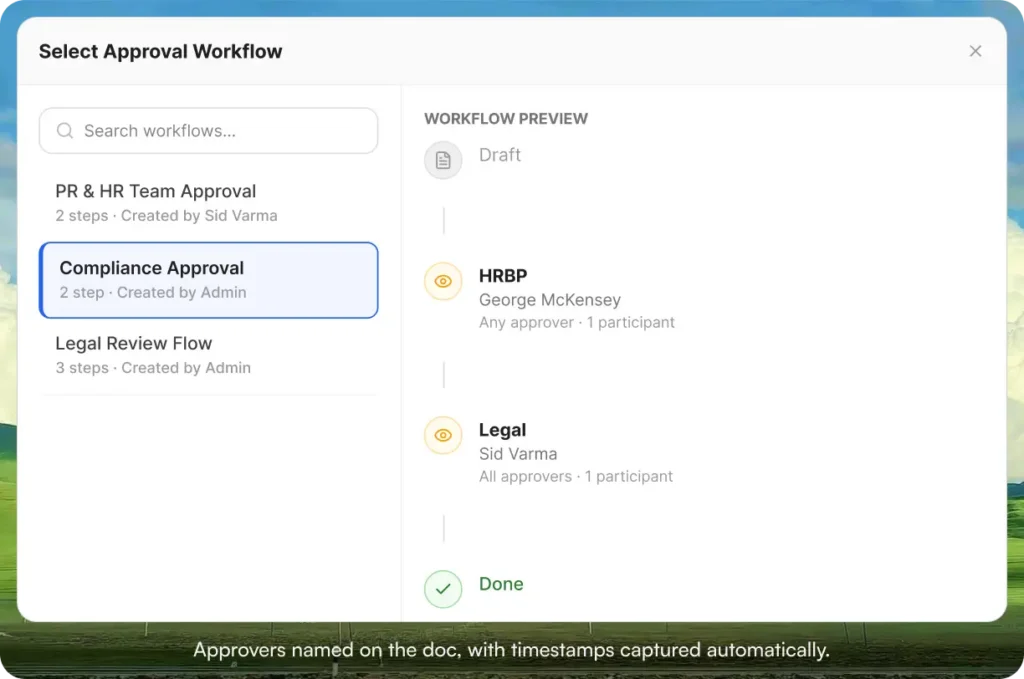
The acknowledgment requirement that defines “done” for an internal knowledge base is built in, so you know exactly who has read what.
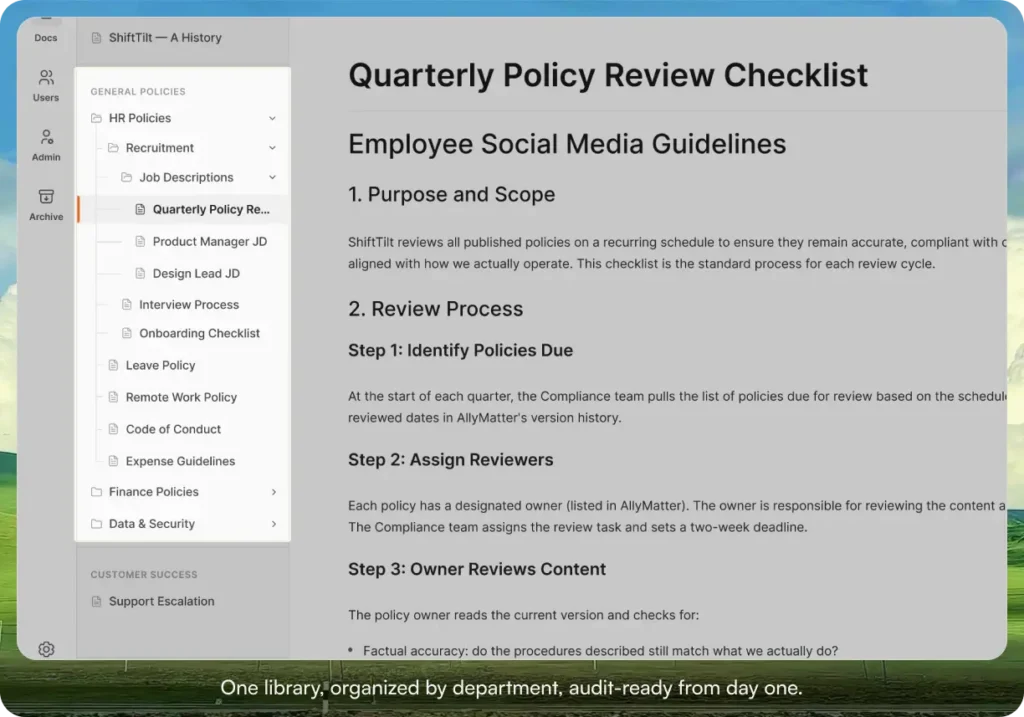
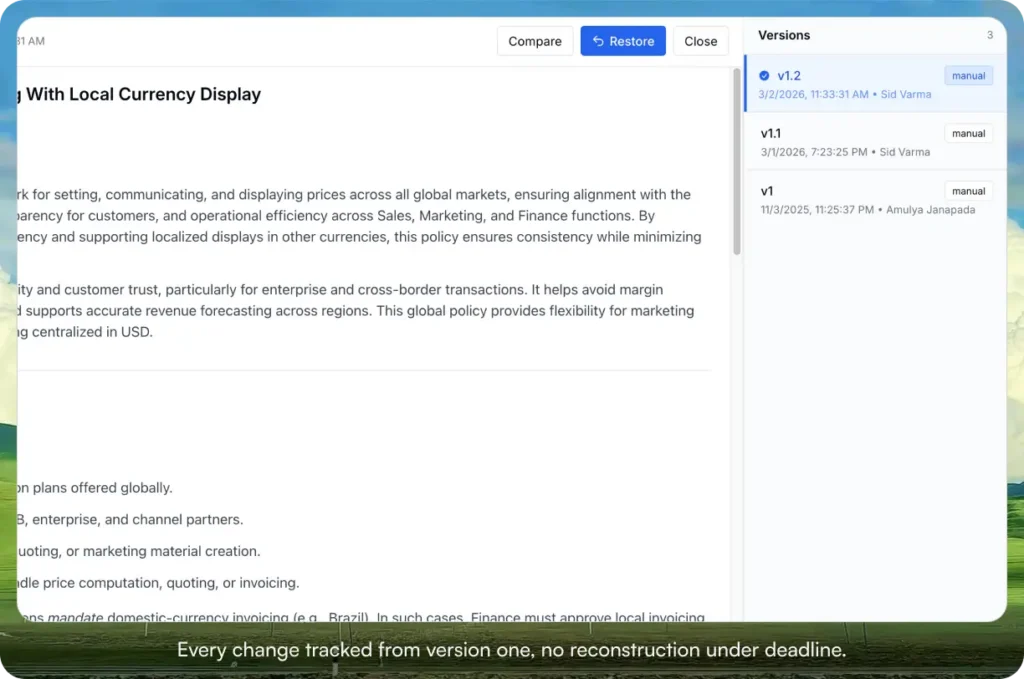
The migration risk shrinks because the system captures versioning and document logs from day one, which means moving your content in as-is gives you a clean baseline immediately, and audit readiness is there from the start. When you eventually go for a certification, the trail is already built rather than reconstructed under deadline.
Start your 30-day free trial. No credit card to start, and a 30-day money-back guarantee if you convert and change your mind.
And if your worry is the migration itself, moving everything out of SharePoint, Google Docs, or email without losing anything, we handle that for you. AllyMatter provides a free migration service, done manually in consultation with you, because setting it up right the first time matters more than setting it up fast.
So, how long?
A startup help center: under a week. A templated internal knowledge base: under a week. A from-scratch internal knowledge base with legal in the loop: about three weeks. A full multi-department, multi-geography migration: about two weeks, or under a week if your approvals already exist.
None of that is a six-month project. It only becomes one when you aim for completeness instead of the vital few, rewrite while you migrate, or wait on specialist time you never scheduled.
If you want to see how fast it can go, start your 30-day free trial. No credit card to start, and a 30-day money-back guarantee if you convert and change your mind. Or try the live demo to see the library, approval workflows, version history, and acknowledgment tracking with realistic content already populated.
Not ready for a trial? The free migration service handles the move from SharePoint, Confluence, Notion, or Drive. We move your existing docs over and have you running in about a week.
If you get stuck or want a second opinion on scoping your own build, reach out directly. But the trial is the place to start.
Related reading
- Why HR Teams Can’t Track Policy Acknowledgments in SharePoint
- Show Me the Trail: Audit-Ready Version Control for HR Policies
- How to Build a Knowledge Base for HR Teams
- Avoid HR Headaches: Stay Compliant without Legal Bottlenecks
- HR Knowledge Base: Complete Guide for Scale-Ups

Founder of AllyMatter I’m Sid Varma, founder of AllyMatter, an operations-first knowledge base for growing companies. Before AllyMatter, I co-founded Syren Cloud and helped scale it into a 300-person organization across two countries, leading marketing, operations, and HR. We moved fast, served demanding customers, and learned the hard way that internal knowledge systems built for help docs or IT don’t solve day-to-day operations. AllyMatter is my answer—tools that turn tribal knowledge into trusted, searchable processes. This blog shares the playbooks, checklists, and lessons I wish I’d had while scaling.