

“Where’s that campaign brief that performed so well last quarter? Who has the targeting parameters from the LinkedIn campaign that crushed? Didn’t someone already solve this exact problem last year?”
If these questions sound familiar, you’re paying the cost of marketing knowledge that nobody captured. For lean marketing teams especially, the cost is not just frustration. It’s a tax on every quarter’s planning cycle.
Three signals it’s time to build this:
- You’ve planned the same kind of campaign three times and can’t remember the messaging that worked the first time
- Someone left the team, and the retros and reasoning left with them
- The next planning cycle just started with “what did we do last year”
When marketing team members change roles or leave, they take the campaign context with them. The strategy that worked, the rationale behind it, the segment insights, the channel mix that actually delivered: all of it walks. For lean teams without backup, this knowledge loss compounds fast.
What is a ‘What Worked’ library?
A ‘What Worked’ library is a structured knowledge base section dedicated to the campaigns, briefs, and processes that produced your best results. Unlike a generic archive that just stores what was done, a real library captures the strategic thinking, contextual factors, and measurable outcomes that made the approach work.
This turns knowledge held in one person’s head into knowledge the rest of the team can use. The difference between a marketing archive and a What Worked library is its focus on capturing both the what and the why.
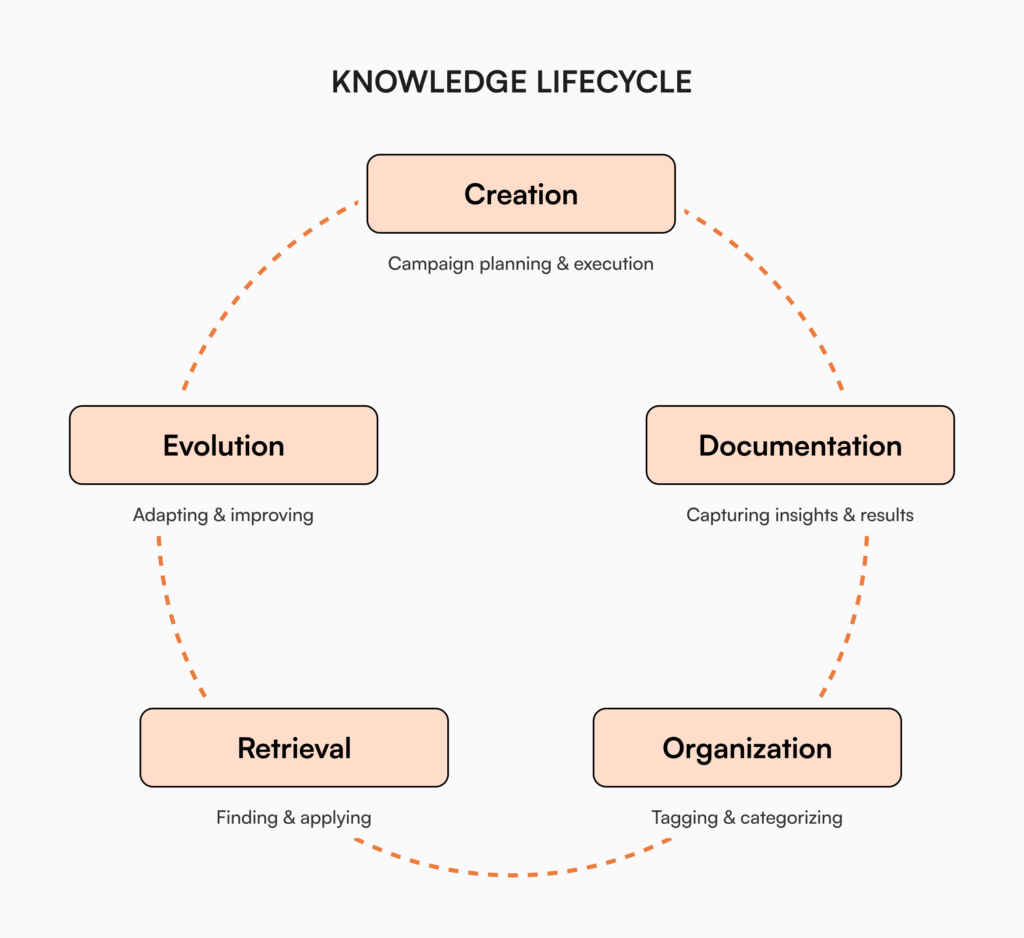
The components that pay off:
- Campaign briefs with the performance numbers attached
- Creative briefs that drove exceptional results
- Marketing process docs for the workflows that worked
- Testing methodologies and what they revealed
- Channel-specific insights with metrics
- Customer engagement patterns that resonated
This is not about preserving documents. It’s about preserving the reasoning that produced the result.
What to document: A decision path for marketing teams
Not everything needs documenting. Use this decision path to figure out what belongs in the library.
Document this if:
- It produced exceptional results (significantly above benchmarks)
- Multiple team members will need this information in the future
- It represents a process innovation or efficiency gain
- It involved significant resources or institutional learning
- It captured unique customer insights
- It would be difficult to recreate without documentation
Skip documenting if:
- It follows standard processes already well-documented
- It produced average or below-average results
- It was a one-off campaign unlikely to be repeated
- The market conditions have fundamentally changed
For most marketing teams, the highest-value items in the library are:
- Campaign architecture documents that outline the full structure of successful campaigns
- Creative approaches that resonated with specific audience segments
- Channel optimization strategies that delivered exceptional ROI
- Messaging frameworks that drove engagement and conversion
- Process documentation for complex marketing technology setups
Creating access that works: Organization strategies
A library is only valuable if people can find what they need when they need it. Three pieces matter.
Effective tagging systems
Develop a consistent tagging taxonomy that reflects how your team thinks about marketing work:
- Campaign type: awareness, lead generation, conversion, retention
- Channel: social, email, content, paid search, events
- Audience segment: decision-makers, influencers, specific industries
- Content format: video, blog, whitepaper, webinar
- Performance level: exceptional, above average, average, below average
- Campaign stage: planning, creative, execution, measurement
Make sure everyone uses the same tagging conventions. The library breaks the moment two people tag the same thing differently.
Searchability
The same principle that makes website search crucial for customers applies to your internal knowledge: real search is essential.
The library needs:
- Full-text search across every doc
- Tag-based filtering
- Metadata searching (by date, author, etc.)
- Customizable views based on team role
Role-based access
Not everyone needs the same level of access. Set up clear permission levels:
- Viewers: access and search but no edit rights
- Contributors: add documentation using the established templates
- Editors: revise existing documentation
- Administrators: manage the system and user permissions
Implementation without overwhelm
Building a What Worked library can sound daunting. With a phased approach, even lean marketing teams can get a useful library running without disrupting daily work.
Five-question self-check:
- Did your last marketing hire spend more than two weeks finding the brand voice doc?
- Did the same agency question get answered differently by two different people in the last month?
- Has a successful campaign been recreated from memory because the original retro can’t be found?
- Is your strongest performer planning to take parental leave or a sabbatical in the next two quarters?
- Are you in a regulated industry where audit-ready documentation matters?
Four or more yes? You’re ready. Start with the three to five most successful campaigns and back-fill from there.
Practical starting points
- Start with your greatest hits. Document your three to five most successful recent campaigns first. The library earns trust by being useful immediately.
- Create simple templates. Begin with basic doc formats that capture the essentials. You can layer detail later.
- Block weekly contribution time. Thirty minutes a week per contributor. Knowledge capture happens when it’s scheduled.
- Assign clear ownership. Designate one person to champion the library. Without an owner, the library drifts.
- Celebrate early wins. When documented knowledge solves a problem, name it in a team meeting. Adoption follows visible value.
Already have retros in Notion or Drive? Migration is on us when you decide. We’ll move your existing docs over and have the library running from week two.
Why a What Worked library breaks in Notion or Drive at 30+ people
A lot of teams try to build this in the tools they already have. It works for a while. Three failure modes show up around the 30-person mark.
Search across nested pages stops being reliable. Notion search returns titles well but struggles with text inside nested databases and pages. Drive search returns hits but doesn’t rank by what your team actually opens. The campaign retro you wrote in October becomes invisible by February.
There’s no real acknowledgment. When the brand voice updates or the campaign playbook gets refreshed, you have no way to know who actually read it. Drive shows you who opened the file. Neither tells you who acknowledged the new version is canon. The agency keeps using last quarter’s tone guidance.
There’s no formal approval workflow. Anyone can edit the retro. The wrong takeaway lands as the official one. Six months later, the team is using the unreviewed version as a planning input. A real KB routes the doc through reviewers before it goes live.
These aren’t deal-breakers at 5 or 10 people. At 30 or more, especially with agency partners in the mix, they become the reason every quarter starts with “where did we put that.”
Measuring your library’s impact
How do you know the library is actually delivering value? Track these.
Efficiency metrics
- Time saved searching for information (a quick team survey will quantify this)
- Reduction in duplicated work and “reinventing the wheel”
- Faster campaign planning and execution timelines
Team adoption indicators
- Number of team members actively contributing
- Frequency of access and searches
- Variety of content being documented
Business impact measurements
- Improved campaign performance from applying documented learnings
- Faster onboarding for new team members
- Reduction in knowledge loss during team transitions
Your team’s marketing effectiveness depends on applying lessons from past campaigns. A well-built library makes sure those lessons stay accessible when team members change roles or leave.
How to build a ‘What Worked’ library in AllyMatter
We built AllyMatter for what comes after the doc is written. Most tools (Notion, Google Docs, Confluence) are built for the creation phase, where two people draft a doc together. AllyMatter is built for the phase that matters more for marketing: making sure the campaign retros, the brief templates, and the messaging frameworks are findable, governed, and trusted next quarter.
Here’s how a What Worked library comes together inside AllyMatter, step by step.
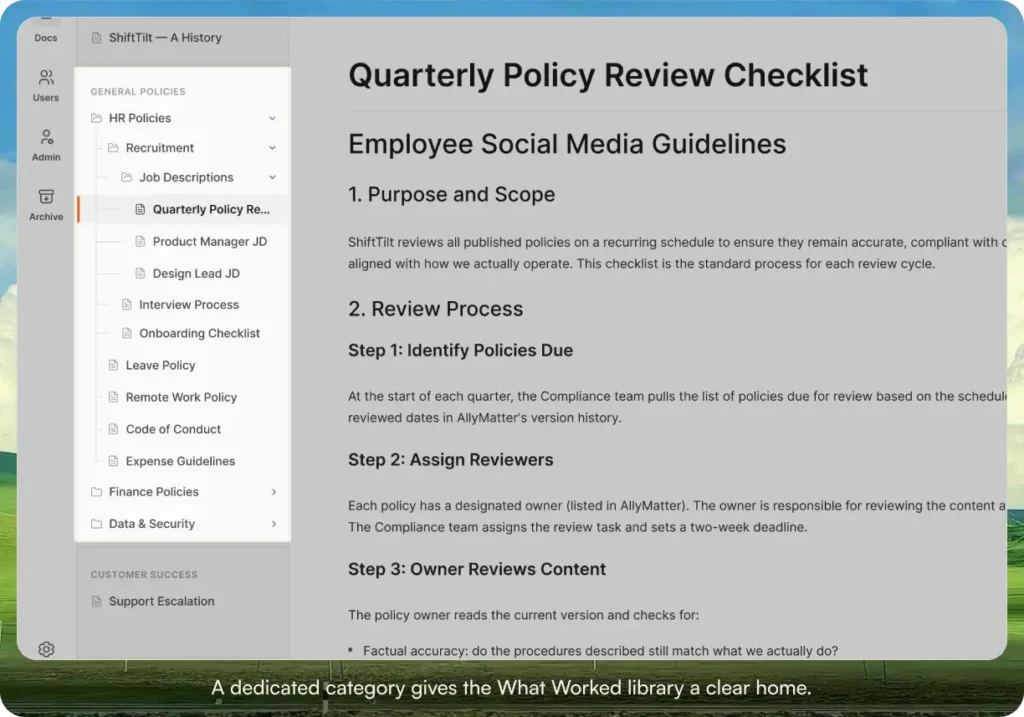
Step 1: Create the ‘What Worked’ category
Set up a dedicated category in your library so the campaign retros, briefs, and process docs have a clear home. Categories are the high-level structure your team sees first.
Step 2: Decide on the master format
Write one master retro doc your team agrees to use as the format. Save it as the reference. When a new campaign closes, duplicate it and fill it in. Consistency in shape matters more than detail. A library where every retro looks the same is a library that’s actually searchable.
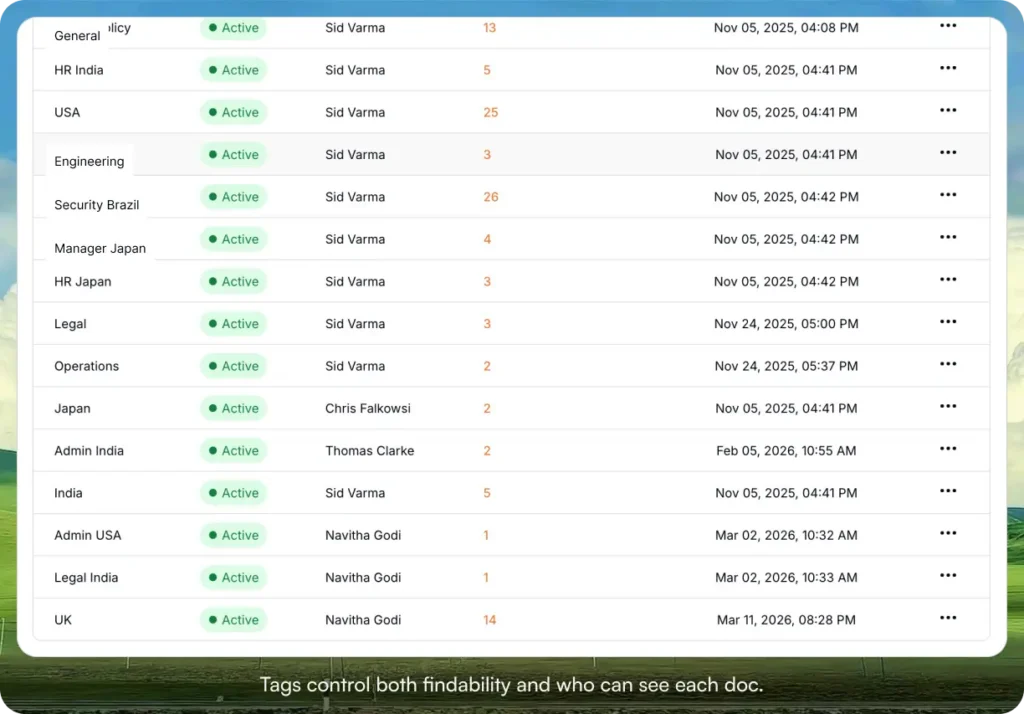
Step 3: Tag for findability and access
This is where the library earns its keep. Tag every retro across the dimensions your team thinks in: campaign type, channel, audience segment, format, performance level. Use tag-based access to control who sees what. Brand guidelines visible to everyone. Unannounced launch retros visible only to the launch team.
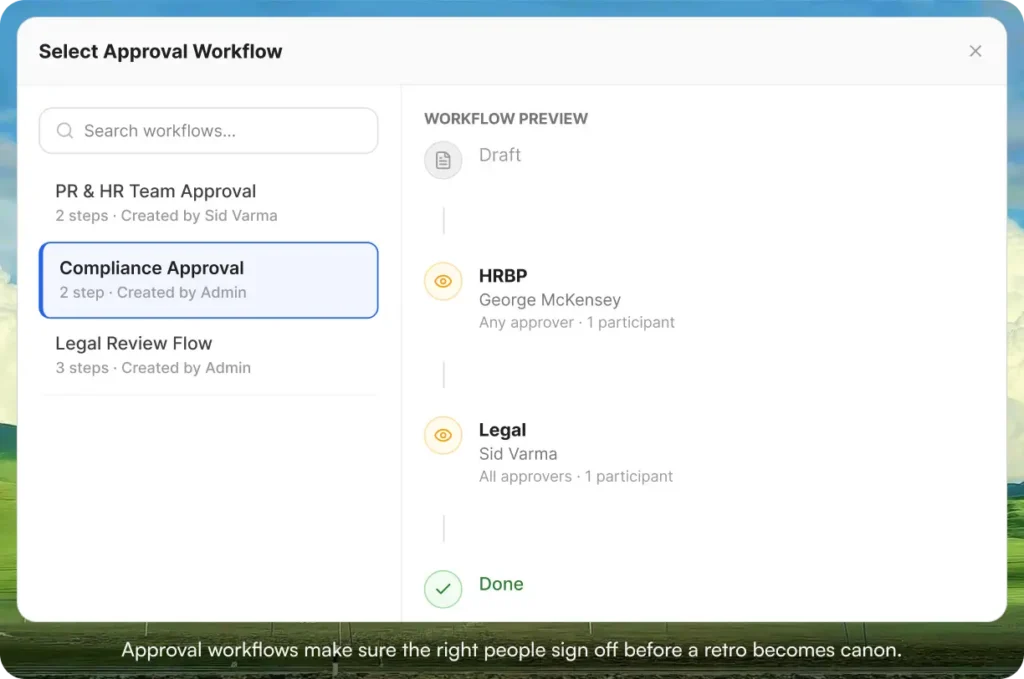
Step 4: Route new retros through an approval workflow
A retro that nobody reviewed lands as canon by default. Route every new retro through the approval workflow so the people who ran the campaign sign off on the takeaways before they become the official version.
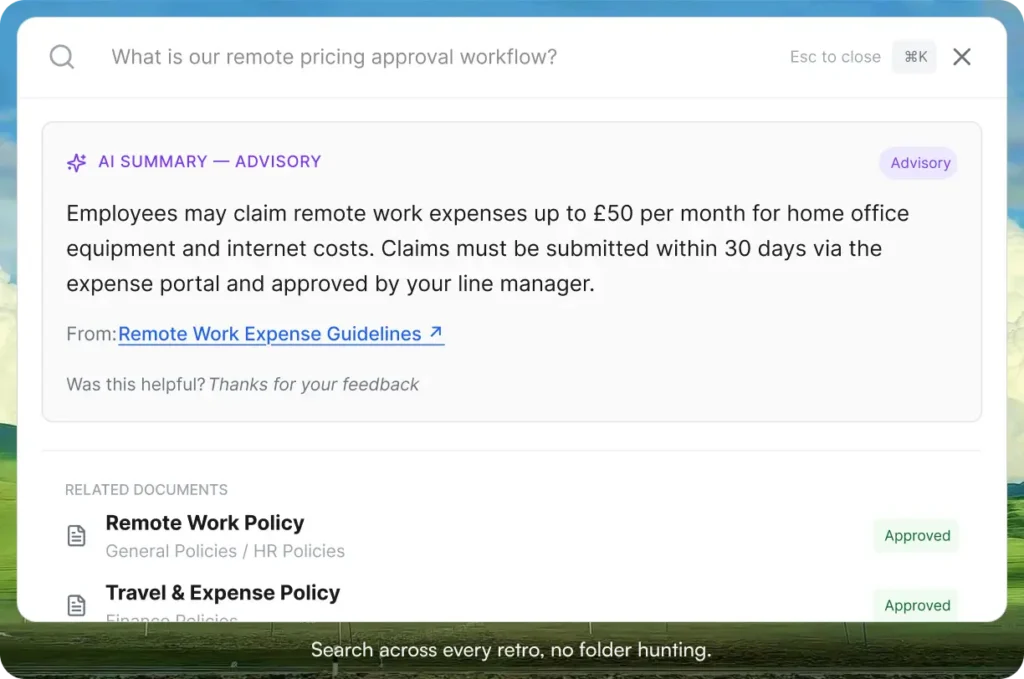
Step 5: Make search and acknowledgments do the work
Once the library exists, the goal is fast retrieval. AllyMatter search returns the right doc in under a second. When the brand voice doc or messaging framework changes, acknowledgment tracking shows you who’s actually read the update, with a PDF record per person.
A few other features that come up in practice: native Slack and Microsoft Teams integration so updates show up where your team already works, Version Compare so you can see exactly what changed in the brand guidelines between Q1 and Q2, and inline image support so brand guidelines and creative retros read the way they should.
Start your 30-day free trial. No credit card to start, and a 30-day money-back guarantee if you convert and change your mind.
Three scenarios
An honest read on whether you’re ready:
If your marketing team is under five people and you ship a handful of campaigns a year, you probably don’t need a dedicated library yet. A clean Notion workspace or Drive folder with strict naming rules will hold.
If your marketing team is between five and thirty inside a company that’s growing, and the last quarterly planning cycle started with “where did we put that,” this is the moment. AllyMatter is what we built for it.
If you’re 30+ marketing people, running across regions, product lines, or a network of agency partners, a library is no longer optional. You need search, tag-based access, approval workflows, and acknowledgments. AllyMatter or another purpose-built KB platform makes sense here. We’d start with AllyMatter.
Moving forward with marketing knowledge management
A What Worked library is not about preserving documents. It’s about capturing the reasoning that produced the result and making sure the next campaign can build on it. By implementing a structured approach to knowledge management, lean marketing teams can preserve their institutional knowledge, accelerate planning, hold consistent performance through team transitions, and stop starting from scratch every quarter.
The most effective marketing teams don’t just run campaigns. They build systems so the best campaigns can be understood, repeated, and improved.
Start your 30-day free trial. No credit card to start, and a 30-day money-back guarantee if you convert and change your mind.
Not ready for a trial? Migration from Confluence or Notion is on us when you decide. We’ll move your existing marketing docs over and have you up and running in about a week.
Frequently asked questions
How long does it take to build a What Worked library?
You can see value within weeks. Start with your three to five most successful recent campaigns and grow from there. Most teams have a useful library within two to three months of consistent effort, but the first wins land much earlier than that.
Who should be responsible for maintaining the library?
Everyone contributes, but you need one named owner who keeps things consistent and unblocks people when they hit a question. The role works best when it rotates yearly so the library doesn’t ossify around one person’s preferences.
How do we get the team to actually use it?
Integrate the library into the workflows the team is already running. Reference it in campaign planning meetings. Make it part of the campaign post-mortem checklist. When documented knowledge solves a problem, say so. Teams adopt tools that visibly save them time.
How detailed should each retro be?
Detailed enough that someone unfamiliar with the campaign could understand not just what was done, but why decisions were made and what outcomes resulted. Link to the assets and the platforms rather than trying to document everything in one file.
Related reading
- Internal Knowledge Base Maturity: A Strategic Framework for Growing Companies
- Preserving Institutional Knowledge Amid Workforce Shortages
- Plan 3 Months of Marketing Content with Your Knowledge Base

Vikas is a B2B marketing professional with over 14 years of experience in content strategy, messaging, and demand generation. He specializes in turning complex business challenges into clear, actionable stories to connect meaningfully with audiences.